Multiple Display USB C Docking Station Compatibility List:
Before you purchase, please confirm your source device own the USB-C port which supports DP Alt Mode
For MacBook/ MacBook Pro (2020/2019/2018/2017/2016), Macbook Air 2018-2020, Mac mini 2018-2020, iPad Pro 2018.
For Google Chromebook 2018/2017/2016, please notes that for Chrome OS don't support extend mode.
For Huawei Macbook Mate10/ Mate10 pro/ Mate20/ Mate20 pro / Mate30/ Mate30Pro6) Dell XPS13/15.
For Dell Latitude Series/Vostro Series/Precision Series/XPS series
For HP Spectre Notebook/EliteBook Series/Pro Series/Zbook Series
For Acer Aspire R13/V15 Nitro/V17 Nitro
For Asus Zenbook Pro UX Series/Asus Ling Yao 3, Ling Yao 3 PRO, Ling Yao X Series
For Lenovo ThinkPad 25/P Series/T Series/X Series/Yoga Series
Can NOT work with (Tested):
HP EliteBook 745 G4 / HP Elitebook 820 G3 / HP EliteBook 828 G4 / HP 14s-be102TX / HP 14-ce1004TX 14 / HP Probook 650 G2 / HP Probook 455 G4 / HP Probook 430 G5 / HP Pavilion-14 bf116tx / HP Pavilion 15 ck009 / HP Pavilion Power Laptop 15-cb / Lenovo ideapad 340s, Tablets / Google Pixel phones / Nintendo Switch / Acer Aspire A5 / Oneplus 5T Phone
If your laptop not included in the list,please let us know, we are very gladly to help you check if the adapter can work with your device.
Attention
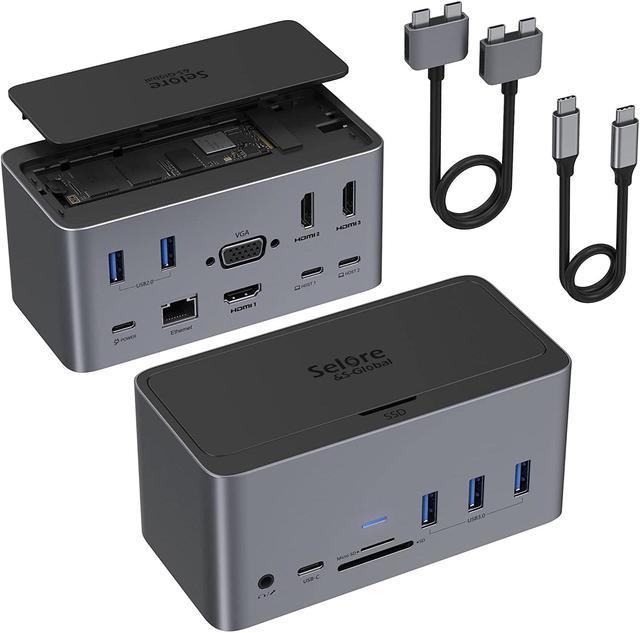
For Compatible: Not all USB-C devices are created equal your device(s) may have firmware or software requirements to make it work with this device.For some windows laptops only equipped with one USB C port, we suggest you connect to HOST2 to get peripheral devices workino via USB C cable. Please be sure to provide the make and model of your laptop so that we can better assist you.
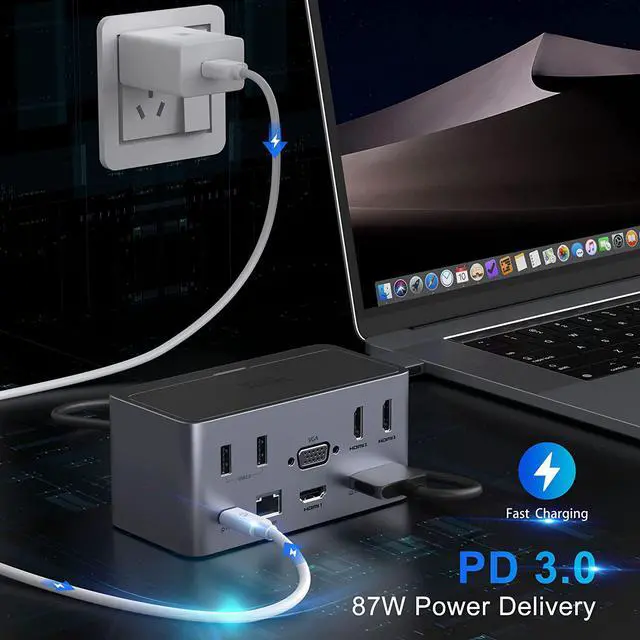
For Power: Please connect your power adapter to the USB C PD charging port of the dock before using. Our docking station requires about 15W of power, and some OEM adapters only provide enough power to run the laptop that they come with. If you are presented with a warning, you may wish to consider purchasing a power supply that provides more than your OEM power supply does. Notice: Docking station supports Max 100W power pass through, If your laptop own a AC adapter, you'd better use the original charger directly connect the laptop to charge, because the it will provide the fastest charge speed and HP/Dell do not allow 3rd party charger to charge their laptop.
For Speed: Thunderbolt 3 bandwidth is shared bandwidth which means all connected devices use the bandwidth for all protocols that transfer through the same Thunderbolt 3 cable (DisplayPort over USB-C traffic and PCle traffic such as USB, Ethernet, and Audio). Below is a chart that can help explain how differen items can use the 40gbps total bandwidth. Selore 18-in-1 Docking Stationan utilize up to the full 40 Gbps of bandwidth depending on what devices are attached to it. If the devices you connected over the total bandwidth, you may not get the result as vou thought.
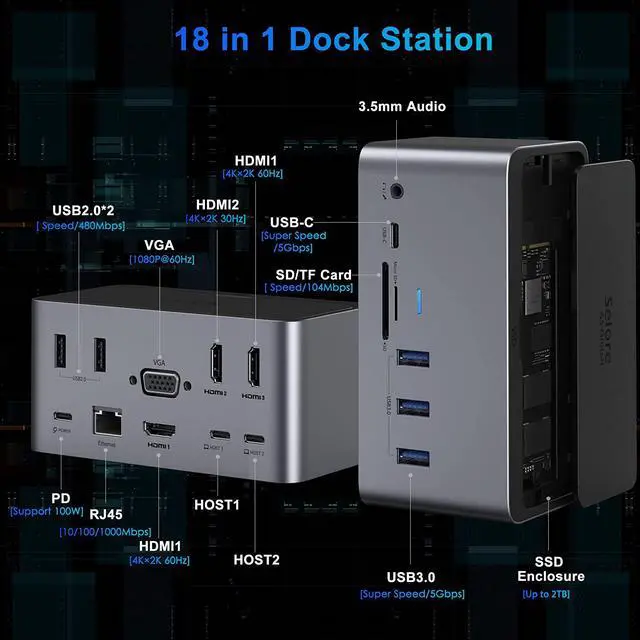
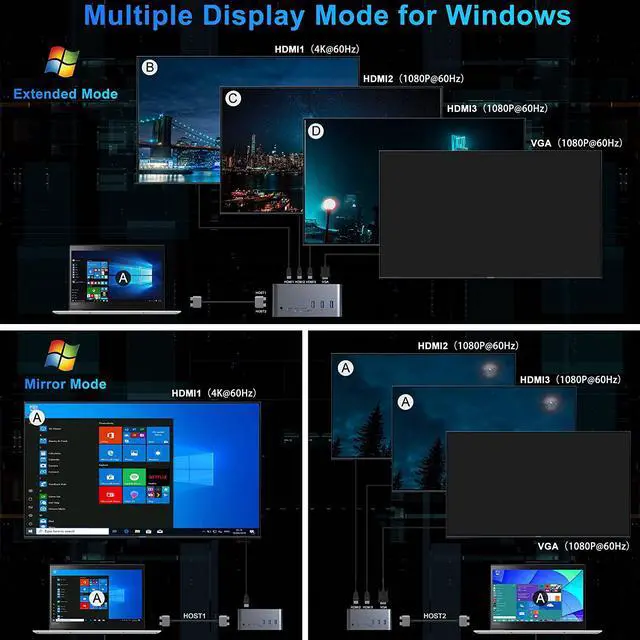
For Windows Display: HOST1 system only drives HDMI1 display, other ports expect HDMI1 are from HOST2 system, and for some Windows laptops only equipped with one USB C port, we suggest you connect to HOST2 to get peripheral devices working via USB C cord; HOST2, if your laptop equips with the Intel Graphics Card, one of 4 monitors will be no display under the limitation of Intel chipsets. Only three-screen will be displayed including the laptop's screen. But you could choose which monitor no display, While for AMD qraphics cards, there is no such restriction,
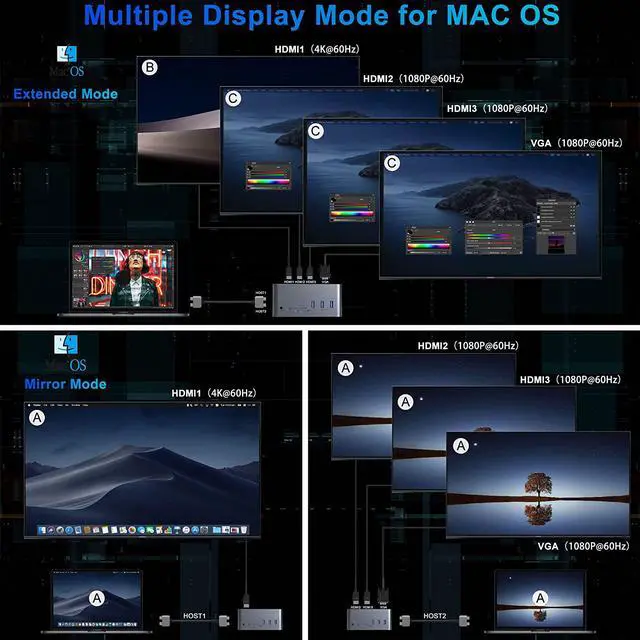
For Mac Display: HDMI1 output is from HOST 1 system, HDMI2+HDMI3+VGA are from HOST 2 system, and due to the bandwidth limitation, these three ports all become 1080P. And Mac OS only support A to B+ C/C/C.
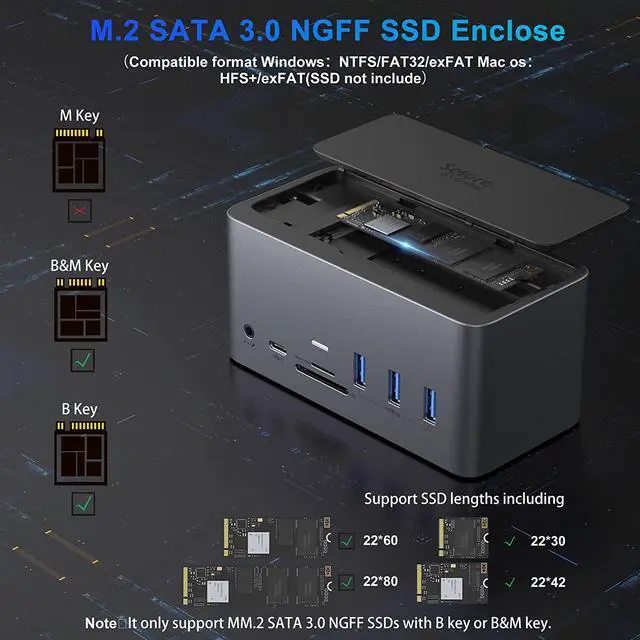
For SSD: M.2 SSD Enclosure can support only M.2 B-KEY or B&M-Key SATA SSDs, it does not support M.2 PCIe AHCI SSDs nor any SSD from Mac, Speed will vary depending on your computer's and SSD's performance.
For Heat:It is normal for the case to heat up, as high-speed M.2 drives generate heat while working. Please avoid touching the SSD while in use.
For Resolution: It's up to your devices's output signal, You can check it by looking at the computer specs and the graphics card specs.
If in doubt about the specifications of your computer, please let us know, we will help you solve it.