


Meet Your Seller



USB C Docking Station Dual Monitor for MacBook Pro (Not for M1), 13-in-2 Triple Display USB-C Hub for MacBook Pro Dock MacBook Air with Two 4K HDMI Ports, VGA, USB C PD3.0, RJ45, 6 USB, 3.5mm Audio
- Item #: 9SIV36AKE33917
- Mfr. Part #: KE-NSW326
- UNSPSC: 43211602
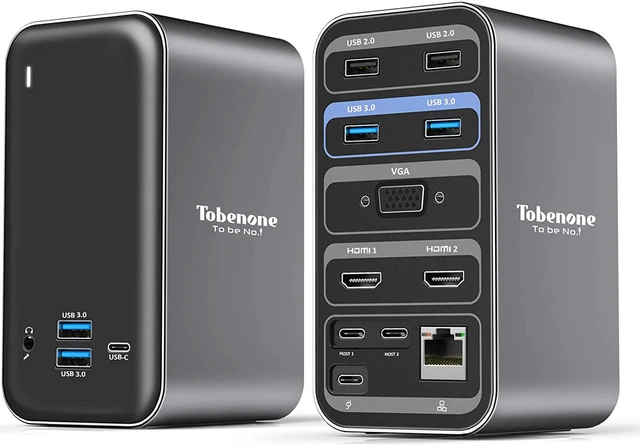
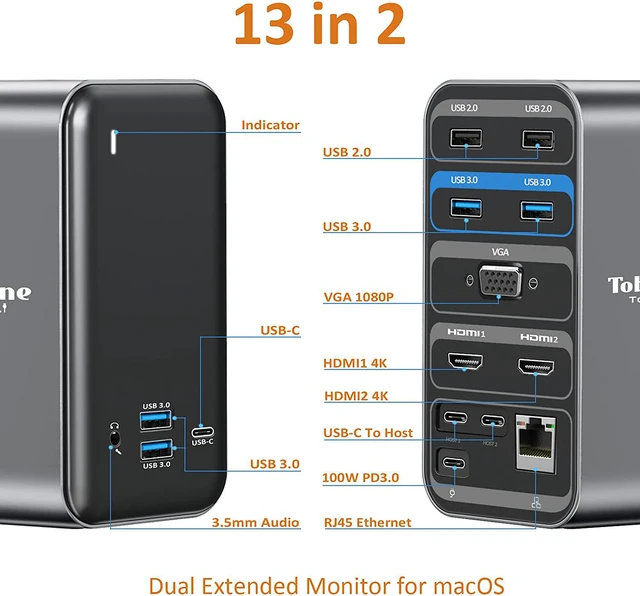
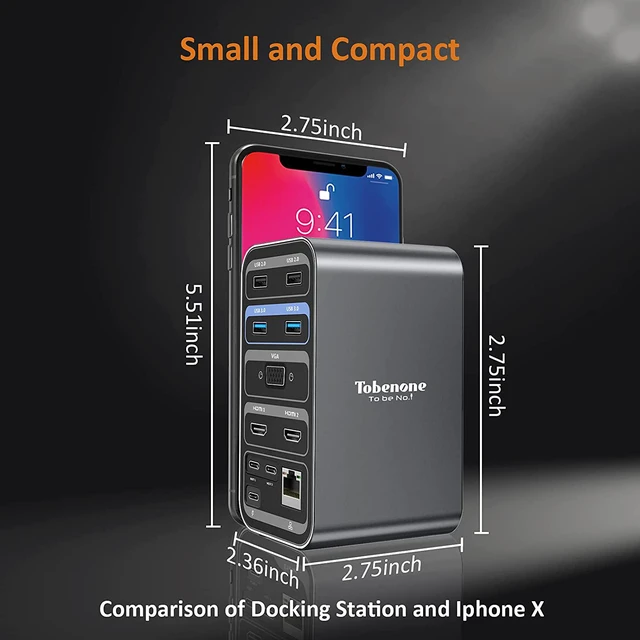
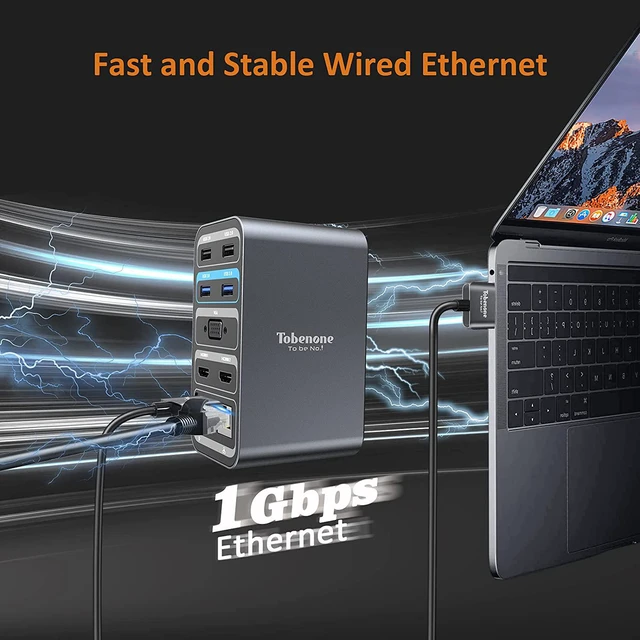
- Especially for Your MacBook Pro/Air: The Tobenone MacBook Pro docking station dual monitor is compatible with your MacBook Pro 2016/2017/2018/2019/2020 (Not M1), MacBook Air 2018/2019/2020 (Not M1). This dual-monitor adapter for MacBook Pro/Air features 2 x HDMI ports, 1x VGA, 4 x USB 3.0, 4 x USB-C, 2xUSB 2.0,3.5mm Audio, and RJ45. Less heat, more stable with 13 ports, more features, more possibility, and plug and play, without any driver or software. M1 Macbook only can extend one monitor.
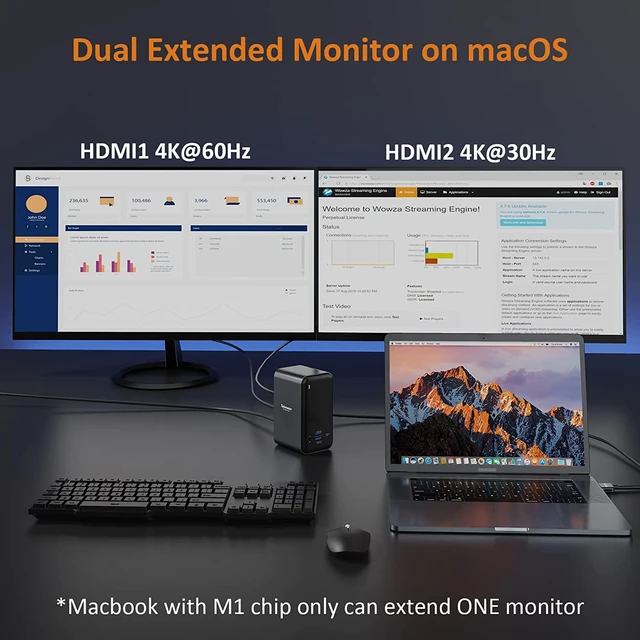
- Dual 4K EXTEND Monitor: Allow you access dual 4K external monitors with our MacBook Pro USB C Hub directly, it is perfect to deal with those highly productive tasks with Ultra HD image and video output. Enjoy a crystal-clear bigger dual 4K screen (HDMI1 3840*2160@30Hz/60Hz) via this dual monitor MacBook Pro USB C adapter.
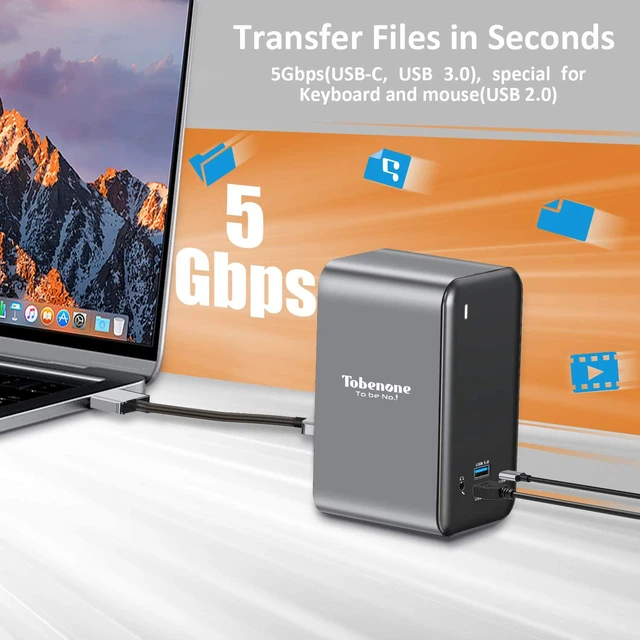
- Superspeed Data Transfer: Ultra-fast data transfer with a rate of 5Gbps for the USB 3.0 port and USB-C port.
+
+
Overview
Specs
Reviews
Compact and powerful Macbook Pro/Air USB C Docking Station can drive 4K Dual Monitor
The Tobenone USB C Docking Station for Macbook Pro/Air allows you to extend dual 4K monitor and all your peripherals via ONE cable connection. You can easily access dual 4K external monitors with our MacBook Pro USB C Adapter,driver-free, plug and play, it is a perfect ideal to maximize the space on your desk and enhances your productivity. Less heat than normal MacBook Pro Air hub/adapter, more stable with up to 13 connected peripherals, more features, more possibility. It creates an organized and full-sized workstation with less clutter, which is special design for your Macbook Pro 2016-2020 (Not for M1), MacBook Air 2018-2020 (Not for M1), MacBook Pro 2021( M1 Pro/Max Chip).
***No driver required, do not require any software, drivers, or complicated installation process, just Plug and Play. (only for Macbook Pro 2016-2020 (Not for M1), MacBook Air 2018-2020 (Not for M1), MacBook Pro 2021( M1 Pro/Max Chip), WINDOWS ARE INCOMPATIBLE)
Note:
1. The cable that connects the USB C docking station dual monitor to the Laptop is about 39inches.
2. Only for Macbook Pro 2016-2020 MacBook Air 2018-2020, WINDOWS ARE INCOMPATIBLE.
3. The charger is NOT included. Our USB C docking station is designed for a Full-featured USB-C Macbook or Macbook Air. Normally the laptop already comes with a USB-C power supply, so we haven't added an additional power supply.
4. Incompatibility:
All Macs, MacBook Pro, MacBook Air with the new Apple Silicon M1 chip are INCOMPATIBLE (If you need a dual monitor)due to the M1 processor can connect only a single external display at a time in conjunction with the laptop screen.
macOS with the new Apple Silicon M1 chip can only extend one monitor.
M1 chip model: Mac Mini 2020(M1), Macbook Air 2020 13"(M1) ,Macbook Pro 2020 13"(M1)
Transfer Files in Seconds
Transfer movies, photos, and music at speeds up to 5 Gbps via the USB 3.0 and USB-C ports, Ultra-fast data transfer improves efficiency and saves time. The MacBook Pro USB C adapter hub has two USB 2.0 Ports that are specially designed for your wireless devices, such as keyboard and mouse, offer you a stable WiFi connection. (Note: The front USB-C port supports data transfer only, NOT for Alternate mode DisplayPort)
Blazing-fast PD3.0 100W Charging
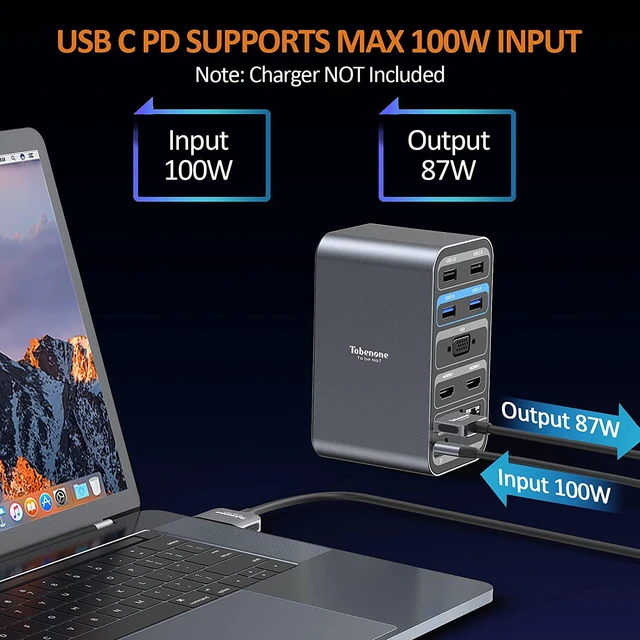
This MacBook USB C hub supports up to 100W power input and offers max 87W safe and blazing-fast charging for your MacBook(Charger is NOT included) while simultaneously using the other 13 ports.
***The actual charging rate may vary depending on the equipment used.
Warranty & Returns
Warranty, Returns, And Additional Information
Warranty
- Please contact the Seller directly for warranty information. Warranty information may also be found on the Manufacturer's website.
- CONTACT
Return Policies
- Return for refund within: 30 days
- Return for replacement within: 30 days
- This item is covered by Electronics World Return Policy
Manufacturer Contact Info
- For a directory of all our manufacturers, please click below.
- Manufacturers Directory
LOADING...