• $79.00
  • Free 30-day Returns
  • Ships from China.
    Hot Seller

    Shipped by SuperiorQuality

    Docking Station, MCY 12 in 1 Triple Display Laptop USB C Docking Station Dual Monitor USB Type C Hub with Dual HDMI VGA Adapter, Compatible with MacBook, XPS, Dell, USB C Dock

    • Item #: 9SIVAMDK876302
    • Mfr. Part #: 69076846574331
    • UNSPSC: 43211602
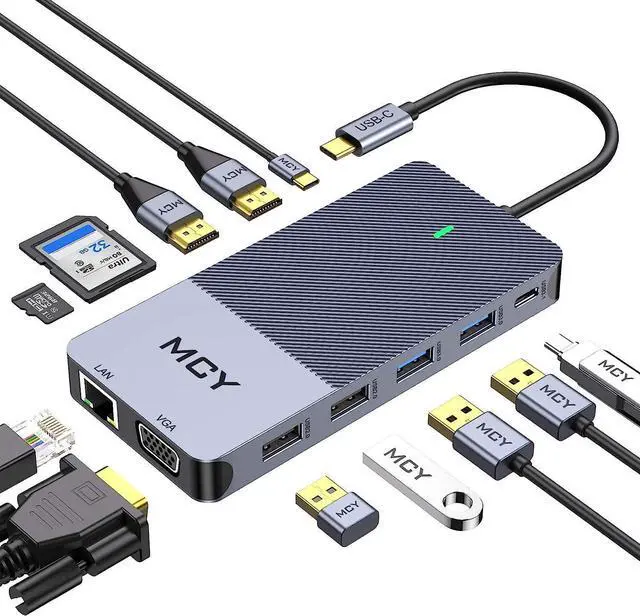
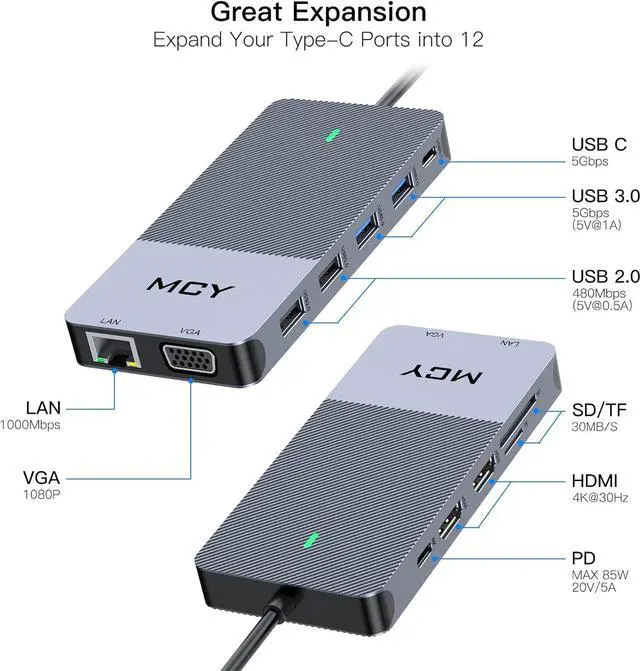
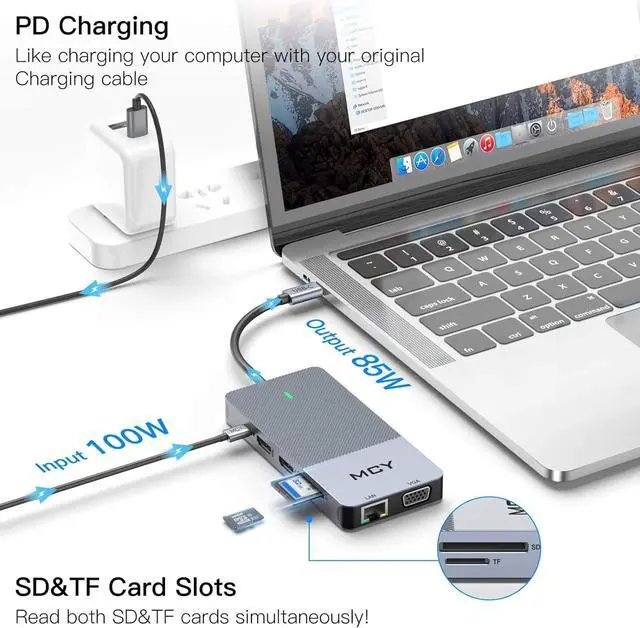
    • 12 in 1 Laptop Docking Station: Perfectly combined the function of USB C Hub and docking station featuring type c port (85W PD charging), 2*4K HDMI ports,1*1920*1080@60Hz VGA port, 2*super speed USB 3.0 Ports(Up to 5Gbps), 2 standard USB 2.0 Ports, Ethernet RJ-45 port, SD/TF card reader, USB3.1 Type-C; Make Your Life More Intelligent; Specially designed for usb c interface equipment
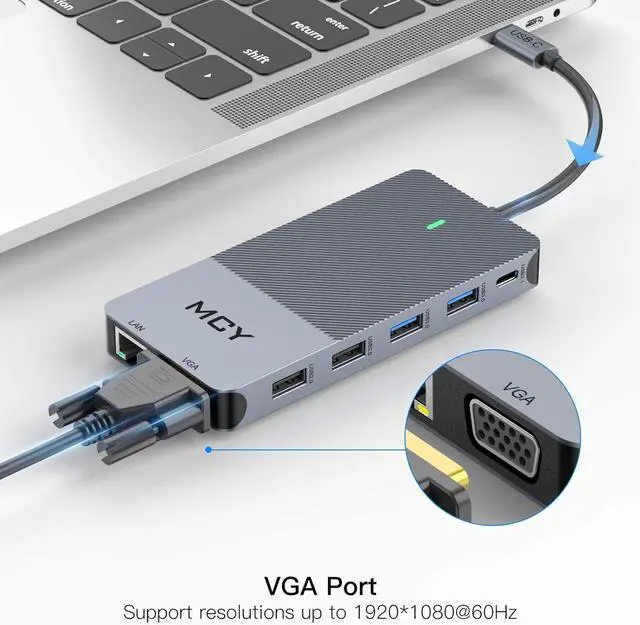
    • Triple display usb c hub: Expand docking station triple display with our USB C HUB. 2 x 4K-HDMI ports support resolutions up to 3840 x 2160@30Hz with dual HDMI displays attached. VGA port supports display resolutions up to 1920 x 1080@60Hz. -- Only Mirror and Non-Mirror Modes are available for Mac OS System. This means, all connected external monitors can only be mirrored your MacBook screen or, all of the external monitors show only one identical display which is different from your MacBook
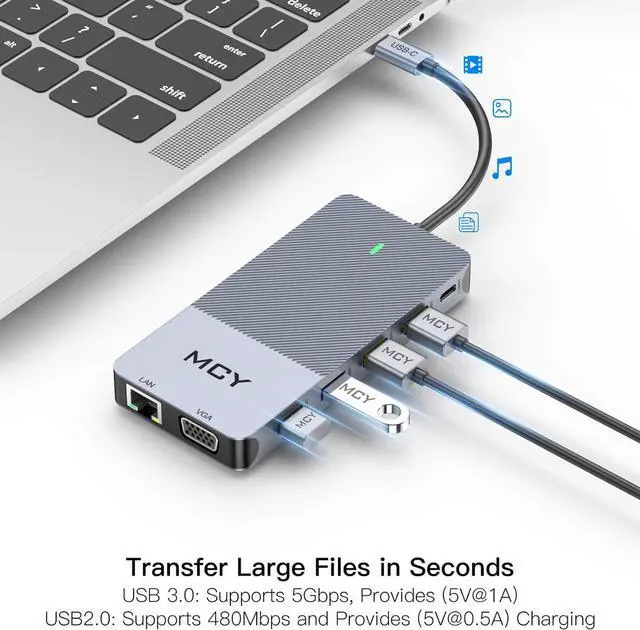
    • Super Speed Data Transmission: Two 3. 0 USB ports up to 5 Gbps; two USB 2. 0 ports provide a more stable connection w
    +
    +
    Overview
    Specs
    Reviews
    High-speed charging: Support PD charging at max 85W; This USB docking station provides one Type-C pass through Female port by which you could securely charge your laptop while connecting multiple peripherals for data transferring and worry-free power storage; With power delivery, a single USB-C port can give you Blazing-fast charging speed experience
    Compatibility List: docking station dual monitor, compatible withMac Book, Xiaomi, Samsung, Dell, Asus, Huawei, Lenovo, Google, Samsung S8/S8+/S9/S9+, Huawei Mate 10/P20 and mobile phones with TYPE-C. Google Chrome OS; Windows7/8/10; XP; Linux; Vista; plug and play.
    Please note: do not provide cable, SD card, flash drive

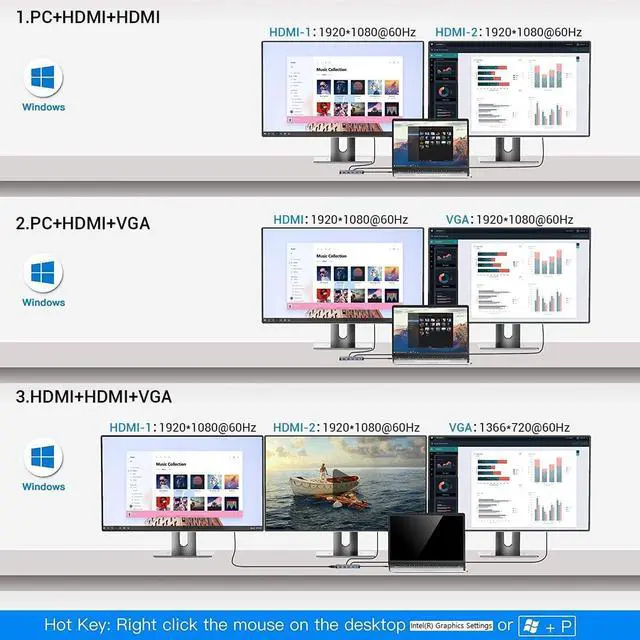
    Triple display with Windows system
    Setting: Please click Intel Graphics Settings for multi-display setting or hotkey: Windows+P

    Note1: When connecting three displays at the same time, the resolution can only reach up to
    HDMI: 1920*1080/60HZ.
    VGA: 1366*720@60Hz

    Note2: Among the four screens (Displays and laptop), only three can display. There will be one that can not displayed (either Display or laptop)

    Note3: Once your laptop shuts down or goes to sleep, you need to re-plug the product to get extend mode again

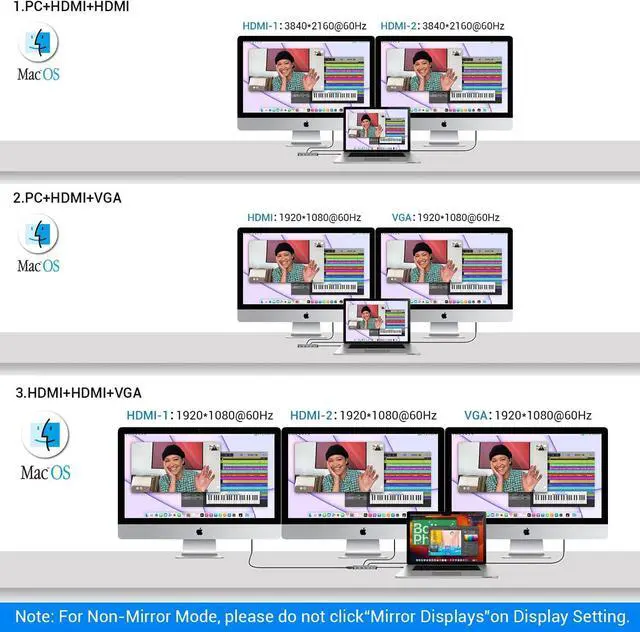
    Triple display with MAC OS system

    Setting: About This Mac>Display>Arrangement>Mirror Displays

    Note1: When MAC OS needs to extend the display, you need to click on "Display" in Preferences, select the Arrangement, and then click Cancel "Mirror displays"

    Note2: For Mac system, it only support mirror mode and non-mirror mode. Non-mirror mode means that the three external monitors are same but different from laptop.


    Specifications


    1 x USB-C PD Charging Port
    1 xVGA Ports
    2 x HDMI Ports
    1 x TF/SD Card Slot
    1 x RJ-45 Ethernet
    1 x USB-C 3.0 Port
    2 x USB-A 3.0 Ports
    2 x USB-A 2.0 Ports

    Warranty & Returns

    Warranty, Returns, And Additional Information

    Warranty

    • Please contact the Seller directly for warranty information. Warranty information may also be found on the Manufacturer's website.
    • CONTACT

    Return Policies

    Manufacturer Contact Info

    LOADING...