Technical Specifications About Dual Monitor USB C Dock for Laptops
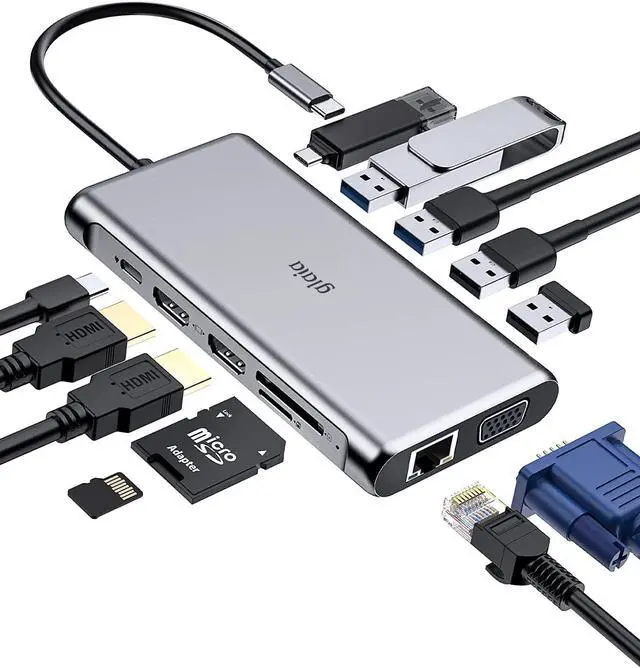
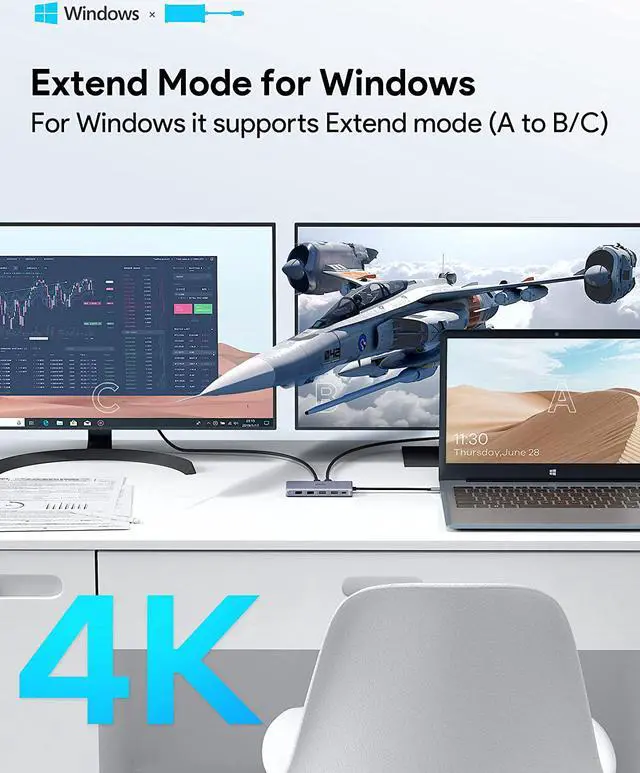
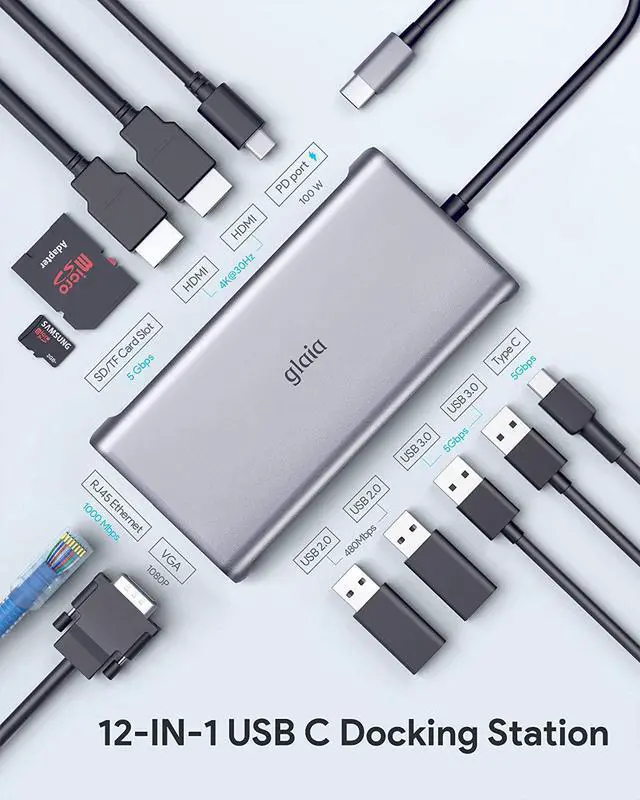
HDMI 1: 4K@30Hz(3840x2160), downward compatible with 1080P,1080I, 720P/480p
HDMI 2: 4K@30Hz(3840x2160), downward compatible with 1080P,1080I, 720P/480p
VGA: 1080P@60Hz, downward compatible with 720p/480P
RJ45: Gigabit Ethernet ports 1000Mbps; downward compatibility: 10M/100M;
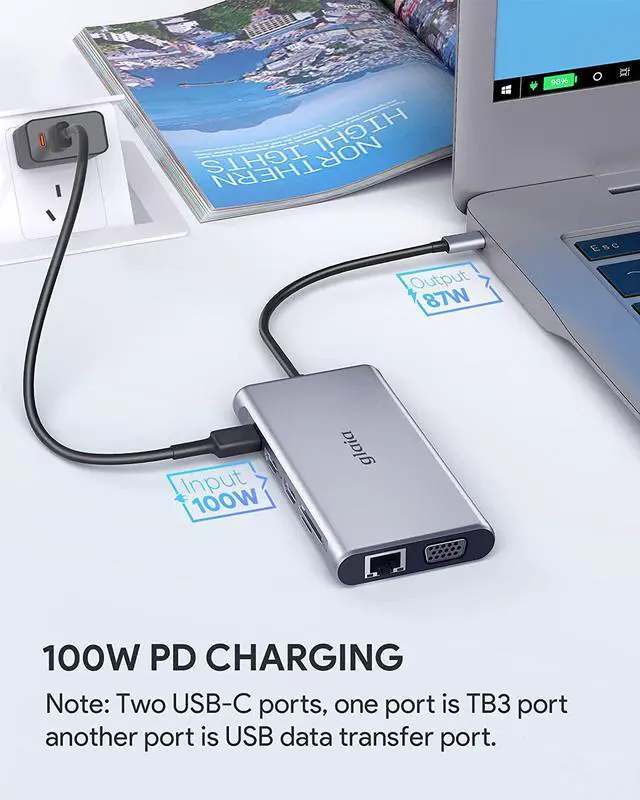
USB C PD: Max 100W PD input, backward with PD2.0. (Doesn't support transfer data),. a 5V/2A power adapter is suggested as a minimum
USB 3.2 Gen 1 Type-C: It offers a transfer rate referred to as SuperSpeed 5 Gbps, which is about 10 times faster than the USB 2.0 standard.
USB 3.0 Type-A: With 5Gbps superspeed data transfer rate output, backward compatible with USB2.0 and USB1.1.
USB 2.0 Type-A: Up to 480Mbps data transfer. Design for the connection of 2.4 GHz wireless devices, such as wireless keyboard/mouse adapters.
Why Choose glaia Docking Station?
Simple and quick set-up process, get up and running in seconds.
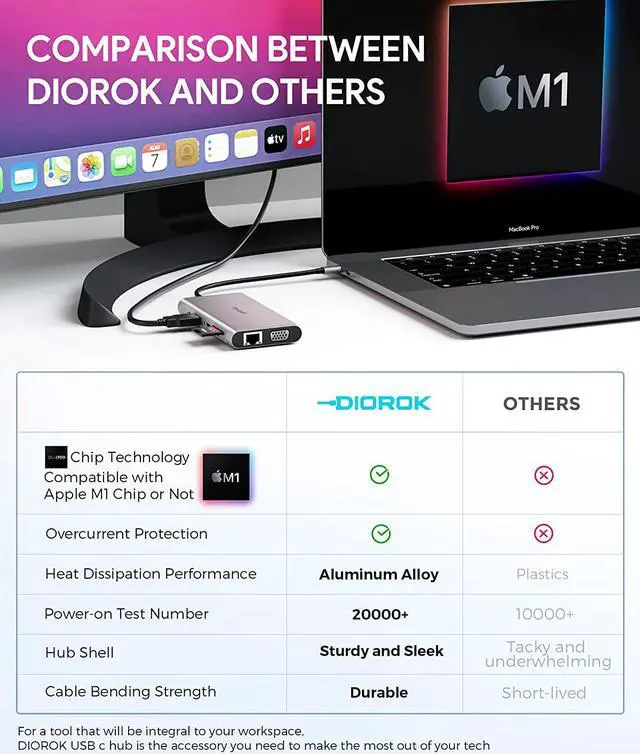
Unibody aluminum alloy ionized finish, which makes it super durable and helps to disperse heat.
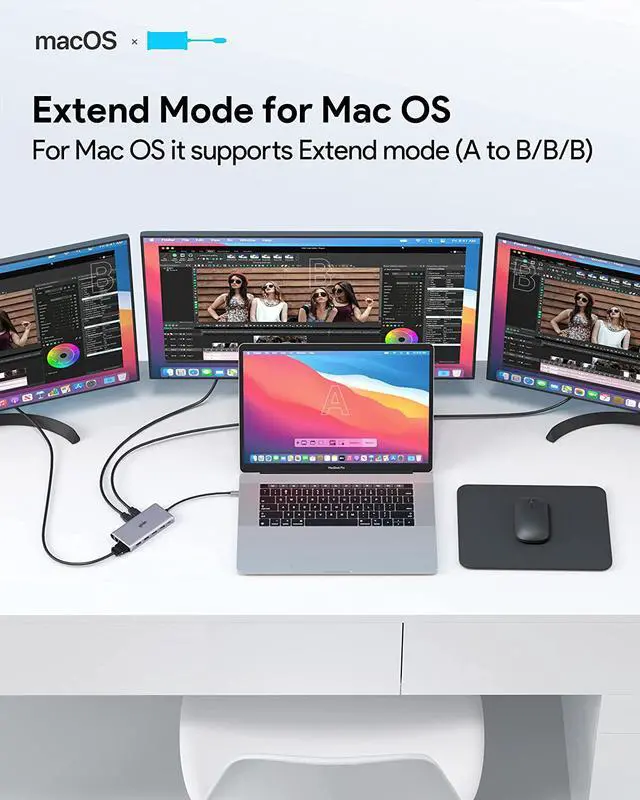
For Windows, just press Windows key+P" to expand to two or three monitors. For macOS simply unclick "mirror display" to extend to 4 different displays.
glaia is committed as a company to providing the highest quality products, services, and support. We strive to exceed our customer's expectations, guaranteed a response within 24 hours, please don't hesitate to let us know with any problems.
glaia has a slim and light profile. You can slide this into a bag, or a pocket, and carry it around wherever you go. You can use it on both your laptop in your home office, as well as when you wanted to connect your laptop to the TV in the living room.
As for the actual cable length, it's roughly 9 inches, which means there's plenty of room for it to twist around on your setup, or in hard-to-reach places like behind a TV. The rubber strips for feet are an added bonus, which can help you place them on your desk without moving randomly.
During use, it never got too warm, even with multiple USB-A devices plugged into it, as well as a USB-C charger.
This laptop docking station provides a stable connection and increases the productivity of your device by expanding the female Type C port to multiple possibilities of connectivity.
Note: The audio transmission requires HDMI output, USB C docking station dual monitor only converts HDMI audio to analog. VGA only transfers video, not audio.
USB-C Pass-Through Charging
Equipped with the newest generation super-smart chip, Up to100W (minus 13W for operation) USB C Hub design shortens the charging time with power delivery 3.0 (backward with PD2.0) preventing overload, over-voltage, over-current, short circuit, overcharge, voltage regulation.
It is recommended to use the original charging cable and adapter. Fully charge a 15" MacBook Pro with USB Power Delivery port about 2 hours.
RJ45 1000Mbps Ethernet Port
Supports 1000Mbps Gigabit RJ45 Ethernet port, backward compatible with 100Mbps/10Mbps RJ45 LAN.
Note: If your MacBook is the first time to use the ethernet port, Macbook needs to be set up as follows: Click System Preferences - 'Network', click '+' and selecting usb 10 / 100 / 1000 LAN to create an application (click on the app to show usb usb 10 / 100 / 1000 LAN green, connected successfully).
High Speed and Stable Data Transfer
USB C data port & 2 USB 3.0 Ports with 5Gbps data transfer rate output. USB 3.0 backwards compatible with USB2.0 and USB1.1.
2 USB 2.0 provide a more stable connection without wireless interference, such as wireless keyboard/mouse adapters, etc. up to 480Mbps data transfer.
Universal SD Compatibility
The Card reader of glaia USB C hub works with SD,SDHC,SDXC ,Micro SD,MMC (SDXC :with high storage capacity up to 2TB).
The maximum read speed is 30MB/S. Note: SD card and TF card not be used in the same time.