• $22.99
  • Free 30-day Returns
  • Ships from China.

    12V 4Pin PWM & 5V 3Pin ARGB with SATA 15Pin Power 2-in-1 Hub 6 Way Sync CPU Cooling Fan Addressable RGB Lighting PCB Splitter for Extended Motherboard Interface -Black

    • Item #: 9SIV36AKE36455
    • Mfr. Part #: HA-BNAJZCJA7921
    • UNSPSC: 26121604
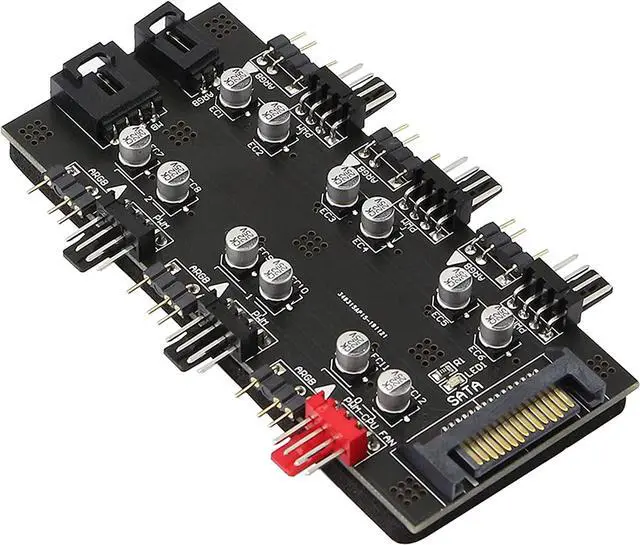
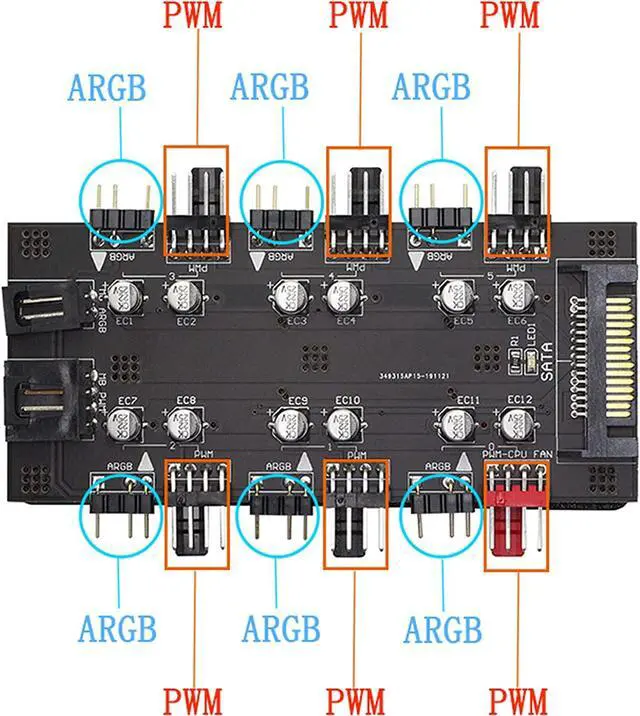
    • This is ARGB PWM 2-in-1 6 way hub. Up to 6 sets of Addressable RGB (5V 3pin) plugs and PWM (12V 4pin) plugs to meet your needs of connecting more devices. Support simultaneous startup of 6 way fans, ARGB is all synced between all fans, one setting applies to all fans (speed and color).
    • This CPU Cooling SATA Hub is powered by SATA 15PIN, which can simultaneously supply power to the fan and 5V 3 pin ARGB products. The motherboard has no power supply burden and can maintain a stable output even at full load.
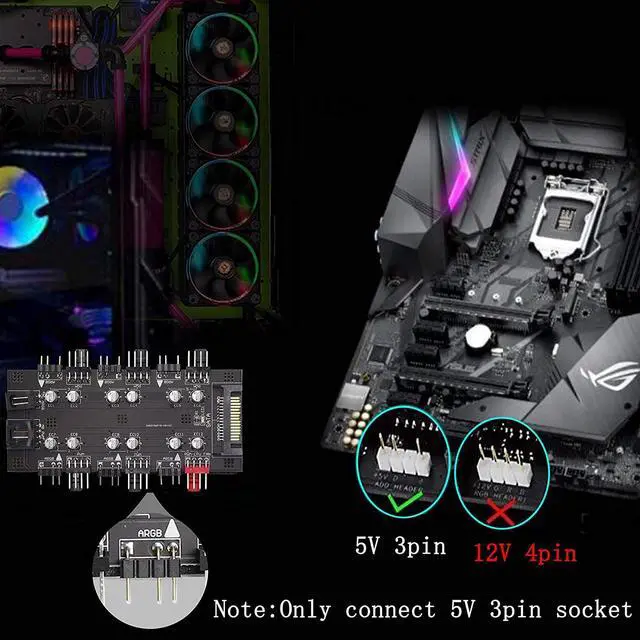
    • The ARGB of this hub is 5V 3-pin. This type of fan can control a single lamp bead, and realize the effects of running water lamp, splicing and displaying text patterns through programming. Only compatible with 3pin 5V addressable RGB headers or controllers, don't connect to 12V RGB components, otherwise it might burn out.
    +
    +
    Overview
    Specs
    Reviews
    12V 4Pin PWM & 5V 3 Pin ARGB Features

    *The main board ARGB (3PIN) lighting control interface can be expanded to 6 to centrally control multiple RGB lighting devices

    *The motherboard PWM speed control interface can be expanded to 6, and the PWM speed control of multiple 12V 4PIN fans can be concentrated


    Fan Hub Specification

    Fan PWM ports: 6 (4PIN)

    Symphony light control ports: 6 (3PIN ARGB)

    Power supply interface: SATA

    PWM Rated Voltage: 12V

    Rated Light Voltage: 5V

    Power Supply Safety Current: 4.5A

    Hub size: 99×61×12MM

    Package weight: 45g


    Package Includes

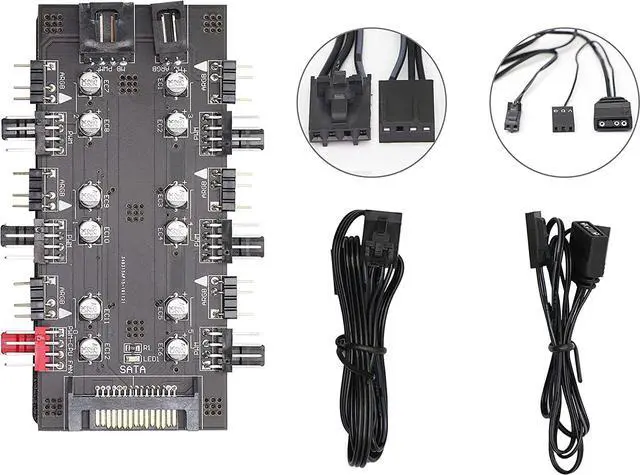
    PWM ARGB 2-in-1 6 Way Hub*1

    Cable for Hub*2

    English Manual*1


    Installation Introduction:

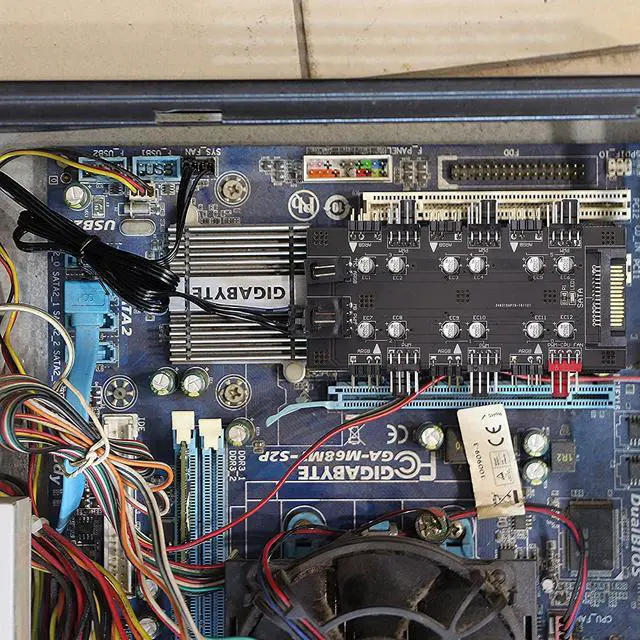
    1.Suitable for 12V 4PIN fan PWM speed regulation (3PIN fans can also be connected, but no PWM speed regulation function)

    2.Insert the IDE interface of the computer motherboard power supply into the IDE power supply interface of the extender

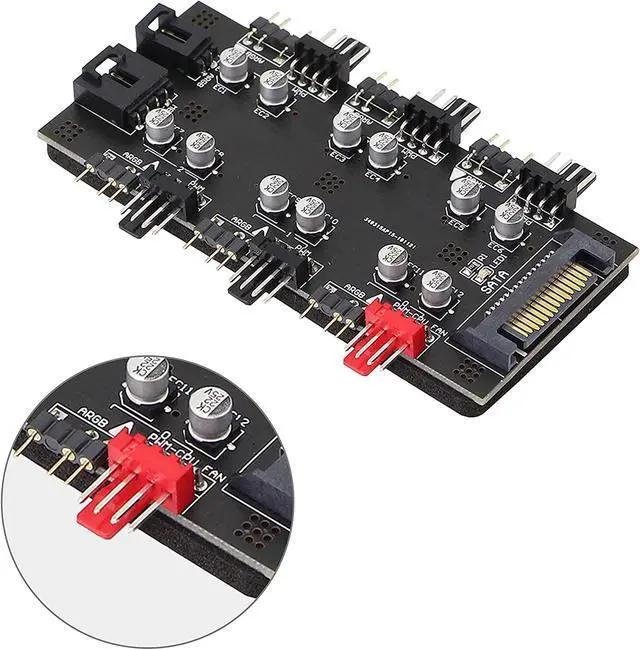
    3.The PWM cable is connected to the CPU fan socket of the motherboard. The computer CPU fan must be connected to the red 4PIN fan socket of the extender

    4.Connect the ARGB cable to the motherboard.

    5.Fix the extender on the inner wall of the chassis by glue

    Warranty & Returns

    Warranty, Returns, And Additional Information

    Warranty

    • Please contact the Seller directly for warranty information. Warranty information may also be found on the Manufacturer's website.
    • CONTACT

    Return Policies

    Manufacturer Contact Info

    LOADING...