


 All Categories
Built for How Business Buys.
All Categories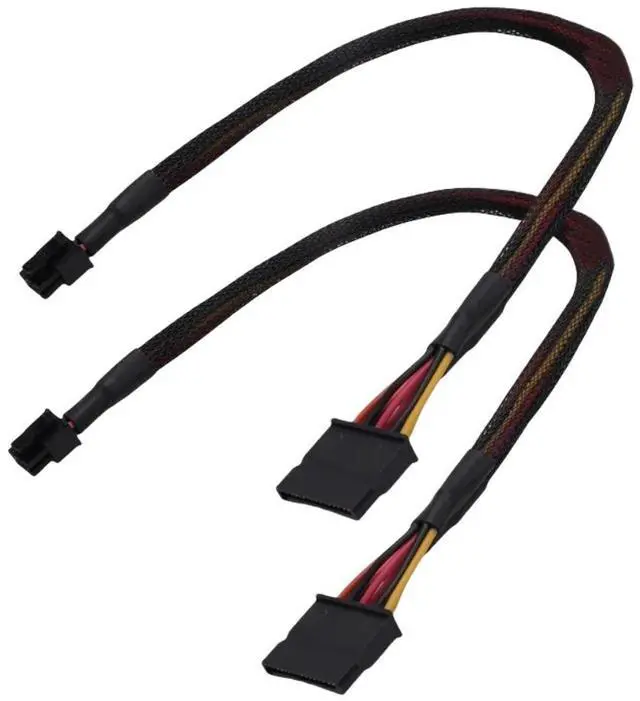

| Connector A (Motherboard Side) | Mini 6Pin Male (Dell Proprietary) |
| Connector B (Device Side) | 2x SATA 15Pin Female |
| Cable Length | 15 inches / 38 cm (including connectors) |
| Wire Gauge | 18AWG with Braided Sleeve |
| Compatible Part No. | GP2JM |
| Compatible Models | Dell Inspiron 3653, 3650, 3655, 3250, 3252, 3268, 3660, 3667, 3668, 3670, V3668 |
| Incompatible Models | Dell OptiPlex (3020, 5040, 7020, 7040, 9020, T1700, etc.), Dell Vostro |
| Quantity | 2 Cables per Pack |
Are you looking to add a new SSD or HDD to your Dell Inspiron 3653 or 3650, but found theres no standard SATA power connector available? Many Dell Inspiron motherboards use a proprietary Mini 6pin power connector instead of the standard SATA power ports found on most motherboards-. This means you cant simply plug in a new drive using a standard SATA power cable.
Our SATA Power Adapter Cable solves this problem perfectly. Its a direct replacement for the official Dell part GP2JM-, converting the motherboards Mini 6pin port into two standard 15pin SATA power connectors-16. This allows you to power up to two SATA devices, such as a new SSD for a speed boost, an additional HDD for extra storage, or even a liquid CPU cooler-1.
Important Compatibility Check Please Read Before Ordering
This cable is specifically designed for Dell Inspiron desktops. It will ONLY work with the following series:
This cable is NOT compatible with:
Critical Warning: Mini 6Pin vs. Standard 6Pin The Mini 6pin connector on this cable is a Dell proprietary design-1. It is physically different from the standard PCIe 6pin power connector used for graphics cards. Do not attempt to force this cable into a standard 6pin port, as it will not fit and could damage your hardware.
Step 1: Power Down Turn off your computer and unplug the power cord.
Step 2: Open the Case Remove the side panel to access the motherboard.
Step 3: Locate the Port Find the Mini 6
