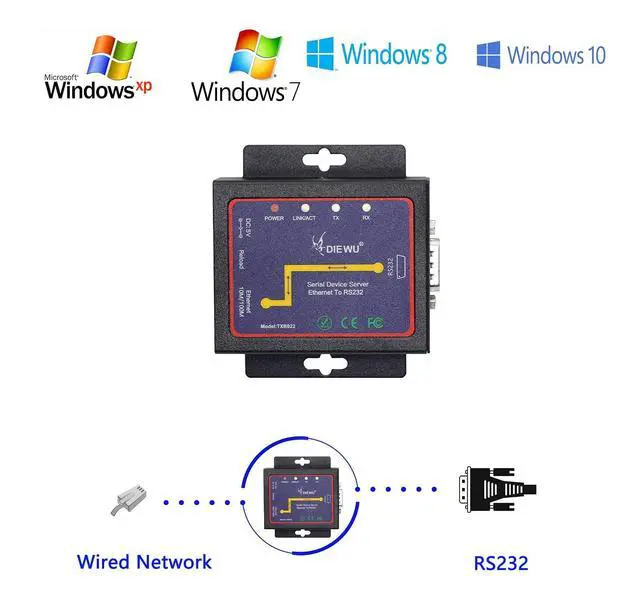
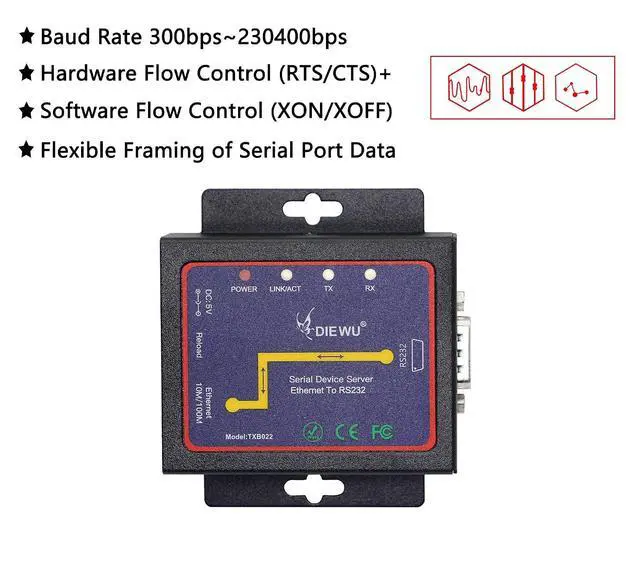
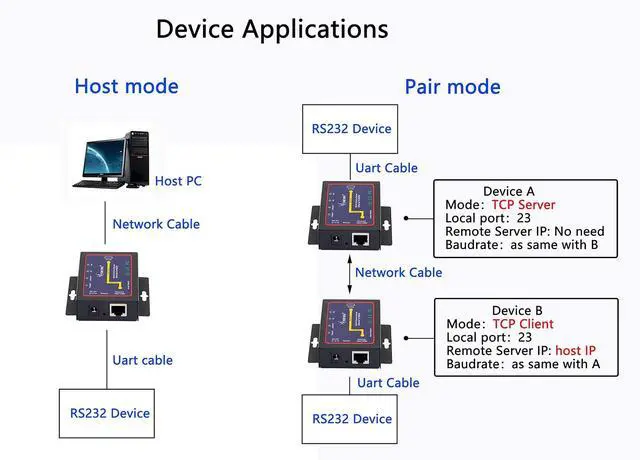
Product description Serial Device Server - Bidirectional Transmission The rs232 to ethernet converter is designed for PC software that uses serial port mode and cannot communicate with networked devices. Receive the data of the specified virtual serial port, and then send the data out in the form of network data, and convert it back to serial data. It is internally integrated with TCP/IP protocol. User can apply it to device networking communication. UART Interface -
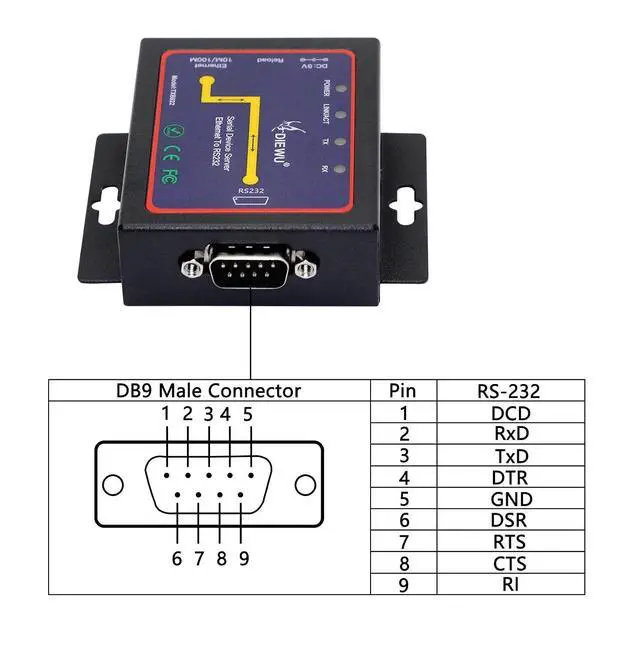
RS232 Male PIN 1: DCD
PIN 2: RxD
PIN 3: TxD
PIN 4: DTR
PIN 5: GND
PIN 6: DSR
PIN 7: RTS
PIN 8: CTS
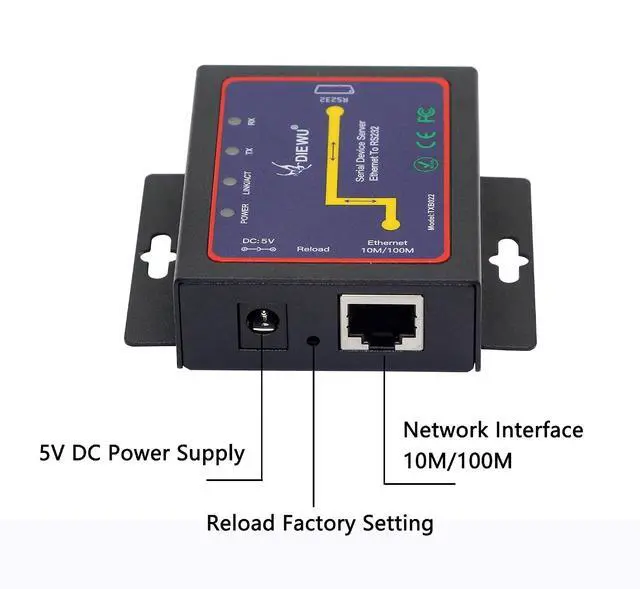
PIN 9: RI Network Interface - RJ45 Port Support IEEE 802.3IEEE 802.3 uIEEE 802.3 x Support Auto - MDI/MDIX
Network transmission rate: 10/100Mbps
LED Indicator Power Indicator: Red. (The indicator Light long bright after connecting a power adaptor. )
LINK/ACT Indicator: GreenThe indicator lights and flashes when connected to the network.
TX/RX Indicator: GreenThe indicator flashes during data transfer. Support Flow control CTS/RTS. Power Consumption< 1.8 W Operating Temperature -10-50°C.
Storage Temperature: -20~70°C
Humidity: 10%~90%, no condensation RS232 to Ethernet
Support Work Mode: TCP Server, TCP Client, UDP, VCOM Processing high current, stable output ESD protection system, 15KV ESD (Electrostatic Discharge) protection Support virtual serial port (VCOM) Suppor Web Browser Settings Support Baud-rate 300bps~230400bps Support Reload function Support Modbus RTU TCP SERVER MODEL The serial server listens on the set port and waits for the TCP client to connect. The data sent by the serial port device will be transmitted transparently through the serial port server to all successful clients.
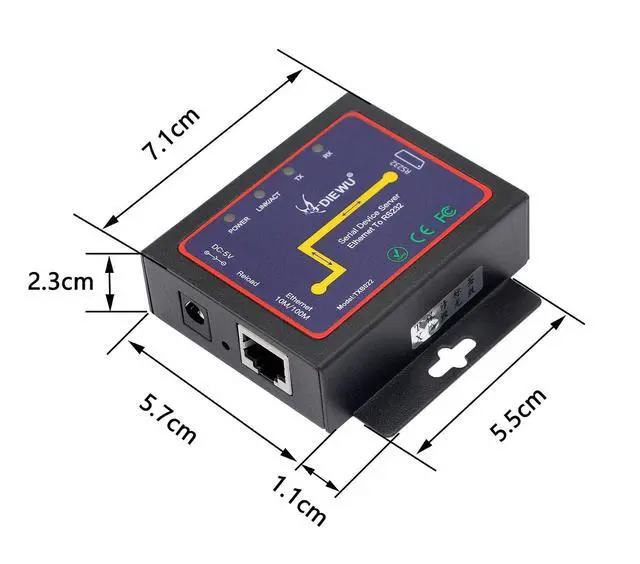
FLEXIBLE INSTALLATION Size: 7.1 x 5.7 x 2.3 cm
Housing Material: Aluminum The rugged aluminum housing with mounting bracket provides reliable performance that can be used in almost any environment.
Application: Industrial Data Transmission, Industrial Automation, Security and Protection Monitoring, Public Security, Smart Home, Power Control, Environmental Monitoring, Power Monitoring, Self-Service Banking System, Telecom Machine Room Monitoring, CNC Machinery, Process Control Equipment, Serial Printers, etc. Connection Steps 1) Turn off the PC's firewall and anti-virus software, and disable network cards that are not related to the test. 2) Set the PC network card IP address to the same as the serial server, such
as: 192.168. 2.68. The default IP address of serial server is 192.168. 2.1. 3) Connect serial server and PC with a network cable. 4) Connect the serial server and PC with a serial cable. 5) The serial server is connected to DC power, the power indicator is on, and the LINK/ACT ligth flashes after self-test.
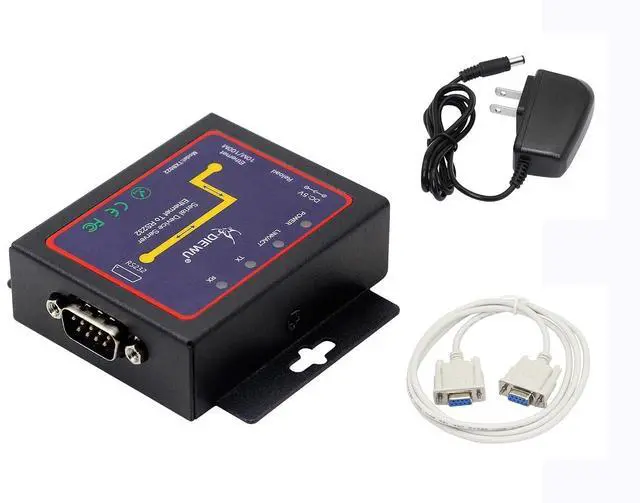
PACKAGE: 1x Serial Device Server, 1x 1.5 m DB9 Female to Female Serial Cable, 1x DC 5V Adapter, 1x User Manual. See More