


Meet Your Seller

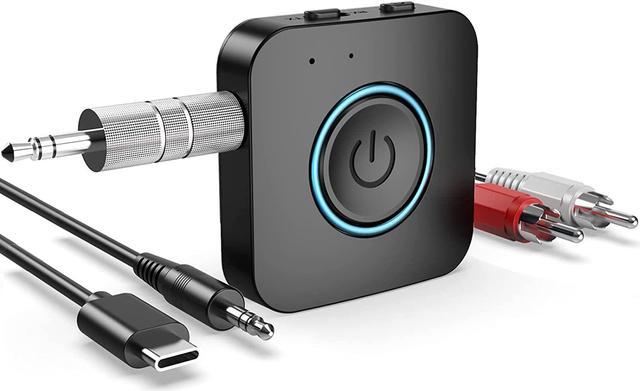
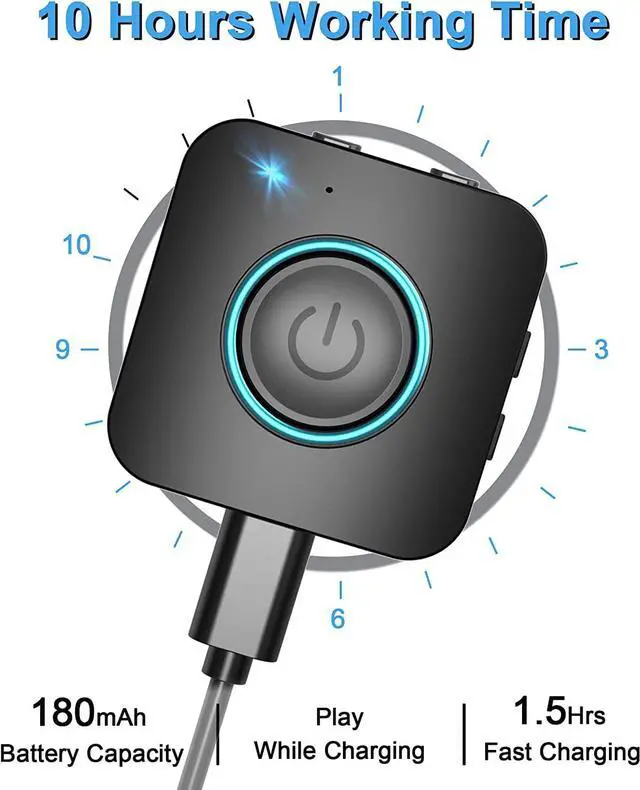
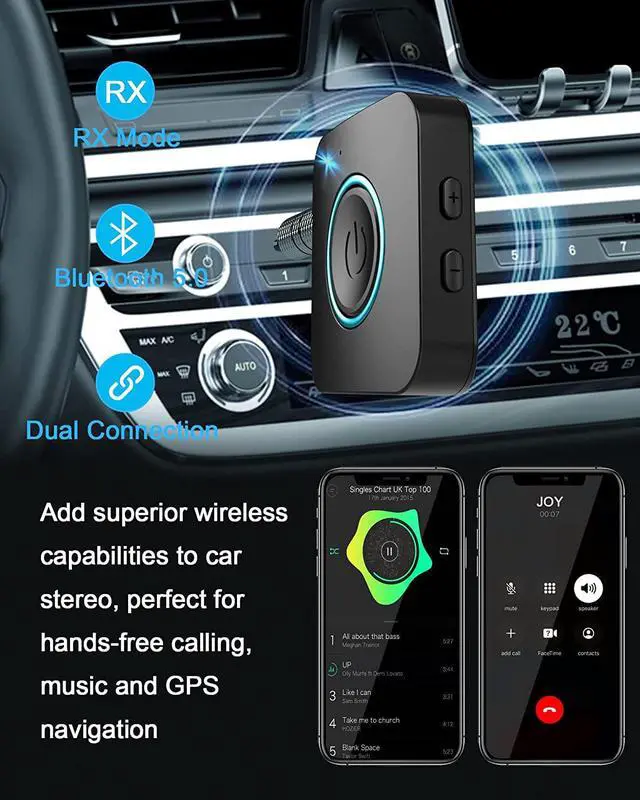


Bluetooth Transmitter Receiver, V5.0 2-in-1 Bluetooth Adapter, Wireless Transmitter for TV PC MP3 Gym Airplane, Bluetooth Receiver for Speakers Headphones Boat Car
- Item #: 9SIV36AKE31931
- Mfr. Part #: ID-BGTSAG095
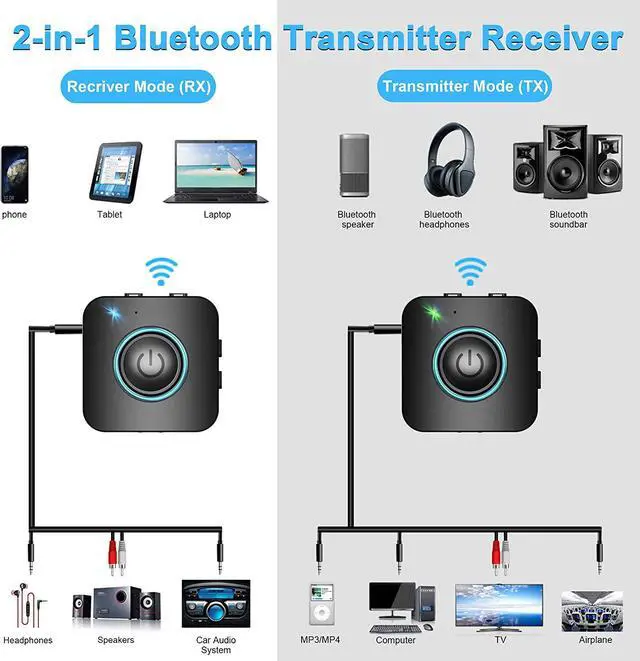
- 2-IN-1 BLUETOOTH TRANSMITTER RECEIVER In TX mode, plug the Bluetooth transmitter into non-Bluetooth devices such as TV/PC/MP3/Airplane to transmit the audio to the Bluetooth headphone/speaker/sound bar; In RX mode, plug the Bluetooth receiver into wired speaker/headphone/car stereo and receive audio from cell phone/tablet/computer via Bluetooth.
- Easy TO USE & STABLE CONNECTIONEquipped with the latest version of the Bluetooth chip and upgraded software, this Bluetooth adapter can turn your old non-Bluetooth device into a wireless one. One key to power on and enter pairing mode. Easy to switch between transmitter (TX) and receiver (RX) modes.
- HIGH FIDELITY STEREOThis Bluetooth transmitter receiver can be connected with Bluetooth speakers or headphones that support HFP/A2DP/AVRCP protocol to form a wireless audio transmission network, allowing you to enjoy high-definition sound that is perfectly synchronized with the screen when watching movies or TV programs.
+
+
Overview
Specs
Reviews
How to Use--Pairing in TX mode:
1. Use a 3.5mm audio cable to connect the product to the 3.5mm audio output port of the car audio/TV/computer and other equipment;
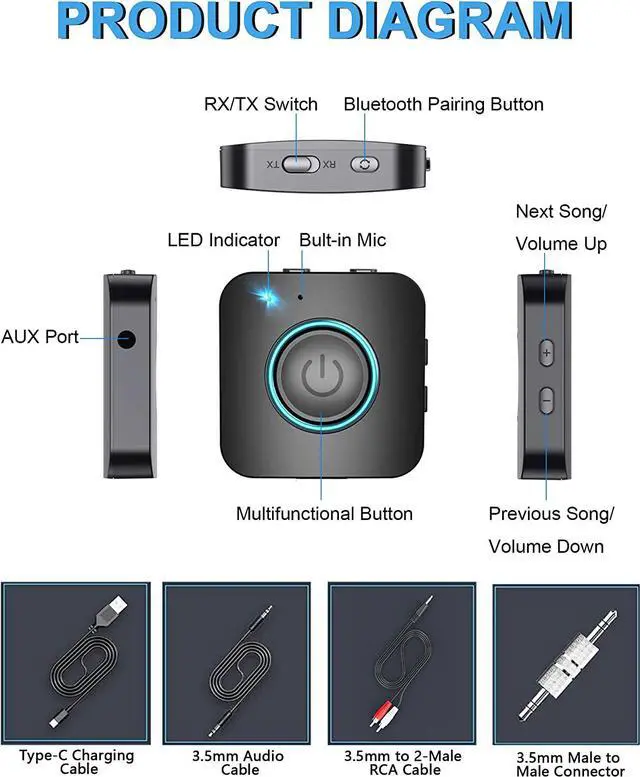
2. Turn the Bluetooth receive/transmit switch on the side of the product to the "TX" position to put the product in transmit mode;
3. Press and hold the MFB button for 3 seconds to turn on the adapter, the green indicator light stays on for 1 second and then automatically enters the pairing state, the green indicator flashes quickly.
4. Turn on the Bluetooth headphone or Bluetooth speaker and turn to pairing state, it will automatically connect to the adapter, please make sure the distance between adapter and Bluetooth headset is within 3ft. After the connection is successful, the green indicator light will be on.
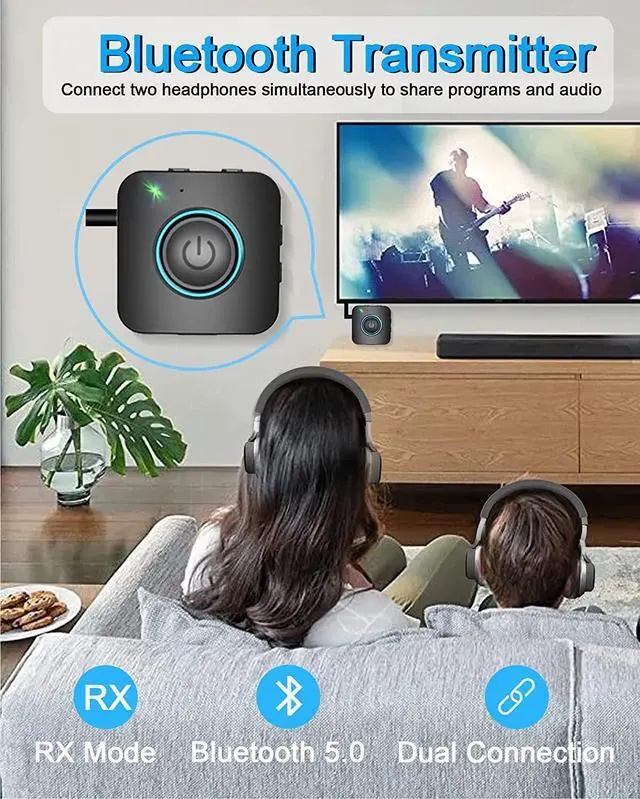
PAIR 2 DEVICES SIMULTANEOUSLY
In TX mode, the transmitter can connect to two stereo Bluetooth speakers or stereo Bluetooth headphones at the same time;
In RX mode, the receiver can connect to two Bluetooth-enabled smartphones or computers at the same time
What's in the box?
1*Bluetooth 2 in 1 Adapter
1*3.5mm Audio Cable
1*3.5mm to 2-Male RCA Cable
1*3.5mm male to male connector
1*USB Charging Cable 1*User Manual
Warranty & Returns
Warranty, Returns, And Additional Information
Warranty
- Please contact the Seller directly for warranty information. Warranty information may also be found on the Manufacturer's website.
- CONTACT
Return Policies
- Return for refund within: 30 days
- Return for replacement within: 30 days
- This item is covered by Electronics World Return Policy
Manufacturer Contact Info
- For a directory of all our manufacturers, please click below.
- Manufacturers Directory
LOADING...