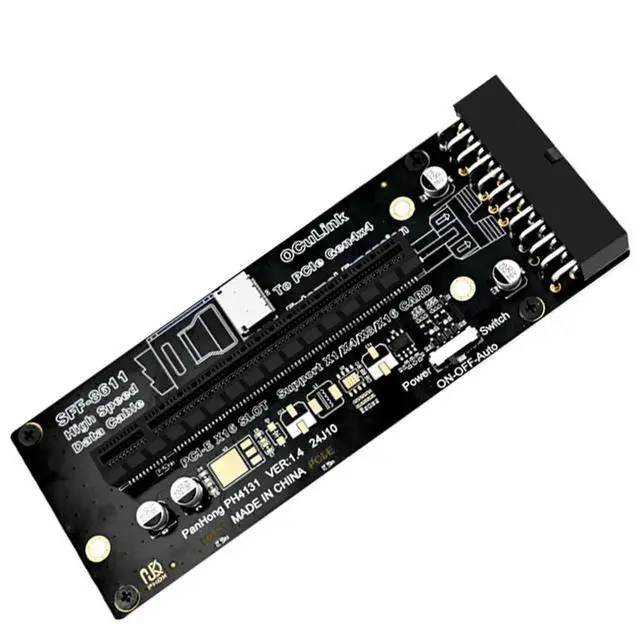
AoQhir PH4131 PCIe 4.0 x16 to Oculink SFF-8612 Adapter Card External GPU (eGPU) Riser for Desktop & Laptop, ATX 24-Pin Power, Supports Gen4x4, x1/x4/x8/x16 Devices Product Description Expand Your System with External PCIe Devices The PH4131 PCIe 4.0 x16 to Oculink SFF-8612 Adapter Card is a cost-effective solution for connecting high-bandwidth PCIe devices to your desktop or laptop, externally or internally. Whether youre building an external GPU (eGPU) setup for a laptop, testing multiple graphics cards on an open bench, or repurposing a PCIe SSD, this adapter delivers reliable Gen4x4 performance.
Key Features: Host
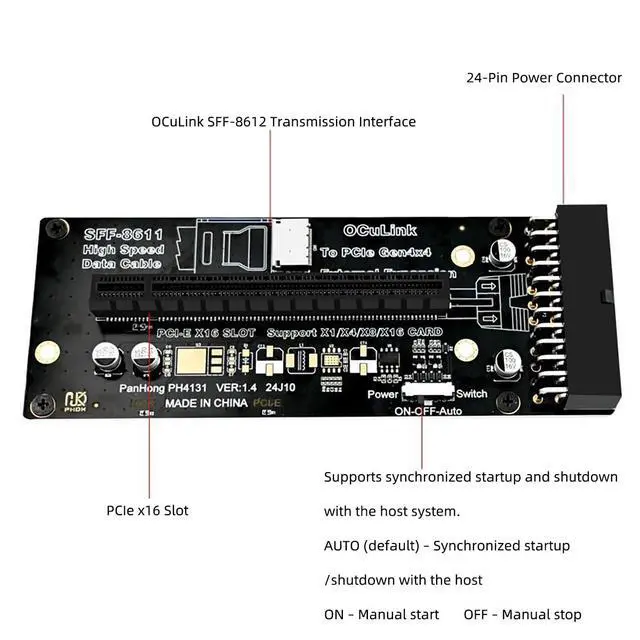
Interface: PCIe x16 slot (supports x1/x4/x8/x16)
Output Connector: Oculink SFF-8612 (PCIe Gen4x4 capable)
Power Input: Standard ATX 24-pin connector
Power Suggestion: Use a PSU rated at least 100W higher than the peak power draw of your connected PCIe device (e. g., 250W GPU 350W+ PSU)
Compatible Power Supplies: Compatible with ATX, mATX, FLEX (24-pin models) What You Need to
Use This Card (not included): Oculink SFF-8612 cable (also known as PCIe 4.0 x4 Oculink cable) ATX 24-pin power supply (please follow the +100W guideline) PCIe device (e. g., graphics card, capture card, NVMe adapter) Host system with a free PCIe slot (desktop) or an Oculink port / M. 2 to Oculink adapter (laptop)
Note: This adapter does not include an active PCIe bridge chip. The host system must support PCIe bifurcation if you intend to split lanes; for most eGPU uses with a single device, no bifurcation is needed.



 All Categories