


 All Categories
Built for How Business Buys.
All Categories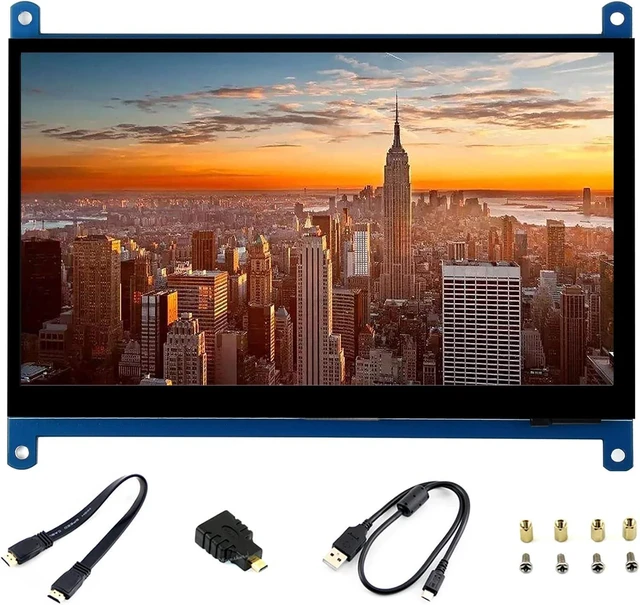


Product Description:
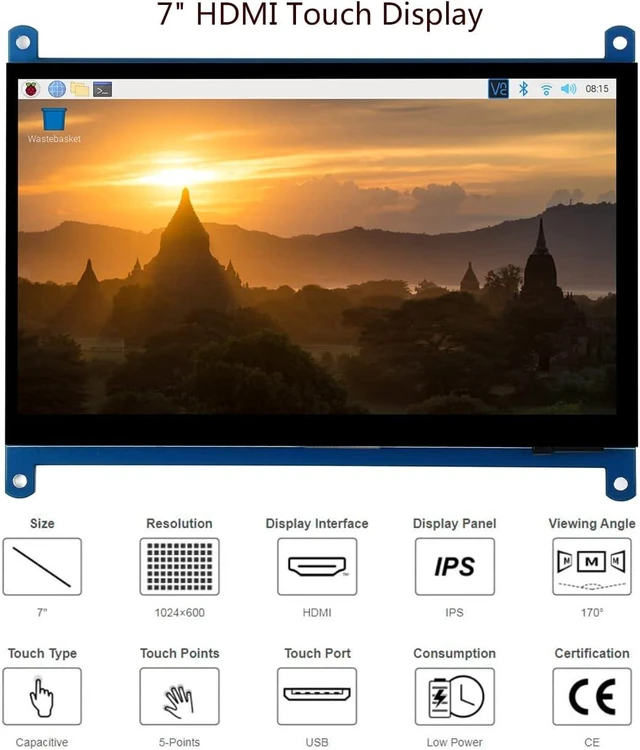
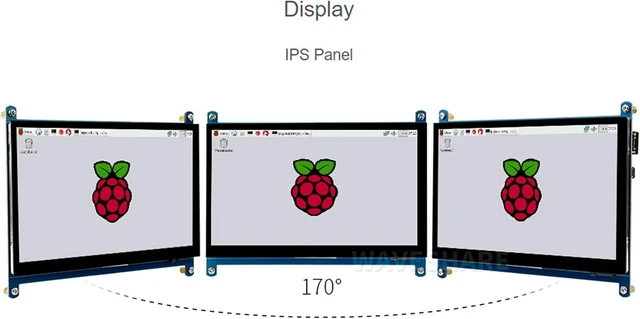
7-inch HDMI LCD display with IPS panel, 1024×600 hardware resolution, and capacitive touch functionality. It is designed for use as a compact display with Raspberry Pi systems and general desktop computers running supported Windows versions.
Core Selling Points:
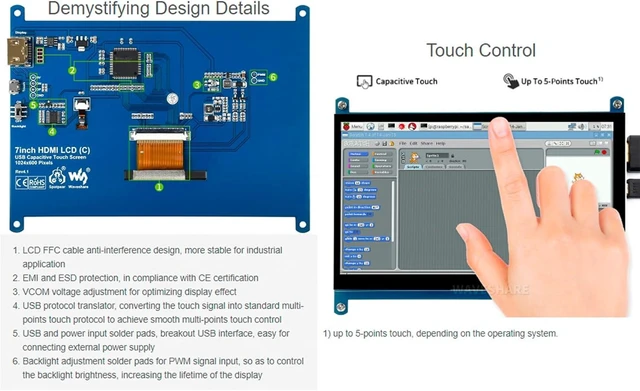
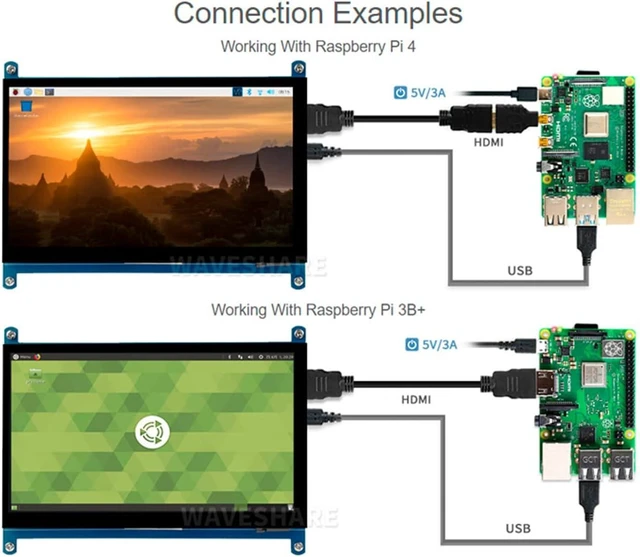
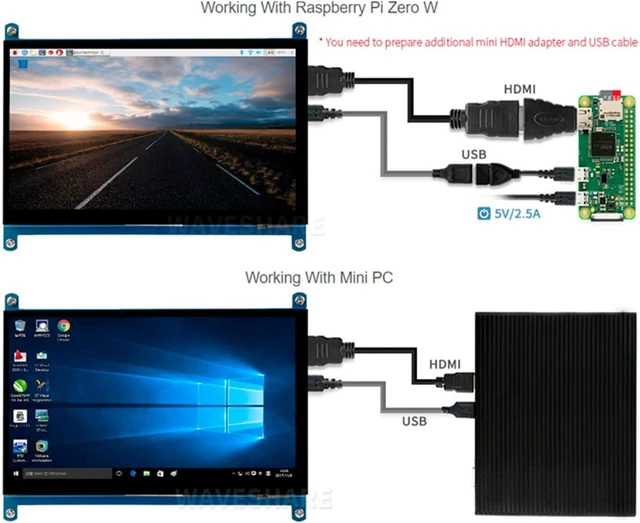
HDMI provides the display connection while USB provides the touch interface. The backlight can be turned off to reduce power consumption. It supports five-point touch and driver-free operation with Windows 10, Windows 8.1, Windows 8, and Windows 7. With Raspberry Pi, it supports Raspbian, Ubuntu, Kali, Retropie, and Windows 10 IoT.
Technical Specifications:
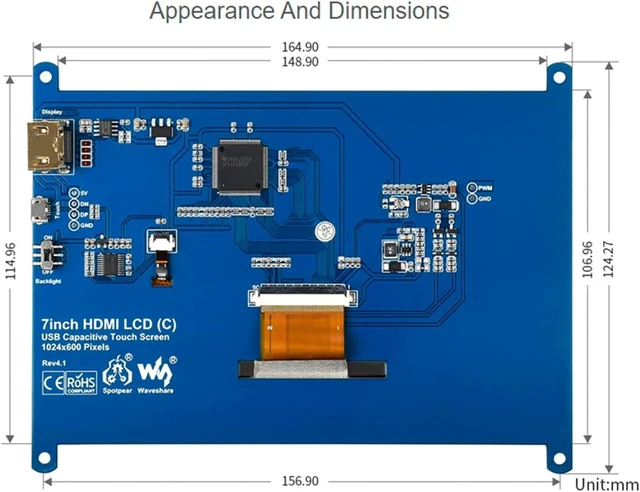
Model/revision: Rev 4.1. Display size: 7 inch. Panel: IPS LCD. Touch: capacitive, five-point touch support with supported Windows systems. Hardware resolution: 1024×600. Display interface: HDMI. Touch interface: USB. Backlight: can be turned off. Supported Raspberry Pi models listed in the source include Raspberry Pi 5, 4B, 3B+, 3B, Pi Zero W, Zero 2W, Pico, Pico W, Pico 2, and Pico 2W.
Before Purchase:
When connecting with Raspberry Pi, add hdmi_drive=1 to the end of the config.txt file, then power off the display and leave it aside for a few hours if flickering occurs after abnormal operation. Pi Zero requires an HDMI cable and a USB Type-A receptacle-to-Micro-B plug cable, purchased separately. BB Black requires an HDMI cable, purchased separately. Confirm the required cables, operating system, and available HDMI and USB connections before purchase.
