• $179.99
  • Free 30-day Returns
  • Ships from United States.
    Hot Seller

    Shipped by B-IN Electronics

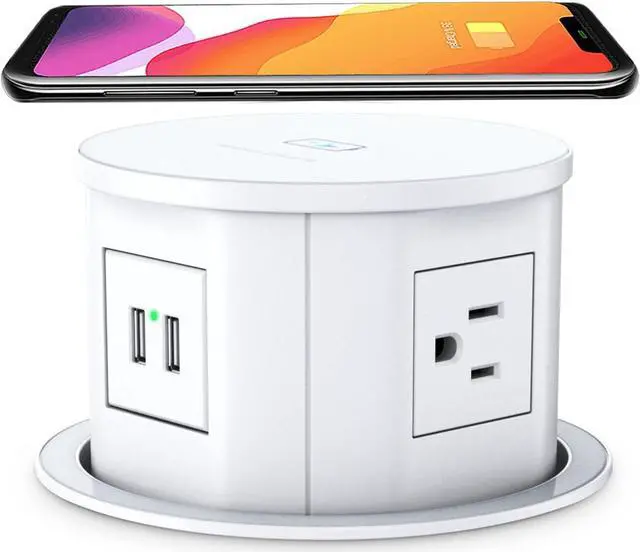
    Automatic Pop Up Countertop Outlet with 15W Wireless Charger,4 Outlets,2 USB Ports,4.75" Pop Up Electrical Outlet,Home Office Power Supply,Suit Kitchen Island RV Office Conference Table

    • Item #: 9SIVB0EK9P3223
    • Mfr. Part #: BEANNQUANPOP 03WT
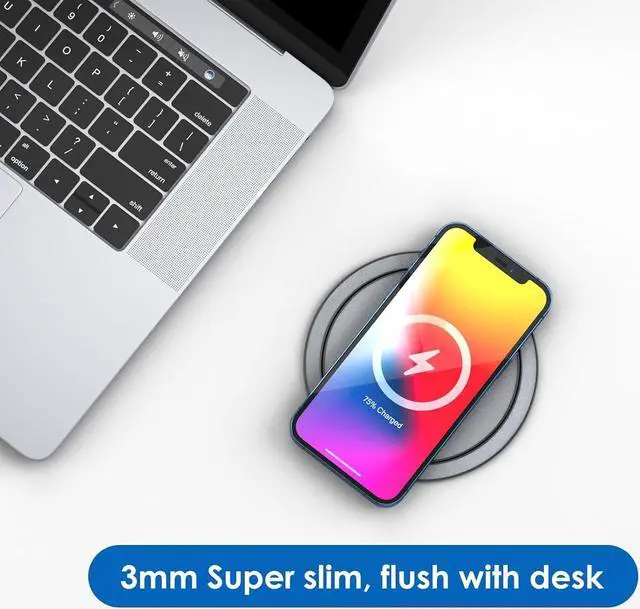
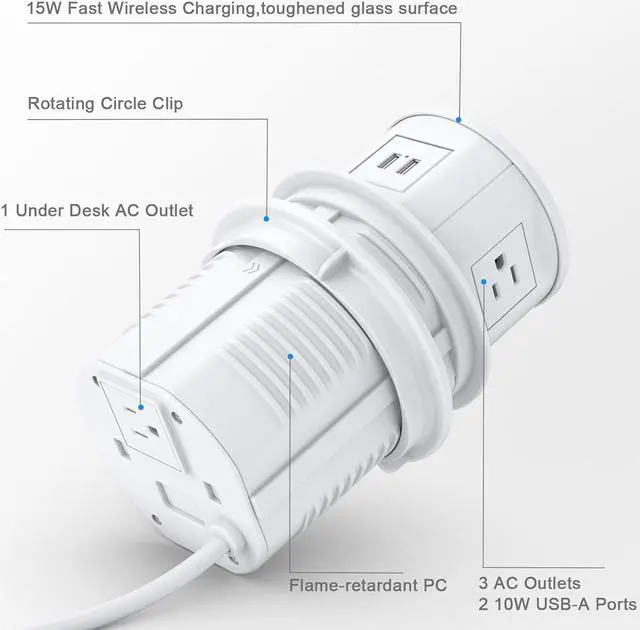
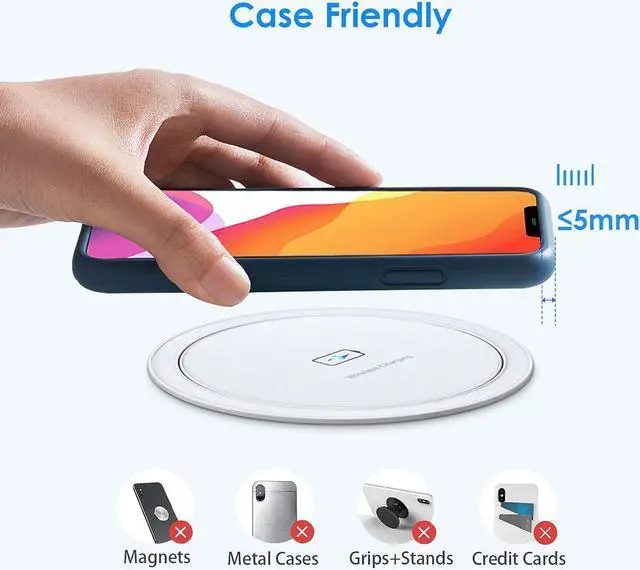
    • 15W Qi-compatible wireless charger on the top of pop up socket. Place your phone on it and charge when it's flat, or pop it up for more power options.
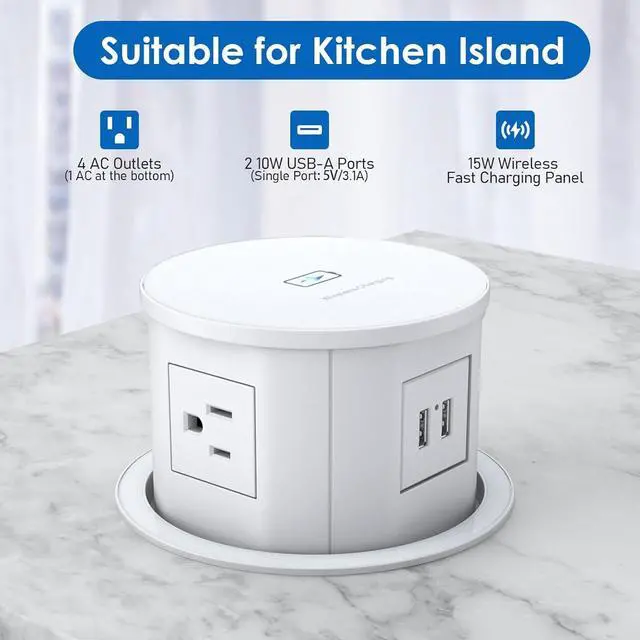
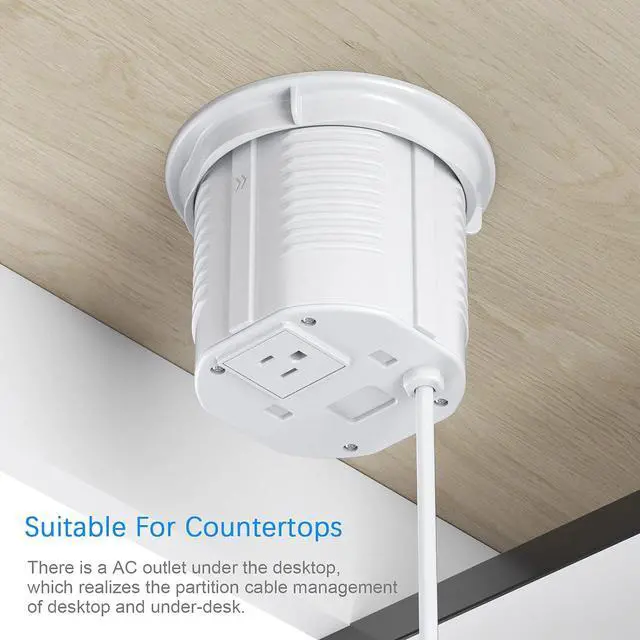
    • 3 wide-spaced AC plugs, 2 10W USB-A ports, and 1 under-desk AC plug for convenient under desk power supply. Output: 125V/15A/1500W, USB port: 5V/2.1A, 6FT 16AWG/3C extension cord.
    • The built-in spring-loaded retractable design allows this pop up power outlet for automatic rising with a simple press. Set up for desk hole, nightstand, kitchen island, granite countertop, conference table, RV table and any other places where you need electric access.
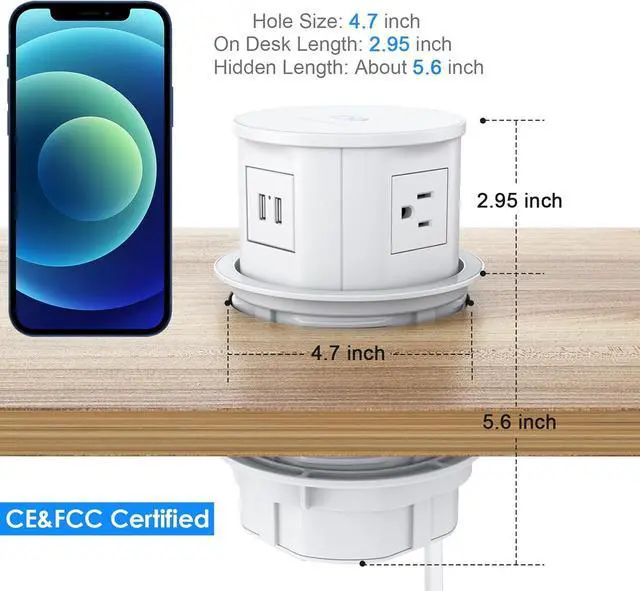
    • When the pop up outlet for countertop is concealed, it will sink to 6 inches under desk. Your table won't be clutter-free. You won't bend down looking for outlets on the ground. Keep your living and working area tidy and clean. 4 side of this pop up countertop outlet for your to plug in different angles.
    • Cut a 4.75-inch hole, slide the countertop pop up outlet body into it, tighten the ring.
    +
    +
    Overview
    Specs
    Reviews
    Specification
    Wireless Charging Output 15W
    4 AC Outlet Output 125V, 12A, 1500W
    2 USB-A Port Output 5V/ 3.1A
    Power Cord 6FT 16AWG SJT Cord

    Pop Up Outlet for Quartz Installation Steps

    Step 1
    Before installing, make sure that there's a 6" depth under the desk, mark the position and cut out the hole for 120mm/4-3/4.

    Step 2
    Take off the lock ring, Install the pop up outlet into the hole and DO place the cable straight up and don't be coiled and trapped.

    Step 3
    Tighten up the lock ring clockwisely between socket and countertop.

    Step 4
    Press down on the pop up surface to pop it up or hide.

    Warranty & Returns

    Warranty, Returns, And Additional Information

    Warranty

    • Please contact the Seller directly for warranty information. Warranty information may also be found on the Manufacturer's website.
    • CONTACT

    Return Policies

    Manufacturer Contact Info

    LOADING...