• $83.56
  • Free 30-day Returns
  • Ships from United States.
    Hot Seller

    Shipped by B-IN Electronics

    Wireless Bluetooth Remote Shooting Grip Video Mini Tripod Replaces Canon HG-100TBR Compatible with Canon EOS R R5 R6 M6 Mark II M50 Mark II M200 6D Mark II T8i T7i PowerShot G5 X Mark II G7 X Mark III

    • Item #: 9SIVB0EH7E3816
    • Mfr. Part #: MB08MKX6SW3
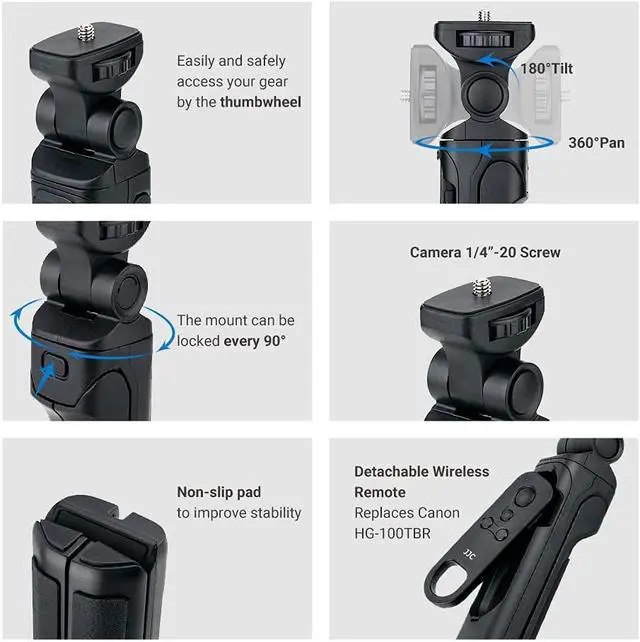
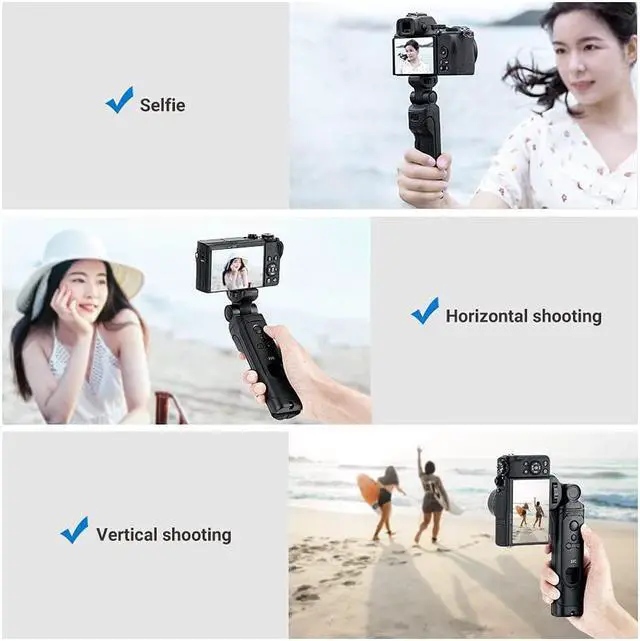
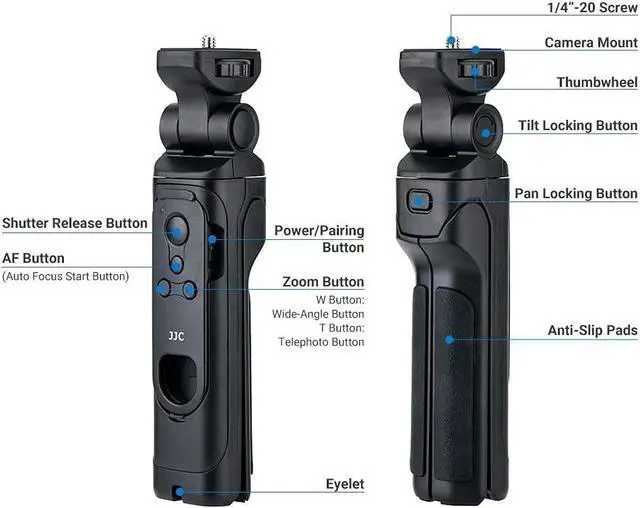
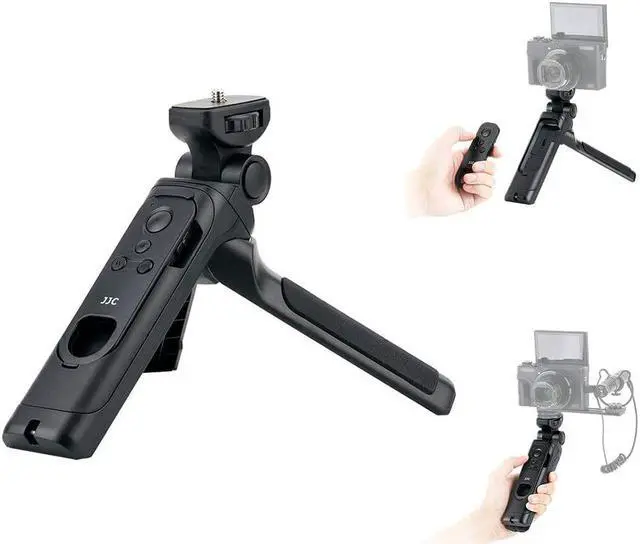
    • The tripod grip enables the camera to rotate 360° left or right, tilt forward 90° and back 90°, making it easier to capture quality video content from high and low angles and even in selfie mode. It can also be set up as a tripod, enabling landscapes and group shots to be captured with ease.
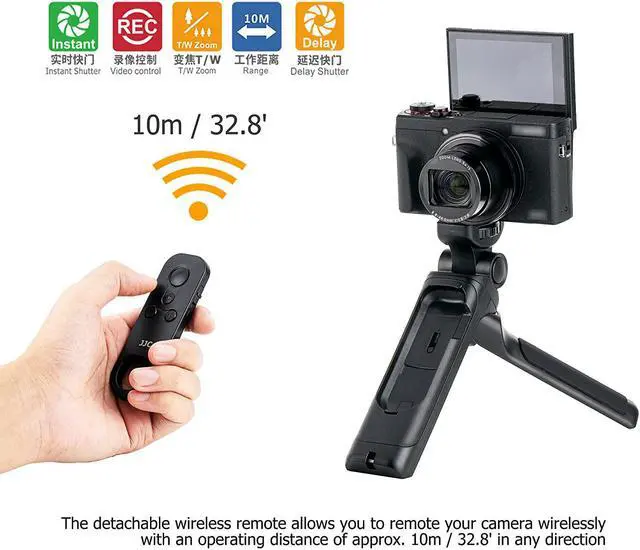
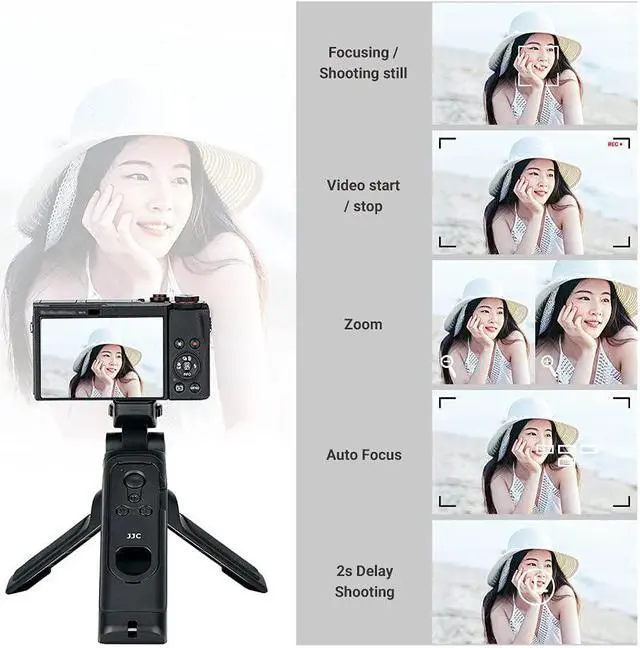
    • When used with the bundled BTR-C1 replaces Canon BR-E1 wireless remote control, the tripod grip enables easy remote shooting, giving control of the camera’s shutter, zooming, movie recording and AF from a distance.
    • Compatibility: the wireless remote can fit Canon EOS R6, R5, R, RP, 6D Mark II, 90D, 77D, T8i, T7i, SL3, SL2, M6 Mark II, M50, M50 Mark II, M200, PowerShot G5 X Mark II, G7 X Mark III, SX70 HS, replaces Canon BR-E1 remote
    • Operating Range: up to 10m/32.8ft in any direction
    +
    +
    Overview
    Specs
    Reviews
    Compatibility
    For Canon EOS R, R5, R6, RP, 6D Mark II, 90D, 77D, T8i, T7i, SL3, SL2, M6 Mark II, M50, M50 Mark II, M200, PowerShot G5 X Mark II, G7 X Mark III, SX70 HS
    The wireless remote replaces Canon BR-E1
    Specifications
    Shooting Grip
    Screw: 1/4"-20 stud
    Height (used as a hand grip): 193.5mm / 7.6"
    Height (used as a mini tripod):143.5mm / 5.6"
    Panoramic Rotation: 360°
    Tilting Head: 180°
    Max Load: 1.2kg
    Wireless Remote
    Transmission method: 2.4GHz, GFSK modulation
    Operating distance: Approx. 10m / 32.8'
    Power: CR2032 battery
    Dimension: Approx. 91.5 x 30.8 x 12.7mm (3.6 x 1.2 x 0.5")
    Package Including
    -Shooting Grip x 1
    -Wireless Remote Control x1
    -CR2032 Battery x1
    - Lanyard
    Note*: 1)Power zoom lenses can be zoomed directly by pressing the zoom button on the remote; 2)Some lenses need to be used with the Power Zoom Adapter (not included in the package) to use the zoom button; 3)During viewfinder shooting, the lens cannot be zoomed with the remote

    Warranty & Returns

    Warranty, Returns, And Additional Information

    Warranty

    • Please contact the Seller directly for warranty information. Warranty information may also be found on the Manufacturer's website.
    • CONTACT

    Return Policies

    Manufacturer Contact Info

    LOADING...