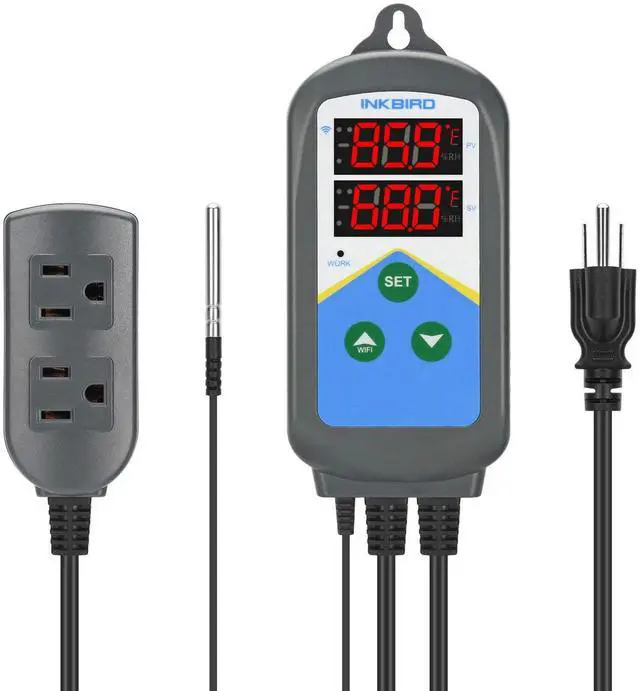
Product description Please follow the steps to pair the temperature controller with your phone. The device only supports 2.4GH z Wi-Fi router. If the connection is failed, please feel free to download the user manual to see the AP mode connection and follow the steps. Normal mode (without timer setting) When the controller is working normally (TR=0), PV window displays the measured temperature, SV window displays temperature set value. When the measured temperature PV TS1 (Temperature Set Value1), the WORK indicator is off, the output sockets turn off. When the measured temperature PV TS1 (Temperature Set Value1) -DS1 (Heating Differential Value 1), the WORK indicator is on, and the output sockets turn on.
For example, TS1= 25.0 °C, DS1= 3.0 °C, when the measured temperature 22°C (TS1-DS1), the output sockets turn on. When the measured temperature 25°C (TS1), the output sockets turn off. All the values can be set in "INKBIRD" APP. When TR=1, the Timer Mode is on. Time A~Time B~Time A is a cycle, 24 hours. During Time A~Time B, the controller runs as TS1 (Temperature Set Value1) and DS1 (Heating Differential Value1). During Time B~Time A, the controller runs as TS2 (Temperature Set Value2) and DS2 (Heating Differential Value2).
For example: Set TS1=25, DS1=2, TR=1, TS2=18, DS2=2, TAH=8, TAM=30, TBH=18, TBM=00, CTH=9, CTM=30, CTH and CTM are the current time setting, the setting time is 9:30. During 8:30 - 18:00 (Time A~Time B), the temperature controls between 22°C (TS1-DS1)~25