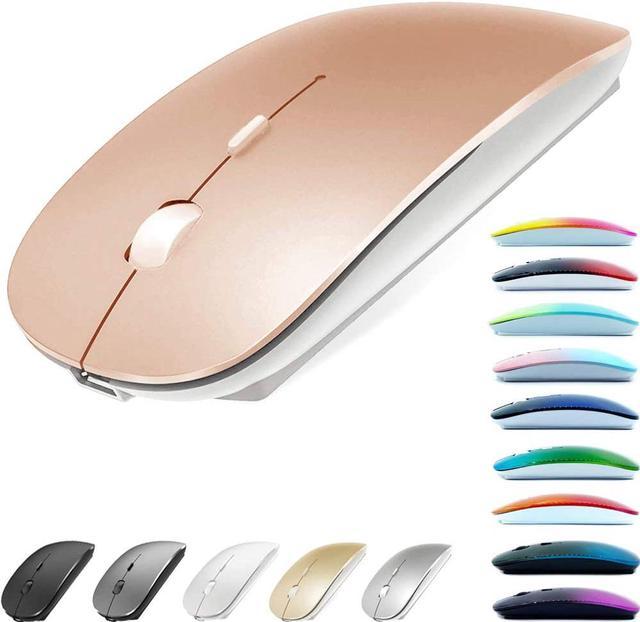
1Color:Bluetooth Mouse/Rose Gold
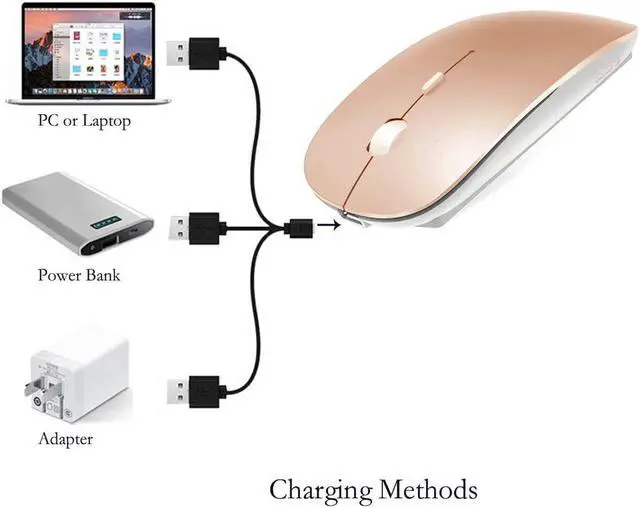
Adopt bluetooth 4.0 technology, built-in 450mAH A product lithium battery, configuration charging line, like a mobile phone, easy to charge, more scientific, charge and discharge of more than 500 times, the mouse no longer need to buy a battery.
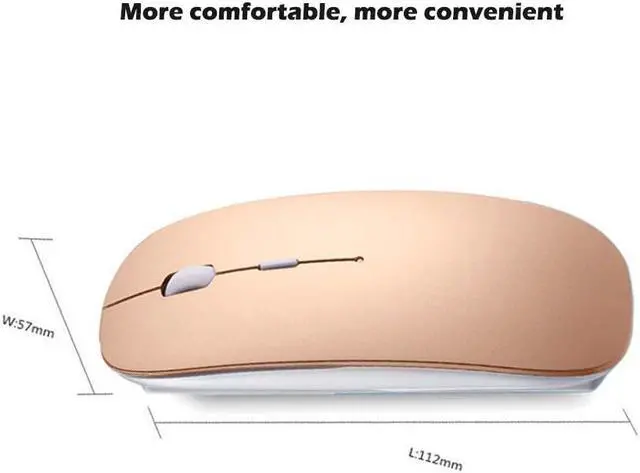
size: 113mm x 58mm x23mm weight : 3.1 oz
package: Bluetooth mouse x1, USB Charging Cable x1
How to use Bluetooth wireless mouse:
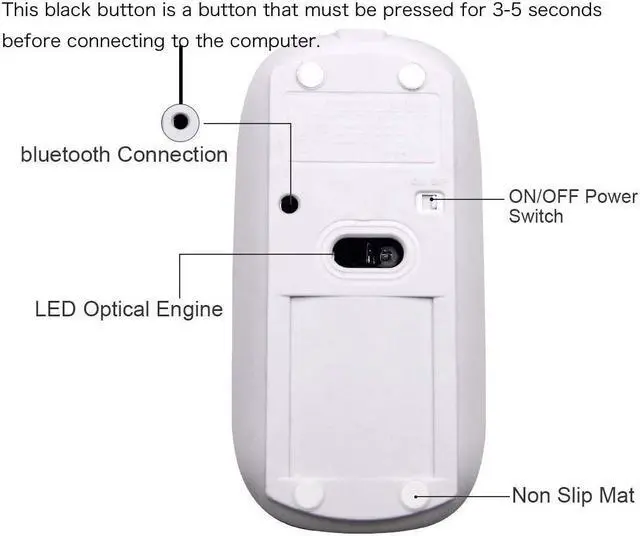
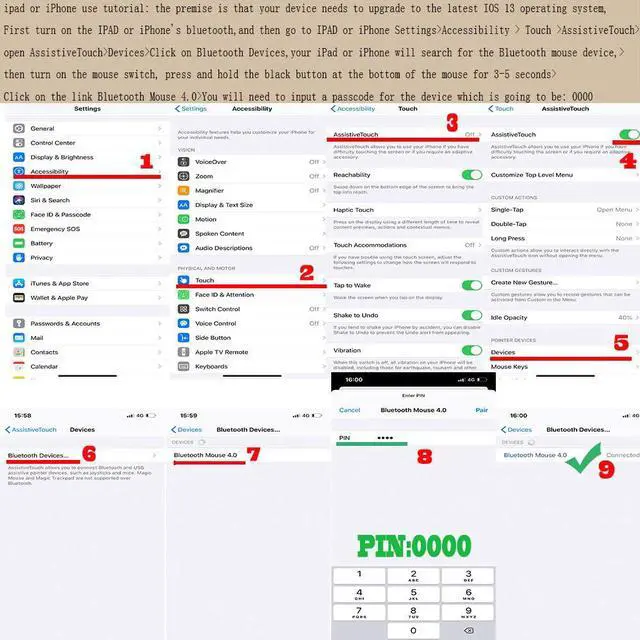
ipad or iPhone use tutorial: the premise is that your device needs to upgrade to the latest IOS 13 operating system, First turn on the IPAD or iPhone's bluetooth,and then go to IPAD or iPhone Settings>Accessibility>Touch>AssistiveTouch >open AssistiveTouch>Devices>Click on Bluetooth Devices,your iPad or iPhone will search for the Bluetooth mouse device,>then turn on the mouse switch, press and hold the black button at the bottom of the mouse for 3-5 seconds>Click on the link Bluetooth Mouse 4.0>You will need to input a passcode for the dev and then click connect, Enter pairing password: 0000 .
Apple Mac MacBook/pro/Air 2012/2013/2014/2015/2016/2017/2018/2019: first, open the mouse switch, open the computer system preferences, open the bluetooth, when the computer Bluetooth display is searching for nearby Bluetooth devices, hold down the mouse button (at the bottom of the mouse small black button) and keep 3 to 8 seconds, and then your computer display the search bluetooth mouse, bluetooth device click on the link, and then the connection is successful
Win7/8/10/XP series notebook computer usage instructions: First, open the mouse switch, open the computer settings, open the device Bluetooth function, open add Bluetooth, open Bluetooth, when the computer Bluetooth display is searching for nearby Bluetooth devices, hold down the mouse button (at the bottom of the mouse small black button) and keep 3 to 8 seconds, and then your computer display the search bluetooth mouse, bluetooth device click on the link, and then the connection is successful