


Meet Your Seller



Mechanical Gaming Keyboard, RGB LED Rainbow Backlit 60% keyboard with Blue Equivalent Switches, 27 LED Lighting Modes, 100% Anti-Ghosting Tenkeyless Keyboard for Windows PC/MAC Games
- Item #: 9SIV36AKE31513
- Mfr. Part #: EL-GKEYB101
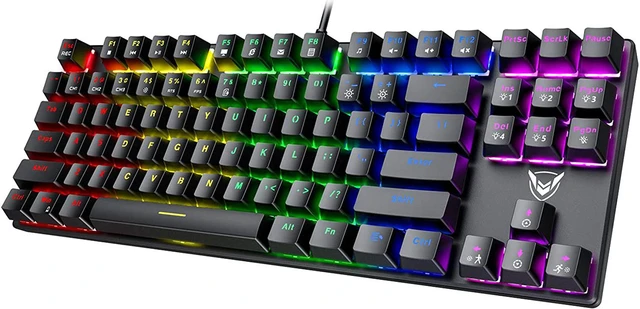
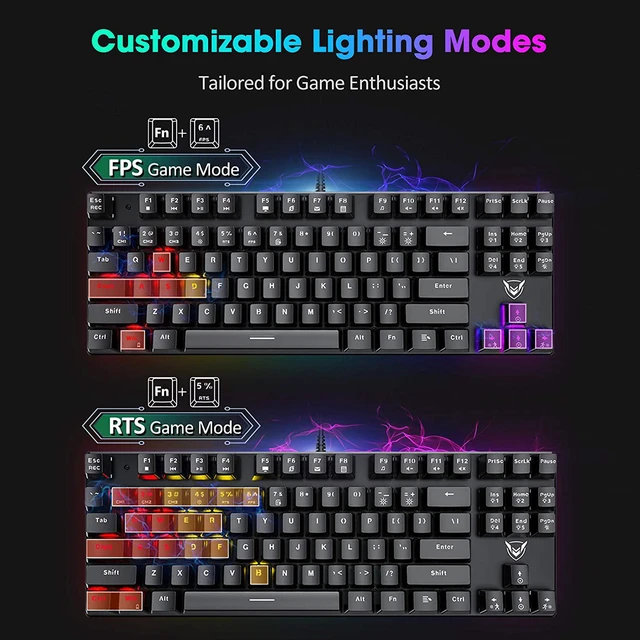
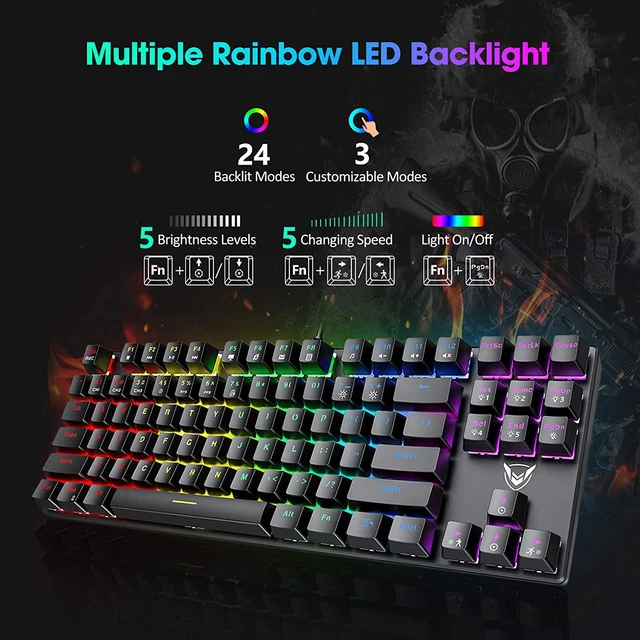
- 27 Rainbow LED Backlit Modes:Pictek backlit keyboard is equipped with double-shot injection molded keycaps, which offers crystal clear uniform backlight and ensures lettering that doesn't scratch off. Features rainbow color, multiple lighting modes, 5 backlight brightness levels, 5 breathing speed, 2 special backlit desgined for RTS and FPS games, extending better gaming experience for gamers. The keys are NOT rgb but each zone is a different color red, yellow, green, blue, purple you cannot change them.
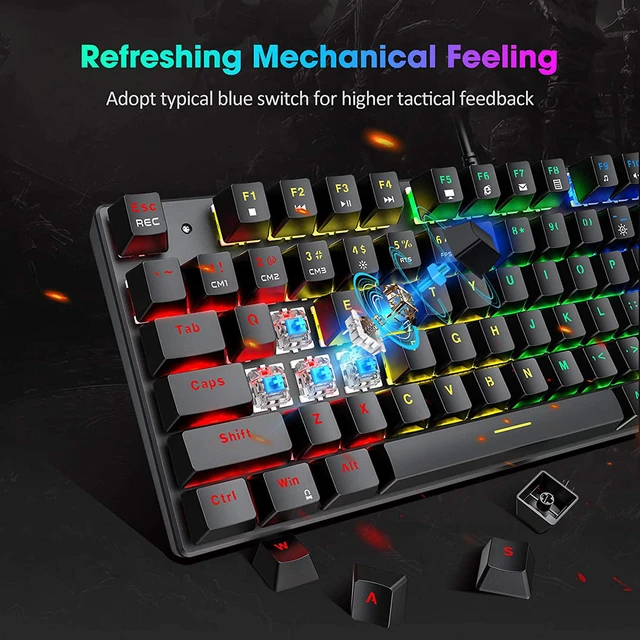
- Blue Equivalent Switches for Quicker Click Response:Adopted professional equivalent switches, which offers quicker and springier response, crisp click sound for spring typing enjoyment, precise tactile feedback for ultimate gaming performance. Comes with keycap puller for easy keycaps cleaning.
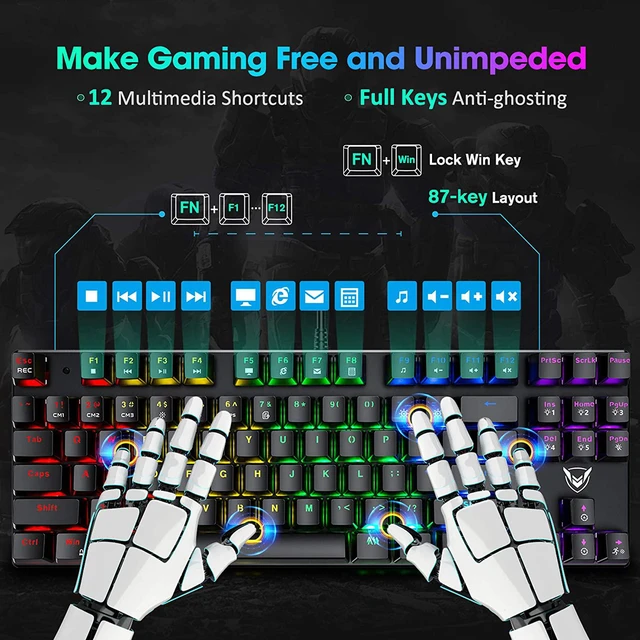
- Full Keys Anti-ghosting & 12 Multimedia Keys:All 87 keys are conflict-free is more friendly to user, ensuring smooth gaming experience.
+
+
Overview
Specs
Reviews
Included Keycap Puller
PICTEK 87-key Mechanical gaming keyboard comes with a keycap puller to help clean the keyboard easier.
Ergonomic Design
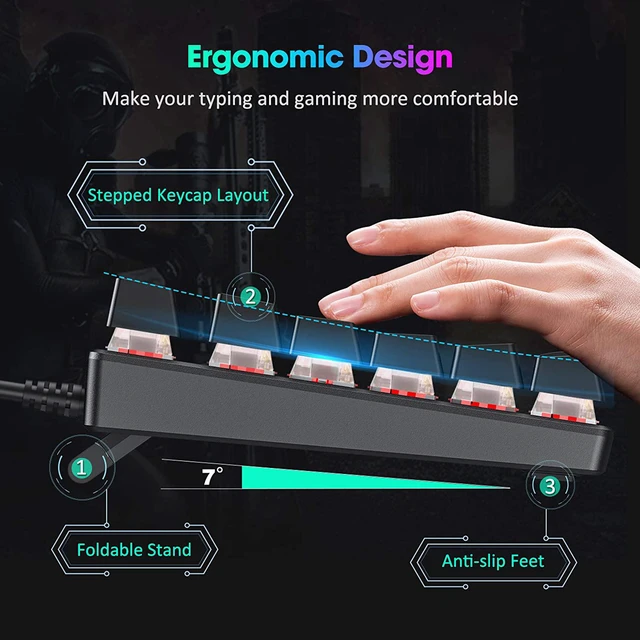
With keycaps leaning backward and forward design to make the typing more comfortable, the fold-out legs allows you to choose the best typing height.
Fading Resistant Keycaps
PICTEK keyboard adopts advanced craft to make sure the letter will not fade, enabling a long service life.
Splash Resistant
Splash resistant helps to solve your worry about accident water or tea splash, three hydrophobic holes in the back of the keyboard to accelerate water stream.
12 Multimedia Function Keys
12 Multimedia function keys to enhance efficiency during working on sheet, wps and playing.
Lock the Win Key
Pressing the Win and Fn, you will be able to lock the page to help you focus on the game, avoiding page losing.
27 Types Lighting modes Instruction
Fn+Ins: Switch 4 lighting modes————Fn+1: Customized Backlight Mode 1
Fn+Home: Switch 4 lighting modes————Fn+2: Customized Backlight Mode 2
Fn+PgUp: Switch 4 lighting modes————Fn+3: Customized Backlight Mode 3
Fn+Del: Switch 4 lighting modes————Fn+4: Backlight Fully Mode
Fn+End: Switch 4 lighting modes————Fn+5: RTS Gaming Backlight Mode
Fn+PgDn: Backlight On/Off————Fn+6: FPS Gaming Backlight Mode
Fn+7: Office Backlight Mode
How to customize your own lighting mode?
1.Press Fn+1 to enter into customized lighting mode. 2.Press FN+ESC to activate the editing function, and then you can choose your desired lighting mode and press the corresponding buttons to light up, and finally press FN+ESC to save the setting.
Notes: The Multimedia function is not available for Mac OS.
Warranty & Returns
Warranty, Returns, And Additional Information
Warranty
- Please contact the Seller directly for warranty information. Warranty information may also be found on the Manufacturer's website.
- CONTACT
Return Policies
- Return for refund within: 30 days
- Return for replacement within: 30 days
- This item is covered by Electronics World Return Policy
Manufacturer Contact Info
- For a directory of all our manufacturers, please click below.
- Manufacturers Directory
LOADING...