• $69.99
  • Free 30-day Returns
  • Ships from China.

    Wireless Mechanical Keyboard,60% Gaming Keyboard with Arrow Keys, Wireless Wired Mechanical Gaming Keyboard with RGB Backlight, Bluetooth 5.0 Keyboard N-Key Rollover for PC/Laptop/Pad/Smart Phone

    • Item #: 9SIV36AKE33421
    • Mfr. Part #: KE-KEBAS8862-RD
    • Brown Switch
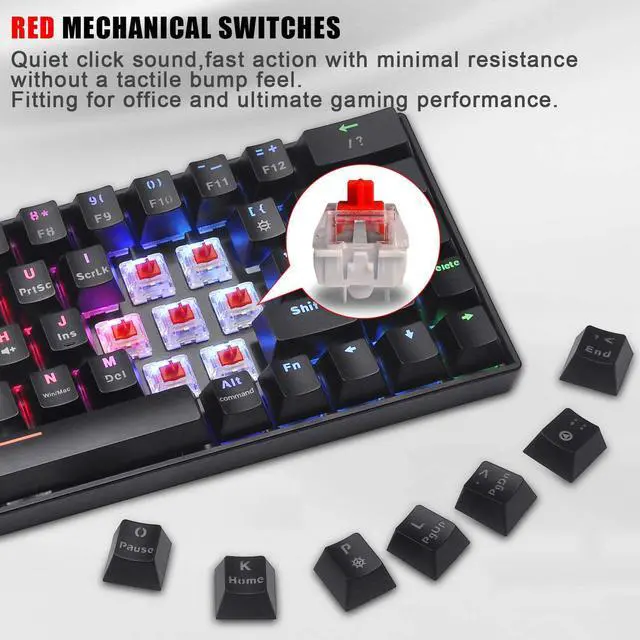
    • Red Switch
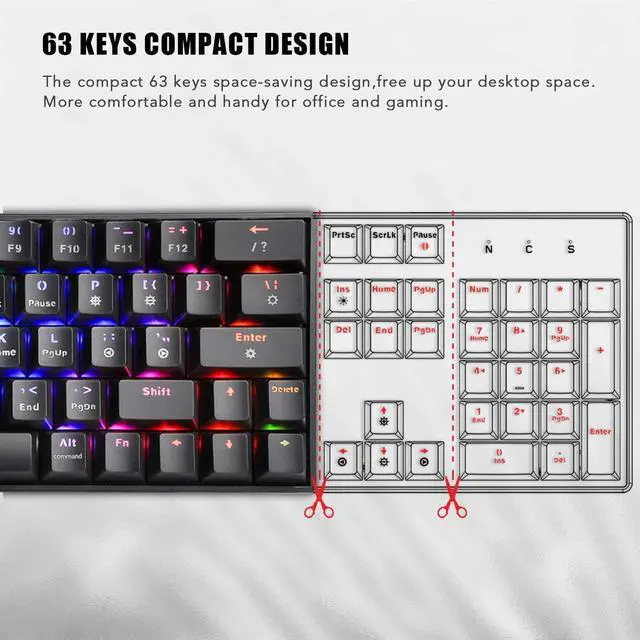
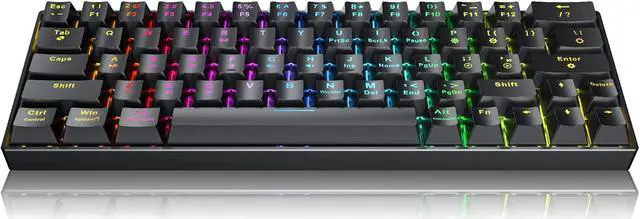
    • 60% Compact Design: 63 keys mechanical keyboard space-saving design,frees up space on your desktop. Give you more space when you are typing or gaming. This mechanical gaming keyboard is good for gaming and Office use.
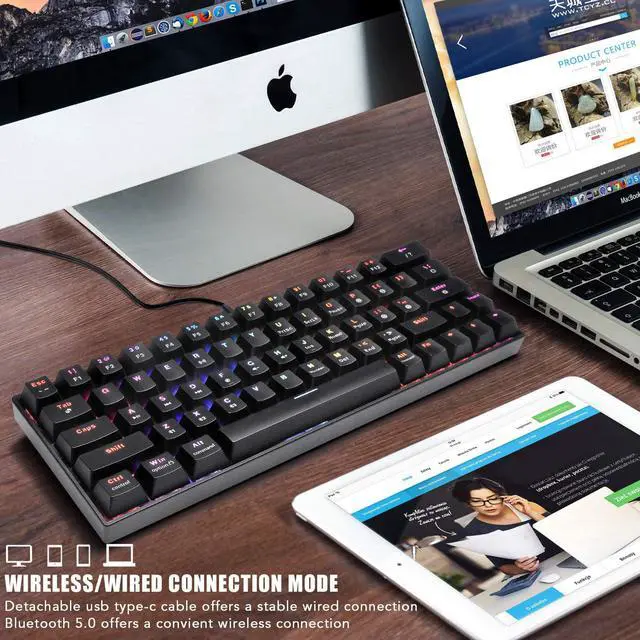
    • Dual Mode Connection: Wireless & wired connection mode: Bluetooth 5.0 wireless mechanical keyboard offers a convenient wireless connection, good for Home and Office use. Detachable USB Type-c cable provides this gaming keyboard with a stable wired connection, fast and stable connections good for gamer.
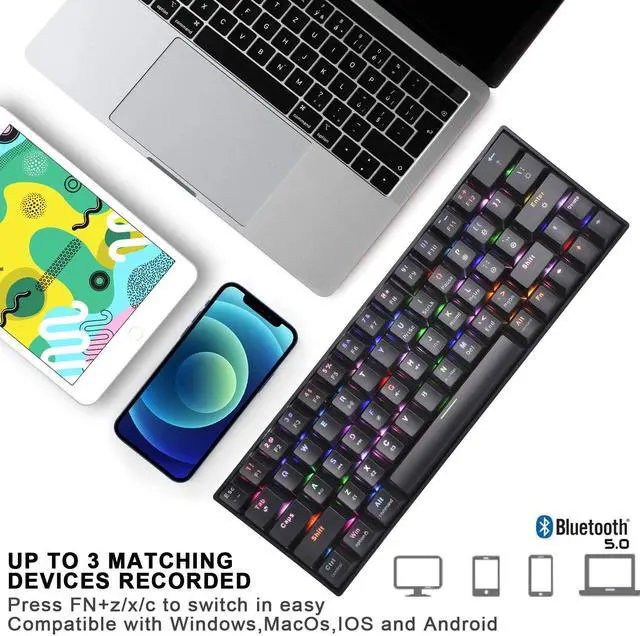
    • Up to 3 Devices Connected:Bluetooth wireless mechanical keyboard up to 3 matching devices recorded, ideal for PC/Laptop/Pad/Smart Phone. Press FN+z/ x /c to switch in easy. Compatible with Windows, MacOs, IOS and Android.
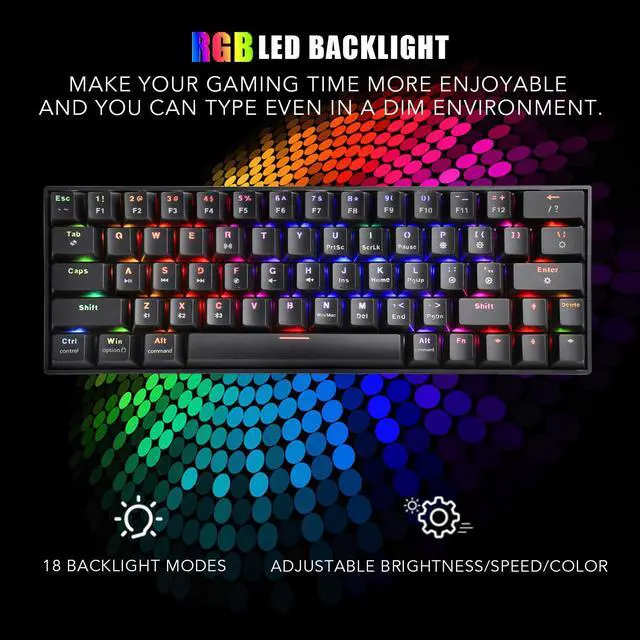
    • RGB LED Backlit:16.8 million color RGB backlit mechanical gaming keyboard has 18 backlight modes,5 levels of adjustable brightness which make your gaming time more enjoyable and you can type even in a dim environment.
    +
    +
    Overview
    Specs
    Reviews
    Wireless & Wired Connection

    Detachable usb type-c offers a stable wired connection;

    Bluetooth 5.0 offers a convenient wireless connection


    Compact & Portable

    60% keyboard takes up less sapce.

    You can use it anytime,anywhere.


    2000 mAh battery

    2000 mAh battery provide long hours of use.


    Ergonomic Design

    Stepped keycaps layout desigh,provide more comfortable tuping and gaming experience.


    FAQ:

    1) How to input a question mark?

    Press FN+Shift+?(Backspace) to input "?"

    2) Is it compatible with Chrome Book?

    Bluetooth mode just compatible with WINDOWS, mac OS, IOS and Android. You can use it on Chromebook via wired mode.

    3) The keyboard cannot be used in the wired mode for the first time, or suddenly cannot be used on the Bluetooth / Wired mode.

    Press the FN + R to switch the keyboard mode and switch the keyboard to the mode you need. And you can check if the mode of the keyboard is normal by press FN key, one of Z/X/C keys light on when you pressing FN key means the key is on Bluetooth Mode, if Z/X/C keys are not light on, it means that it is in wired mode

    4) Keyboard becomes unstable or disconnected in the Bluetooth mode when you using.

    Please re-update the Bluetooth function of the device and fully charge the keyboard, because when the battery is low, the keyboard cannot support the BT function normally, and BT may become unstable or disconnect.

    Both of it can't work, please message us.

    If you have any other problems, please contact our after-sales support through Amazon message function.

    Warranty & Returns

    Warranty, Returns, And Additional Information

    Warranty

    • Please contact the Seller directly for warranty information. Warranty information may also be found on the Manufacturer's website.
    • CONTACT

    Return Policies

    Manufacturer Contact Info

    LOADING...