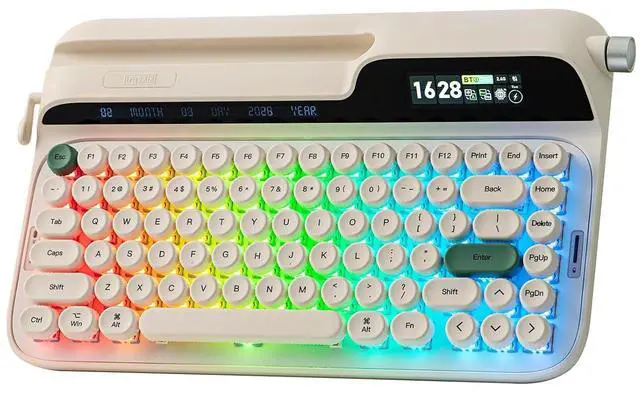
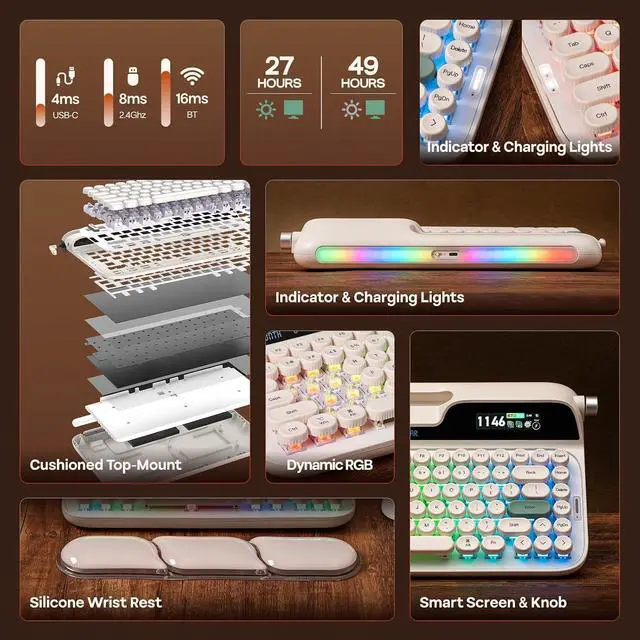
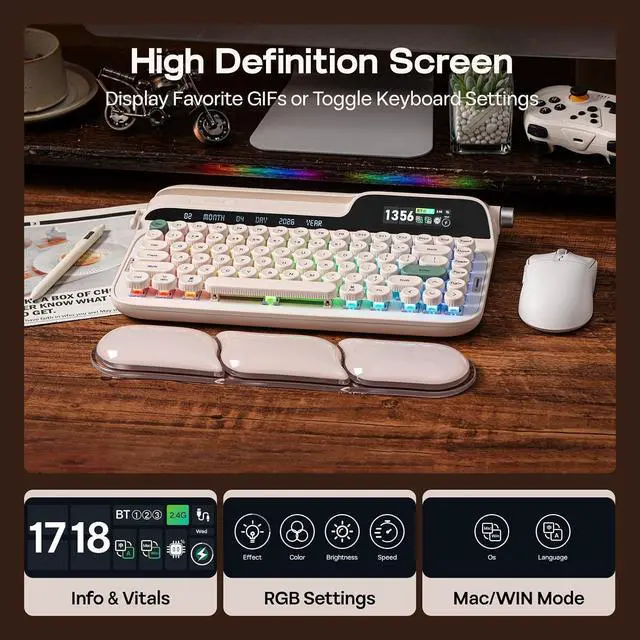
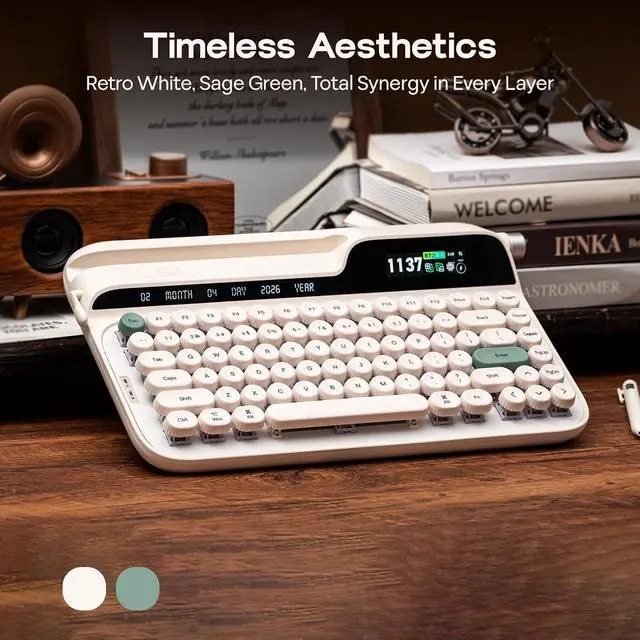
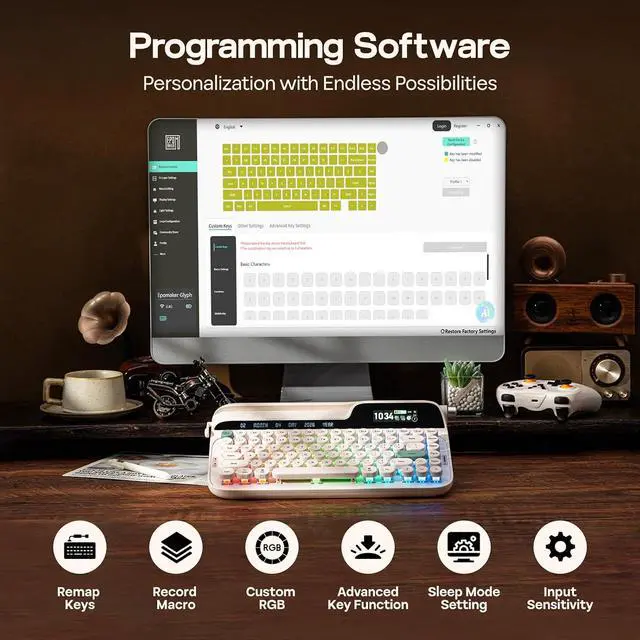
Product description By Hipyo Tech Timeless Color Design Custom Top-Mount Retro Typewriter Style Smart Display & Watch Mac/WIN Compatible Driver Hot-Swap Creamy Switch Tri-Mode & Low-Latency Rechargeable Battery for PC, Tablet & Phone Tips on Software, RGB Setting, Connection, Typing Angle, Size & Weight Custom Software EPOMAKER 3.0 (v4) EPOMAKER Glyph comes with powerful mac/win compatible custom software (EPOMAKER 3.0 ) for effortless remapping and macro recording. The downloadable software, works in wired mode and 2.4G hz mode, can also sync time for screen, upload Gifs and set up keyboard auto-sleep time and sensitivity.
Assign a complex key sequence to a single macro key for efficiency, or remap rarely used keys to essential shortcuts for streamlined workflow.
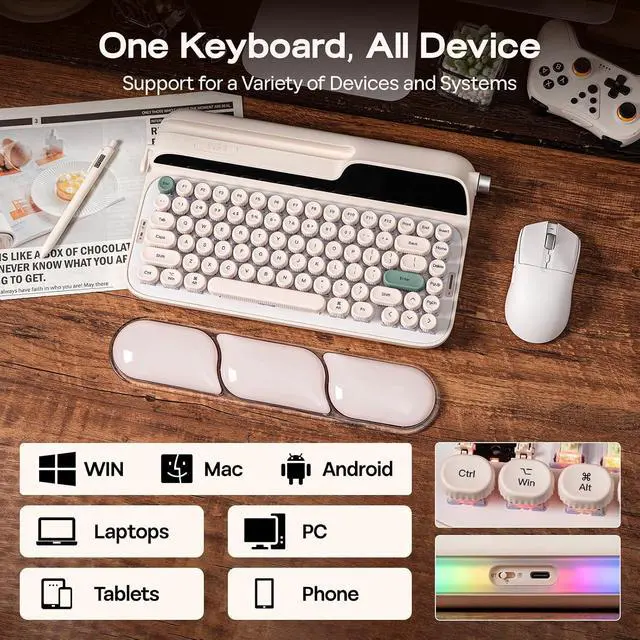
WIN/Mac Compatible Software: bit. ly/3O8OFQv Adjustable Dynamic Lights RGB Backlight & Top Light The per-key, south-facing LEDs, provide dynamic and static lights in RGB and singular colours, angles the glow directly toward you for maximum visibility, but all equipped with light diffusers that softens the RGB output into a vibrant but mellowed glow that remains punchy at day but prevent eye fatigue at night. Click to play video with Convenient Storage for 2.4G hz Receiver Tri-Mode Wireless Keyboard Designed for modern gamers and multi-tasking professionals, the Glyph mechanical keyboard offers plug-and-play compatibility across Windows, macOS, Android, and iOS, in wired, 2.4G hz or BT mode.
Pair to New Device: 1) Toggle to BT/ 2.4G Mode. 2) Pressing FN+Q/W/E/R until Q/W/E/R keys' flash quicken from slow to rapid. 3) Set Bluetooth on PC or Plug 2.4G hz Dongle to PC Connect to
Paired Devices: 1) Toggle to BT/ 2.4G Mode. 2) Press FN+Q/W/E/R once. Click to play video Intuitive Control & Thoughtfully Piced Material User-Centered Design Immersive aesthetics and intuitive, high-speed control, the EPOMAKER Glyph merges both with the dual-mode knob. In media mode, adjust volume or remap it to skip tracks in your playlist, or use FN+Knob to toggle into screen mode to navigate the onboard display for info check and RGB customization.
FN+KNOB: Screen or
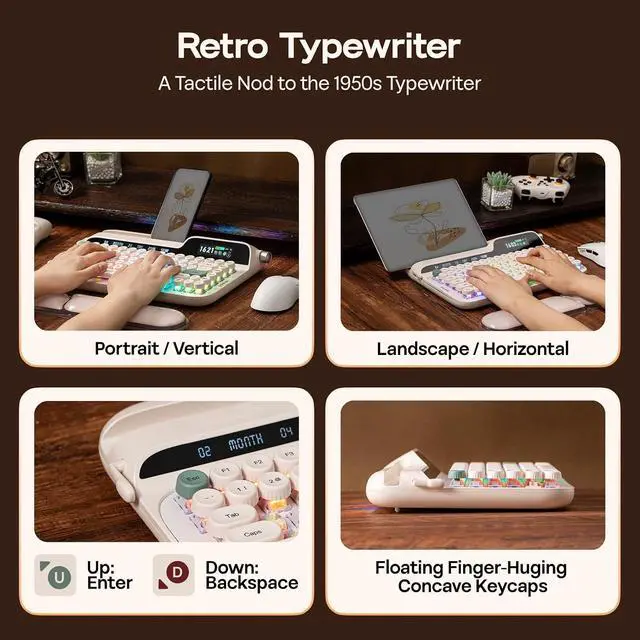
Volume Control Lever: Up=Enter, Down=Backspace
Silicone Stand: Flip for 1 or 2 degree typing Angle Click to play video with Gift Wrist Rest Ergonomic Comfort Designed to capture the soulful mechanical depth of a vintage typewriter without physical strain, every inch of Glyph is sculpted for comfort. This keyboard with wrist rest comes with silicone hand rest in matching colors. The rounded and fingertip-hugging concave keycaps guide your hands naturally across a floating-key architecture, while the precise 46gf mid-forced factory-lubed switch is smooth to type but unlikely to be accidentally triggered. Click to play video Retro Typewriter, Modern Refined 75% Layout with 83 Keys + 1 Knob + 1 Lever + 2 Screen With 83 vintage-inspired round keycaps in durable and greasy-resistant PBT at a modern uniform height, this typewriter keyboard gives satisfying rhythmic creamy sound, while ensuring your fingers glide with precision without the fatigue of traditional uneven rows.
Keyboard Length: 34.7 cm.
Width: 20.7 cm.
Weight: 1.18 kg Keyboard Height from
ESC side: 5.7 cm.
Height from CTRL side: 2.1 cm.
Typing Angles: 1 or 2 degrees (flip the silicone stand) Click to play video Can my tabelt, phone or e-reader fit the Glyph Typewriter Keyboard? What is the use of the return lever? Can I custom the lever's function? How about the knob? How can I sync the time for my EPOMAKER Glyph Keyboard? What's the meaning of all those icon on its screen? Why the WIN (CMD) key stopped working and stays white? Why the WIN/ALT (Command/Option) Key on my Glyph swapped places? How long does the EPOMAKER Glyph last after one full charge? How should I charge it? How can I check the battery status?