Product description
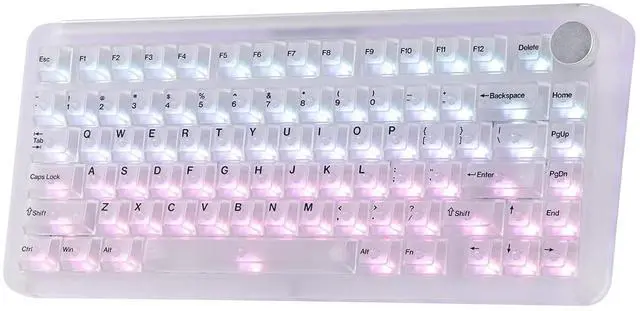
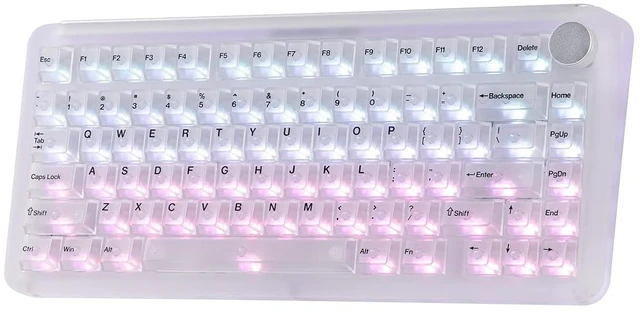
Phantom81 V4: A Translucent Acrylic Mechanical Keyboard, Glowing for Your Setup Clear/Pink/Black RGB Backlights Shine Through Keycaps Compact 75% Layout Creamy Gasket Phantom81 V4 Frosted Acrylic Keyboard with Backlit, Hot Swappable Keycaps & Switches, Creamy Gasket 1 Translucent Acrylic 2 Hot Swap 3 Crystal Linear 4 Custom Support RGB Control / Sidelight & Metal Plate / Wireless & Wired Connectivity Customizable with KiiBOOM Driver Dynamic RGB Lights FN+\|: Toggle
Backlight Effect FN+: Backlight Brightness &
Speed FN+P: Sidelight Effect, FN+Z/X: Sidelight
Brightness,
FN+C/V: Sidelight
Speed FN+PGUP: Turn On/Off Backlight Click to play video RGB Sidelight & Metal Nameplate Surround
Base Lighting: Boosts aesthetic appeal
& desk setup vibe: Creates a stunning, futuristic glow that complements the transparent design, turning your keyboard into an eye-catching centerpiece of your workstation or gaming rig.
Metal Nameplate: Delivers a sleek, high-end metallic backdrop for logo engraving, elevating the keyboards overall aesthetic. PC/Mac/Android 2.4G hz & BT Wireless, USB Wired KiiBOOM Phantom81 V4 wireless keyboard works flawlessly on PC, Mac laptops, and Android tablets, with up to 5 devices memorized at the same time. How to pair
BT mode:
1. Check that the connection mode switch is in BT mode. Press Fn+1! /2@/3# for 3-5 seconds and make sure the indicator under each key flashes quickly
3. Open up the BT connectivity on your device and find the phantom81 V4 3.0 or phantom81 V4 5.0 and connect What is upgraded on this KiiBOOM Phantom81 V4 keyboard? What is the battery life of this wireless keyboard? How can I check the remaining battery on my keyboard? Why does my keyboard's RGB suddenly turn off? Can I program keys or customize the backlights on the Phantom81 V4 keyboard? Where can I download the keyboard software? Can I use this keyboard with a Mac system? Click to play video



 All Categories