It does clone Nvme Drives
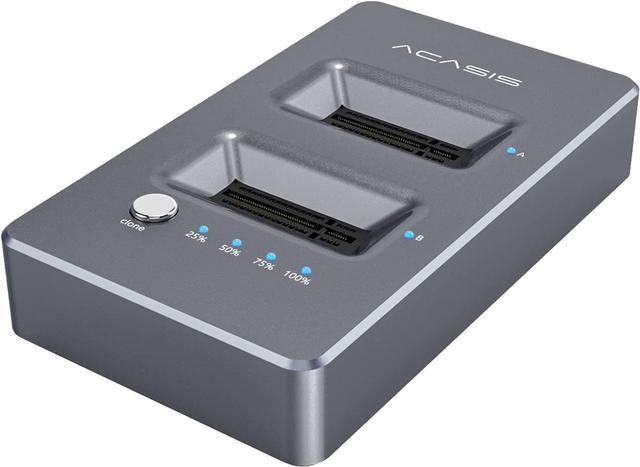
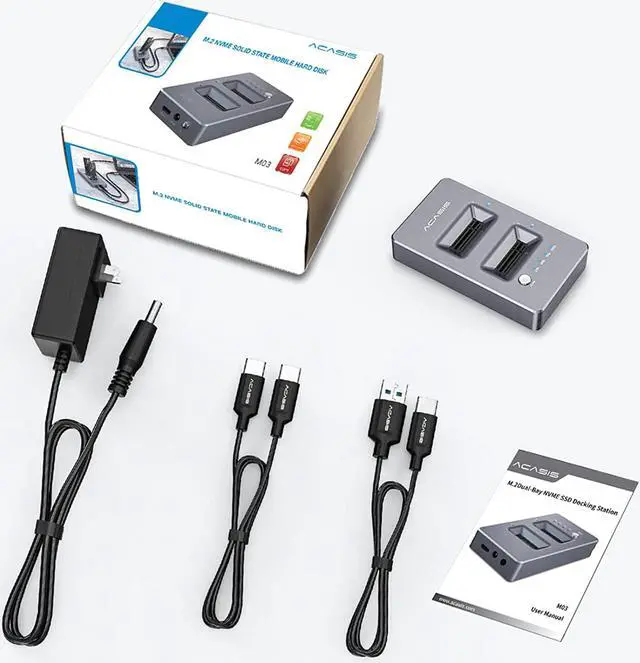
Acasis USB 3.1 Gen2 10Gbps Dual-Bay NVME Docking Station,Lay-Flat External Hard Drive Docking Station for M2 SSD Key M, Support Offline Clone Function and Tool-Free Installation.
Provides Ultra-fast access for reading and writing on up to 2 Solid State Drive simultaneously.
Offers faster read (992MB/S) /write (952.4MB/S) data speeds to and from M.2 NVMe SSD.
You will never regret to have one.
Warm Tips
Check if your SSD interface is clean before inserting into slot.
Insert and remove your SSD carefully only when the power is off.
Do not tilt or bend your SSD during its installation or removal. Never force it into the slot.
When using or duplicating a drive, especially a large one, it's best to use with a cooling fan for better heat dissipation.
A brand new SSD needs to be formatted and initialized on the computer before it can be used.
SSD whole copy function without PC
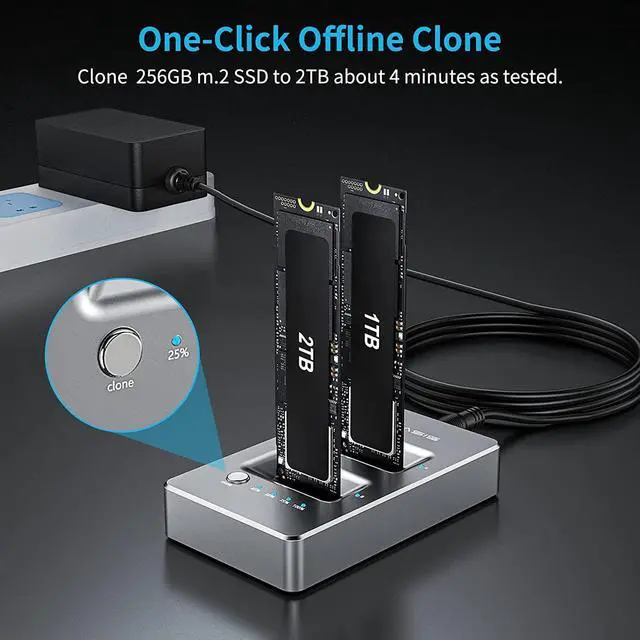
SSD copying (cloning) is possible at the push of a button without using a personal computer.
To access NVME with a PC: Once you attach power and Type-C USB, you're ready to go. Carefully insert the NVME SSD into the slot(s) of your choice and push the power button on the back of the dock. Wait a few seconds, and the dock should enumerate in Windows. Depending on the state of the SSD, you'll either need to go to Drive Manager to initialize and format the SSD's, or they could just pop-up in Explorer, ready to use.
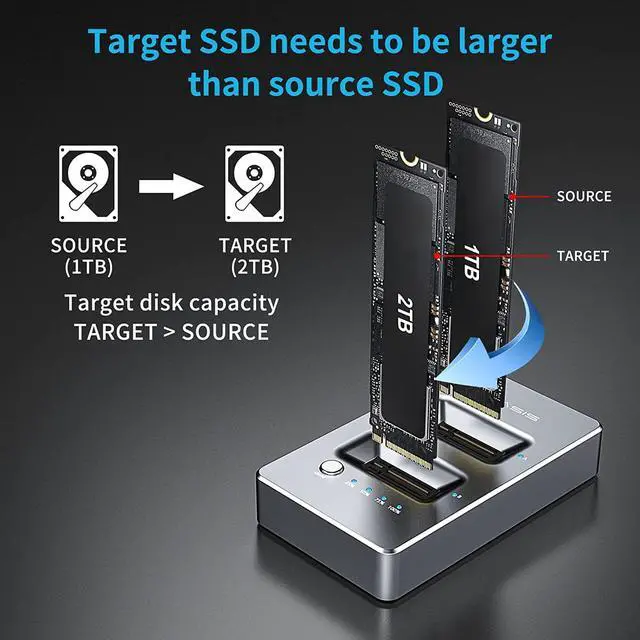
For Standalone Duplication: Plug the target SSD into Slot B (the front of the dock, closest to the clone button), and plug the source SSD into slot A (the end were the power adapter connects). Target SSD capacity must be Larger than Source SSD capacity. Press and hold the power button for 3-5 seconds to begin the clone process. LED's on the front top of the dock indicate clone progress - 25%, 50%, 75% and 100%.
Please note:
1. Do not connect to the computer during use.
2. SSD condition: If there is a bad sector in the SSD, copying may stop. Scan the SSD once before copying to make sure there are no bad sectors.
3. Make sure that the two SSD disks can be recognized on the computer when plug in our nvme enclosure.If not, it could not clone.
Three Steps for Offline NVMe M.2 Duplicator
Step 1
1. Before cloning, disconnect the USB cable from the device.
2. Plug the source M2.NVME SSD in Slot A and the target M2.NVME SSD in Slot B.
Note:
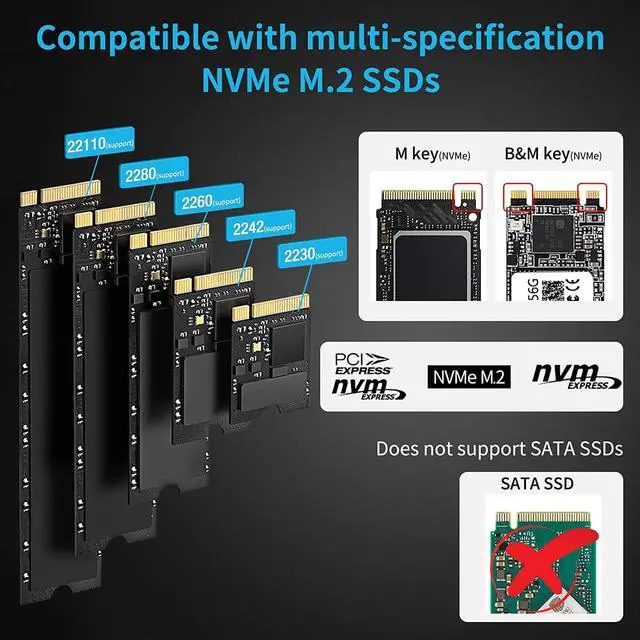
Not support SATA SSDs.
The capacity of Target SSD needs Larger than the source SSD.
Target>Source
Step 2
1. Connect the power adapter to the enclosure
2. Press the power button.
3. Hold the clone button for 3-5 seconds until LED indicator begins to flash.
NOTE: Before cloning, disconnect the USB cable from the enclosure AND the PC.
Step 3
The LED indicators show the cloning process from 25%,50%,75% and 100%.
When all four LEDs stop flashing, the cloning is finished. This process may take a long time which mainly depends on the capacity of SSD.
Wide Compatibility
ACASIS NVMe enclosure support NVMe M.2 M / B&M Key SSDs in sizes: 2230/2242/2260/2280.
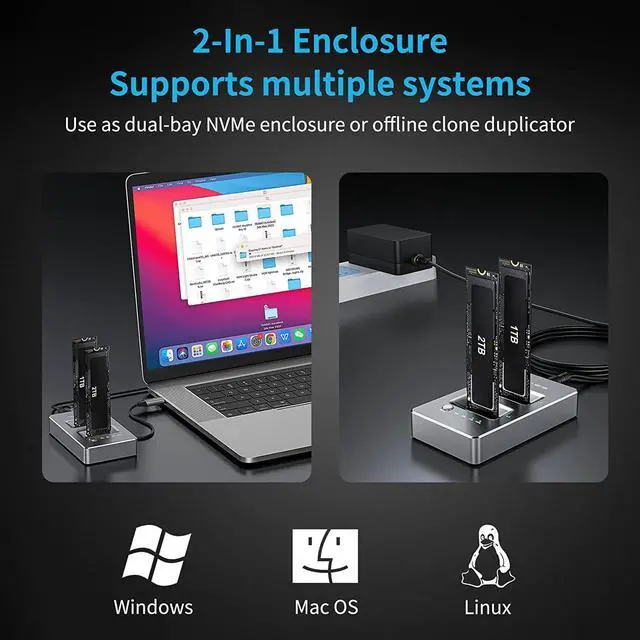
Compatible with multiple operating systems, such as Windows, macOS and Linux.
Reliable Performance
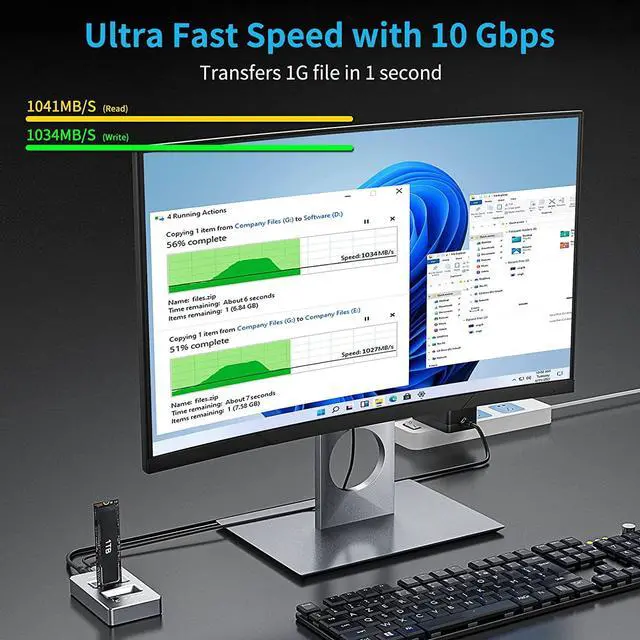
This product provides instant access to your M.2 NVMe SSD at reliable speeds. According to the Acasis Lab, R/W speeds can reach up to 1041MB/S and1034MB/S respectively.
Excellent Heat Dissipation
Compact, freestanding design making dissipates heat and exhaust efficiently, aluminum construction protects the drive from overheating and reduces vibration.
Make sure the small fine pitch connectors don't get contamination in them and check them before inserting an SSD!
Ensure very careful insertion and removal into the slots, and only when the power is off!
Don't tilt or bend your SSD's during insertion or removal and never force them into the slots!