


Meet Your Seller

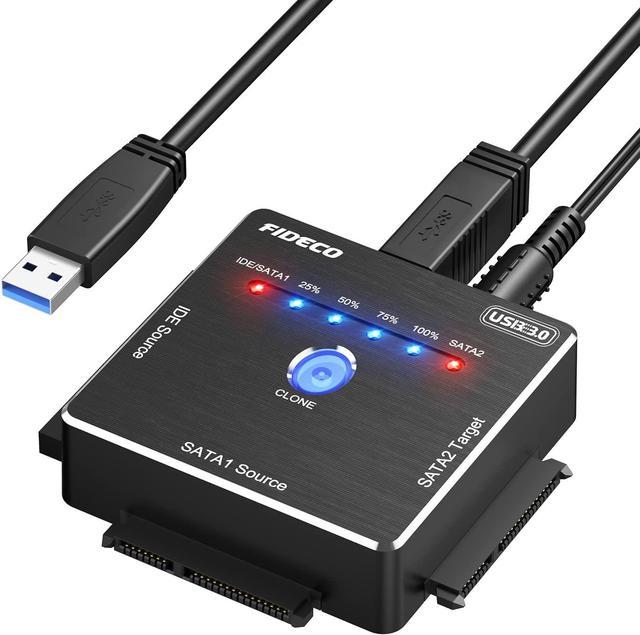


SATA/IDE to USB 3.0 Adapter, Hard Drive Adapter Cable for Universal 2.5/3.5 Inch IDE/SATA External HDD SSD, 5.25-Inch DVD-ROM/CD-ROM/CD-RW, Offline One Touch Clone, Support 16TB (Cable PL06)
- Item #: 9SIV36AKE36427
- Mfr. Part #: HA-BJXFAS8623
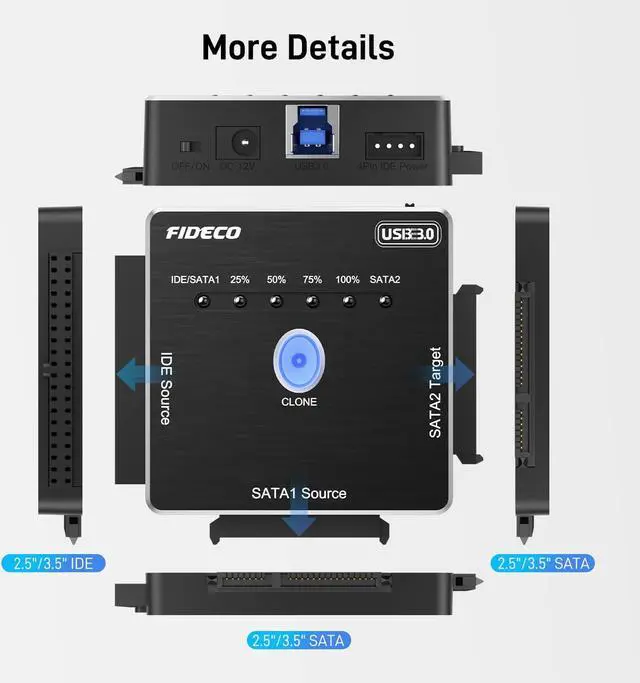
- Wide Compatibility:FIDECO IDE and SATA adapter can support 2.5 or 3.5 inches SATA or IDE hard drives. It can support the simultaneous connection of 2 HDDs for data transfer - IDE Source+SATA2 Target; SATA1 Source+SATA2 Target. Please note that IDE Source and SATA1 Source cannot be connected simultaneously.
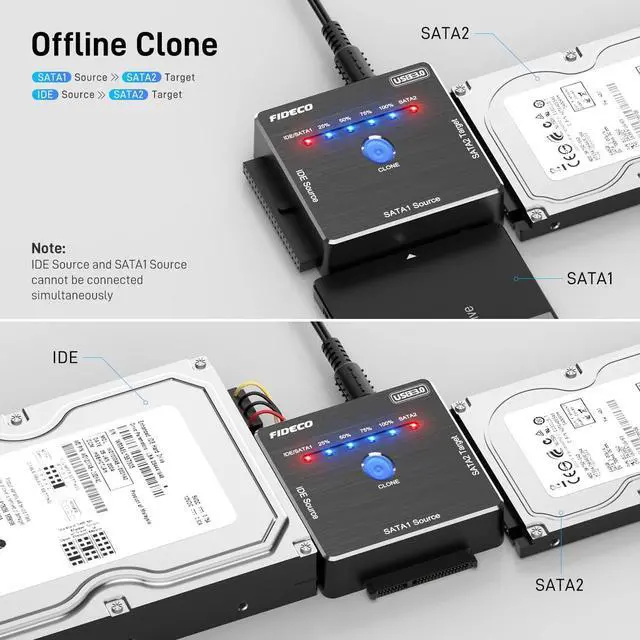
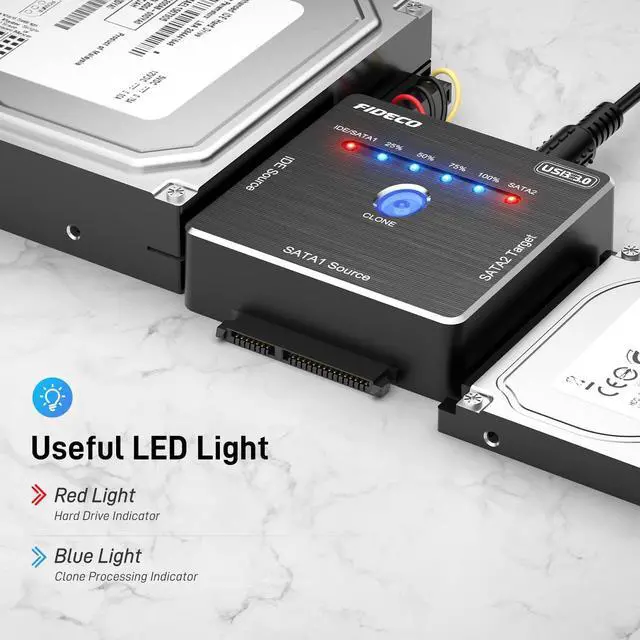
- Offline Clone:FIDECO hard drive converter can support offline clone. No computer is needed! Just press the "CLONE" button for 3 seconds until the first blue light (25%) flashes. You can operate offline clone only in 2 combinations: IDE Source+SATA2 Target; SATA1 Source+SATA2 Target. Capacity requirement: SATA2 Target IDE/SATA1 Source.
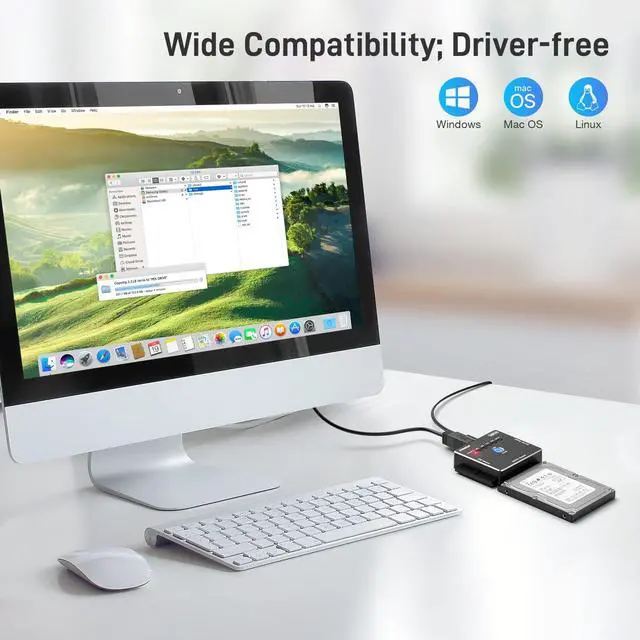
- Compatible System:FIDECO SATA or IDE adapter is widely compatible with Windows, Mac OS, and Linux. Just plug and play with no driver or software needed!
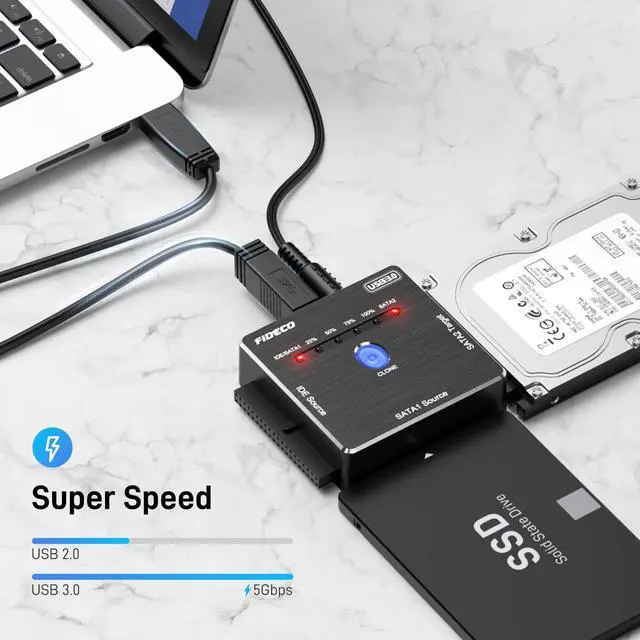
- 5Gbps High Speed:FIDECO hard drive adapter is engineered with USB 3.0 port and can offer data transfer speeds up to 5Gbps. Transfer large files within seconds!
+
+
Overview
Specs
Reviews
Robust Aluminum Design:
FIDECO hard drive adapter is constructed with quality and exquisite aluminum. The whole unit looks stylish and the aluminum can help offer efficient heat dissipation during daily use.
Wide Compatibility:
FIDECO hard drive converter is widely compatible with 2.5/3.5 SATA/IDE HDD/SSD.
It can support Windows, Mac OS, and Linux. Just plug and play! No driver is needed!
USB 3.0 Fast Data Transfer:
Thanks to USB 3.0 port, the maximum data transfer speed can reach up to 5Gbps. Transfer large files within seconds! It can be also backward compatible with USB 2.0/1.1.
Please note that the real data transfer speed is affected by the performance of your computer and HDD.
Easy Set-up:
Insert your SATA or IDE hard drive.
Connect the power adapter and the USB cable respectively. Note: For 3.5" IDE HDD, you need to connect the 4pin power cable.
Turn on the device by pressing the power switch.
Data Transfer:
Two hard drives can be connected simultaneously for data transfer:
IDE Source+SATA2 Target
SATA1 Source+SATA2 Target
Please note that IDE Source and SATA1 Source cannot be connected simultaneously.
Offline Clone:
For offline clone, you can only choose the following 2 ways:
IDE SourceSATA2 Target
SATA1 SourceSATA2 Target
HDD Capacity Requirement: SATA2 Target IDE/SATA1 Source
Offline Clone:
Please back up all the data from your source HDD before offline clone.
Please confirm there are no bad sectors from both HDDs, or the clone may fail.
When clone is finished successfully, all 4 blue lights (25%, 50%, 75%, 100%) will be on. If all 4 blue lights flash simultaneously, it means the clone failed.
For offline clone, there is no computer needed! Please do not connect the hard drive adapter to your computer until the clone is finished.
Warm Note:
For new HDD, please go to "Disk Management" to initialize it first, and then your hard drive can be recognized.Please back up all your data before formatting your HDD.
For Mac OS, the format needs to be set to exFat, and then your HDD can be recognized.
Package Contents:
1* SATA/IDE Adapter
1* Power Adapter
1* USB 3.0 Cable
1* 4pin Power Cable
1* IDE Interface Converter
1* User Manual
Warranty & Returns
Warranty, Returns, And Additional Information
Warranty
- Please contact the Seller directly for warranty information. Warranty information may also be found on the Manufacturer's website.
- CONTACT
Return Policies
- Return for refund within: 30 days
- Return for replacement within: 30 days
- This item is covered by Electronics World Return Policy
Manufacturer Contact Info
- For a directory of all our manufacturers, please click below.
- Manufacturers Directory
LOADING...