• $249.99
  • Free 30-day Returns
  • Ships from China.

    4 Port KVM Switch HDMI Dual Monitor Extended Display, 4K@30Hz 2 USB 2.0 Hub, Wireless Keyboard & Mouse and Hotkey Switch Supported, 4 in 2 Out, Powered by USB

    • Item #: 9SIV36AKE30655
    • Mfr. Part #: DE-TRHGSF1895
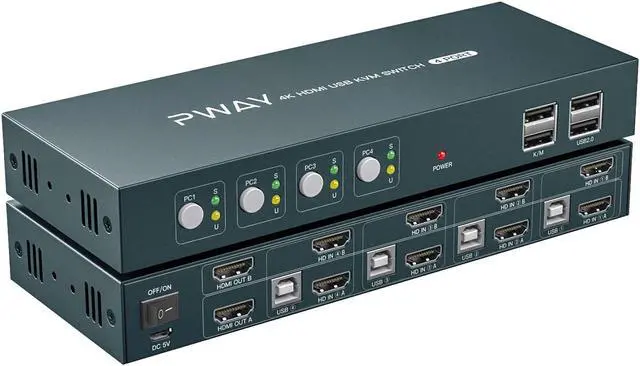
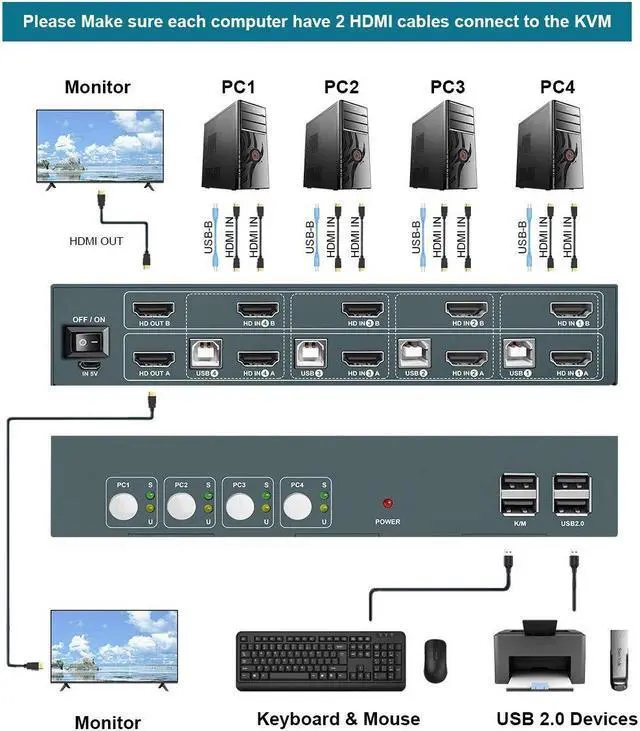
    • 4 PORT KVM SWITCH DUAL MONITOR:This kit help you use one set of keyboard and mouse to control 4 computers and share 2 monitors, you can switch anytime. Please make sure every computer support 2 screen or above display functions. And please make sure each devices have 2 HDMI cables and 1 USB cable connect to the KVM.
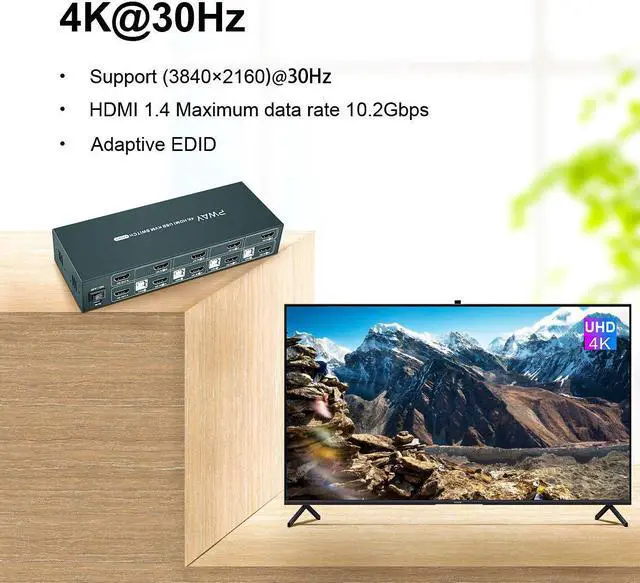
    • KVM DUAL MONITOR UHD 4K@30Hz: Our support the highest 3840*2160@30Hz resolution, make the image display more exquisite and realistic. Please keep the same resolution in each computers and the fresh rate less than or equal to 60Hz.
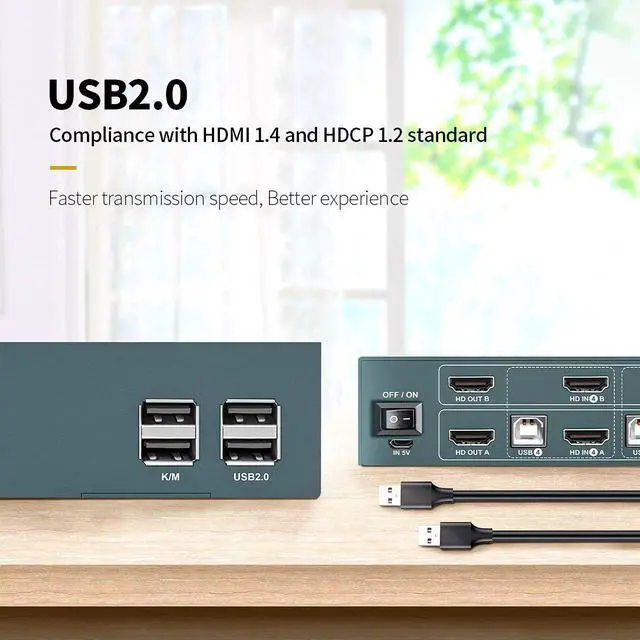
    • KVM SWITCH 2 USB 2.0 :This kit having 2 USB 2.0 Hub for sharing devices such as Printer, Scanner, U disk and other USB devices between 4 computers. Plug and Play just connect you switcher devices to enjoy, it make you work and life easier and simpler.
    +
    +
    Overview
    Specs
    Reviews
    4 PORT HDMI KVM DUAL MONITOR; ----;Packing List;

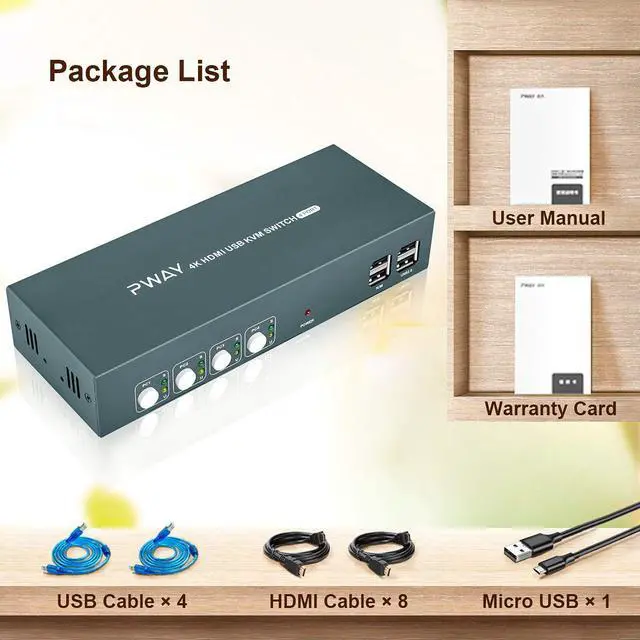
    (1) 1x HDMI KVM 4*1 Switcher host    (2) 4xUSB Cables   (3) 8xHDMI Cables   (4) 1xUser manual    (5) 1xMicro USB Cable

    1. Connection steps:

    1)  Connect the micro USB power charging cord to the KVM.

    2)  Connect 1*USB A-B cable and 2*HDMI cables from each computer to the KVM. 

    3)  Connect the HDMI port on the KVM to your 2 monitors with 2 HDMI cables.

    4)  Connect the mouse and keyboard into the "K/M" port on the KVM and turn on the power switch.

    Important Note: 

    1. Most of the reasons why only one video output works is because of incorrect connection. Please make sure each computer have 2 HDMI cables connect to the KVM.

    2. If it is normal working, then there is a sudden failure, please unplug all the cables and plug again.

    3. Please make sure each computer have 2 HDMI port , We are not recommend to used the DVI/ VGA/ DP/ Type-C to HDMI adapter or Conversion cables. 

     
    2. Features

    (1)4 Port KVM switch HDMI Dual Monitor;

    (2) Max resolution max up to 4Kx2K@30Hz;

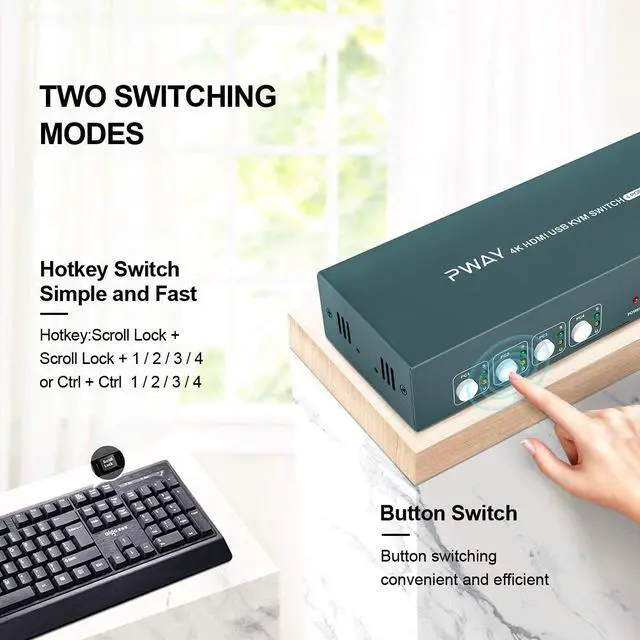
    (3)Hot key switch (Click 2 times "Ctrl" or "Scroll lock"and then click 1 or 2 or 3 or 4);

    (4)Adaptive EDID and High compatibility;

    (5)Built-in automatic adjustment system; Built-in ESD protection system;

    (6)Plug and play;

     
    3. Specifications:

    (1)   Max pixel clock: 225MHz

    (2)   Max data rate: 10.2Gbps

    (3)   Power dissipation: MAX 7W

    (4)   Connector:HDMI- A

    (5)   Impedance:100;

    (6)  Dimension:202*75*27mm

    Warranty & Returns

    Warranty, Returns, And Additional Information

    Warranty

    • Please contact the Seller directly for warranty information. Warranty information may also be found on the Manufacturer's website.
    • CONTACT

    Return Policies

    Manufacturer Contact Info

    LOADING...