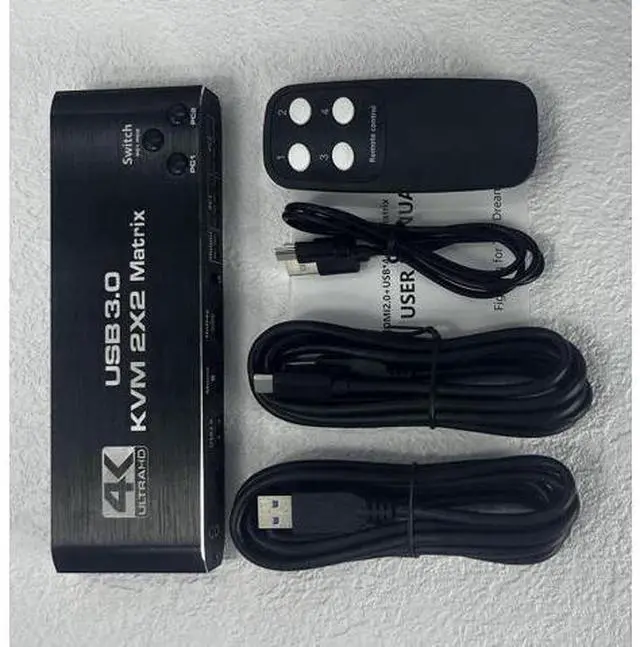
Support HDMI 2.0 b HDCP 2.3 --compliant with DVI to HDMI, DP to
HDMI - Resolution: Support 1080P/1080@144Hz, 3840x2160p, 4K/60Hz resolution, adaptive screen resolution -
Support system: Windows XP/7/8/10, MAC, Linux, Unix and other operating systems - Supports high current hard disk devices Extended /
Mirror mode Switching Method: 1. Press the Switch(PC 1 / PC 2) button on the KVM switch panel to switch between the two source devices; 2. use hotkey switch(Ctrl+Shift+ 1 / 2 to PC1 / PC2 or Ctrl + Ctrl), Ctrl+Shift+ K to turn ON/OFF hotkey; Crisscross/Matrix Mode
Switching Method: 1. Press the PC 1 Button, OUTPUT 1 is selected by PC 1, Each time press PC 1 button, it will switch to HDMI IN 1 / 2 / 3 / 4; Press the PC 2 Button, OUTPUT 2 is selected by PC 2, Each time press PC 2 button, it will switch to HDMI IN 1 / 2 / 3 / 4. 2. Press the PC 1 Button, OUTPUT 1 is selected by PC 1, Use IR remote control to press [1] [2] [3] [4] button, it will switch to HDMI IN 1 / 2 / 3 / 4; Press the PC 2 Button, OUTPUT 2 is selected by PC 2, Use IR remote control to press [1] [2] [3] [4] button, it will switch to HDMI IN 1 / 2 / 3 / 4.