• $122.99
  • Free 30-day Returns
  • Ships from United States.

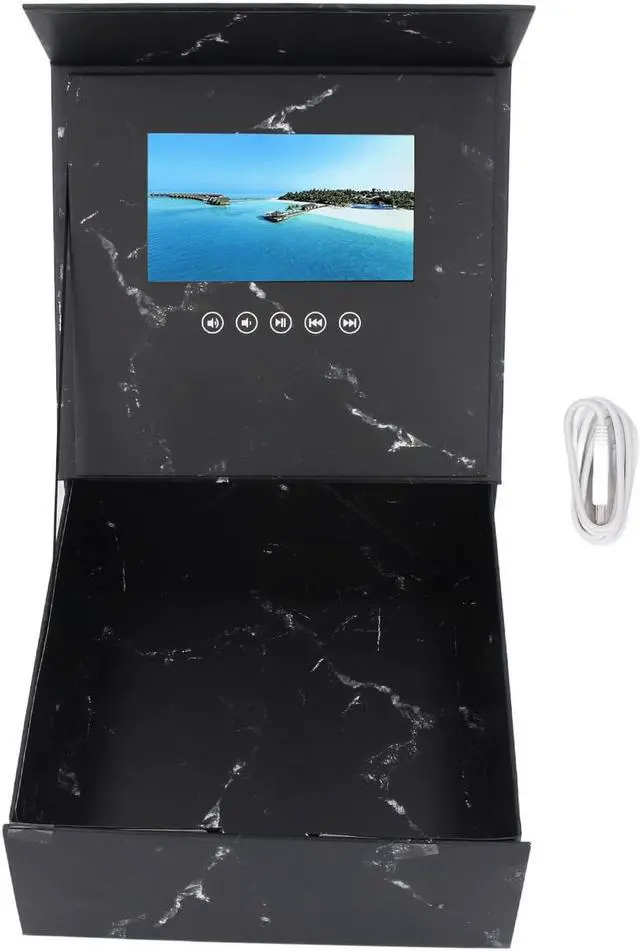
    7 Inch LCD Display Video Greeting Card Present Box Wedding Invitation Electronic Video Gift Box for Xmas Anniversary Birthday DIY Video Pictures

    • Item #: 9SIVTWDKZM3321
    • Mfr. Part #: DEEKB0DY5DMNYV
    • HIGH DEFINITION VIDEO PLAYBACK: Electronic greeting card's optimal playback image ratio is 4:3. Maximum support for full format 720P (1280x720) high definition video playback. 720P full stream video requires no conversion. Direct playback and smooth decoding at high bit rates. Built in speaker to play sound directly from within the video.
    • SUPPORT MULTIPLE FORMATS: LCD screen video brochure supports JPEG, BMP, GIF, PNG, TIF and other image formats, and can statically display various image elements. Video supports MP4, AVL, MPEG, WMV, RM, RMVB, MKV, VOB, MOW, FL, V, ASF, DAT, 3GP, MPG and other formats.
    • APPLICABLE SCENARIOS: Suitable for wedding decorations, medium and high end restaurants, jewelry stores, promotional presents, holiday celebrations, etc. Just upload the video to personalize your interesting and unique content.
    • CUSTOMIZABLE DESIGN: Easy to custom video content, put presents, flowers, and more to achieve your ideal look. Large capacity space allows for various decorati
    +
    +
    Overview
    Specs
    Reviews
    Specification:
    Item Type: Video Greeting Card Present Box
    Material: LCD
    Size: Approx. 265x265x110mm / 10.43x10.43x4.33in
    Internal Space Capacity: Approx. 250x255x105mm / 9.84x10.04x4.13in
    Display Screen Size: 7 Inch LCD
    Interface: Micro USB
    Memory: 128M (Built in)
    Picture Support: JPEG BMP GIF PNG TIF and other formats of static images display
    Video Support: MP4, AVI, MPEG, WMV, RM, RMVB, MKV, VOB, MOV, FLV, ASF, DAT, 3GP, MPG and More
    Battery Information: 1500mAh Lithium Ion Battery (Shipped with Built in Battery)

    How to Use:
    1. Open the present box to automatically play the video in a loop, and the video will stop when the greeting card is closed.
    2. Charging: Use the USB cable to connect one end to the computer and the other end to the greeting card.
    3. Do not bend, pat, or drop the present box.
    4. sure to close the video before connecting to the computer.
    5. When downloading videos, place the video files in the corresponding folder, or copy data from the readable disk to the computer or USB drive.
    6. This product can be used repeatedly.

    Package List:
    1 x Video Greeting Card Present Box
    1 x Charging Cable

    Warranty & Returns

    Warranty, Returns, And Additional Information

    Warranty

    • Please contact the Seller directly for warranty information. Warranty information may also be found on the Manufacturer's website.
    • CONTACT

    Return Policies

    Manufacturer Contact Info

    LOADING...