• $59.89
  • Free 30-day Returns
  • Ships from China.

    BUCIER PU41 Quad U.2 SSD to PCIe 4.0 X16 Adapter Without PCIe Bifurcation Function (PCIe Bifurcation Motherboard is Required)

    • Item #: 9SIV81TKMN2157
    • Mfr. Part #: 8567457967
    • UNSPSC: 43201830
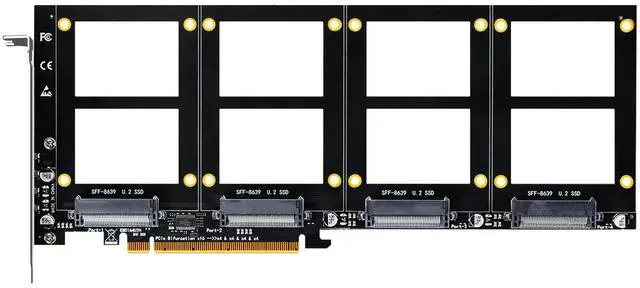
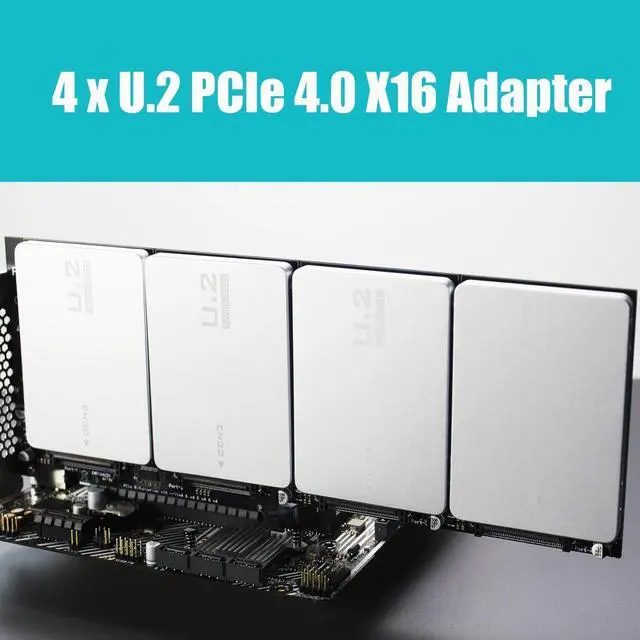
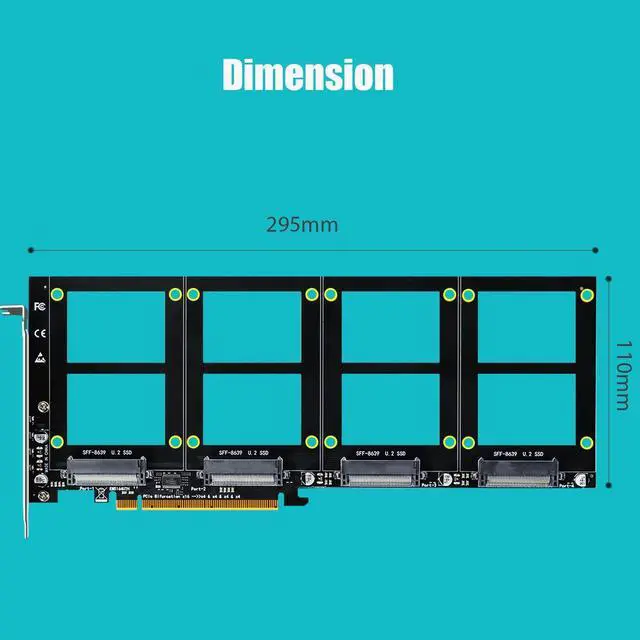
    • Quad U.2 SSD to PCIe 4.0 X16 Adapter: By installing 4 U.2 SSDs on this PCIe 4.0 X16 adapter, your computer will be able to access 4 U.2 SSDs at the same time
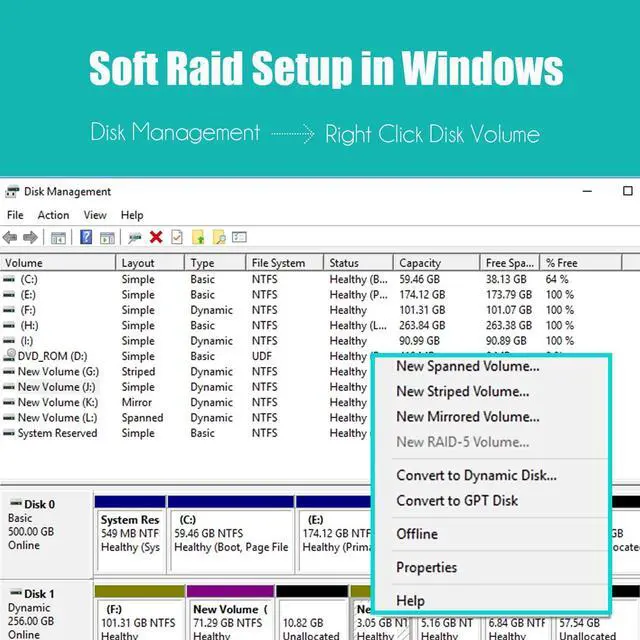
    • Hardware Platform: Support Soft RAID in Intel/AMD platform, not support Mac Pro 5.1 (Note: To set up Intel's RAID-on-CPU (VROC), you need to purchase your license)
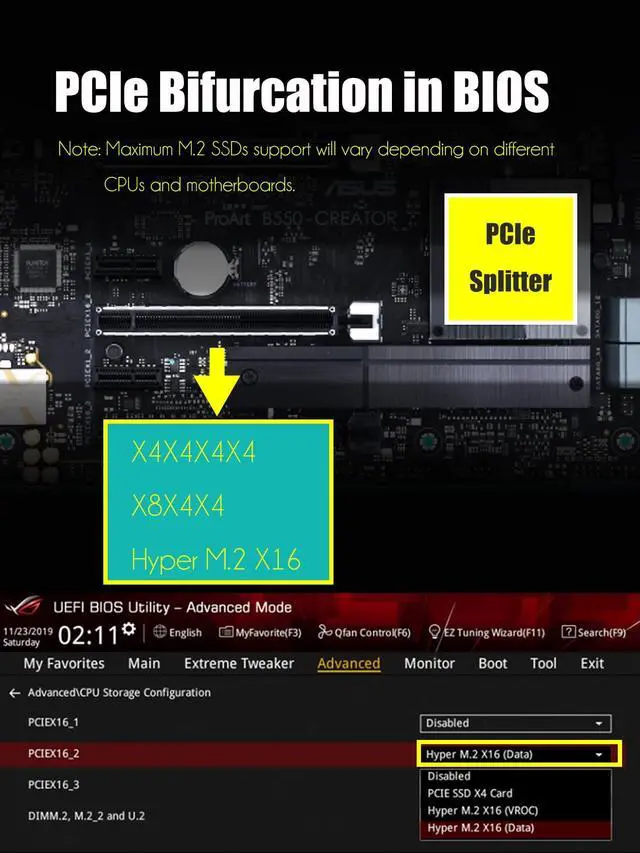
    • Set the PCIe Bifurcation mode of the corresponding PCIe slot in the BIOS, support X4X4X4X4 or Hyper M.2 X16 mode (Note: X8X4X4 or X4X4X8 mode can only recognize 3 U.2 SSDs.)
    • Important: Because this adapter does not support PCIe Bifurcation, it requires a motherboard that supports PCIe Bifurcation. Otherwise, only the NVMe-1 port can recognize the NVMe SSD. Before purchasing, please check the PCIe expansion slot part of the motherboard manual on the motherboard manufacturer's website, or consult us directly.
    +
    +
    Overview
    Specs
    Reviews

    Quad U.2 SSD to PCIe 4.0 X16 Adapter: By installing 4 U.2 SSDs on this PCIe 4.0 X16 adapter, your computer will be able to access 4 U.2 SSDs at the same time

    Additional Features

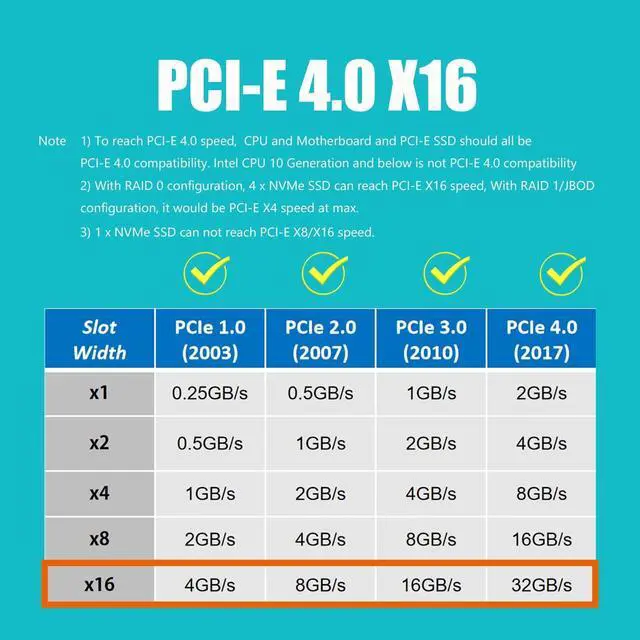
    • To reach PCIe 4.0 X4 (64Gbps) full speed, the CPU and motherboard PCIe slot and PCIe M.2 SSD should all be PCIe 4.0 features (Note: PCIe 4.0 is not supported on Intel CPUs below 11th generation)
    • Support OS Booting: Reinstall the OS, and set up BIOS/UEFI boot from this U.2 SSD (Note: Some motherboards are too old to support OS booting. In this case, U.2 SSDs can be used as storage disks)
    • OS compatibility: Plug-and-play in Windows 11/10/8/Linux/Mac OS (Note: Not support Windows 7). The new U.2 SSD needs to be initialized and formatted before it can be recognized by the computer host.

    Warranty & Returns

    Warranty, Returns, And Additional Information

    Warranty

    • Please contact the Seller directly for warranty information. Warranty information may also be found on the Manufacturer's website.
    • CONTACT

    Return Policies

    Manufacturer Contact Info

    LOADING...