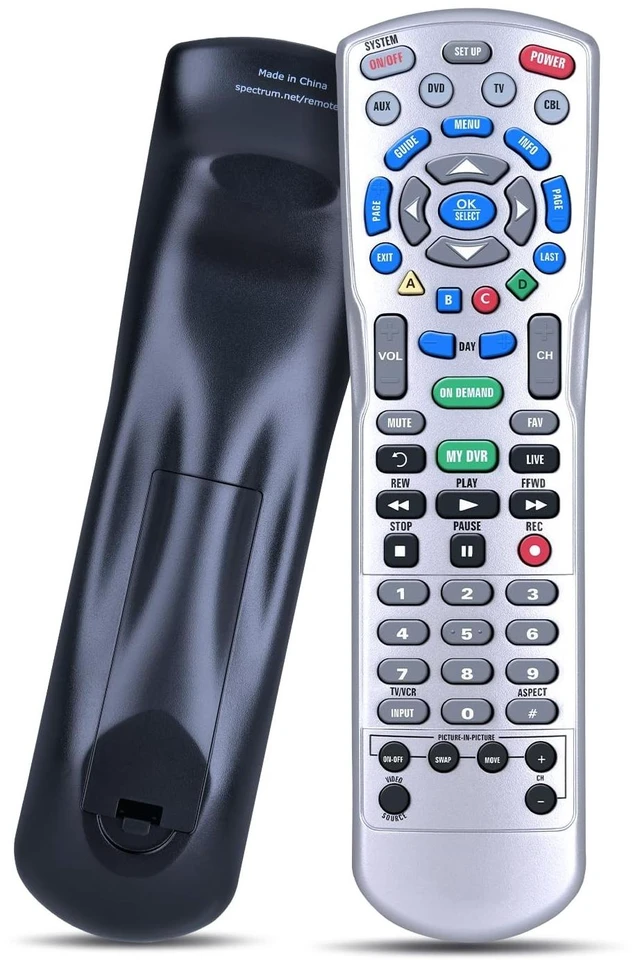
Method 1: Using a Device Code1) Turn on your TV or audio device2) Press the corresponding device button (e. g., TV or AUX) once3) Press and hold SETUP until the device key blinks twice4) Enter the 5-digit code for your device's brand. (The device key will blink twice to confirm) 5) Press POWER once. If the device turns off, your
setup is completeMethod 2: Auto-Search MethodIf you don't know your specific code, the remote can scan for it1) Turn on the device you want to control2) Press the DEVICE button (like TV) and SELECT/OK together for 3 seconds3) Point the remote at the device and alternately press the CH+ (or CH-) button and MUTE4) When the device turns off, the correct code has been sent5) Press the DEVICE button again to save the code (the LED will blink twice)



 All Categories