OUT OF STOCK
This item is currently out of stock and it may or may not be restocked.
Ships from United States.
Sold by AOIESBIZ
Hot Seller

Shipped by AOIESBIZ

Meet Your Seller

USB C Laptop Docking Station 3 Monitors - 13 in 1 USB C Hub with 2 HDMI+DisplayPort+10Gbps USB A/C, 6 USB, 100W PD, Ethernet, SD/TF, Audio, LIONWEI USB C Dock for MacBook/Dell/HP/Surface

  • Item #: 9SIVDYKK9B9612
  • Mfr. Part #: 972365795764
  • UNSPSC: 43211602
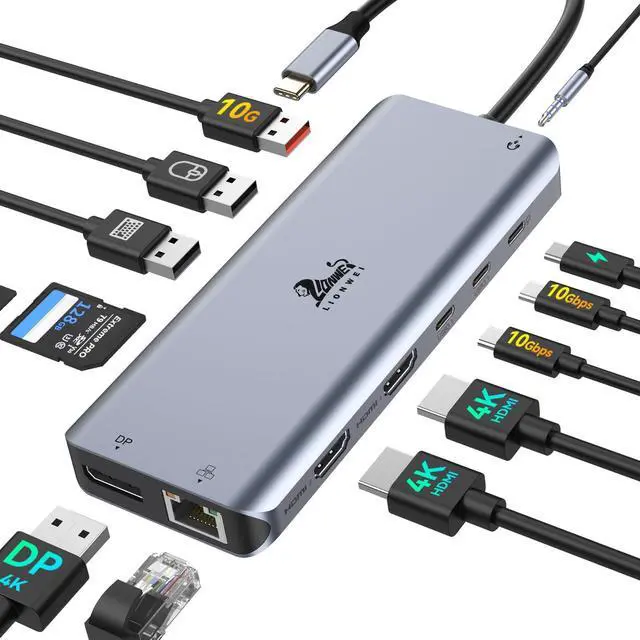
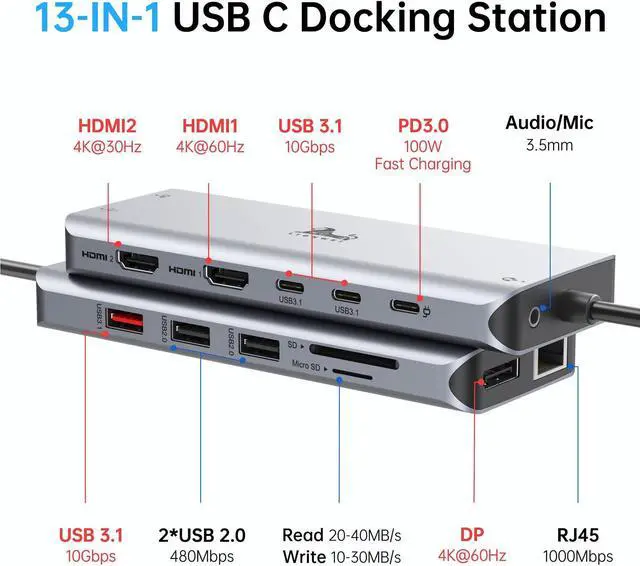
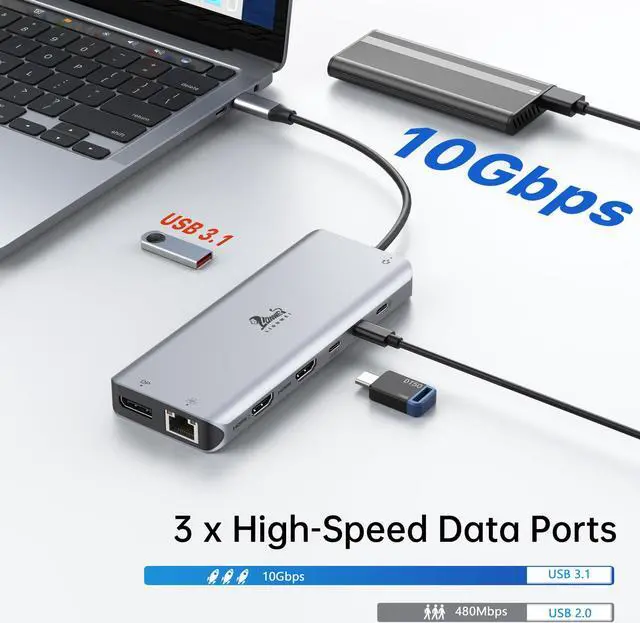
  • [(13 in 1 Laptop Docking Station)] Plug and play. With this usb c hub multiple adapter, you get 2*4K HDMI, DisplayPort, 100W PD charging port, 3 USB C/A 3.1(10Gbps), 2*USB A 2.0, SD/TF card reader, Ethernet port, 3.5mm audio.
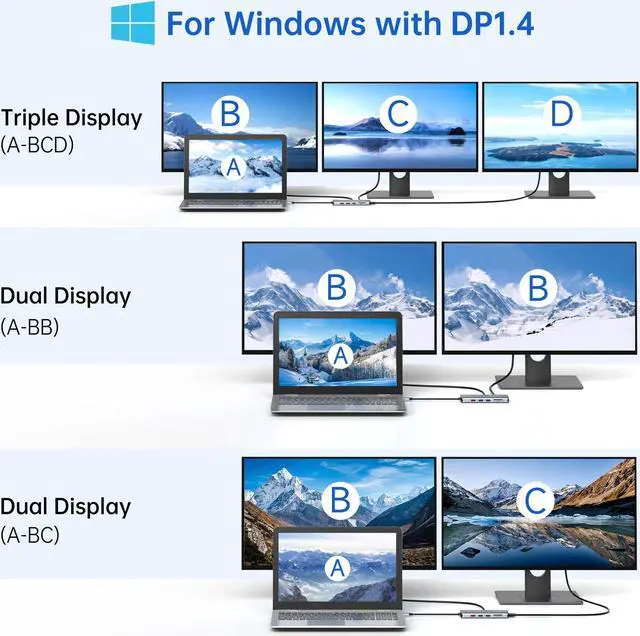
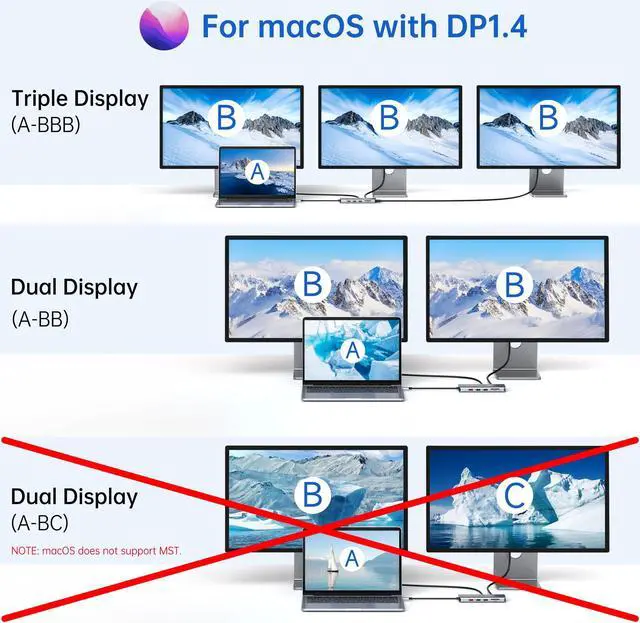
  • [(Docking Station 3 Monitors)] This usb c docking station only Windows System support MST and SST(Mirror & Extend Mode), HDMI port support up to 4K@60Hz (DP1.4 Source); DisplayPort support up to [email protected]: For Extend mode, MAC OS can Only Extend One Monitor (4K@60Hz).
  • [(USB A/C 3.1 & SD/TF Fast Data Transfer)] USB 3.1 A/C up to 10Gbps and backwards compatible with USB-A 2.0/USB-A 1.1 and provide stable connection,whether your device supports USB A or USB C, it can transfer data quickly.USB 2.0 up to 480Mbps(best for keyboard or mouse). SD/TF up to 200Mbps, allows you tranfer files in seconds from your usb flash driver, usb/usb c hard disks.
  • [(100W Power Delivery & Ethernet Port)] USB C to dual hdmi adapter with power delivery support 100W PD Charging (
+
+
Overview
Specs
Reviews
LIONWEI USB C HUB DUAL MONITOR HDMI ADAPTER - Read Before Purchase - 1. Please ensure that your device has a thunderbolt 3 / USB-C 3.1 Gen 1 or above ports that support "Power Delivery&DisplayPort Alt Mode" to expand multiple displays. HDMI DP function need to confirm if the usb c port of your device supports DisplayPort Alternate Mode. You can contact LIONWEI if you are not sure. 2. ONLY when your devices support 4K resolution, the video output will be 4K, please make sure to use HDMI 2.0 or higher cable.

3. Power will be a community between all dock-connected USB C devices. For a fast charge result, please choose an adapter that is over 72W to charge. 4. Please plug in the Laptop's power adapter to the USB-C Power Delivery port before connecting an external hard drive or multiple display purposes. 5. If your device is MacBook M1 series, it can only support one external monitor due to chip limitation! (Such as MacBook Air M1 2020, MacBook Pro M1 2020, Mac mini M1) - Compatibility judgment - Please ensure the Laptop has thunderbolt 3 / USB-C 3.1 Gen 1 or above ports (support Power Delivery&DisplayPort Alt Mode) port to support multiple-display before purchase.

xThe USB-C 3.1 Gen 1: 5 Gb/s (data transfer only) can't support video display.

Warranty & Returns

Warranty, Returns, And Additional Information

Warranty

  • Please contact the Seller directly for warranty information. Warranty information may also be found on the Manufacturer's website.
  • CONTACT

Return Policies

  • Return for refund within: 30 days
  • Return for replacement within: 30 days
  • This item is covered by AOIESBIZ Return Policy

Manufacturer Contact Info

LOADING...