Specifiction:
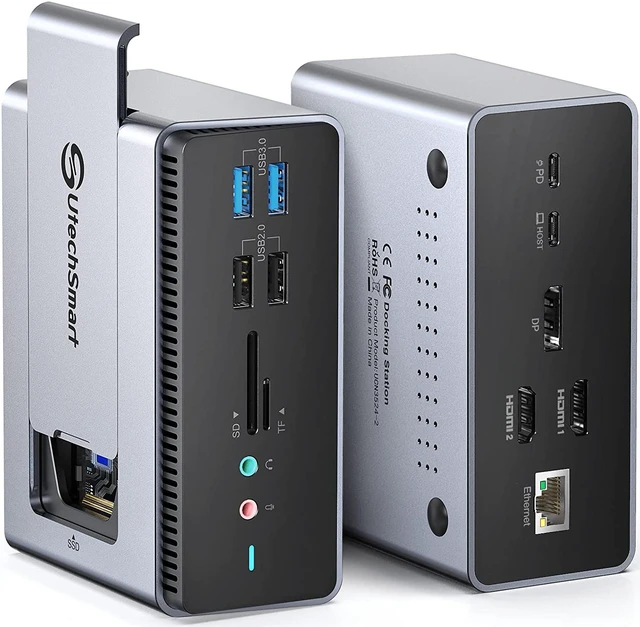
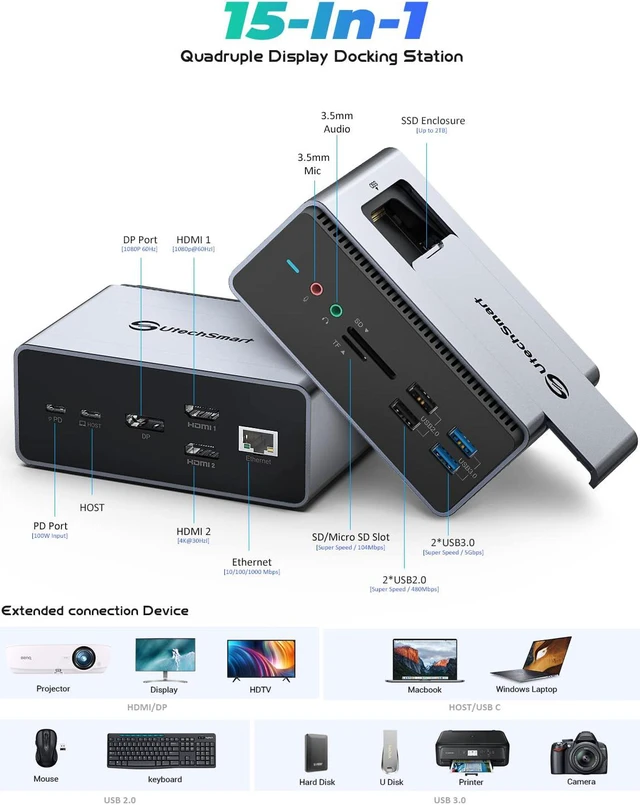
1*HOST
2*HDMI Ports & 1*DP Port
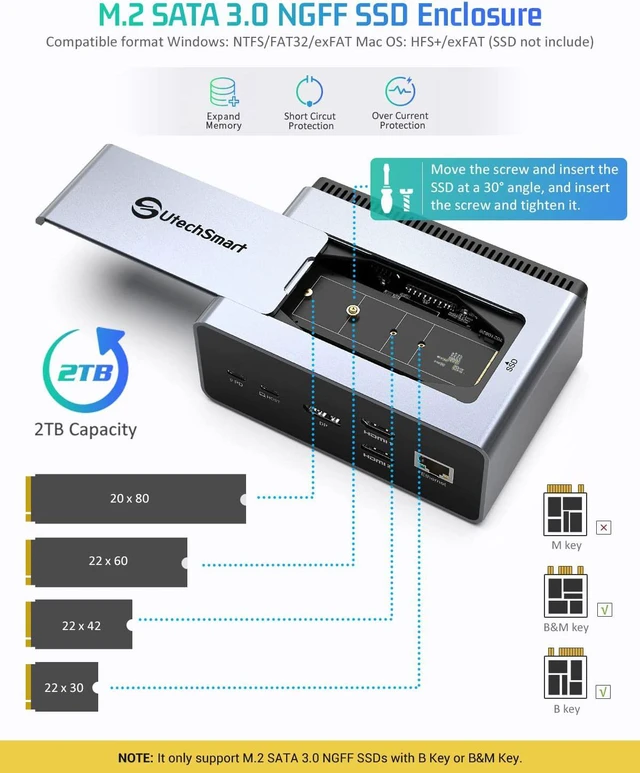
1* M.2 SATA SSD Enclosure
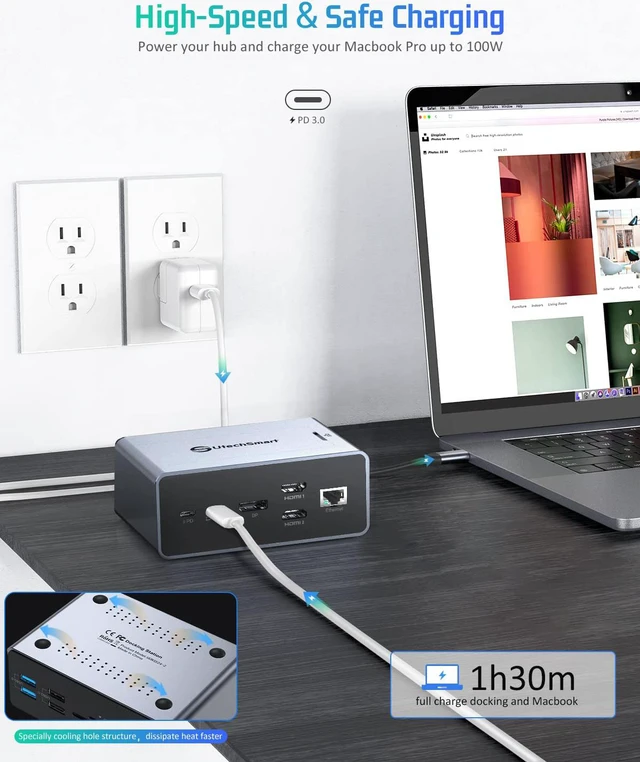
1*PD Port & 1*Ethernet Port
2*USB2.0 Ports & 2*USB3.0 Ports
1*SD & 1*TF Card Ports
1*3.5mm Audio & 1* Mic Jack
1*100CM USB C to USB C cord and 1*100CM USB C to USB A Cord
Compatible Operating Systems
macOS Big Sur 11.0, Catalina 10.15, Mojave 10.14 or later | Windows 10, 8.1, 8, 7 or later | Android | Chrome OS
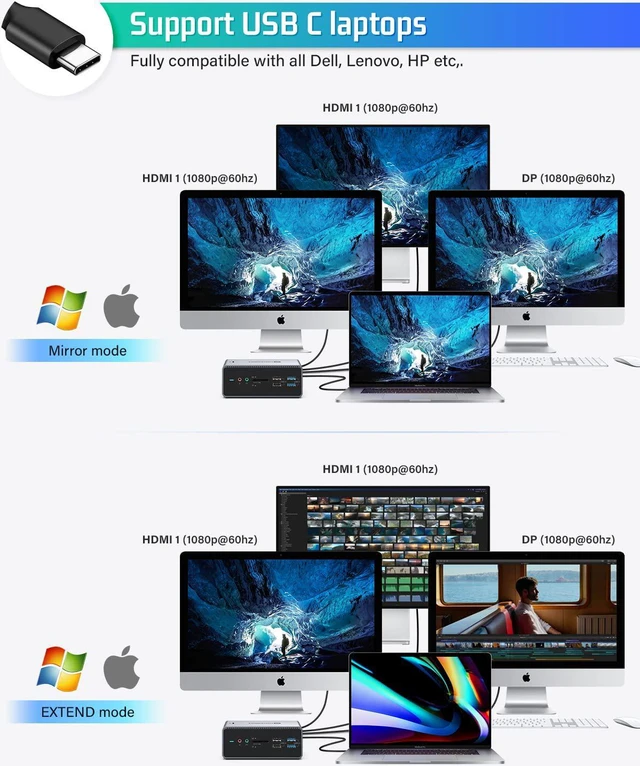
Compatible Laptops : Compatible with most modern laptops and desktop like dell, hp, lenovo, macbook, MSI, ASUS, Acer ect.
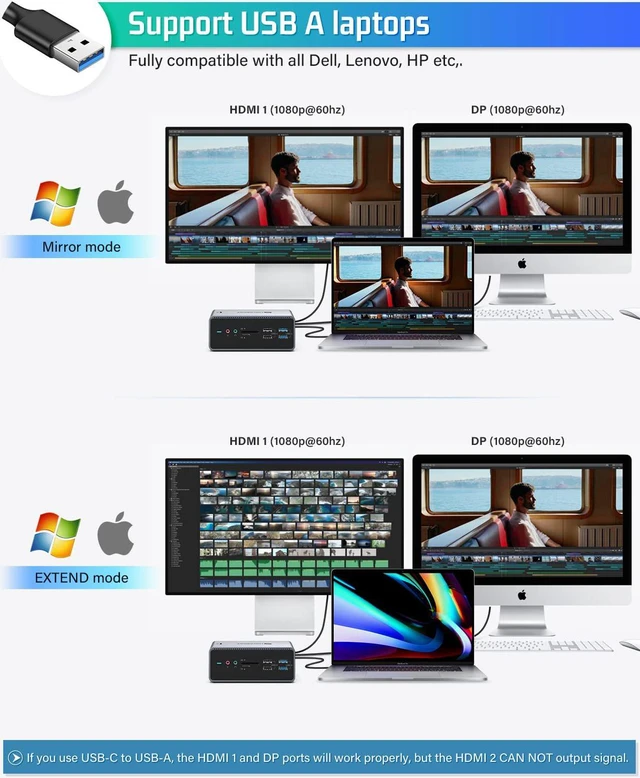
Note: If you use USB-C to USB-A cable, the HDMI 2 CAN NOT output signal.
macOS Troubleshooting
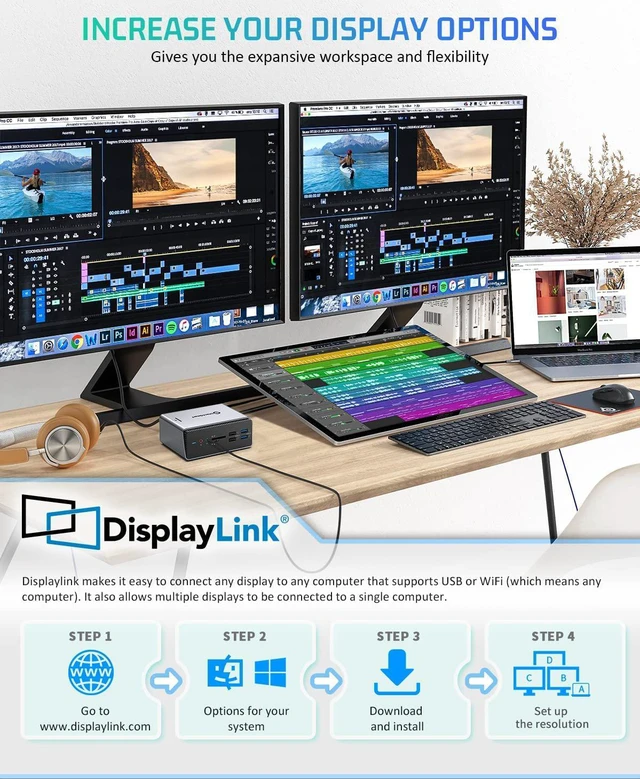
With the arrival of the macOS Big Sur 11.0& M1 chip, the operating system applies a stricter security policy to (any) software that requires kernel extensions aka kexts (kexts - think of it as a MacOS version of drivers) . The UtechSmart driver installation includes a system extension that is affected by this policy. As a result, the user now has to now explicitly enable/allow this system extension within Security & Privacy in system preferences (after installation and before the software is allowed to run).
MacOS Catalina 10.15 & macOS Big Sur 11.0: With multiple displays enabled you may experience issues with (multiple) screen recording. For more details please contact UtechSmart support.
Windows Troubleshooting
While the majority of users should not experience any issues, that may not always be the case for every customer. Weve provided this helpful advice to assist any new users:
Issue: The UtechSmart USB C docking station does not appear to work at all, has stopped working, or you receive the message "USB device not recognized" when connecting on Windows.
Solution: Follow the steps below to try and diagnose if it is a hardware problem.
1. Is your device compatible? For more details please contact UtechSmart support.
2. Note: If your device comes with USB Type-C 3.1 Gen 1, ONLY HDMI2 will not output signals.
3. Make sure you have downloaded/updated your operating system to the latest drivers/version. If you need help, please contact UtechSmart support.