
Built for How Business Buys.
Your Browsing History
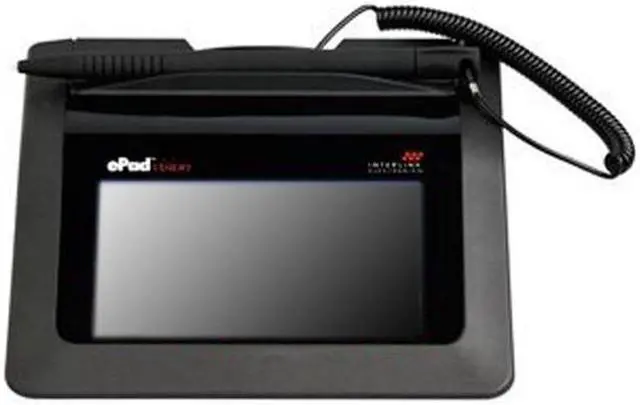
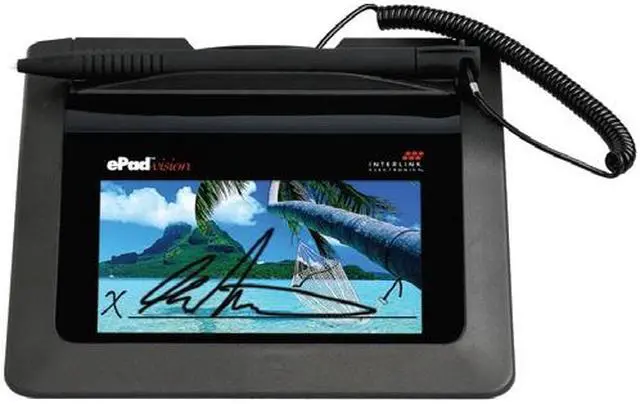


The ePad Vision extends the capabilities of an electronic signature device. This latest addition to ePadLink’s ePad family not only captures secure, legally-binding esignatures, it also lets you display full-color, targeted marketing messages that your customer-facing representatives sell effectively.
Dynamic functionality lets you display targeted marketing messages and colorful images, personalize your backgrounds, conduct customer surveys, have signers scroll through compliance text, and more. Selectable on-screen check boxes and response buttons enable you to obtain important customer information, and make it easy for customers to opt-in to special offers.

ePad Vision lets you customize your esignature capture screen with full-color graphics. Define the color, thickness, and location of the esignature to be in perfect harmony with your chosen background image.
In addition to offering a 'beautiful' esigning experience, ePad Vision works in tandem with IntegriSign software to provide secure and reliable eprocesses. When you present onscreen compliance and affirmation text, you ensure customers make informed decisions. IntegriSign Desktop, bundled at no extra cost with every ePad Vision, securely binds and embeds the electronic signature into the document.

The USB-powered ePad Vision is the perfect customer-facing tool, both in-house and in-field. Capitalize on the onscreen real estate and use ePad Vision’s stunning image quality to present targeted ads, rotating marketing messages, promotional offers, and invitations to enroll in special programs. Customers can respond instantly, enabling you to close sales and generate increased revenue on-the-spot.

The bi-directional, interactive display permits users to accept compliance and affirmation text, as well as respond to onscreen customer surveys. Leverage the ability to use response buttons and check boxes to capture useful and actionable customer information.
With the ePad Vision .NET assembly and COM SDK, your IT experts can develop multi-step eprocesses that control your intricate display parameters, including onscreen presentation specifications and control of bi-directional communication.