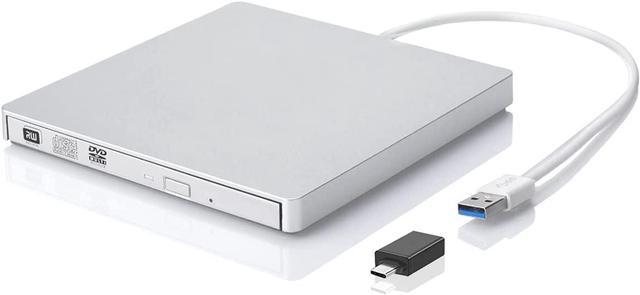
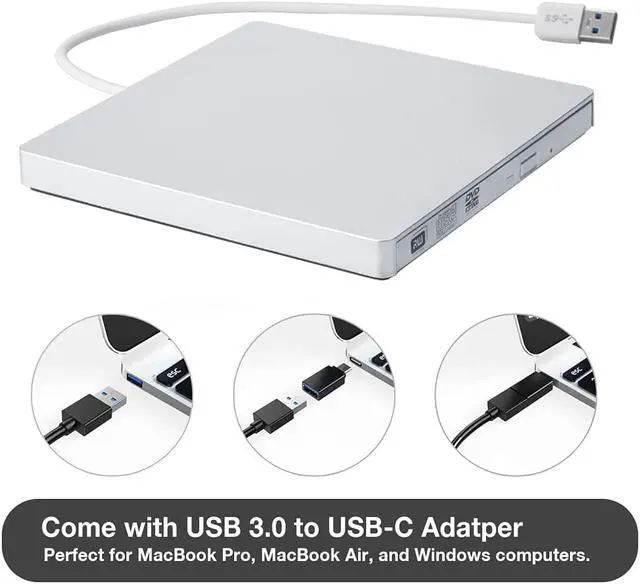
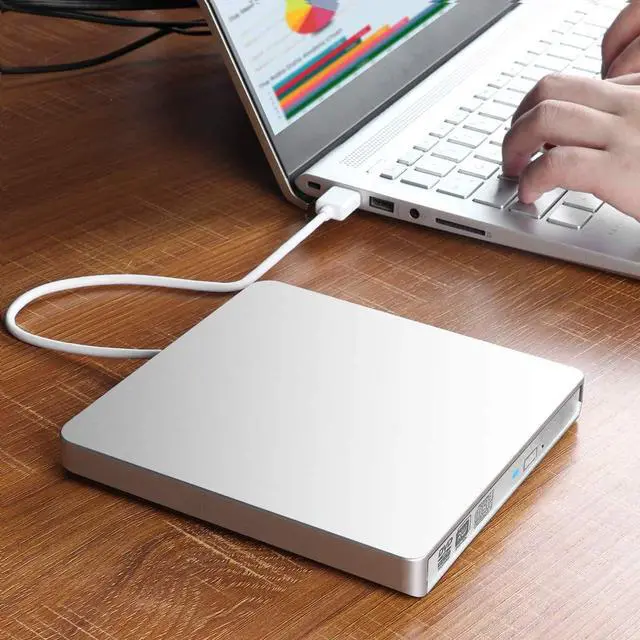
As simple and lightweight as Apple's computer, this premium optical drive allows you to carry it without too much burden. You can watch the wonderful movies, burn music CDs, install software and games, back up important data anytime, anywhere. In addition, its good compatibility also allows you to use the same functions on Windows and Linux computers without additional drivers required. Plug it into the USB port or USB-C port (come with USB-C adapter), it will be automatically installed and recognized by your computer so that you can use it right now.
USB 3.0 + USB-C Adapter
Come with USB 3.0 female to USB-C male adapter, it allows you to use this USB 3.0 external CD/DVD drive burner on your MacBook Air, MacBook Pro, iMac, as well as most Windows laptops. (Backward compatible with USB 2.0)
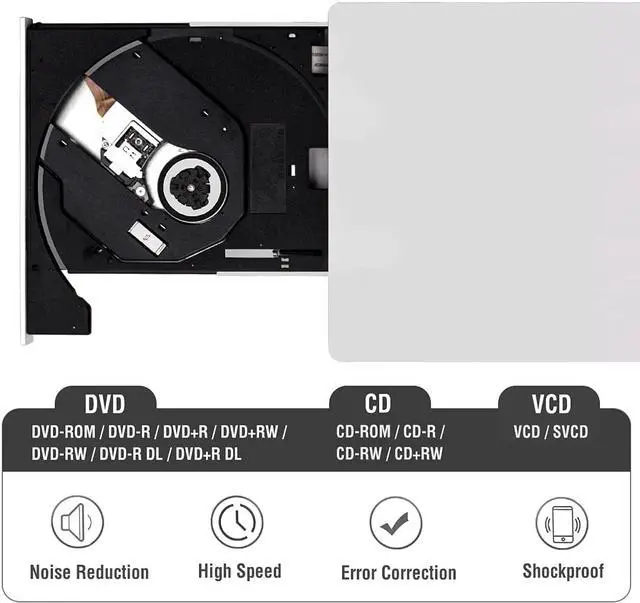
Max Speed: CD-ROM: 24X / CD-R: 24X / CD-RW: 8X / DVD-ROM: 8X / DVD-R: 8X / DVD+R: 8X / DVD-RW: 8X / DVD+RW: 8X / DVD+R DL: 4X / DVD-R DL: 4X / DVD RAM 3X
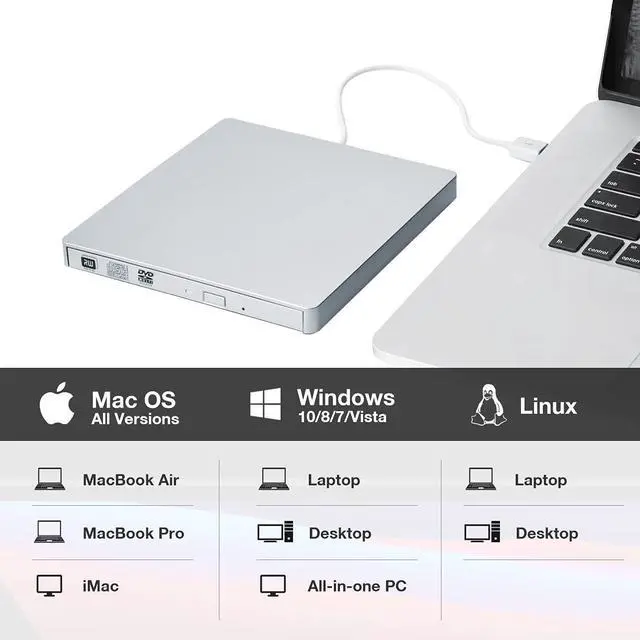
Not Only Mac OS
This external CD/DVD drive is designed for Mac OS computer, however it also supports Windows and Linux laptops.
* Do not work with Chromebook, and TV, car, smartphone
Multifunction
It's not only a CD/DVD-Rom, you can also use it to write, rewrite or rip CDs and DVDs through the corresponding software.
* Please make sure your computer has available media software or burning software
Plug and Play
No extra driver program is required, just plug it into USB 3.0 or 2.0 port, it will be installed automatically, then you can see this external device and use it to read and write disc through the corresponding software.
Classic Design
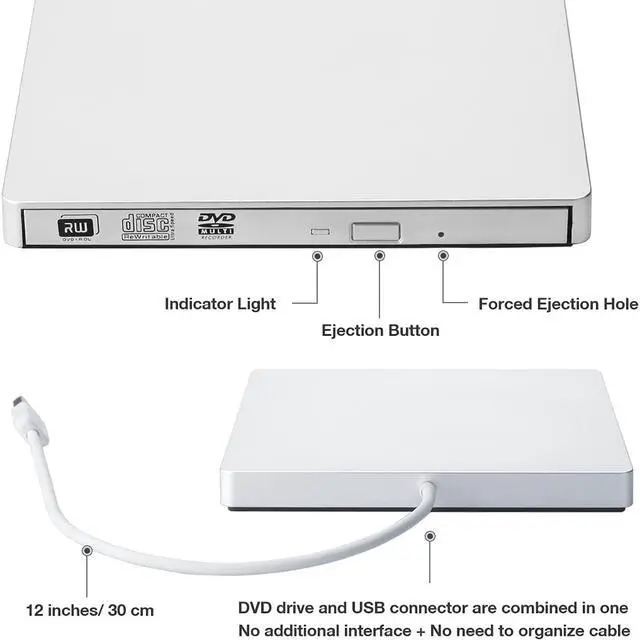
Slim and lightweight external optical drive with integrated USB connector makes it easy to use and store, don't worry about data line loss.
The length of the cable is about 27 cm/ 10.6 inches.
Note: Please plug in USB port on computer or use a self-powered USB hub.
Pop-up Button & Easy to Use
Just press the button on the front panel of the DVD drive and the tray will automatically pop up a distance (about 0.7-2 inches), then you can put in the disc and play by the corresponding software.
You can also press the button to stop playback and eject the tray.
Powerful Performance
100% new upgraded DVD loader with faster speed, low impedance & anti-interference ability, bring you fast and more smooth experience.
Note: Please ensure that the CD is securely fixed before closing the tray.
Non-slip Rubber Pad
Practical non-slip pads prevent the external CD/DVD drive from sliding during use.
Note: Please keep your CD/DVD drive flat when using it.
Kindly Note
It's not a Blu-ray drive
Cannot work with Chromebook
Cannot work with Car, TV, Truck, Tablet, iPad, iPod
Please prepare the corresponding software before playing or burning the discs such as VLC Player, 5KPlayer, etc.
Please plug the CD/DVD drive directly into the USB port on the motherboard (Please use the USB port on the rear panel of desktop PC)
Please use a powered (20 watt or above) USB hub if you need it.
Data transfer speed is also affected by computer and system environment.
For Mac computer, you may not see the CD/DVD drive unless there is a disc in the player.
Please must set region code to #1 to play USA discs
Specifications
Interface: USB 3.0 + USB-C Adapter
Compatible System: Windows 10/ 8/ 7/ Xp/ Vista, Linux and all versions of Mac OS
Supported Discs: DVD+/-R, DVD+/-RW, DVD-ROM, CD-R, CD-RW, DVD-R DL, VCD
Max Speed: CD=24X / DVD=8X
Loading type: Tray
Power Consumption: 3~5W
Additional Drivers: Not Required
Color: Silver



 All Categories