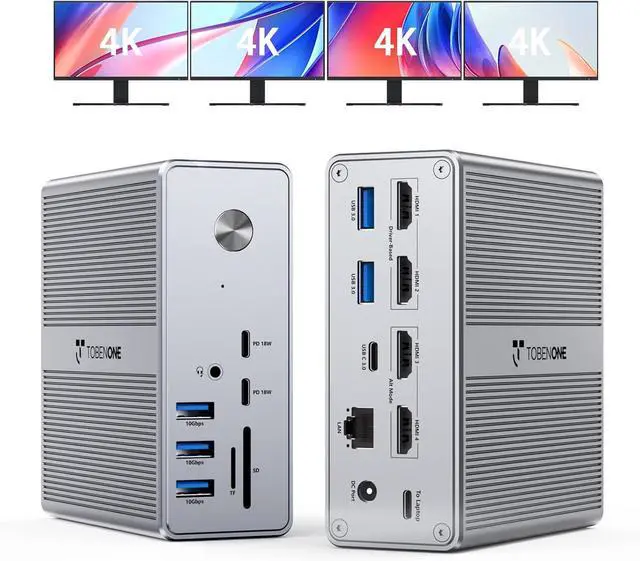
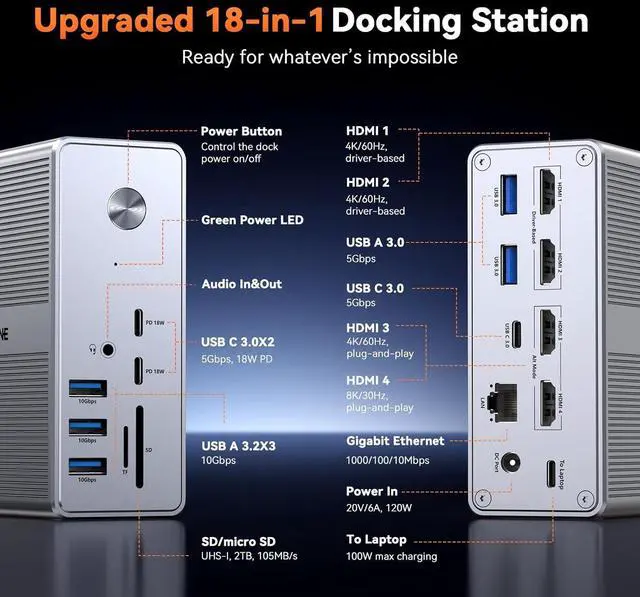
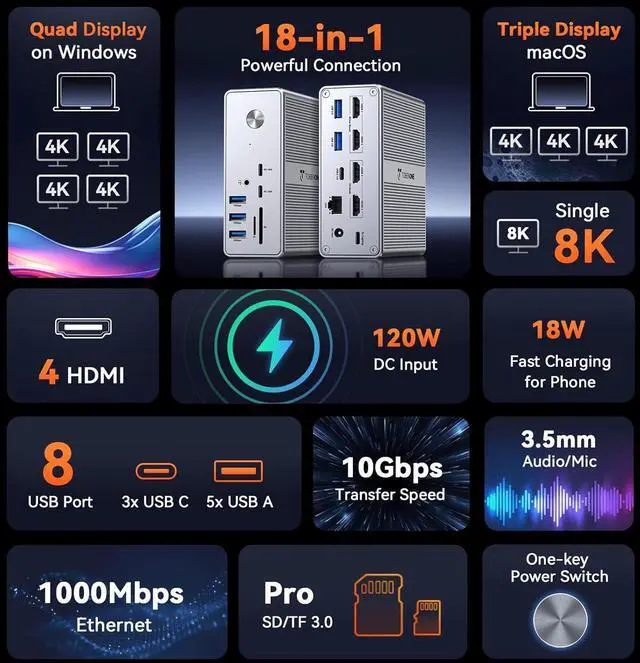
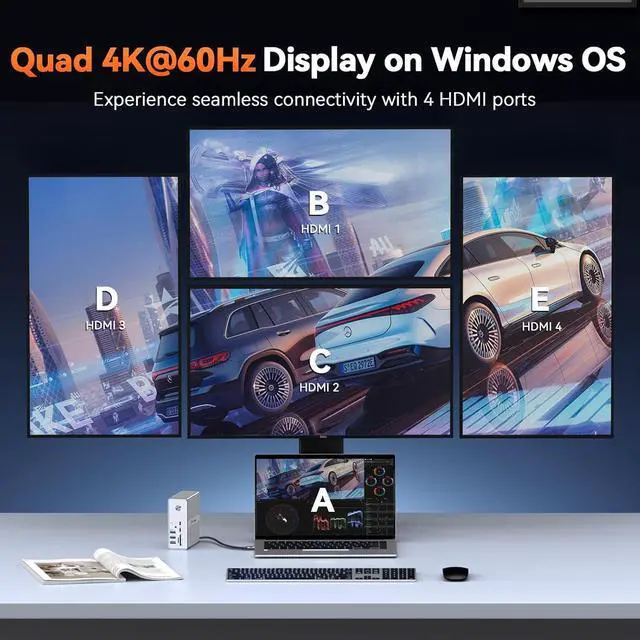
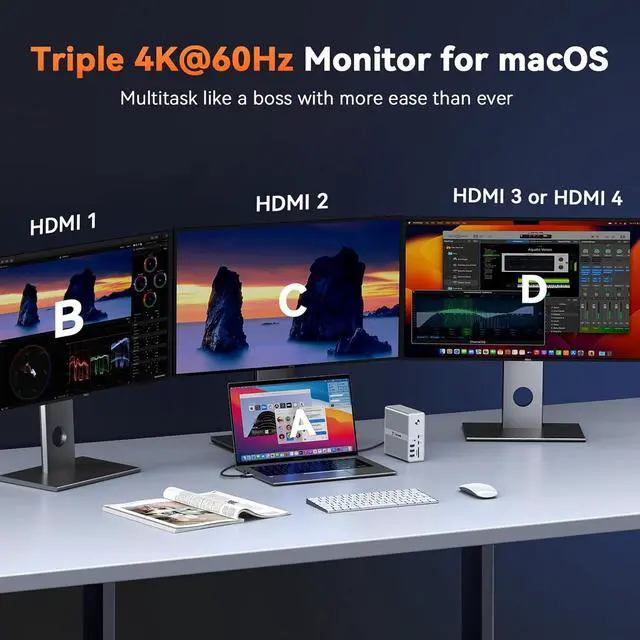
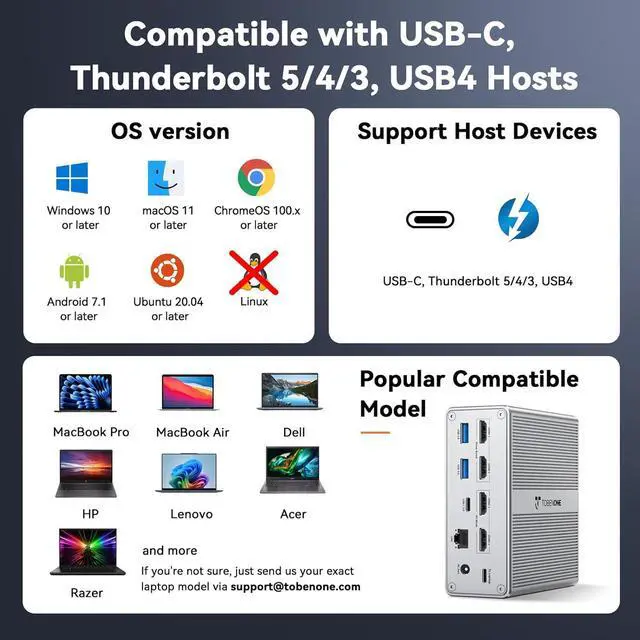
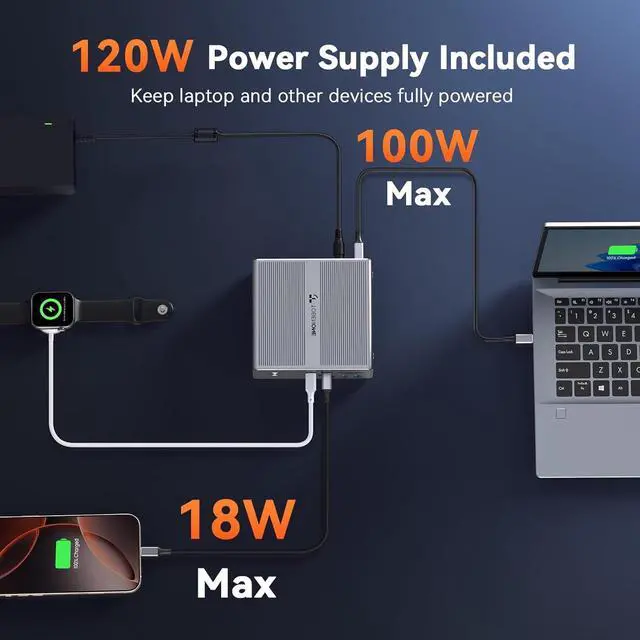
1Multiple 10Gbps USB Port2Powerful 100W Charging3Considerate Details4More Functional Ports5What will You Get1Triple Display for macOS2Single 8K Display3Multiple Usage Scenarios42 Set-Up Mode5Resolution SpecificationsThe video showcases the product in use. The video guides you through product setup. The video compares multiple products. The video shows the product being unpacked. Driver Must install the latest DisplayLink Driver before using Resolution The final resolution of video output depend on yourhost devices(laptop, cable, monitor).
Such as: Only when your host devices support 4K/60Hz, the video output will be 4K/60Hz. Laptop only support DP 1.2, the refresh rate of allvideo port is 30Hz Rotate All video ports support landscape mode. The driver-based video ports are not able to change the monitor orientation from landscape to portrait. That's means you only can use the plug-and-play video ports (HDMl 3 and HDMl 4) to change the monitor orientation from landscape to portrait macOS 1)
Screen Recording: the driver will require a screen recording permission to capture pixels and send them to your external monitors: Apple Menu->System Preference-> Security&Privacy->select "Privacytab->Scoll to find" Screen Recording" and check "DisplayLink
Driver"2) HDCP Limit: you cannot watch any HDCP(High -bandwidth Digital Content Protection) content fromNetfix/Prime/ iTunes/Hulu/etc. if you watch Non-HDCP content from Youtube/Netfix/Prime/ iTunes/Hulu/etc, the dock will allow Troubleshooting If the product fails to work, please disconnect the connection and restart it. Also, pay attention to updating the drivers. aplus content video Kind Tips