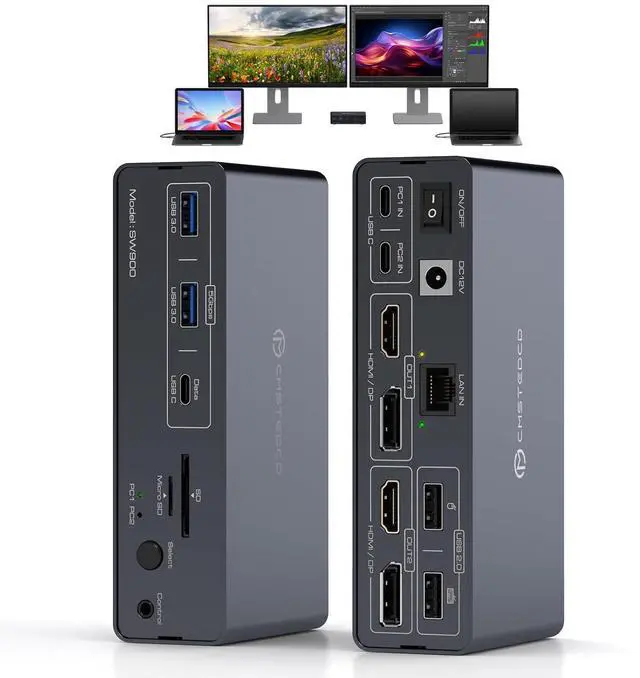
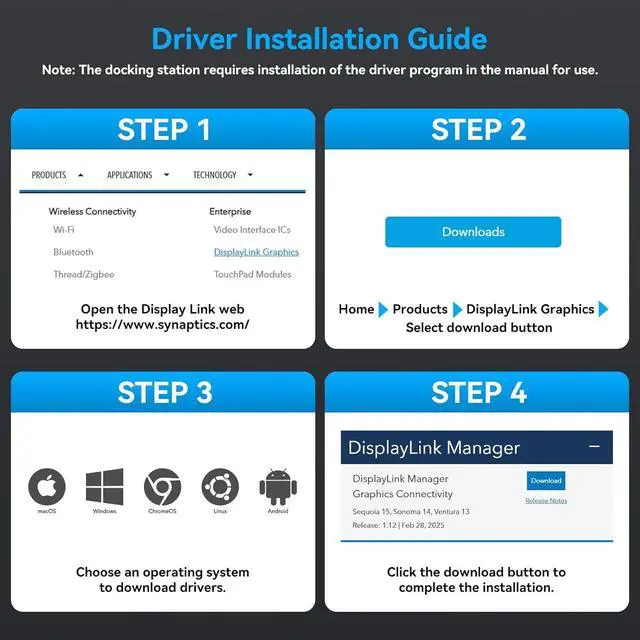
1High Speed21000Mbps Ethernet 3Driver Installation Guide 1.Must I install a displaylink driver When I use the TJCXELE USB C KVM switch docking station
The Displaylink driver must be installed when using the USB C KVM switch docking station, otherwise monitors will not output images properly
2.What are the requirements for the ports on the laptop? Can all C ports be used?
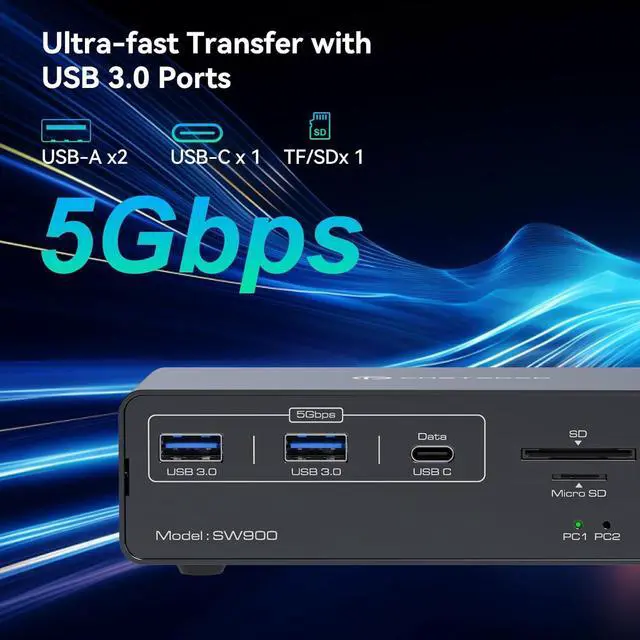
your laptop must be equipped with a USB-C 3.2 (or higher) interface,Other USB-C interfaces cannot be used
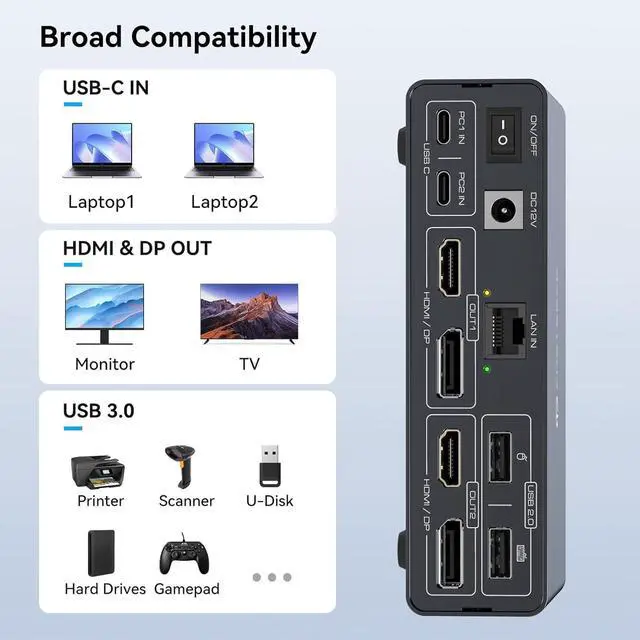
3.Both OUT1 & OUT2 on the KVM Switch 2 Montors 2 Computers have HDMI and DisplayPort ports. Can be used simultaneously?
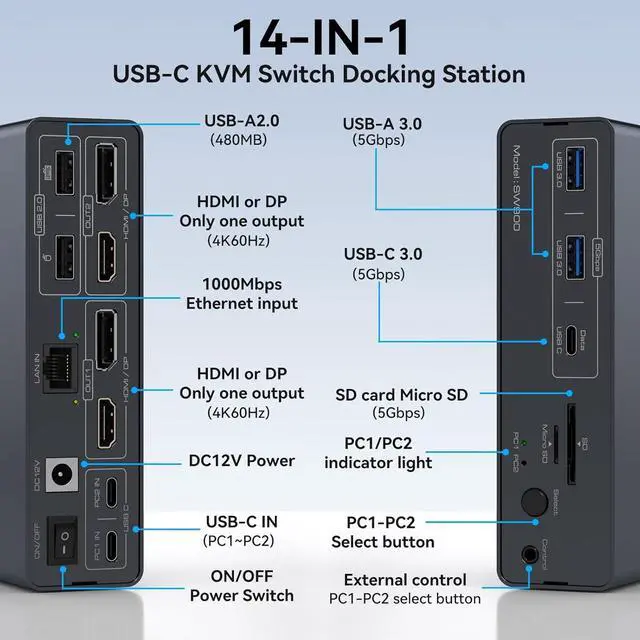
OUT1/OUT2 only supports one output,OUT1 selects HDMI or DP output, OUT2 selects HDMI or DP output
4.Will this dock enable the use of three displays on base M1, M2, or M3 Macs?
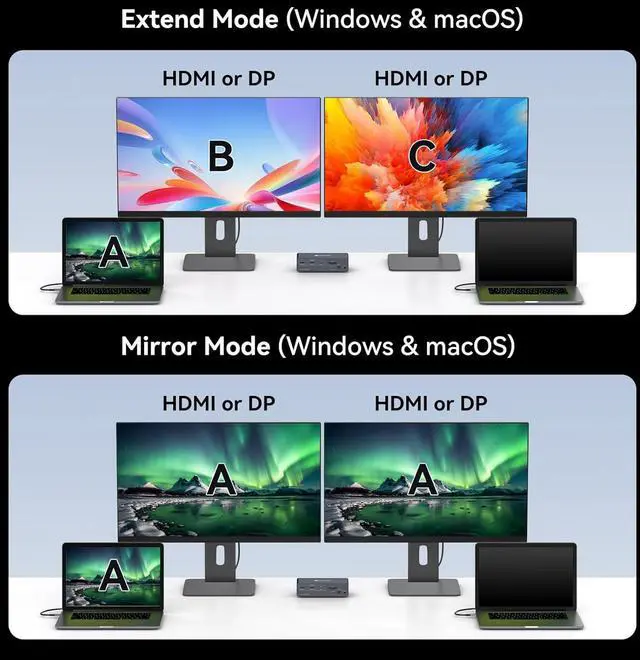
Yes. After installing the displaylink driver, even on MacOS systems, this docking station can be connected to two monitors to display different content.
5.Does each monitor support 4K 60Hz?
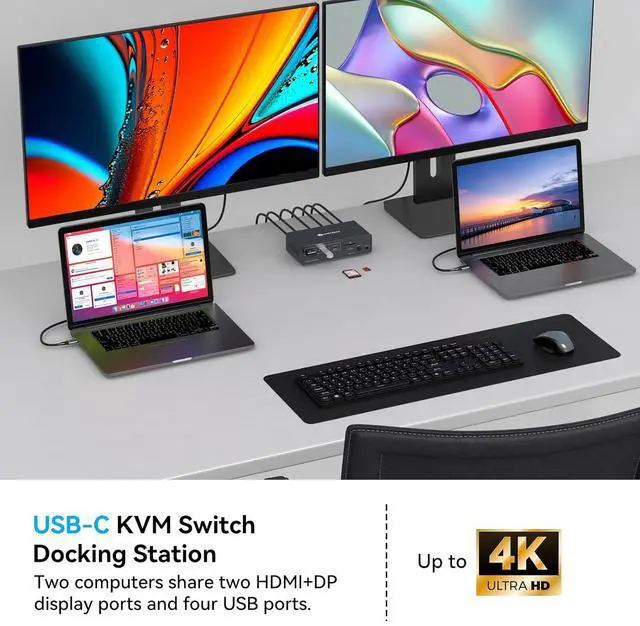
Yes,For optimal 4K@60Hz performance, please using high-quality cables (under 3 feet/1 meter is ideal) that support DP 1.4 and HDMI 2.1 standards
How to install displaylink driver 1.Must I install a displaylink driver When I use the TJCXELE USB C KVM switch docking station
2.What are the requirements for the ports on the laptop? Can all C ports be used?
3.Both OUT1 & OUT2 on the KVM Switch 2 Montors 2 Computers have HDMI and DisplayPort ports. Can be used simultaneously?
4.Will this dock enable the use of three displays on base M1, M2, or M3 Macs?
5.Does each monitor support 4K 60Hz?