
Built for How Business Buys.

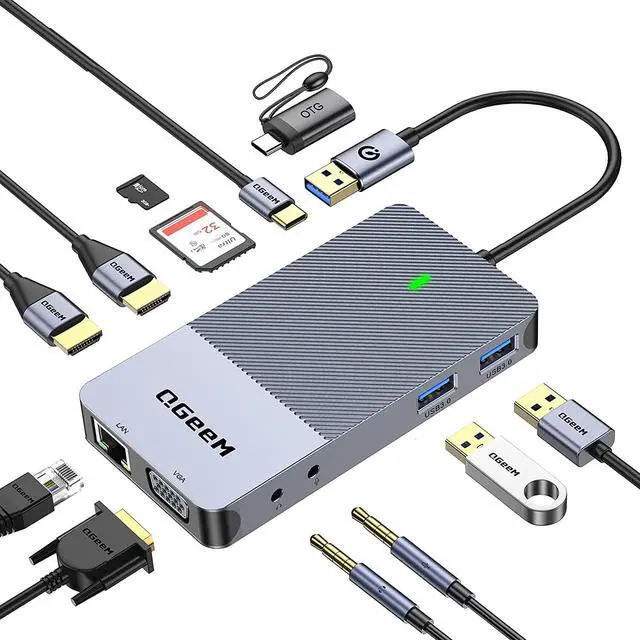


Experience Lifelike images and videos in immersive with QGeeM Triple Display Docking Station
Innovative Smart USB 3.0 Docking Station as Your "Instant Office Assistant"
-USB A Docking Station's Feature: Multiple monitors have always been a major and challenging technical issue in the USB docking industry, and QGeeM overcomes this technical hurdle and provides more interface options to expand your monitors.
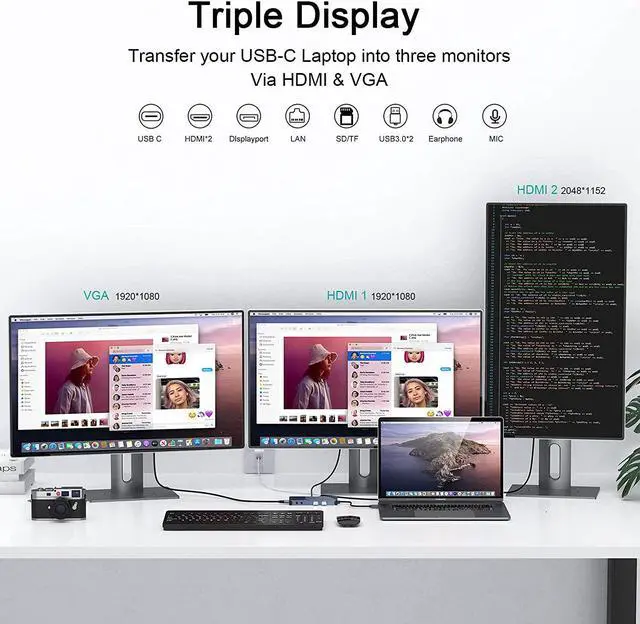
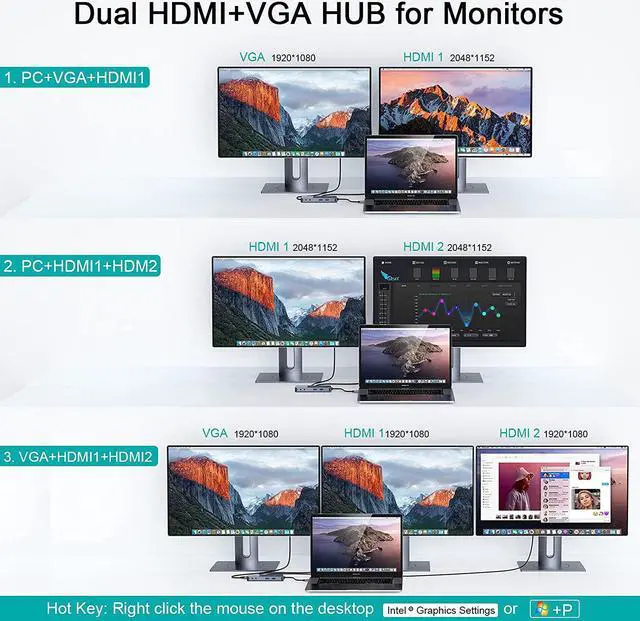
Support Single/ Dual / Triple / Display
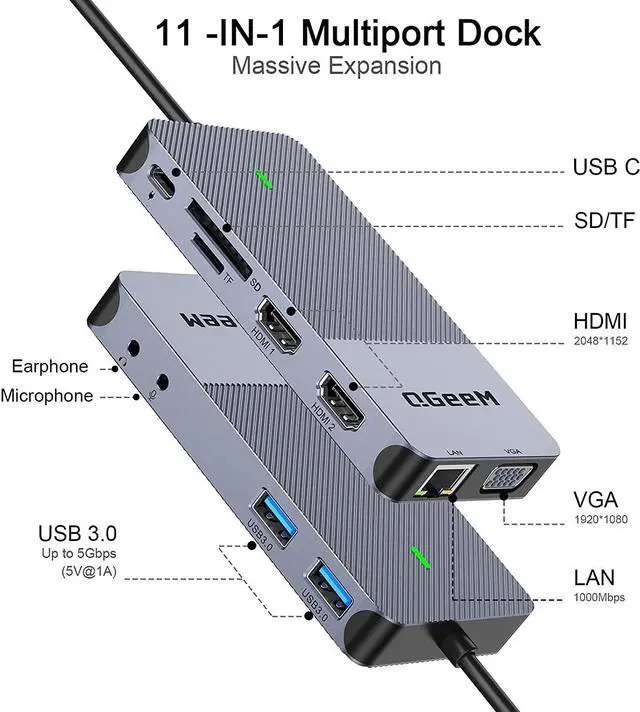
HDMI1: 2048*1152
HDMI2: 2560*1140
VGA: 1080P@60(1920*1080)
-Dual display:
HDMI1+HDMI2: 2048*1152 +2048*1152
HDMI2+VGA: 2048*1152+1920*1080
-Triple Display: HDMI1+HDMI2+VGA: 2048*1152 +2048*1152 +1920*1080

The docking station has 3 video output ports: 2 HDMI ports and 1 VGA, but during use, display mode: AAAA+AABB+AABC (HDMI1 and VGA only display the same screen
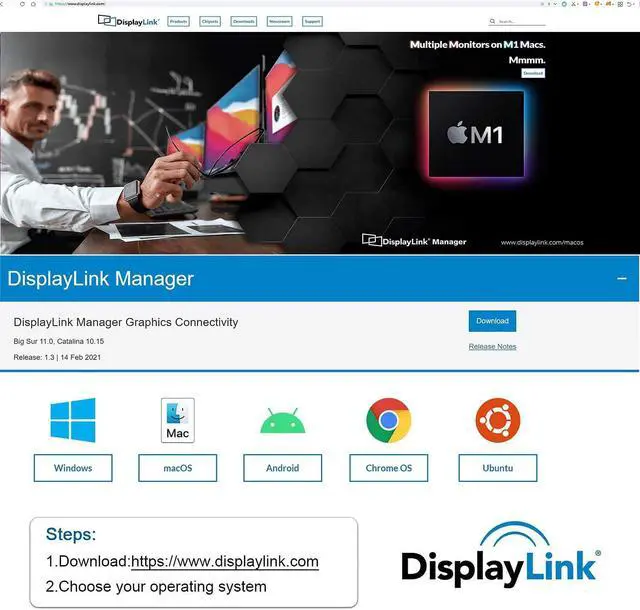
Important Note: *With the arrival of the macOS Big Sur 11.0& M1 chip, the operating system applies a stricter security policy to (any) software that requires kernel extensions aka kexts ("kexts" - think of it as a macOS version of "drivers"). The QGeeM driver installation includes a system extension that is affected by this policy. As a result, the user has to explicitly enable/allow this system extension within 'Security & Privacy' in system preferences (after installation and before the software is allowed to run)
Attention for Macbook Pro M1 User: The HDMI/VGA port may not work after restarting the Macbook Pro M1. It is possible that the privacy settings are not set to auto-login. Follow these steps to set it up and it will work properly (please refer to the Installation Manual for details) System Preferences >>Security and Privacy>> -Click the lock to prevent further changes>>Screen Recording>>DisplayLinkUserAgent >>Click + Finally you can see the DisplayLink icon in the upper right corner of the screen, and then you can use DisplayLiink products Note: Click on the DisplayLiink icon to set the auto-start program
Universal Compatibility-USB A and USB C Laptop
laptop/Desktop/phone/PC/tablet's port is USB 3.0/USB 3.1/USB C/USB4/Thunderbolt 3/Thunderbolt 4/ USB Type 3.1 Gen2/USB Type 3.1 Gen1 ect.
Compatible Operating Systems(partial list): Windows 10 / 8.x / 7 and Macs with 10.14.x / 10.15.x /11.x. Ubuntu,Chrome os, Android ect. Not compatible with: MacOS 10.13.x and earlier, Linux / Unix, and ARM-based Windows Systems
Kind Tips:
1.Install the official DisplayLink driver in your laptop before use, the HDMI1,HDMI2 and VGA must need the latest displaylink driver to work.
2.Power and Charging:This USB Dock does not provide power to the connected laptop or tablet-the USB C port can't charger you laptop. only supply the dock.
3.Please supply power for our USB Dock via the dock's USB-C port, before connecting too much external hard drive or multiple devices to the docking station
4.Sound Setting: Windows users: Start>Setting>System>Sound: then change output/macOS users: System Preferences>Sound>Output(3.5mm headphone only vailed for HDMI2 audio)
5.Display Problem: If you connect VGA and HDMI1 ports simultaneously, the 2 monitors will be limited to show the same screen.
6.Due to the process of EDID (Extended Display Identification Data) communication, once you plug the monitors, it might blackout screen for a few seconds. The recovery time depends on the and monitor (1 minute at max)
| System Compatibility | Compatible with most modern laptops and desktops running Windows 7/ 8 /10 above,Mac 10.0 above,Android, Ubuntu,Chrome os |
| Not support laptop charging | This docking station does not power the connected laptop or tablet - the laptop will still need a separate charger. It does not control the power to the laptop |
| MacBook Pro/Air | MacBook Pro (2022/2021/2020/2019/2018/2017/2016,also support M1/M2 version) |
| iMac | iMac (2020/2019/2018/Mid 2017); iMac Pro; Mac Mini (Late 2018 and newer) |
| Microsoft | Surface Pro 7 / Surface Pro 8 / Microsoft Surface Book 2 / Surface Go / Surface Pro X / Surface Laptop 3 / Microsoft Lumia 950/950 XL |
| Dell | Dell XPS 13 & XPS 15 (9300 9310 9350 9360 9370 9380 9550 9560 9570 7390 +more) / Latitude (5580 7280 7400 7490 +more) |
| Lenovo | Lenovo Yoga 920/910/900 / Yoga 4 Pro / ThinkPad X 1 X 390/ Lenovo ThinkPad T series (T470, T480, T490) |
| HP | HP Spectre X2, HP X360, HP Elite×2 1012, HP Elitebook Folio G1, HP ZBook 15 G3, HP elitebook 840 g6; HP Chromebook; HPNotebook 15-dy1036nr; HP ENVY x360 13-ay0000; HP pavilion intel core 13; HP envy x360 model m6-aq105dx;HP Envy 17t(2020) |
| Acer | Acer Spin 7, New Acer Switch Alpha 12, Acer Chromebook R13, Acer Aspire V Nitro 15; Acer model SB230; Acer Chromebook R13 |
| Others | Huawei MateBook Pro, LG Gram, Samsung Galaxy TabPro S,Asus zenbook s13 ux392; asus x571gd |
| Need Help? | More specific models or systems, please confirm with us. We will also update in time. |

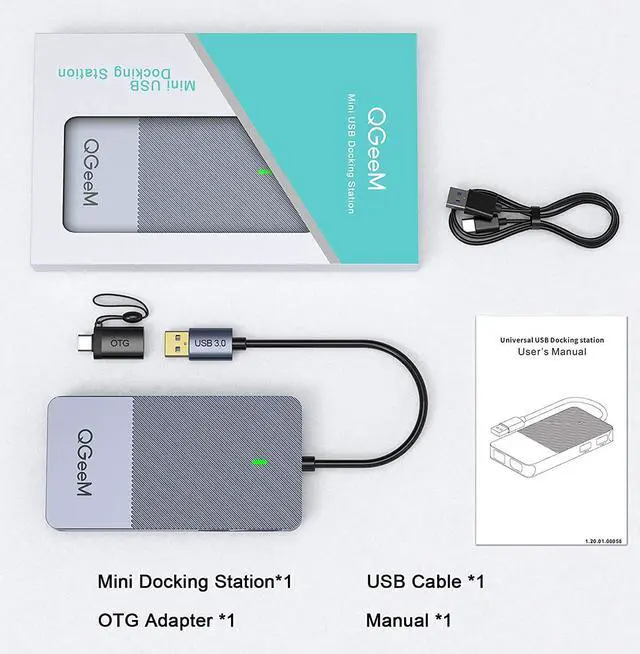
OTG: USB 3.0 to USB-C Converter
- Our usb docking station can work with the device with usb 3.0 port
- If the device only have USB-C port, please connect our OTG,and then can work normally

High-Speed USB3.0 Ports
- 2* 3.0 USB ports support up to 5Gbps transmission speed rates, fast enough to transfer HD movie in seconds
- Perfect to connect a keyboard, mouse, flash drives, or other USB A connected peripherals.

Stable Connection & Secure
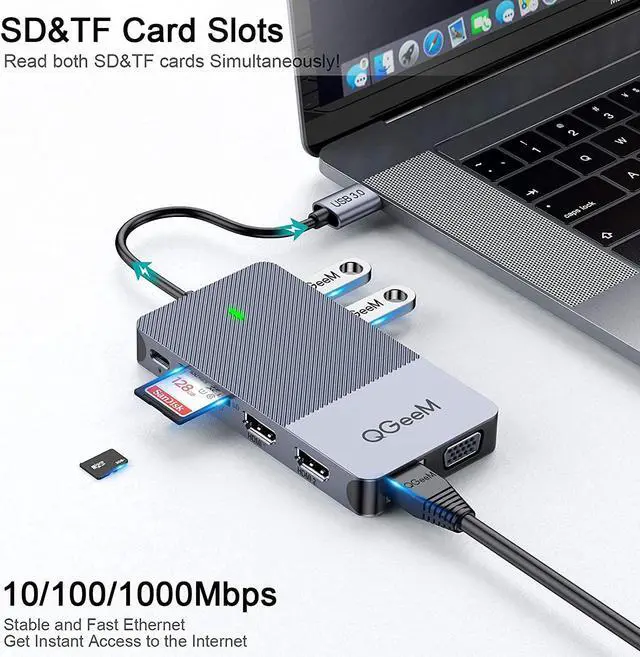
- Connect QGeeM USB Hub to your smartphone, tablet or SD cards and Micro SD and transfer data between laptop, display or other connected devices
- Enjoy multiple possibilities of connectivity effortlessly and superior data-storing versatility
11 Ports Triple Display USB Docking Station , Massive Expansion, High-Speed, High-Definition

Fast heat-dissipation
- Fast heat dissipation, will not get hot when long-time using,safe and reliable
- Lightweight and easy to store,will not take up too much space
- The surface smooth and clean, will not leaving fingerprints when touch

Function of USB C Port
- This USB-C port have to connect with mains to supply power for the dock when plug too much external device(such as hard disk)
- This USB C port cannot support data transfer,and not support charging laptop,only supply power for the dock

Sleek and Stylish
- The docking station is powerful, meet your general needs, and slim enough to slip into your pocket so you take on the go
- Slim Size: 115*60*15 ; Weight:102g
- Material: Aluminum alloy