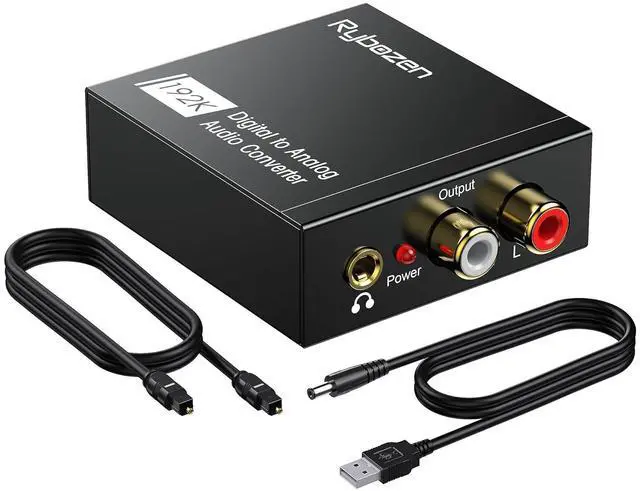
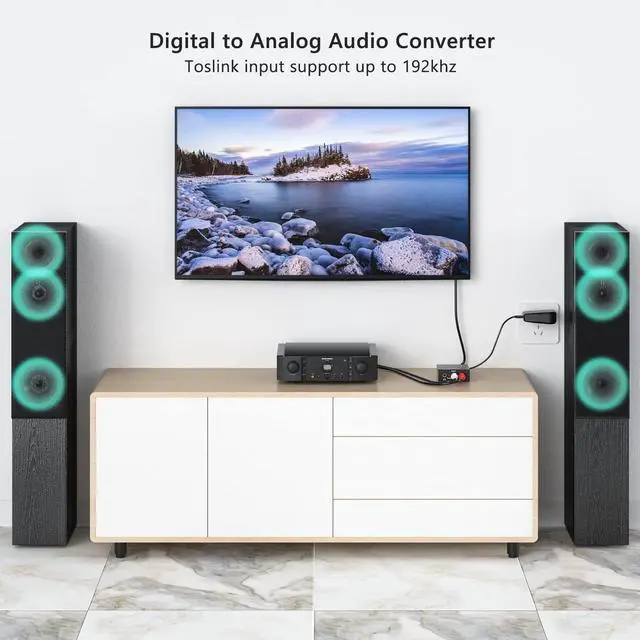
DAC 192KHz Digital to Analog Audio Converter, Optical to RCA Adapter with Coaxial Cable, Toslink Optical to 3.5mm Adapter for PS4 HD DVD Home Cinema Systems
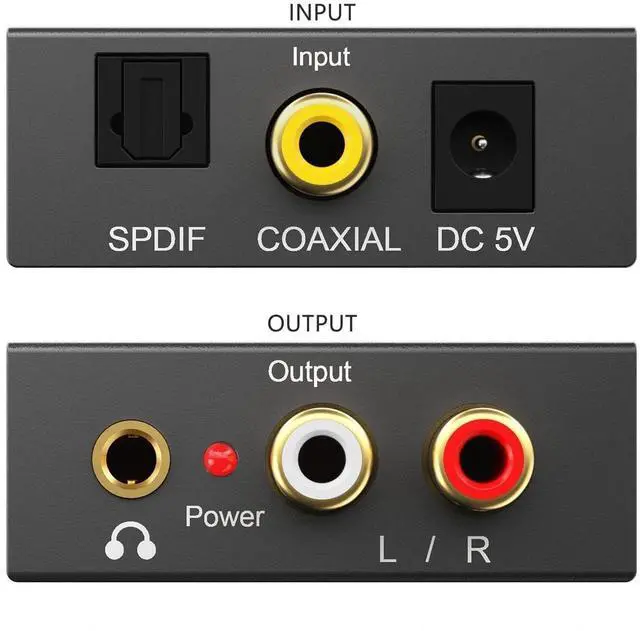
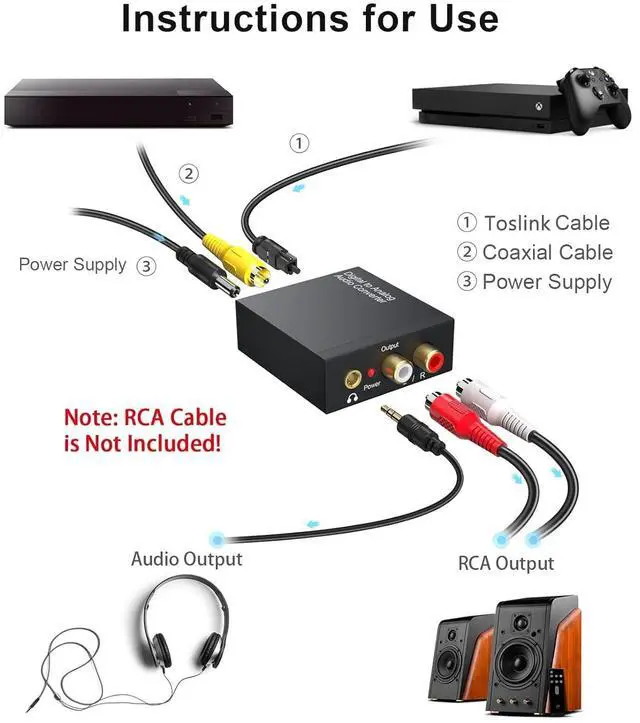
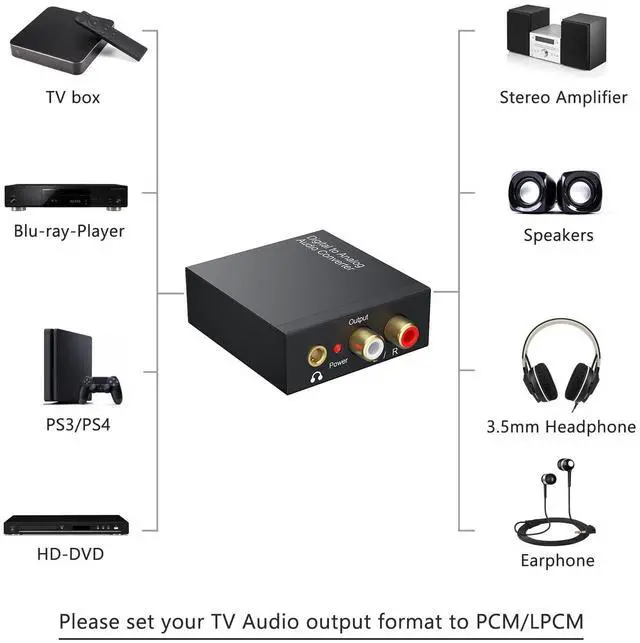
Digital to Analog: DAC audio converter is designed for converting coaxial or toslink digital PCM audio signals to analog L/R RCA and 3.5mm Jack audio simultaneously. ( Not support Analog to Digital)
Excellent Performance: The sound of the digital to analog audio adapter is synchronized when connected, without delay. The durable and stable transmission makes you do not have to worry about poor sound quality after long-term use.
Wide Compatibility: The signal converter supports sampling rate at 32KHz, 44.1KHz, 48KHz, 96KHz, 192KHz and 24-bit SPDIF Incoming Bit Stream on left and right Channels. It can be used for PS3, PS4, Xbox, Blu-ray Player, HD DVD, Home Cinema Systems, AV Amps, etc.
Multi-Point Connection: Optical to rca adapter supports uncompressed 2.1-channel PCM or LPCM digital audio signal output, will not supports 5.1 channel Dolby sound.
Thoughtful Service: The package includes DAC Converter*1, Toslink Cable (Optical cable)*1, USB Power Cable*1, User Manual*1. We provides 24-h
+
+
Overview
Specs
Reviews
Product information
Brand
DigitConvert
Maximum Supply Voltage
5 Volts (DC)
Minimum Supply Voltage
5 Volts (DC)
Mounting Type
Cable Mount
Number of Pins
3
Additional Features
Aluminum alloy housing: Digitconvert DAC converter delivers enhanced electromagnetic shielding and efficient heat dissipationoutperforming standard ABS plastic for more stable performance. Its rugged design ensures reliable operation even among multiple electronic devices, avoiding signal interference and overheating.
Experiencing no sound, electrical noises, or audio delay? Keep in mind that this DAC only supports PCM input formatother formats may lead to noise issues. First, check if the power indicator is lit properly, and use a certified 5V 1A wall charger for power (we recommend avoiding TV USB ports, as their output can be unstable). Also, ensure your audio source is set to output PCM format to prevent compatibility problems, double-check that all cable plugs are securely fastened to avoid noise from loose connections, and if issues persist, try replacing the audio cable with a high-quality shielded one to reduce interference.
Learn more about the Generic Brand AU511
Model
Brand
RCA
Model
AU511
Details
Type
Audio
Type
Audio cable
Length
< 6 ft.
Connector Number
1
Specifications
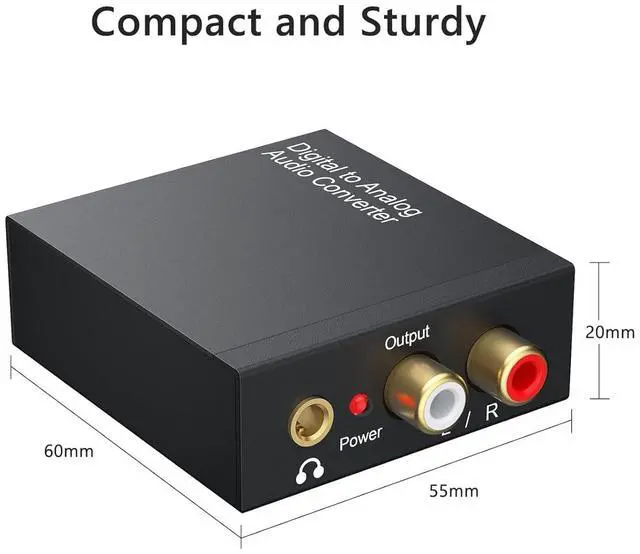
Digital to analog, Metal, 2, 1.97 L x 1.61 W x 0.1 H inches, AU511, DigitConvert
Features
Features
AU511, Metal, Cable Mount, 2, Digital to analog
Details
Connect From
1 x USB Type-C
Additional Information
First Listed on Newegg
July 25, 2026
Customer Reviews of the Generic Brand AU511
There are no reviews yet.
Do you own this product?
Warranty & Returns
Warranty, Returns, And Additional Information
Warranty
Please contact the Seller directly for warranty information. Warranty information may also be found on the Manufacturer's website.



 All Categories