Computer Cases - Showing 985 - 1008 of 1124 Products

Filter (0)
3-Slot Vertical GPU Mount Bracket with 150mm PCIe 5.0 Riser Cable, Heavy-Duty GPU Holder ...
$94 .98
Free Shipping
$94 .98
Sold by: Nexlly
5Ports USB PC Front IO Panel Bracket 2*USB3.0 + 2*USB2.0 + 1*USB-C 20G with LED Switch for ...
$32 .68
Free Shipping
Height Adjustable Computer Tower Stand with Charge Station and USB Charging Port, 2-Tier ...
$159 .99
Free Shipping
ASUS TX Gaming A23 Hatsune Miku Edition Micro ATX Computer Case with Custom Earphone ...
$499 .00
Free Shipping
$499 .00
Sold by: roboshine
PCI-E 5.0 16X Flexible Extension Cable, 20cm GPU Riser Cable with 90 Degree Vertical ...
$149 .98
Free Shipping
$149 .98
Sold by: GearZap
ASUS ProArt PA401 Iron Rhythm Edition Case, supports ATX, M-ATX, and MINI-ITX ...
$799 .99
Free Shipping
$799 .99
Sold by: STELLAR
ASUS ProArt PA602 Ash Wood Edition Mid-Tower Case, Supports graphics cards up to 440mm ...
$1,059 .99
Free Shipping
$1,059 .99
Sold by: STELLAR
ASUS ROG GX601S Mid-Tower Gaming Case, supports EATX motherboards, Aluminum alloy ...
$1,159 .99
Free Shipping
$1,159 .99
Sold by: STELLAR
SilverStone Technology SST-FTZ01B-E Aluminum Unibody ITX Small Form Factor Computer ...
$294 .53
Free Shipping
MSI MEG PROSPECT 700RL MidTower PC Case, Supports EATX(up to 310×304.8mm), ATX, ...
$919 .99
Free Shipping
$919 .99
Sold by: STELLAR
MSI MAG PANO M110L PZ WHITE SFF DIY Ocean View PC Case, MicroATX/MiniITX Support, ...
$759 .99
Free Shipping
$759 .99
Sold by: STELLAR
CM5 l Case For Raspberry Pi Compute Module 5 IO Board With Cooling Fan
$29 .71
Free Shipping
high-strength tempered glass
$1,165 .23
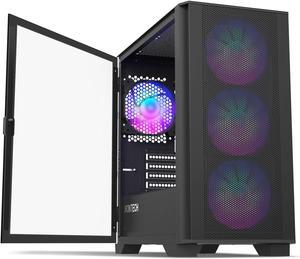
COUGAR Archon 2 Mesh RGB Black ATX Mid Tower Computer Case
$65 .98
Free Shipping
$65 .98
Sold by: Cougar
YEEHi Color Keyboard for iPad 6th 5th Generation Air 2 iPad Pro 9.7 Keyboard Case with Mouse ...
$85 .59
Free Shipping
MSI MPG VELOX 300R AIRFLOW PZ WHITE MidTower Desktop PC Case, Supports Regular ...
$829 .99
Free Shipping
$829 .99
Sold by: STELLAR
MSI PAG FORGE M100L SFF PC Case, Tempered Glass Side, MicroATX/MiniITX Support, ...
$739 .99
Free Shipping
$739 .99
Sold by: STELLAR
SGPC K49 Mini ITX Case 7.1L Standard Edition
$89 .99
Free Shipping
ALHBEJT 3 Pieces Computer Dust Cover Monitor + Keyboard+ Computer Host Pc Dust Proof ...
$46 .88
Free Shipping
ASUS ProArt PA401 Standard Edition case supports ATX, M-ATX, and MINI-ITX motherboards. ...
$799 .99
Free Shipping
$799 .99
Sold by: STELLAR
PCCOOLER CPS C3 T700 PC Case, Dual-Chamber Mid-Tower ATX Case, High-Airflow ...
$99 .99
Free Shipping
ASUS ROG GX601S RO Ji Custom Mid-Tower Case, Supports EATX motherboards, Aluminum ...
$1,199 .99
Free Shipping
$1,199 .99
Sold by: STELLAR

Considerations for Choosing a New PC Case

Introduction

When assembling a new computer system, you will at some point need to decide what computer case to use. To find the ideal case for your build, you should consider details such as size, weight, compatibility, number of drive bays, and more.

Size / Form Factor

The size of a computer case is an important factor that can determine what type of motherboard you can use, how many internal drives you can install, and more. As the size of the case increases, the number and size of components that you can install increase as well.

Computer cases fall into several categories in terms of size and form factor. For standard ATX form factor motherboards, tower cases are one of the most popular types of cases. They can be categorized as being either full size tower, mid-size tower, or mini tower. Computer cases for smaller form factors such as Mini-ITX and Micro ATX tend to be more varied in design.

Weight

The weight of a computer case is a factor of both its size and materials. There are several types of materials commonly used in computer cases, each with their own pros and cons.

  • Steel – The heaviest type of case material, steel is also very sturdy and durable. Cases that are made from steel are not as transportable due to their weight.
  • Aluminum – Computer cases made from aluminum are relatively light but tend cost more than steel cases. Aluminum is often used to make cases that are designed to be easily transportable.
  • Acrylic – Acrylic is primarily used for clear computer cases to achieve a completely transparent aesthetic. It is also sometimes used in steel and aluminum computer cases that have transparent surfaces or windows.
Drive Bays

There are three types of drive bays, 5.25 inch external bays, 3.5 inch external bays, and 3.5 inch internal bays. External bays are typically used by devices such as optical drives, card readers, and floppy disk drives. Internal drive bays are mostly used for solid state drives and hard disk drives. When choosing a computer case, ensure that it has the adequate amount of internal and external bays for your needs.

Expansion Slots

An expansion slot is used to add and enhance a system’s functionality, such as adding wireless networking or improving graphics performance. Most mid and full tower computer cases can support up to seven expansion cards, which is the ATX standard.

However, larger motherboards such as extended ATX motherboards can sometimes have more than seven expansion card slots. In order to take advantage of the additional slots, you will need to find a computer case that supports E-ATX motherboards with additional slots.

Front Panel Ports

Connecting audio and USB cables to a computer using rear ports can be a hassle and sometimes may require the use of a longer cable. Front panel ports add convenience by providing more easily accessible ports for many different types of devices. When shopping for a computer case, try to find one with a front panel port that is adequate for your needs.