• In Stock
  • Sold by NeweggBusiness
  • New
Brands
Show More
Price
Show More
Series
Show More
CPU Socket Type
Core Name
# of Cores
Show More
Operating Frequency
FSB
Hyper Transports
L2 Cache
Show More
Sold by
L3 Cache
Manufacturing Tech
64-Bit Support
Virtualization Technology Support
Thermal Design Power
Cooling Device
Hyper-Threading Support
All Top Brands
Availability
Condition
Discount
Useful Links
Customer Ratings
Sort By:
View:
Intel Xeon w9-3475X Processor 36 cores 82.5MB Cache, up to 4.8 GHz
Quick View
Intel
Intel Xeon w9-3475X Processor 36 cores 82.5MB Cache, up to 4.8 GHz
  • Brand: Intel
  • Name: Xeon W9-3475X
  • Core Name: Sapphire Rapids
  • Operating Frequency: 2.2 GHz
  • Model #: PK8071305081600
Intel Xeon Gold 5318Y Ice Lake 2.1 GHz LGA 4189 165W CD8068904656703 Server Processor
Quick View
Intel
Intel Xeon Gold 5318Y Ice Lake 2.1 GHz LGA 4189 165W CD8068904656703 Server Processor
  • Brand: Intel
  • Name: Xeon Gold 5318Y
  • Core Name: Ice Lake
  • Operating Frequency: 2.1 GHz
  • Model #: CD8068904656703
Intel 5220R Cascade Lake 2.2 GHz LGA 3647 150W CD8069504451301 Server Processor
Quick View
Intel
Intel 5220R Cascade Lake 2.2 GHz LGA 3647 150W CD8069504451301 Server Processor
  • Brand: Intel
  • Name: 5220R
  • Core Name: Cascade Lake
  • Operating Frequency: 2.2 GHz
  • Model #: CD8069504451301
Cisco UCS-CPU-E52697E-Refresh
Quick View
  •  
  • $7,084.99 
Cisco Refresh ASR1000-ESP200X
Quick View
Cisco Refresh ASR1000-ESP200X
  • Model #: ASR1000-ESP200X-RF
  •  
  • $80,803.95 
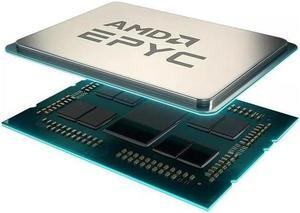
AMD 100-100000797WOF EPYC 9634 2.25GHZ 84-Core Gen-4 Processor
Quick View
AMD
AMD 100-100000797WOF EPYC 9634 2.25GHZ 84-Core Gen-4 Processor
  • Type: Rackmount
  • Model #: 100-100000797WOF-New
  •  
  • $6,527.80 
Intel PK8071305120102 Xeon Gold 16-core 6426Y 2.50GHZ Processor.
Quick View
Intel
Intel PK8071305120102 Xeon Gold 16-core 6426Y 2.50GHZ Processor.
  • Type: Rackmount
  • Model #: PK8071305120102-New
  •  
  • $6,556.40 
AMD EPYC 4005 (5th Gen) 4345P Octa-core (8 Core) 32MB L3 Cache Socket AM5 65W Processor - OEM - Tray Pack - 100-100001556
Quick View
AMD
AMD EPYC 4005 (5th Gen) 4345P Octa-core (8 Core) 32MB L3 Cache Socket AM5 65W Processor - OEM - Tray Pack - 100-100001556
  • Brand: AMD
  • Name: EPYC 4345P
  • CPU Socket Type: Socket AM5
  • Thermal Design Power: 65W
  • Model #: 100-000001556
Intel Xeon Gold 6336Y Ice Lake 2.4 GHz LGA 4189 185W CD8068904658702 Server Processor
Quick View
Intel
Intel Xeon Gold 6336Y Ice Lake 2.4 GHz LGA 4189 185W CD8068904658702 Server Processor
  • Brand: Intel
  • Name: Xeon Gold 6336Y
  • Core Name: Ice Lake
  • Operating Frequency: 2.4 GHz
  • Model #: CD8068904658702
AMD 100-100000342WOF EPYC 7443P 2.85GHz 24-Core Processor NEW
Quick View
AMD
AMD 100-100000342WOF EPYC 7443P 2.85GHz 24-Core Processor NEW
  • Type: Rackmount
  • Model #: 100-100000342WOF-NEW
  •  
  • $1,514.00 
Intel Xeon Gold 5317 Ice Lake 3.0 GHz LGA 4189 150W CD8068904657302 Server Processor
Quick View
Intel
Intel Xeon Gold 5317 Ice Lake 3.0 GHz LGA 4189 150W CD8068904657302 Server Processor
  • Brand: Intel
  • Name: Xeon Gold 5317
  • Core Name: Ice Lake
  • Operating Frequency: 3.0 GHz
  • Model #: CD8068904657302

Desktop and Server Processor Comparison

What are the differences between a desktop and server processor?

Servers and desktops are used for different purposes, and a server processor reflects that. It is designed to be more robust and have features that are not needed in desktops. It must be able to process the needs of multiple users simultaneously, run reliably for very long periods of time, support server-specific hardware and software, manage network resources, and more. NeweggBusiness will detail some of the major hardware differences between desktop and server processors that allow the latter to meet those requirements.

Increased number of cores

The number of cores a processor has and the clock speed of those cores are two important factors that affect overall processor performance. Increasing the clock speed of a processor’s cores allows it to perform calculations quicker while increasing the number of cores allows it to perform more calculations simultaneously.

Some server programs can utilize multiple cores to increase the number processes that can be executed at one time. For instance, when multiple client computers send requests to a server, each individual core can be leveraged to handle a different request.

Multi-processor support

Some server motherboards have the ability to use more than one processor, with a handful able to support up to four CPUs. This allows for additional cores to be utilized by the server, which is then able to support more users and processes. For instance, one common practice is to use two quad-core processors for a total of eight useable cores.

Support for error-correction code (ECC) memory
Some server processors are able to support memory with error-correction code, otherwise known as ECC memory. ECC is a feature that allows the memory to perform self-checks and fixes for common data errors. It is a very important feature, as errors in system memory can lead to data corruption or crashes.
Larger CPU cache sizes

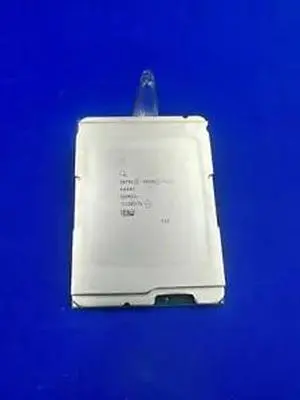
A CPU cache is a small amount of memory that is located on the processor chip and is used to store frequently accessed data. Compared to desktop processors, server processors will typically have larger caches.

Support for larger memory capacities

When comparing specifications for server and desktop processors, you may notice that some server processors are able to support very large amounts of memory—much more than desktop processors. However, the motherboard and software must also be able to support that much memory.

Rated for longer periods of sustained load

Servers sometimes operate continuously for very long periods of time, which can put a lot of strain on the processor. To meet those needs, server processors have features that help prevent overheating, reduce power consumption, equalize workloads, and more.
Conclusion

These hardware differences allow a server processor to function reliably for very long periods, handle the needs of multiple users simultaneously, and support specialized software. If you are assembling a server workstation for your organization’s network, then be sure to use server-grade hardware such as a server processor and motherboard.


By NeweggBusiness Staff