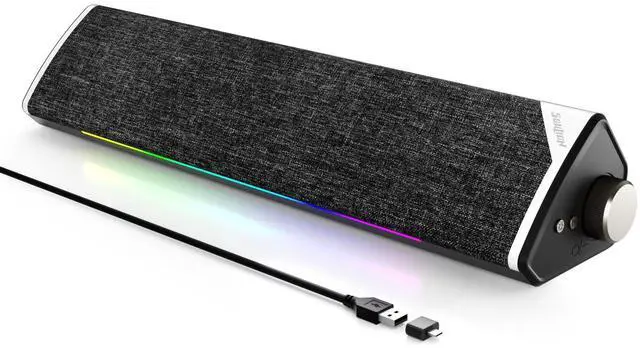
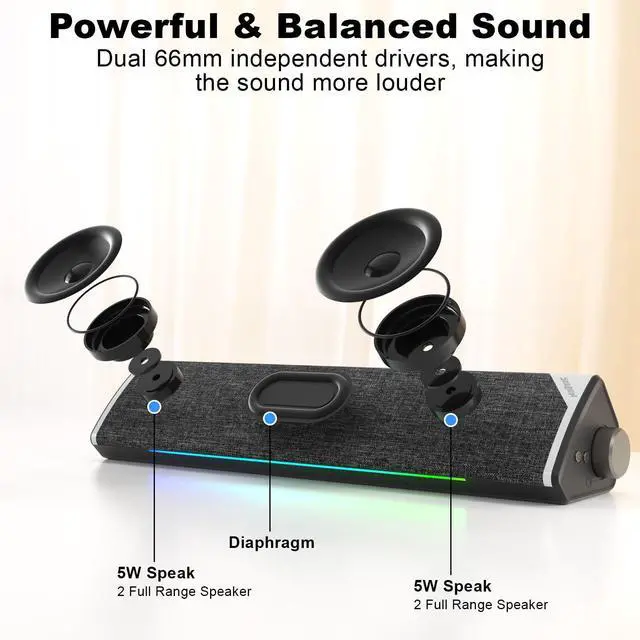
Computer Speakers, USB-Powered Bluetooth PC Soundbar with Dynamic RGB LED Lights, Surround Sound for Desktop, Laptop, Office, Work, Music & Gaming, Black (USB-C to USB Adapter Included)
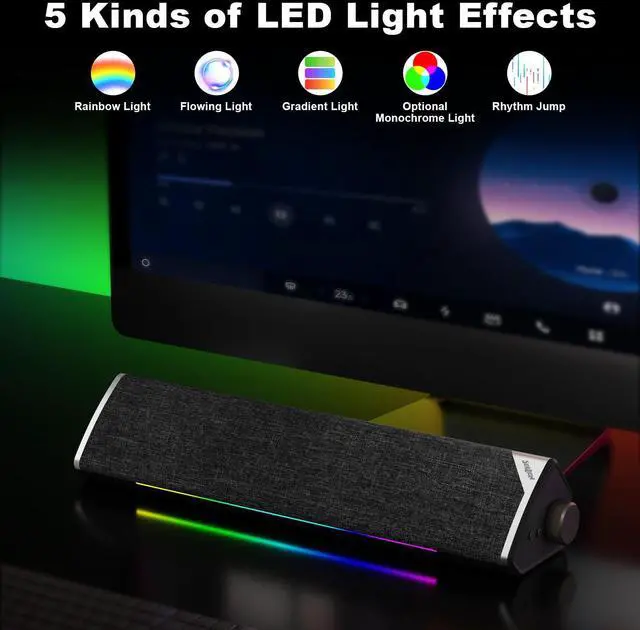
5 Light Modes: Cycle through 5 vibrant LED lighting effects with a single click, or use the control button to turn the lights on and off. Enhance your audio experience and set the mood for music, movies, and gaming with immersive atmospheric lighting
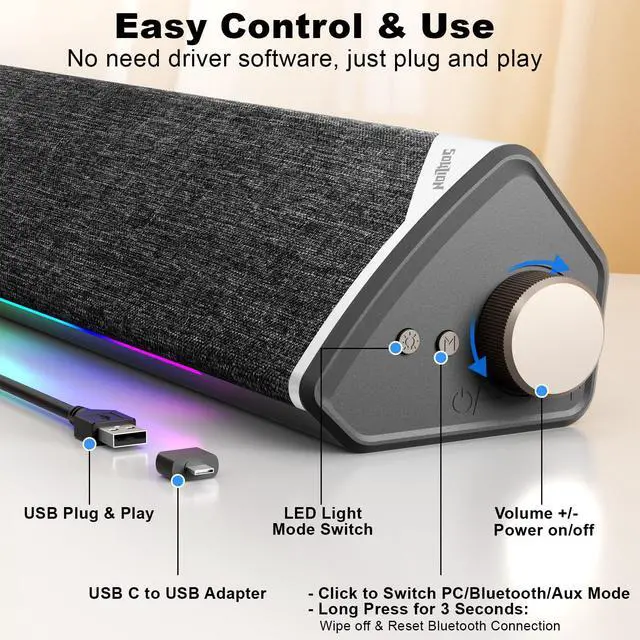
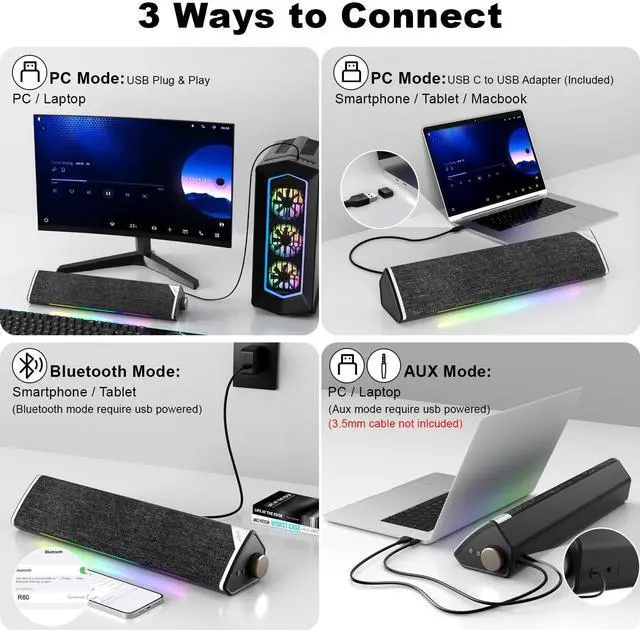
USB Connection: Simply plug into a USB port for both power and audio playback. Press the "M" button to switch to USB mode, then use the computer's volume controls or the speakers' rotary knob to adjust the volume
Bluetooth Connection: Equipped with advanced Bluetooth 5.3 technology for a stable and efficient connection to smartphones, tablets, and PCs. To connect, simply press the "M" button to switch to Bluetooth mode and select "R60" on your device
Intuitive Controls: Power on/off and adjust volume effortlessly with the rotary knob. Switch between PC, bluetooth, and Aux modes by pressing the "M" button (Note: 3.5mm AUX cable not included). A single click on the light button turns the LEDs on/off or cycles through modes, while a 3-second
+
+
Overview
Specs
Reviews
Computer Speakers, USB-Powered Bluetooth PC Soundbar with Dynamic RGB LED Lights, Surround Sound for Desktop, Laptop, Office, Work, Music & Gaming, Black (USB-C to USB Adapter Included)
Learn more about the Generic Brand R60
Model
Brand
SOULION
Series
60
Model
R60
Details
Type
Soundbar
Color
Black
Configuration
2.1
Total Power
10 watts
Satellite RMS Power /ea
10 watts
Driver
dynamic_driver
Power Supply
5 volts
Remote
touch
System Requirements
Desktop, Laptop, Smartphone, Tablet
Dimensions & Weight
Dimension
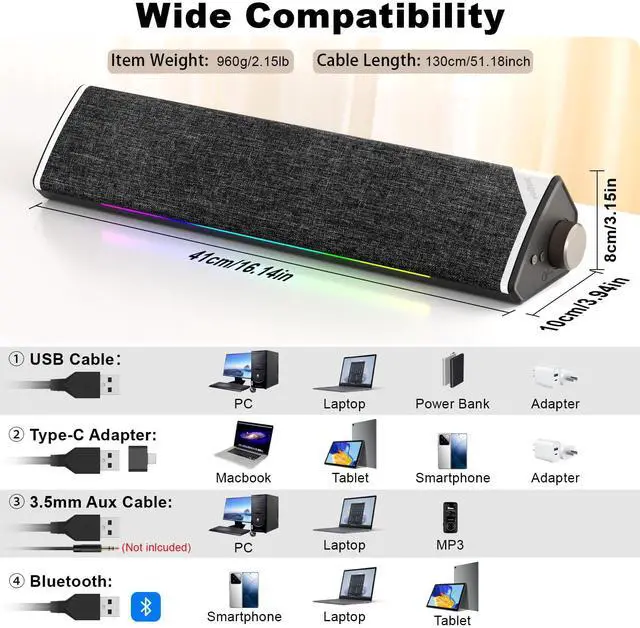
3.15 in x 16.14 in x 3.94 in
Weight
1.1 kilograms
Features
Features
USB Port
Package Contents
Package Contents
USB-C to USB Adapter
Additional Information
First Listed on Newegg
July 25, 2026
Customer Reviews of the Generic Brand R60
There are no reviews yet.
Do you own this product?
Warranty & Returns
Warranty, Returns, And Additional Information
Warranty
Please contact the Seller directly for warranty information. Warranty information may also be found on the Manufacturer's website.