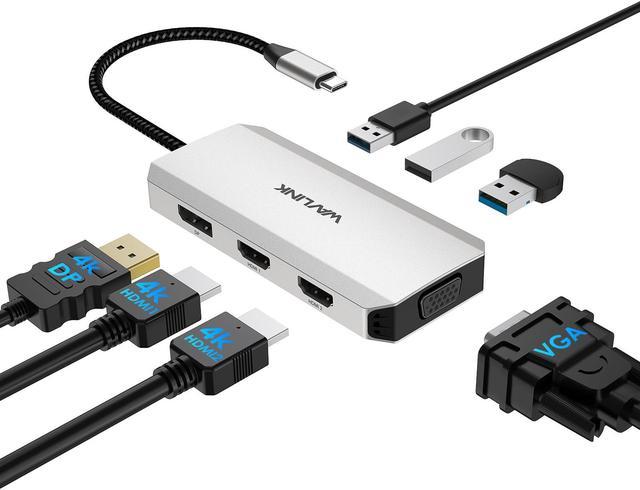
Plug & Play WAVLINK 7-IN-1 USB C Quad Display Docking Station for HP/Dell/Lenovo/Mac/Surface Laptops
Unlock the full potential of your workspace with the WAVLINK 7-IN-1 USB C Quad Display Docking Station. This multiport adapter seamlessly expands your laptop's connectivity, allowing you to connect to multiple displays and a variety of USB A peripherals. With wide compatibility and no external driver required, it's the perfect solution for enhancing your productivity. Compatible with Windows 11/10/ 8.1 /8/7, Mac OS 10.8 or later, Chrome OS, Linux, iPad OS, Harmony OS, Android, making it the ultimate companion for most USB C devices.
Ultra 4K HD Vivid Video
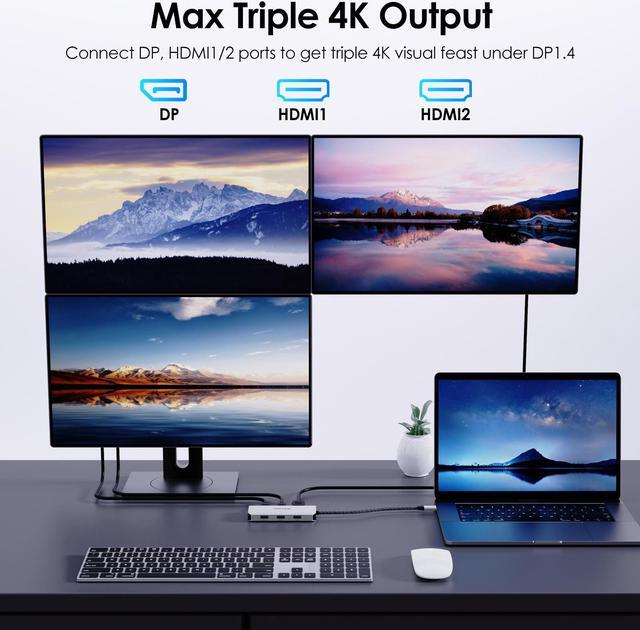
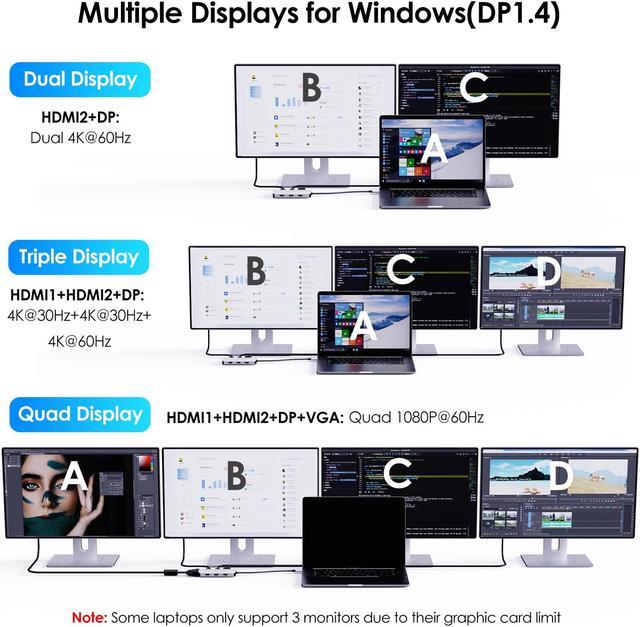
The integrated dual HDMI and single DP port enable max triple 4K display output: dual 4K@30Hz+4K@60Hz under DP 1.4 source, enjoy stunning details in multiple 4K monitors, delivering an incredibly lifelike visual experience across multiple 4K monitors.
Widely Applicable
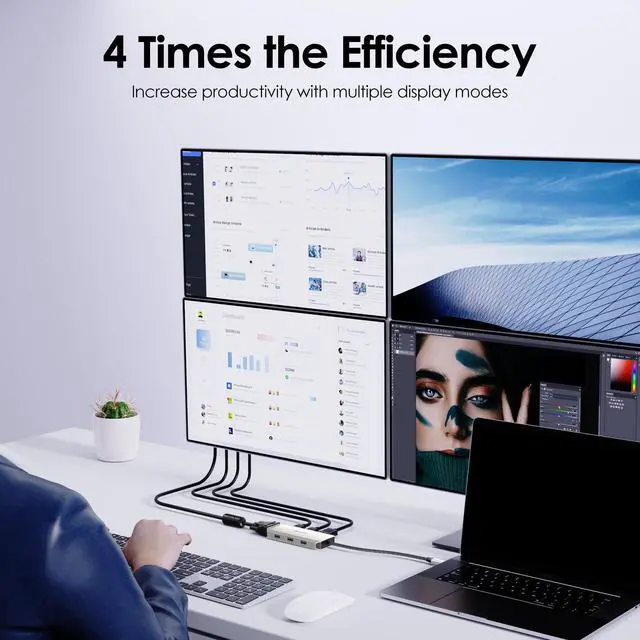
From online conferences and stock business to code writing and office multitasking, this USB C dongle can handle it all. Explore various operating modes like Mirror, Extend, Clamshell, and Rotation to adapt to your unique needs.
No Driver Required
Plug and play, say goodbye to the complicated setup processsimply connect and start using. We prioritize your convenience, making your daily operations smoother than ever before.
3xUSB A 2.0 Ports
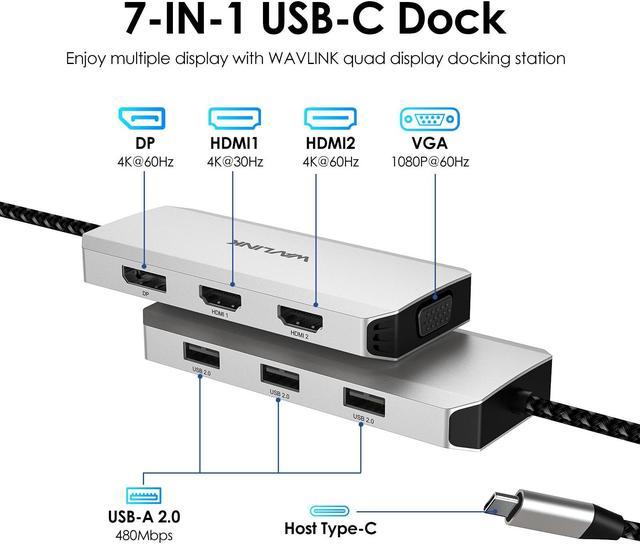
With three USB A 2.0 ports, our docking station offers more connectivity options. Transfer files, access external storage, and effortlessly connect peripherals at blazing-fast speeds of up to 480Mbps, streamlining your workflow and maximizing efficiency.
Durable Nylon Cable
The upstream USB C cable is covered by nylon material, which has a higher tensile strength, minimises tangling, and has a longer service life than regular cords.
Portable & Stylish
This docking station measures 11.0 x 5.8 x 1.9 cm/ 4.3 x 2.3 x 0.7 in and weighs 85g/ 3.0 oz. Its compact size and light weight allow it to easily fit into your computer bag or briefcase, making it convenient for you to use it anywhere. Its frosted silver case is fingerprint resistant and adds a stylish touch to the dock.
Systems/ Devices Compatibility
Plug and play on Windows 11/10/ 8.1 /8/7, Mac OS 10.8 or later, Chrome OS, Linux, iPad OS, Harmony OS, Android.
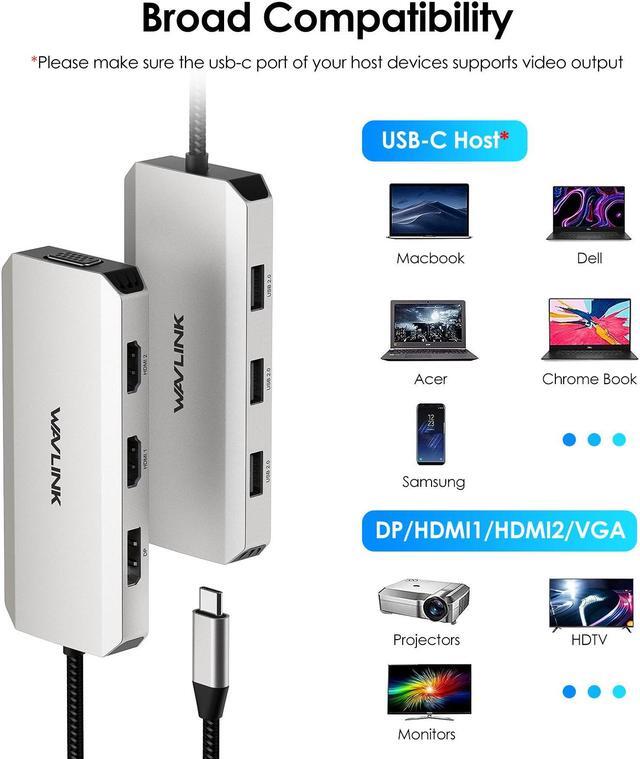
Works with your USB-C Desktop PCs, Laptops, Tablets/Mobile Phones (OTG function required).
How to Confirm if the Type-C Port of Your Laptop Supports Video Output and Charging?
Step 1: Please check the model of your laptop, it should be on the back of the label;
Step 2: Search brand + the model number of the device + manual in Google, for
example: asus ux435 manual;
Step 3: Check the manual and navigate to the view and check the type-c specification, if it states it supports power delivery which means it supports charging. If it states the type-c port supports display which means it could support video output. If the specification states bandwidth the type-c port supports only, which means the type-c port might not support video output and charging. You could also contact the manufacturer to confirm that.
Multiple Display Resolution (Max. Resolution)
Notice: Please make sure the type-C port of your host supports video output.
For Windows OS (Some laptops only support 3 monitors due to their graphic card limitations)
1)Single Display:
HDMI 1: 4 K@30Hz(DP 1.4 ); 4K@30Hz(DP 1.2 )
HDMI 2: 4 K@60Hz(DP 1.4 ); 4K@60Hz(DP 1.2 )
DP: 4K@60Hz(DP 1.4 ); 4K@60Hz(DP 1.2 )
VGA: 1080P@60Hz(DP 1.4 ); 1080P@60Hz(DP 1.2 )
2)Dual Display:
HDMI1+DP/HDMI 2: 4 K@30Hz+4K@60Hz(DP 1.4 ); 4K@30Hz+4K@30Hz(DP 1.2 )
HDMI2+DP: 4K@60Hz+4K@60Hz(DP 1.4 ); 4K@30Hz+4K@60Hz(DP 1.2 )
HDMI1+VGA: 4K@30Hz+1080P@60Hz(DP 1.4 ); 4K@30Hz+1080P@60Hz(DP 1.2 )
VGA+DP/HDMI 2: 1080 P@60Hz+4K@60Hz(DP 1.4 ); 1080P@60Hz+4K@60Hz(DP 1.2 )
3)Triple Display:
HDMI1+HDMI2+DP: 4K@30Hz+4K@60Hz+4K@30Hz or 4K@30Hz+4K@30Hz+4K@60Hz or 1080P@30Hz+4K@60Hz+4K@60Hz(DP 1.4 ); 3x1080P@60Hz(DP 1.2 )
HDMI1+HDMI2+VGA: 4K@30Hz+4K@60Hz+1080P@60Hz(DP 1.4 ); 3x1080P@60Hz(DP 1.2 )
HDMI2+DP+VGA: 4K@60Hz+4K@60Hz+1080P@60Hz(DP 1.4 ); 3x1080P@60Hz(DP 1.2 )
HDMI1+DP+VGA: 4K@30Hz+4K@60Hz+1080P@60Hz(DP 1.4 ); 3x1080P@60Hz(DP 1.2 )
4)Quad Display
HDMI1+HDMI2+DP+VGA: 4x1080P@60Hz(DP 1.4 ); Not Supported(DP 1.2 )
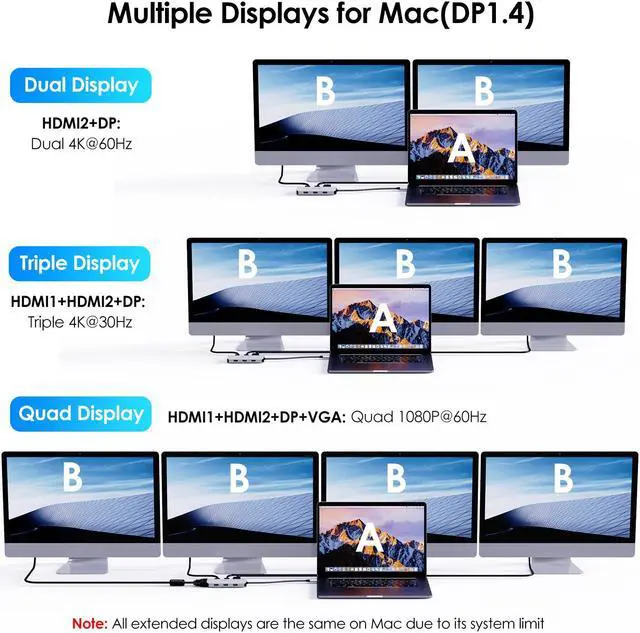
For Mac OS (only supports extend 1 external monitor with different content)
1)Single Display:
HDMI 1: 4 K@30Hz(DP 1.4 &DP 1.2 )
HDMI 2: 4 K@60Hz(DP 1.4 &DP 1.2 )
DP: 4K@60Hz(DP 1.4 &DP 1.2 )
VGA: 1080P@60Hz(DP 1.4 &DP 1.2 )
2)Dual Display:
HDMI1+DP/HDMI 2: 4 K@30Hz+4K@30Hz(DP 1.4 &DP 1.2 )
HDMI2+DP: 4K@60Hz+4K@60Hz(DP 1.4 &DP 1.2 )
HDMI1+VGA: 1080P@60Hz+1080P@60Hz(DP 1.4 &DP 1.2 )
VGA+DP/HDMI 2: 1080 P@60Hz+1080P@60Hz(DP 1.4 &DP 1.2 )
3)Triple Display:
HDMI1+HDMI2+DP: 3x4K@30Hz(DP 1.4 &DP 1.2 )
HDMI1+HDMI2+VGA: 3x1080P@60Hz(DP 1.4 &DP 1.2 )
HDMI2+DP+VGA: 3x1080P@60Hz(DP 1.4 &DP 1.2 )
HDMI1+DP+VGA: 3x1080P@60Hz(DP 1.4 &DP 1.2 )
4)Quad Display
HDMI1+HDMI2+DP+VGA: 4x1080P@60Hz(DP 1.4 &DP 1.2 )
Specification:
1.
Model: WL-UMD304
2.
Ports: 1x HDMI1 (4K@30Hz), 1x HDMI2 (4K@60Hz), 1x DisplayPort(4K@60Hz), 1x VGA(1080P@60Hz), 3 x USB 2.0 -A (480Mbps)
3.
Unit Size: 11.0 x 5.8 x 1.9 cm/ 4.3 x 2.3 x 0.7 in
4.
Cable Length: 25cm/ 9.8 in
5.
Unit Weight: 85g/ 3.0 oz
6.
Housing Material: Aluminum
7.
Shell Color: Silver
Whats in the Package?
1 x USB-C Triple Display MST Docking Station
1 x Quick start guide
Warm Tips:
-The type-C port of your host should support video output to enjoy the full function of this hub.
-When you use this dock to connect a Windows-based laptop with four monitors, the screen of the host computer needs to be turned off.
-Some Windows laptops only support 3 monitors (including the host screen) due to their graphic card limitations.
-Rotation Mode, Clamshell Mode and HDCP are supported.
-Your USB-C phones/tablets should support the OTG function.
USB-C Devices Compatibility List (Partial):
Note: Please check the compatibility list below before purchasing. If your device is not on the list, please let us know and we will be glad to help you check with it.
Apple: Mac Studio 2022, iMac(2017, 2019, 2020), MacBook Pro 16-inch (2019, 2021), MacBook Air 13-inch (2018, 2019, 2020), MacBook Pro 13-inch (2016, 2017, 2018, 2019, 2020), MacBook Pro 14-inch 2021, MacBook Pro 15-inch (2016, 2017, 2018, 2019);
Dell: XPS 13 7390 2-in-1 (Ice Lake), XPS 12 9250, XPS 13 9350, XPS 13 9360, XPS 13 9370, XPS 13 9380, XPS 15 9550 (Intel + Nvidia GPU), XPS 15 9550 (Intel GPU), XPS 15 9560 (Intel + Nvidia GPU), XPS 15 9570, XPS 17 9700, XPS 12 XPS9250, Dell LATITUDE 7480, Alienware 13 R3, Alienware 15 R3, Alienware 17 R4, Dell Precision 15 M7510, Dell Precision 17 M7710, Dell XPS 13 9365, Dell Precision 15 5000 Series (5510), Dell Precision 15 3000 Series (3510), Dell Latitude 7370 (3C7XP), Dell Latitude 12 7275, Alienware 17 R3, Dell Precision M5510 15.6";
HP: EliteBook Folio G1 (Model V1C43EA), Spectre x360 Convertible 13-w000 (SKU W9A95AV), Spectre x360 - 13-ac003la, Spectre x360 - 15-ch000, Elite X2 1012 G1, HP Spectre x360 - 13-ae011dx