WAVLINK USB C 12-in-1 Docking Station, Bring You with More Possibilities
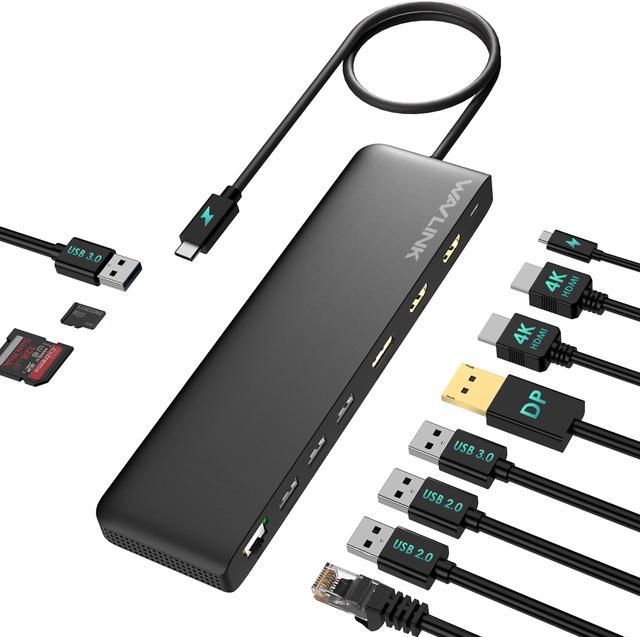
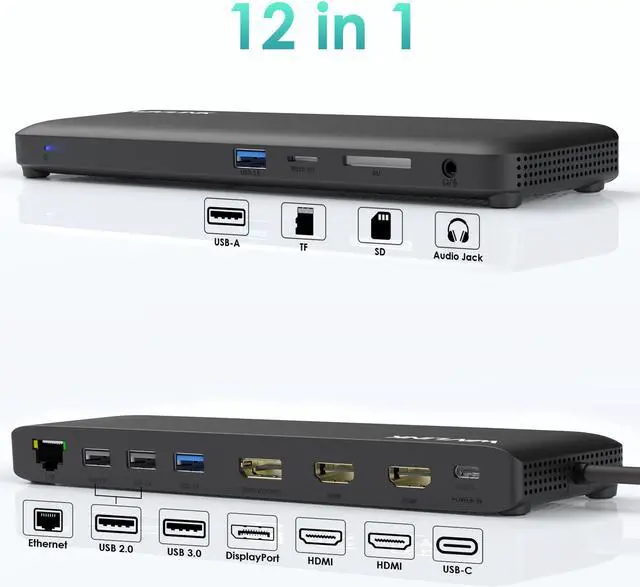
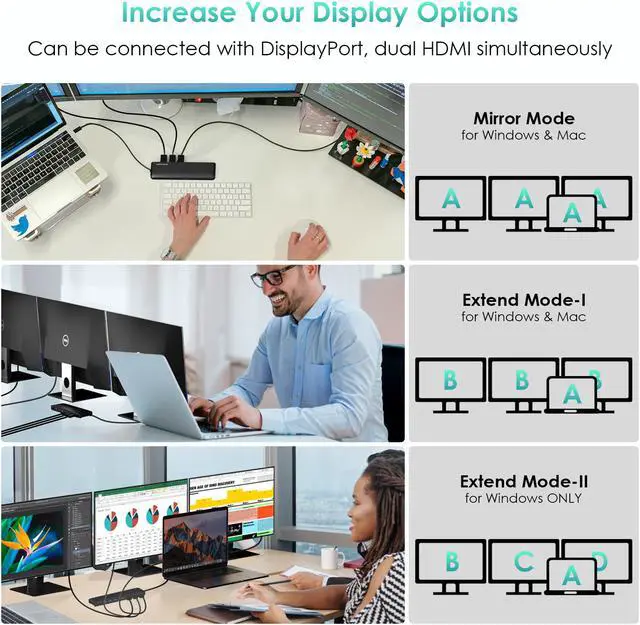
The USB-C Triple Display Docking Station has 2x HDMI(HDMI 2.0 ) and 1x DisplayPort(DP 1.4 ), compatible with USB C with 'DisplayPort Alt mode' or Thunderbolt 3/4 port on PC, connecting up to 3 monitors. Gigabit Ethernet connection, 3.5 mm headphone and microphone jack, multiple USB ports, bring you excellent versatility and increasing productivity. The product suits you well in multiple-monitor scenarios such as meetings, classrooms, stock chart analysis, programming, designing, etc.
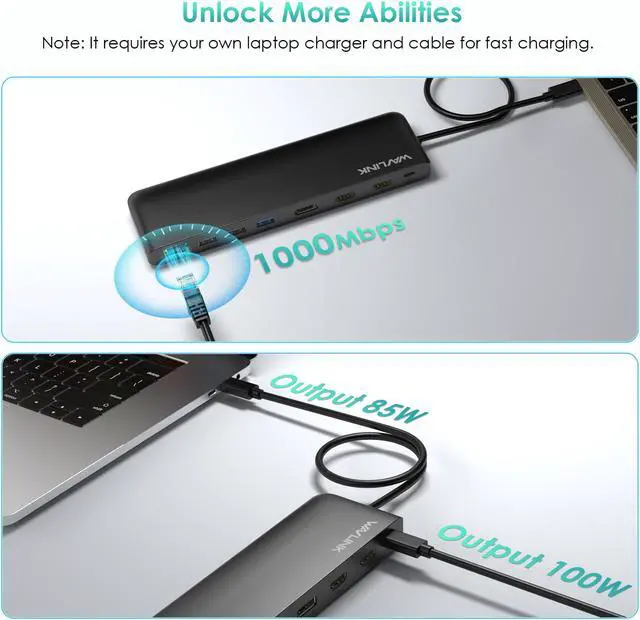
85W USB-C Power Delivery
The PD (Power Delivery) 3.0 port provides maximum 85W to your laptop and more devices effectively. Eliminate "Low Battery Anxiety" from your life!
Note: Please make sure that your device supports charging.
USB 3.0 Data Transmission
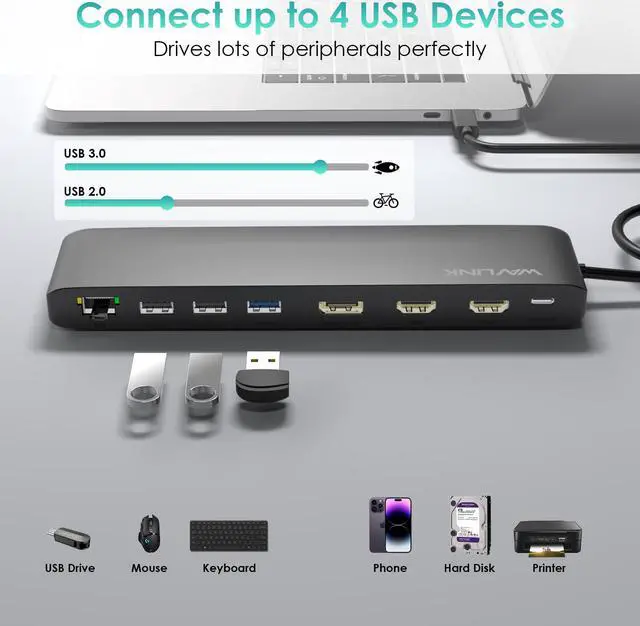
With two USB 3.0 ports, you can simultaneously transfer files in seconds with data transfer speeds up to 5Gbps. Support connecting wireless devices like keyboard and mouse with two USB 2.0 ports.
Gigabit Port without Limits
Reach a real gigabit ethernet(1000/100/10Mbps) by using the Gigabit LAN port to connect to wired network. Enjoy watching movies online without lag, high-speed downloading for offline viewing.
SD & TF Card Reader
Speed up to 25MB/s. SD and Micro SD card slots CANNOT be used simultaneously. Support SD V 2.0, SDHC up to 32GB and SDXC up to 2TB.
Specification
Model: WL-UMD09
Color: Black
Item Weight: 245g/ 8.6 oz
2x HDMI: up to 4K@60Hz
1x DisplayPort: up to 4K@60Hz
1x USB C (power input): up to 100W
1x USB C (power output): up to 85W
1x Ethernet: up to 1Gbps
2x USB 3.0: up to 5Gbps
2x USB 2.0: up to 480Mb/s
1x SD Card Reader: max 25MB/s
1x Micro SD Card Reader: max 25MB/ s
1x Audio/Mic(4-Pole)
Product Dimensions: 207*58*20mm/ 8.1 * 2.3 * 0.8 inches
USB-C Cable Length: 55cm/ 21.6 in/ 1.8 ft
Compatible Systems
-Windows 11/10/ 8.1 /8/7/XP/Vista
-Mac OS 10. x or later
-Chrome OS
-Android
-Harmony OS
-iPadOS
-Linux
Note:
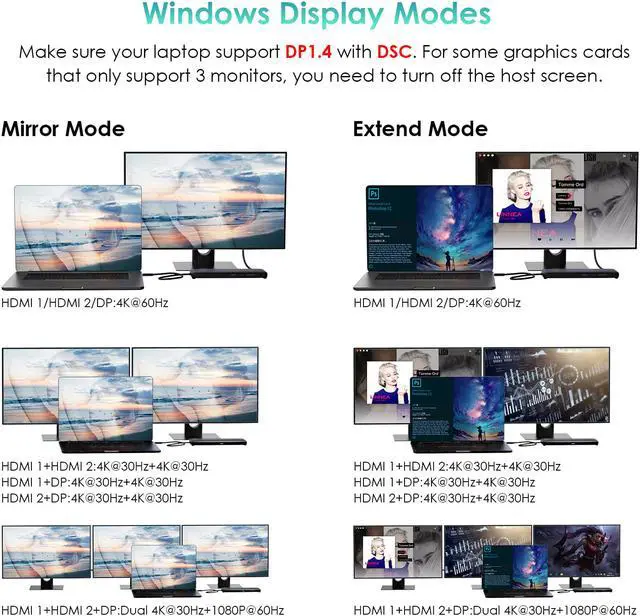
1. For some graphics cards that only support 3 monitors, you need to turn off the host screen.
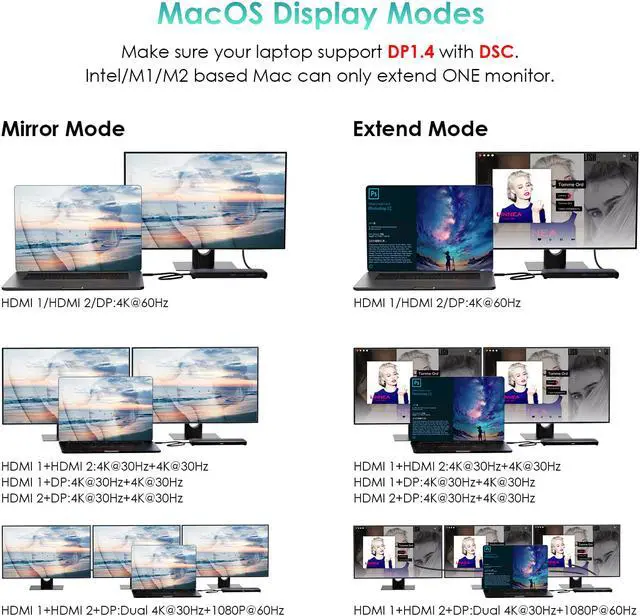
2. MacOS does not support MST, the 3 external monitors will display the same content.
3. Please connect a 100W power adapter and cable to to the "USB-C POWER IN" port of the dock for stable operation. (Not included).
4. The USB-C input port does not support data transfer, it supports charging ONLY.
5. The type-c port of your laptop should support power delivery, DisplayPort Alt Mode and data transfer, or the function will be limited.
6. Please confirm that the type-c port of your laptop supports charging, or the docking station's host charging function may not work.
7. Please confirm that the type-c port of your laptop supports video output, or the docking station's three video ports may not work.
Multiple Display Resolution
? Single Display(Max. Resolution)
Under DP 1.2 Source: HDMI 1: 3840 x2160@30Hz; HDMI 2: 3840 x2160@30Hz;
DisplayPort: 3840x2160@30Hz;
Under DP 1.4 Source without DSC: HDMI 1: 3840 x2160@60Hz; HDMI 2: 3840 x2160@60Hz;
DisplayPort: 3840x2160@30Hz;
Under DP 1.4 Source with DSC: HDMI 1: 3840 x2160@60Hz; HDMI 2: 3840 x2160@60Hz;
DisplayPort: 3840x2160@60Hz
? Dual Display(Max. Resolution)
a. HDMI 1 +
HDMI 2:
Under DP 1.2 Source: 1920x1080@60Hz+ 1920x1080@60Hz;
Under DP 1.4 Source without DSC: 2560x1440@60Hz + 2560x1440@60Hz;
Under DP 1.4 Source with DSC: 3840x2160@30Hz + 3840x2160@30Hz
b. HDMI 1 +
DisplayPort:
Under DP 1.2 Source: 1920x1080@60Hz+ 1920x1080@60Hz;
Under DP 1.4 Source without DSC: 2560x1440@60Hz + 2560x1440@60Hz;
Under DP 1.4 Source with DSC: 3840x2160@30Hz + 3840x2160@30Hz
c. HDMI 2 +
DisplayPort:
Under DP 1.2 Source: 1920x1080@60Hz+ 1920x1080@60Hz;
Under DP 1.4 Source without DSC: 2560x1440@60Hz + 2560x1440@60Hz;
Under DP 1.4 Source with DSC: 3840x2160@30Hz + 3840x2160@30Hz
? Triple Display(Max. Resolution)
HDMI 1 + HDMI 2 + DisplayPort:
Under DP 1.2 Source: 1920x1080@60Hz+ 1920x1080@60Hz+lower than 1920x1080@60Hz;
Under DP 1.4 Source without DSC: 1920x1080@60Hz+ 1920x1080@60Hz+1920x1080@60Hz;



 All Categories