


 All Categories
Built for How Business Buys.
All CategoriesShipped by NeweggBusiness


Quickly and easily zip, protect, share and manage all your files with the world's #1 zip utility.

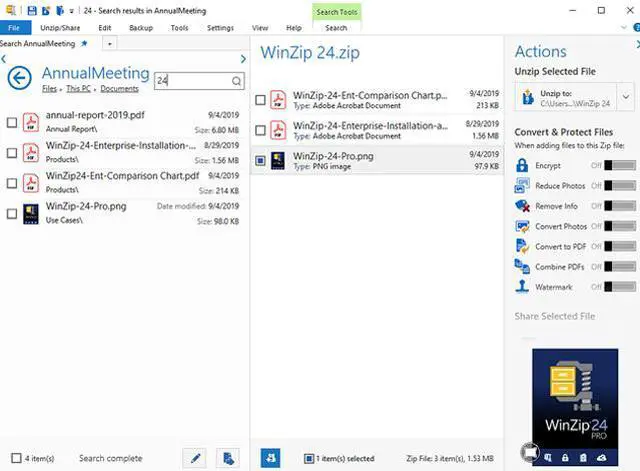
Stop searching for files in all the wrong places. Use WinZip’s new built-in search feature to quickly track down files stored locally, on your network, or in your cloud storage, even when you don’t remember where you put them.

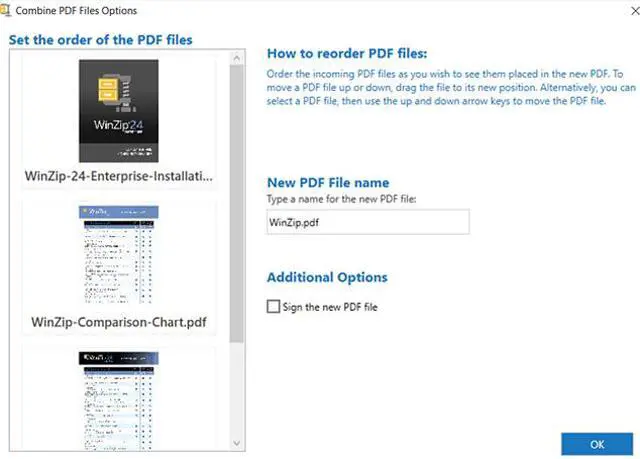
Use WinZip Pro or Enterprise to combine your PDFs. You can convert multiple PDF files into a single PDF file to save, zip, or share. You can even organize the order of pages in your PDF, then combine and protect them with WinZip’s PDF security features.

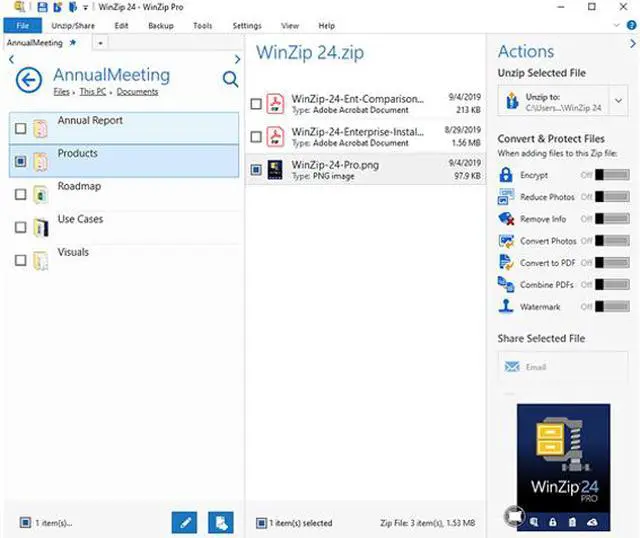
Easily add files to Zip files displayed in WinZip's Files pane. Simply drag and drop your files onto a Zip file in the WinZip Files pane and it gets added- just like that!

WinZip's Direct Access Technology provides a noticeable reduction in time to display and unzip large Zip files stored in the cloud.

Now you can instantly unzip any Zip file in Explorer, or from the WinZip Files Pane, the WinZip Ribbon or File menu. Easily unzip files to the folder that it originated from, your Documents folder, or a folder that you choose!

With a single click of a button, you can unzip any file to the selected folder in the Files Pane.

Now you can strictly focus on the task at hand and not on whether the WinZip application has launched because WinZip now takes half the time to start up. Work faster and eliminate the risk of launching multiple WinZip windows.

You can now open and unzip POSIX TAR files in the updated compression format.

Quickly and easily unzip a group of Zip files and replace them with their native files.

Easily distribute large Zip files without worrying about timeouts or failed uploads/downloads. This convenient feature creates a multi-part zip file for easier distribution.

Keep more music on your phone or on a cloud service, or share playlists more easily, with enhanced loss-less MP3 compression. WinZip 24 compresses your MP3 files by 15 – 20% on average with no loss in quality thanks to the enhanced Zipx format.

Extract content from the industry's widest selection of compressed file types, including Zip, Zipx, RAR, 7Zip, BZ2, LHA/LZH, VHD/VDMK, XZ and many more. When extracting encrypted files, WinZip auto-wipes all temporarily extracted copies to prevent misuse.

Easily find your most-used files and folders on your PC, network and clouds in Frequent Folders, which updates dynamically.

WinZip Express lets you use popular WinZip features even when you're working in other applications. Use it with Explorer, Microsoft Office, your scanner (Pro only), your photos (Pro only) and Microsoft Outlook to zip, encrypt, share and more.* WinZip Express tools now support Office 2016.
* WinZip Express is not compatible with Windows XP.

Touch support puts the power of WinZip at your fingertips on any touch-enabled device or computer. WinZip is optimized for 2-in-1 computers, switching its layout automatically depending on whether you are using your system in tablet or notebook mode.