




Featured Products See All
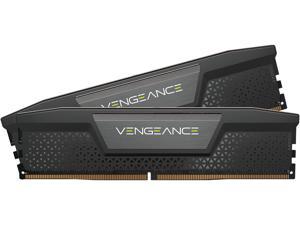

CORSAIR Vengeance 32GB (2 x 16GB) 288-Pin PC RAM DDR5 7200 (PC5 57600) Desktop ...
$659 .99
Free Shipping
- DDR5 7200 (PC5 57600)
- Timing 34-44-44-96
- CAS Latency 34
- Voltage 1.45V
- High-Speed Gaming Memory
$659 .99
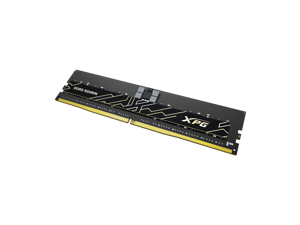
ADATA XPG AICORE 32GB (2 x 16GB) ECC Registered DDR5 7200 (PC5 57600) Memory Model ...
$909 .99
Free Shipping
- DDR5 7200 (PC5 57600)
- Timing 34-46-46
- ECC Registered
- CAS Latency CL34
$909 .99
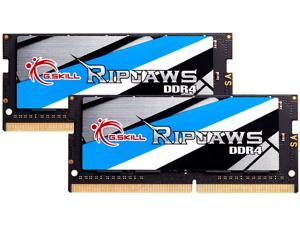

G.SKILL Ripjaws Series 32GB (2 x 16GB) 260-Pin DDR4 SO-DIMM DDR4 3200 (PC4 25600) ...
$239 .99
Free Shipping
+ $30 off w/ promo code BTEF93, limited offer
- DDR4 3200 (PC4 25600)
- CAS Latency CL22
- 1.20V
- Dual Channel Kit
$239 .99
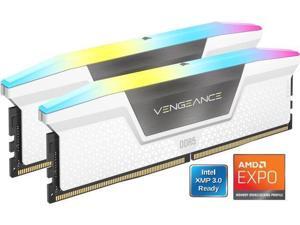
CORSAIR Vengeance RGB 32GB (2 x 16GB) 288-Pin PC RAM DDR5 6000 (PC5 48000) Desktop ...
$499 .99
Free Shipping
Save even more w/ promo code BTEF99, limited offer
- DDR5 6000 (PC5 48000)
- Timing 36-44-44
- CAS Latency CL36
- Voltage 1.35V
- Newegg Exclusive
- Dual Profile support
$499 .99
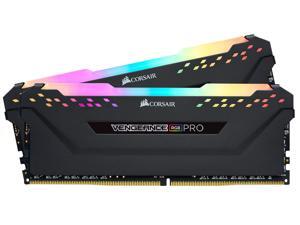
CORSAIR Vengeance RGB Pro 32GB (2 x 16GB) 288-Pin PC RAM DDR4 3200 (PC4 25600) ...
$259 .99
Free Shipping
- Dynamic Multi-Zone RGB Lighting: 10 Ultra-bright RGB LEDs per module.
- Next Generation Software: Take control in CORSAIR iCUE software and synchronize lighting with other CORSAIR RGB products, including CPU coolers, keyboards and fans.
- Custom Performance PCB: Provides the highest signal quality for the greatest level of performance and stability.
- Tightly Screened Memory: Carefully screened ICs for extended overclocking potential.
- Maximum Bandwidth and Tight Response Times: Optimized for peak performance on the latest Intel and AMD DDR4 motherboards.
- No Wires Required: Requires no extra wires or cables for a clean and seamless install.
- Maximum bandwidth and tight response time: Optimized on the latest AMD and Intel DDR4 motherboards.
- Supports XMP 2.0: A single BIOS setting is all that's required to set your memory to its ideal performance settings, for for optimum performance.
$259 .99
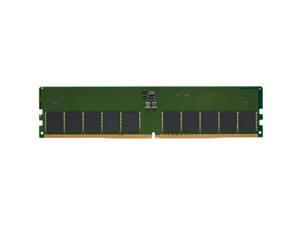
Kingston KTD-PE556E-32G DDR5 5600MT/s ECC Unbuffered DIMM CL46 2RX8 1.1V 288-pin ...
COMING SOON
- Number of Pins 288-pin
- Form Factor DIMM
- Product Type RAM Module
- CAS Latency CL46
- Error Checking ECC
- Signal Processing Unbuffered
- Memory Size 32 GB
- Memory Technology DDR5 SDRAM
- Memory Voltage 1.10 V
- Memory Rank Dual-rank
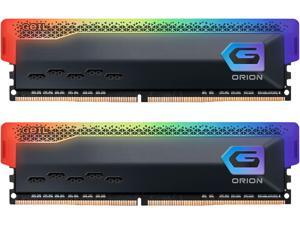
GeIL ORION RGB 16GB (2 x 8GB) 288-Pin PC RAM DDR4 3200 (PC4 25600) Desktop Memory ...
$129 .99
Free Shipping
+ $22 off w/ promo code BTEF225, limited offer
- DDR4 3200 (PC4 25600)
- Timing 18-20-20-38
- CAS Latency CL18
- Voltage 1.35V
$129 .99
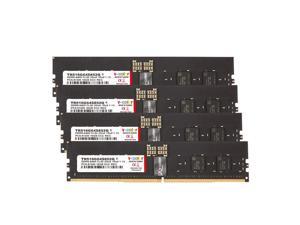

V-COLOR DDR5 64GB (16GBx4) 6400MT/s CL52 2Gx8 1Rx8 ECC R-DIMM (ECC Registered ...
$2,359 .99
Free Shipping
- Compatible with Server and Workstation Motherboards. Product Specification- Memory Type: DDR5 ECC R-DIMM (ECC Registered DIMM) | Chip: Hynix IC | Pin: 288 Pin Memory Capacity: 64GB (16GBx4) | Speed: 6400MT/s (PC5-51200) | Latency: CL52 | IC Configuration: 2Gx8 | Rank: 1Rx8
$2,359 .99

Patriot Viper Steel 16GB 288-Pin PC RAM DDR4 3200 (PC4 25600) Desktop Memory Model ...
$135 .99
Free Shipping
- DDR4 3200 (PC4 25600)
- Timing 16-18-18-36
- CAS Latency CL16
- Voltage 1.35V
$135 .99
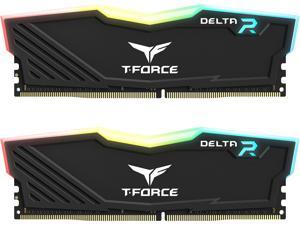

Team T-Force Delta RGB 32GB (2 x 16GB) 288-Pin PC RAM DDR4 3200 (PC4 25600) Desktop ...
$239 .99
Free Shipping
+ $24 off w/ promo code BTEF92, limited offer
- DDR4 3200 (PC4 25600)
- Timing 16-20-20-40
- CAS Latency CL16
- Voltage 1.35V
$239 .99
ADATA XPG AICORE 64GB (2 x 32GB) ECC Registered DDR5 7200 (PC5 57600) Memory Model ...
$1,739 .99
Free Shipping
- DDR5 7200 (PC5 57600)
- Timing 34-46-46
- ECC Registered
- CAS Latency CL34
$1,739 .99
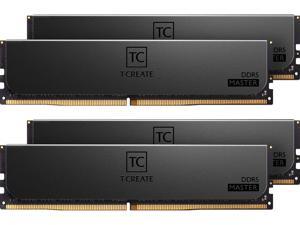
TEAMGROUP CTCMD564G6000HC32AQC01 T-Create Master 64GB kits(16GBx4) DDR5 ...
$2,509 .99
Free Shipping
- Defies all you know about R-DIMM memory
- Professionally designed with low-key aesthetics
- Error-correction code (ECC) allows for a more focused creation
- Professional and highly-effective heat dissipation ability
- Patented IC classification and verification technology, ensuring applicability and durability (Taiwan Invention Patent: I751093;US Invention Patent: US11488679)
$2,509 .99
Loading Dynamic Data...
Tips for Buying Computer Memory
Introduction
Adding or upgrading computer memory is a quick and relatively low-cost method of improving computer performance. Compared to upgrading a processor, upgrading random access memory (RAM) can be more cost-effective and easier to install. If you wish to perform a computer memory upgrade, there are a few performance factors that you should take into account.
Performance Factors
Capacity
Capacity is one of the most important factors when upgrading computer memory, as it affects how well a computer can multitask. Increasing the amount of memory in a computer can increase the number of programs and tasks it can run without adversely affecting system performance.
So how much memory does a computer need? It depends greatly on theoperating system, software, and intended usage for the computer. For instance, Microsoft’s recommended amount of computer memory for Windows® XP is 128 MB. For Windows 8.1, they recommend 1 GB for 32-bit installations and 2 GB for 64-bit installations. It is a good precaution to have more than the recommended amount of memory in case your users need to run many system-intensive programs simultaneously.
Speed
Memory speed can have a small impact on overall system performance, but not by an easily noticeable margin. For instance, the performance difference between an 1866 MHz memory module and a 1333 MHz module can be difficult to detect without benchmarking software.
Utilizing the fastest memory is important mainly for server workstations that constantly save and retrieve data.
Timings
Computer memory timing is sometimes referred to as latency and is usually provided as four ratings separated by dashes, such as 9-9-9-28. Typically, the lower the numbers are, the better the performance of the memory will be.
But how much does latency matter? Latency is generally less important than memory speed and the difference between a 7 rating and a 10 rating will not be noticeable by the average user.
Multi-Channel Kits
The configuration of a computer memory upgrade kit has a small impact on system performance, but not as much as the amount of memory. If your motherboard supports multi-channel memory, a matching kit will net more performance gains than a non-matching kit.
For example, using a dual-channel memory kit with a dual-channel motherboard will be better than using two unpaired memory modules on that same motherboard. However, the performance gains are relatively minor and not as important as the amount of computer memory.
