Operating Systems - Showing 1 - 24 of 35 Products

Filter (0)
Microsoft Windows 11 Pro 64-bit, DVD
Save: $3.23
$149.99
$146 .76
Free Shipping
Save: $3.23
$149.99
$146 .76
Microsoft Windows 11 Pro 64-bit, DVD
Save: $3.23
$149.99
$146 .76
Free Shipping
Save: $3.23
$149.99
$146 .76
Microsoft Windows 11 Home (Digital Download)
Save: $9.01 (6%)
$138.99
$129 .98
Save: $9.01 (6%)
$138.99
$129 .98
Microsoft Windows 11 Pro USB
$198 .99
Free Shipping
Microsoft Windows 11 Home (USB)
Save: $11.50 (8%)
$140.49
$128 .99
Free Shipping
Save: $11.50 (8%)
$140.49
$128 .99
Microsoft Windows 11 Home 64-bit, DVD
$119 .99
Free Shipping
Microsoft Windows 10 Enterprise LTSC 2021 Upgrade | Modern Software in CSP | Perpetual | ...
$295 .00
Microsoft Windows 11 Pro 64-bit (Product Key Code Email Delivery)
$169 .99
Microsoft Windows 11 Home 64-bit (Product Key Code Email Delivery)
$129 .99
Microsoft Windows 11 Pro Upgrade [from Home to Pro] [Digital Download]
$99 .00
Microsoft Windows 11 Pro (Digital Download)
$199 .98
Kensington N17 Keyed Dual Head Laptop Lock for Dell Devices - TAA - 6 ft Cable - Patented ...
$92 .98
Free Shipping
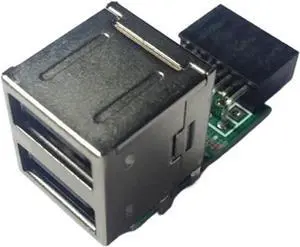
Motherboard USB Expansion 9-pin Female Port to 2* USB2.0 Converter, Motherboard 9Pin ...
$175 .99
Free Shipping
LevelOne Converter RJ45->SFP Managed Gigabit Media
$844 .99
Free Shipping
HDMI Converter/2D to 3D/Video Converter Left and Right Up and Down Format to 3D Suitable ...
$177 .99
Free Shipping
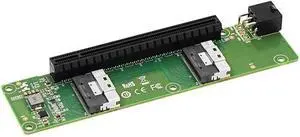
PCIe 3.1 X8 to 2 Port M.2 2Gbps for NVME M Key 2230 2242 2260 2280 22110 SSD Adapter ...
$90 .96
Free Shipping
HDMI Switcher with Remote Control, Ultra HD 8K High Speed 48Gbps Directional Switch Only 4in ...
$68 .28
Free Shipping
Professional audio and video converter, distributor, network extensioner, digital operating ...
$197 .99
Free Shipping
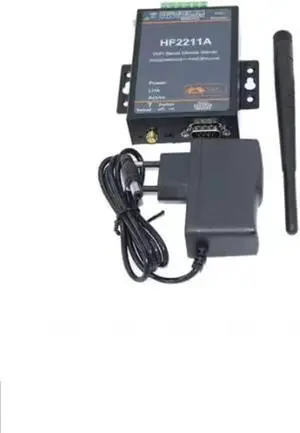
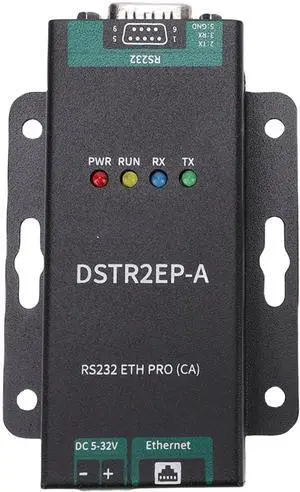
Ethernet RJ45 to RS232 DB9 Serial Port Device Server Converter Industrial Ethernet LAN ...
$29 .96
Free Shipping
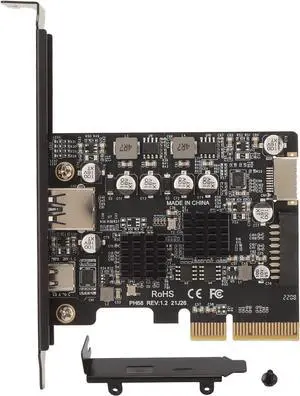
Generic PCIe to USB3.2 10Gbps Expansion Card Enhanced Safety High Performance for ...
$71 .99
Free Shipping
HDMI to DP 4K60 Converter, HDR HDMI Out, Specialized for Video Signal Conversion
$197 .99
Free Shipping
Ethernet RJ45 to RS485 Converter Industrial Grade Serial Device Server Ethernet LAN ...
$32 .96
Free Shipping
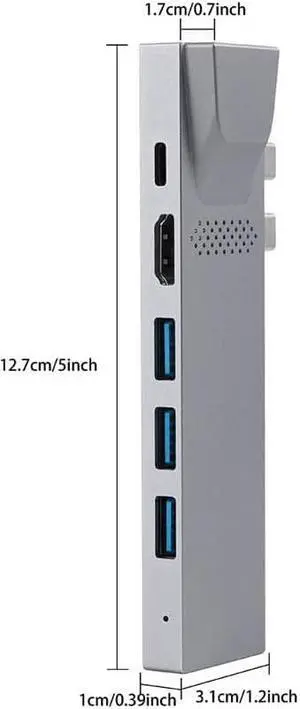
Four in Type-C 4K PD Fast Charging Notebook Converter Hub
$293 .99
Free Shipping
PCIe SATA Card 6 Port, with 6 SATA Cables and Low Profile Bracket, 6Gbps SATA 3.0 PCIe ...
$63 .88
Free Shipping

Four Tips for Windows® 7 and 8 Operating Systems

Introduction

Modern computer operating systems such as Windows® 8.1 or 7 have many useful features that are not widely known but can enhance usability and convenience. In addition, new releases and updates to Windows operating systems have continually added or improved features. Below, NeweggBusiness has picked some useful tips for the latest Windows operating systems.

Arrange Windows Left and Right (Windows 7 and 8 Operating Systems)

One trick professionals can use to take advantage of widescreen LCD / LED monitors is to arrange two windows side by side. For instance, this allows a user to view two different spreadsheets or webpages on one monitor. On Windows 7 and 8 operating systems, pressing the Windows key and either the left or right arrows arranges the active window to either the left or right side of the screen.

Adding Filters to List View (Windows 7 and 8 Operating Systems)

For sorting through folders that contain many files and sub-folders, icon view can be inefficient. List view on the other hand, is ideal for browsing those types of folders. However, list view sometimes lacks filters that users may find useful. To add filters to a folder in list view, right click on the filter bay and you can see a list of available filters. If the filter you require is not in the right-click menu, select More to see all filters.

Boot to Desktop (Windows 8.1 Operating System)

Many users find Windows 8’s Metro user interface better suited for tablets than desktops or laptops. Unfortunately, the Windows 8 operating system starts in Metro UI mode by default. With the Windows 8.1 operating system update however, users now have the ability to boot into desktop mode.

You can enable boot to desktop in Windows 8.1 by right-clicking on the taskbar and clicking on Properties. Go to the Navigation tab and check the box next to, “Go to the desktop instead of Start when I sign in.” The next time you sign into the operating system, you will be in desktop mode.

Quickly Lock Windows (Windows 7 and 8 Operating Systems)

The keyboard shortcut to quickly lock your computer is Windows + L. Useful for when you need to quickly leave your computer lock out unauthorized access to the operating system.