• In Stock
  • Sold by NeweggBusiness
  • New
Brands
Show More
Price
Show More
Size
Show More
AC Adapter
Material
Show More
Thunderbolt
Internal Interface
Show More
External Interface
Show More
Number of Bay
Show More
Maximum Capacity (per Bay)
Show More
Sold by
Fan
All Top Brands
Availability
Condition
Useful Links
Customer Ratings
  • Featured Brands

    See Deals from Rosewill
Sort By:
View:
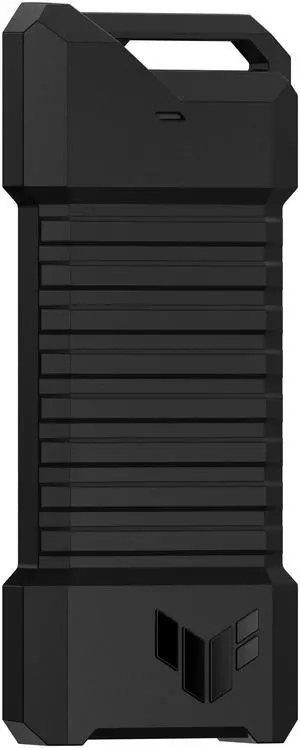
ASUS TUF Gaming A1 ESD-T1A Dual M.2 NVMe PCIe/SATA SSD Enclosure, USB-C 3.2 Gen 2x1, IP68
Quick View
ASUS TUF Gaming A1 ESD-T1A Dual M.2 NVMe PCIe/SATA SSD Enclosure, USB-C 3.2 Gen 2x1, IP68
  • Brand: ASUS
  • Color: Black
  • Part Number: 90DD02N0-M08000
  • Type: Enclosure
  • Model #: ESD-T1A/BLK/G/AS//
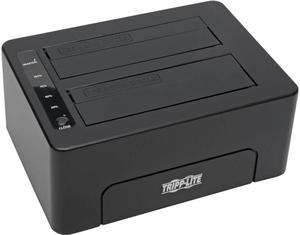
Tripp Lite USB 3.0 SuperSpeed to Dual SATA External Hard Drive Docking Station w/ Cloning 2.5in and 3.5in HDD - for 2.5in or 3.5in HDD
Quick View
Tripp Lite USB 3.0 SuperSpeed to Dual SATA External Hard Drive Docking Station w/ Cloning 2.5in and 3.5in HDD - for 2.5in or 3.5in HDD
  • Brand: Tripp Lite
  • External Interface: USB 3.0
  • Internal Interface: SATA
  • Type: Office Products
  • Model #: U339-002
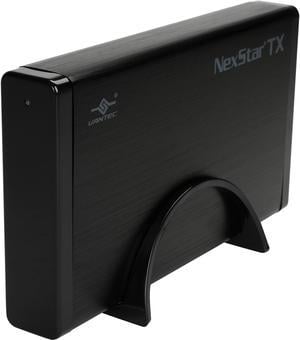
VANTEC NexStar TX NST-328S3-BK 3.5" Black SATA USB Type B External Enclosure
Quick View
VANTEC NexStar TX NST-328S3-BK 3.5" Black SATA USB Type B External Enclosure
  • Material: Aluminum / Plastic
  • Dimensions: 4.50" x 8.00" x 1.20"
  • Specifications: Device Support: SATA I/II/III SSD or Hard Drive Interface Cable: USB Type A to Type B USB Cable Length: 800mm
  • Type: Enclosure
  • Model #: NST-328S3-BK
Vantec NexStar SX M.2 NVMe SSD to USB 3.2 Gen2x2, 20G Type C Enclosure Black
Quick View
Vantec NexStar SX M.2 NVMe SSD to USB 3.2 Gen2x2, 20G Type C Enclosure Black
  • Brand: VANTEC
  • Series: M.2 NVMe SSD to USB 3.2 Gen2x2, 20G, Type C, Black Enclosure (NST-230C3-BK)
  • Size: 2.5"
  • Color: Black
  • Model #: NST-230C3-BK
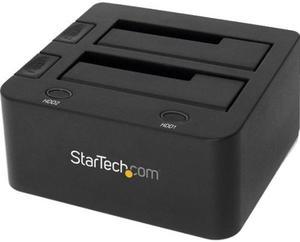
StarTech.com SDOCK2U33 USB 3.0 Dual Hard Drive Docking Station with UASP for 2.5 / 3.5in HDD / SSD – USB 3.5" SATA HDD / SSD Dock - SATA 6 Gbps
Quick View
StarTech.com SDOCK2U33 USB 3.0 Dual Hard Drive Docking Station with UASP for 2.5 / 3.5in HDD / SSD – USB 3.5" SATA HDD / SSD Dock - SATA 6 Gbps
  • Brand: StarTech.com
  • Size: 2.5" & 3.5"
  • Color: Black
  • External Interface: USB 3.0 w/ UASP & SATA III
  • Model #: SDOCK2U33
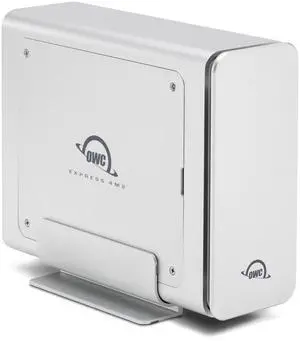
OWC Express 4M2 Four-Slot USB4 (40Gb/s) RAID Storage Enclosure for NVMe M.2 2230/2242/2280 SSDs (Enclosure Only)
Quick View
OWC Express 4M2 Four-Slot USB4 (40Gb/s) RAID Storage Enclosure for NVMe M.2 2230/2242/2280 SSDs (Enclosure Only)
  • Series: Express 4M2
  • Size: M.2
  • Color: Silver
  • External Interface: USB 4.0 (40Gbps) (USB-C)
  • Model #: OWCUS4EXP4M2
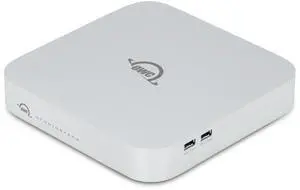
OWC 20TB StudioStack Thunderbolt 5 Stackable 20TB HDD Storage and Connectivity Expansion Solution
Quick View
OWC 20TB StudioStack Thunderbolt 5 Stackable 20TB HDD Storage and Connectivity Expansion Solution
  • Brand: OWC
  • Form Factor: M.2 2280
  • Interface: Thunderbolt
  • Parts: 3 Years
  • Model #: OWCTB5SSH20S00
Lenovo DE120S Drive Expansion Enclosure 12Gb/s SAS Host Interface 2U12 Mountable 7Y63A000WW
Quick View
  •  
  • $1,999.99 –
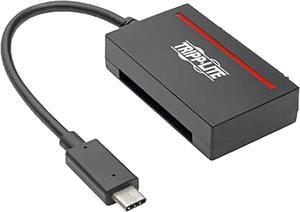
Tripp Lite U438-CF-SATA-5G Drive Dock External - Black
Quick View
Tripp Lite U438-CF-SATA-5G Drive Dock External - Black
  • Brand: Tripp Lite
  • Color: Black
  • External Interface: USB 3.1 Type C
  • Dimensions: Height:2.5" x Width:1.5" x Depth:0.6"
  • Model #: U438-CF-SATA-5G
  •  
  • $52.84 –
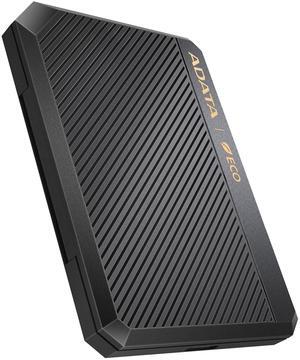
AData EC600 2.5-inch HDD / SSD Enclosure USB3.2 Black
Quick View
ADATA
AData EC600 2.5-inch HDD / SSD Enclosure USB3.2 Black
  • Size: 2.5"
  • External Interface: USB 3.0
  • Internal Interface: SATA II
  • Model #: EC600-BCBK
  •  
  • $25.68 –
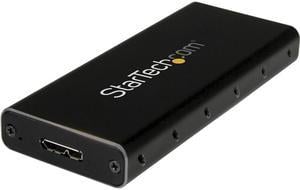
StarTech.com SM21BMU31C3 M.2 SSD Enclosure for M.2 SATA SSDs - USB 3.1 (10Gbps) with USB-C Cable - External Enclosure for USB-C Host - Aluminum
Quick View
StarTech.com SM21BMU31C3 M.2 SSD Enclosure for M.2 SATA SSDs - USB 3.1 (10Gbps) with USB-C Cable - External Enclosure for USB-C Host - Aluminum
  • Brand: StarTech.com
  • Color: Black / Silver
  • External Interface: USB 3.1 Type-C
  • Dimensions: Height:0.5" x Width:1.6" x Depth:3.9"
  • Model #: SM21BMU31C3
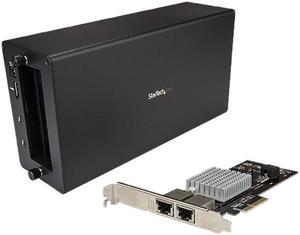
StarTech BNDTB310GNDP Thunderbolt 3 to 10 Gbe NIC - 2 port - External PCIe Enclosure plus Card - with DisplayPort Monitor Port - Thunderbolt 3 to Ethernet
Quick View
StarTech BNDTB310GNDP Thunderbolt 3 to 10 Gbe NIC - 2 port - External PCIe Enclosure plus Card - with DisplayPort Monitor Port - Thunderbolt 3 to Ethernet
  • AC Adapter: Yes
  • Material: Aluminum / Steel
  • Dimensions: 11.00" x 5.60" x 3.20"
  • Fan: 1 x 92mm Sleeve Bearing Fan
  • Model #: BNDTB310GNDP
Wintec FileMate 3FME2500GW-R 2.5" White SATA I/II USB 2.0 HDD External Enclosure
Quick View
Wintec FileMate 3FME2500GW-R 2.5" White SATA I/II USB 2.0 HDD External Enclosure
  • Brand: Wintec
  • Series: FileMate
  • Size: 2.5"
  • Color: White
  • Model #: 3FME2500GW-R
  •  
  • $12.00 –
Transcend TS0GSJ25S3 2.5" Silver SATA III 6Gb/s USB 3.1 Gen 1 (backward compatible with USB 2.0) External Enclosure
Quick View
Transcend TS0GSJ25S3 2.5" Silver SATA III 6Gb/s USB 3.1 Gen 1 (backward compatible with USB 2.0) External Enclosure
  • Dimensions: 5.08" x 3.15" x 0.51" (H x W x D)
  • Type: Enclosure
  • Number of Bay: 1
  • Power: Operating Voltage: USB DC 5V
  • Model #: TS0GSJ25S3
  •  
  • $26.43 –
ADATA AEC700GU32G2-CGY Black M.2 M key /M+B Key USB 3.2 Gen 2 Type-C 10Gbps (USB 10Gbps) (backward compatible with USB 2.0) (92) Hard Drive / SSD Enclosures
Quick View
ADATA
ADATA AEC700GU32G2-CGY Black M.2 M key /M+B Key USB 3.2 Gen 2 Type-C 10Gbps (USB 10Gbps) (backward compatible with USB 2.0) (92) Hard Drive / SSD Enclosures
  • Dimensions: 112 x 45 x 12.24mm / 4.4 x 1.77 x 0.48inch
  • Part Number: AEC700GU32G2-CGY
  • Type: Enclosure
  • Weight: 90g / 3.2oz
  • Model #: AEC700GU32G2-CGY
  •  
  • $36.30 –
EDGE Drive Bay Adapter Internal - 1 x Total Bay - 1 x 3.5" Bay - SAS, Serial ATA - 3.5"
Quick View
EDGE Drive Bay Adapter Internal - 1 x Total Bay - 1 x 3.5" Bay - SAS, Serial ATA - 3.5"
  • Type: Consumer Electronics
  • Weight: 0.2
  • Parts: 3 Year
  • Model #: PE254278
  •  
  • $37.05 –
ZTC Sky Adapter Converts M.2 PCIe NVMe SSD to U.2 Enclosure
Quick View
  •  
  • $9.99 –
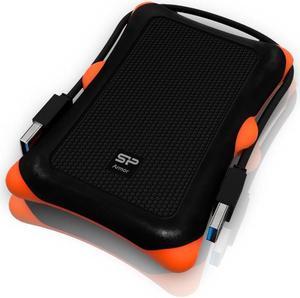
Silicon Power SP000HSPHDA30S3K 2.5" Black / White SATA USB 3.0 HDD Accessory
Quick View
Silicon Power SP000HSPHDA30S3K 2.5" Black / White SATA USB 3.0 HDD Accessory
  • Dimensions: 3.44" x 5.28" x 0.73"
  • Specifications: Dimensions: 87.5 x 134 x 18.6 mm Weight: 181~205g (by capacity) Standard Compliance:USB 3.0 / 2.0 Data Transfer Rates:Max. 5 Gb/s (USB 3.0 Mode); Max. 480 Mb/s (USB 2.0 Mode) Power Supply:DC 5V (Power supplied through USB) Supported Operating Systems:Windows 8 / 7 / Vista / XP / 2000 , Linux 2.6.31 or later, Mac OS 10.5 or later (only USB 2.0 currently supported) Operating Temperature:5?~ 55? Storage Temperature:-40?~ 70? Capacity: 500GB . 1TB . 2TB Color:Black, White Three-year warranty
  • Type: Enclosure
  • Number of Bay: 10
  • Model #: SP000HSPHDA30S3K
  •  
  • $18.94 –
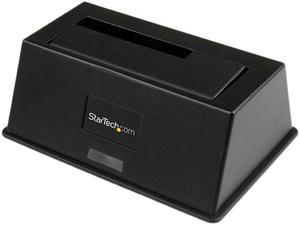
StarTech.com USB 3.0 SATA III Hard Drive Docking Station SSD / HDD with UASP - 2.5/3.5" USB 3.0 SATA I/II/III SSD / HDD Dock with UASP
Quick View
StarTech.com USB 3.0 SATA III Hard Drive Docking Station SSD / HDD with UASP - 2.5/3.5" USB 3.0 SATA I/II/III SSD / HDD Dock with UASP
  • Brand: StarTech.com
  • Size: 2.5" & 3.5"
  • Color: Black
  • External Interface: 1 x USB Type-B (9 pin) USB 3.0 Female
  • Model #: SDOCKU33BV
  • $61.08 - $63.58
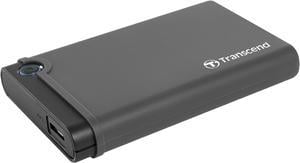
Transcend SSD HDD Upgrade Kit Shock absorbing USB 3.0 SATA adapter TS0GSJ25CK3
Quick View
Transcend SSD HDD Upgrade Kit Shock absorbing USB 3.0 SATA adapter TS0GSJ25CK3
  • Brand: Transcend
  • Series: Transcend StoreJet USB3.1 SSD/HDD ???
  • Size: 2.5"
  • Color: Gray
  • Model #: TS0GSJ25CK3
  •  
  • $27.10 –
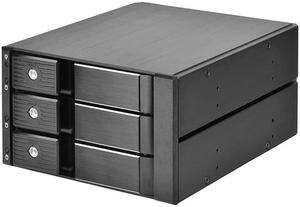
Two 5.25" device bay to three 3.5" SAS-12G / SATA 6Gbit/s trayless hot-swap cage
Quick View
  • $112.50 - $120.47
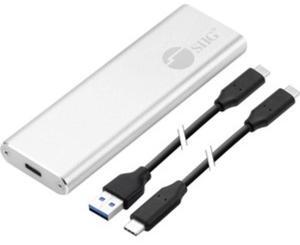
SIIG Drive Enclosure External - Silver
Quick View
SIIG Drive Enclosure External - Silver
  • Dimensions: Height:0.4" x Width:1.3" x Depth:4.3"
  • Type: Office Products
  • Weight: 1.44 oz
  • Package Contents: USB 3.1 Gen 2 Type-C to M.2 PCIe NVMe SSD Enclosure USB 3.1 Type-A (M) to Type-C (M) Cable USB 3.1 Type-C (M) to Type-C (M) Cable Thermal Silicon Pad Screw Driver Screw Kit (screw & nut) Quick Start Guide
  • Model #: JU-SA0W11-S1
  • $44.74 - $54.36
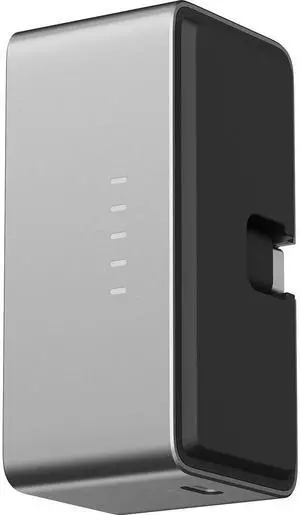
Lexar Battery for Professional Workflow Go Docking Station
Quick View
  •  
  • $64.77 –
Vantec NexStar JX Series USB 3.2 Gen2x1 (10Gbps), USB C, 2.5" SATA Drive Enclosure For 9.5mm & 7mm SSD/HDD NST-258S3-BK
Quick View
Vantec NexStar JX Series USB 3.2 Gen2x1 (10Gbps), USB C, 2.5" SATA Drive Enclosure For 9.5mm & 7mm SSD/HDD NST-258S3-BK
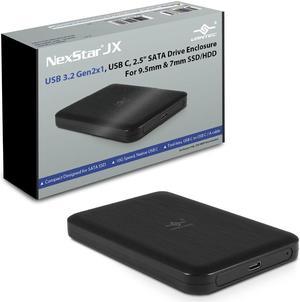
  • Material: Light Weight ABS
  • Part Number: NST-258S3-BK
  • Type: Enclosure
  • Number of Bay: 1
  • Model #: NST-258S3-BK

How to Buy a Hard Drive Enclosure

Introduction

External hard drives are useful for a variety of purposes, why not create your own with a hard drive enclosure? By using an enclosure, you will have the ability to use an internal hard drive or solid state drive of your choice. Alternatively, if you have multiple internal hard drives that you want to use externally, consider a hard drive dock. If the customizability of a hard drive enclosure or dock appeals to you, NeweggBusiness offers some considerations that will help you select the ideal solution.

Special Features

In this section, NeweggBusiness will outline some special features that you will find in some hard drive docks and enclosures.

Hot Swapping

The ability to hot swap a hard drive means that you can remove and replace the drive without the need to restart the computer. To the operating system, the enclosure or dock will still show as being connected even if the hard drive has been removed. It is a feature that makes backing up data to multiple hard drives a more time-efficient process.

Cloning/Duplication

Cloning or duplicating a hard drive means mirroring all the contents to an image file or another hard drive. It is more comprehensive than copying and pasting files, as cloning captures all data on the drive and not just visible files. With some dual-bay docks, cloning can be as simple as inserting two hard drives and pressing a button to begin the process.

Redundant Array of Independent Disks/Drives (RAID)

A RAID array is a method of setting up multiple hard drives so that they appear and function as a single volume. A RAID setup can be used to improve read/write performance and decrease the likelihood of total data loss, depending on how it is configured.

Just a Bunch of Disks/Drives (JBOD)

Similar to a RAID setup, a JBOD array consists of multiple hard drives. But with JBOD, you can choose to have the drives appear as distinct volumes or one volume.

However, when the drives are set up to appear as one to the operating system, data is not striped or mirrored like how it is in a RAID array. Instead, the JBOD writes data to a drive until it is at capacity and then continues on another drive.

Enclosure or Dock

Below, NeweggBusiness details the differences between external hard drive enclosures and docks.
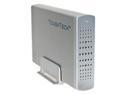
Enclosure

Hard Drive EnclosureAn enclosure is a case that houses an internal hard drive to protect it and adapt the internal connectors for external use. Similar to external hard drives, enclosures come in a variety of sizes and form factors.

Some smaller cases for instance, can convert laptop hard drives into portable solutions. On the other end of the spectrum, there large enclosures that can accommodate multiple hard drives and manage them in RAID and JBOD configurations.
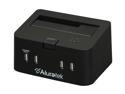
Dock

Hard Drive DockCompared to an enclosure, a hard drive dock fulfills a slightly different role. A dock is ideal if you have multiple hard drives and frequently switch between them. For that reason, many docks support hot swapping. Some dual-bay hard drive docks also have duplication functionality built-in.