• In Stock
  • Sold by NeweggBusiness
  • New
Brands
Show More
Price
Show More
Type
Show More
Keyboard Interface
Show More
Mouse Included
Design Style
Show More
Mechanical Keyboard
Key Switch
Show More
Backlit
Mouse Interface
Sold by
Tracking Method
All Top Brands
Availability
Condition
Discount
Useful Links
Customer Ratings
  • Featured Brands

    See Deals from MicrosoftSee Deals from LogitechSee Deals from Rosewill
Sort By:
View:
Keychron K4 Bluetooth/USB-C Keyboard - RGB Backlit - Gateron Brown - Mac and Windows - Aluminum Frame
Quick View
Keychron K4 Bluetooth/USB-C Keyboard - RGB Backlit - Gateron Brown - Mac and Windows - Aluminum Frame
  • Keyboard Interface: USB-C
  • Design Style: Compact
  • Brand: Keychron
  • Name: K4
  • Model #: K4-C3
  •  
  • $151.17 –
CHERRY JD-0520EU-2 WRLS KEYB & MOUSE 104+10 LAYOUT
Quick View
  •  
  • $34.98 –
Lenovo Professional Wireless Combo Keyboard & Mouse
Quick View
Lenovo
Lenovo Professional Wireless Combo Keyboard & Mouse
  • Part Number: 4X30H56796
  • Model #: 889561017265
  •  
  • $143.15 –
LOGITECH 910-004905 M330 Silent Plus Black
Quick View
  •  
  • $55.58 –
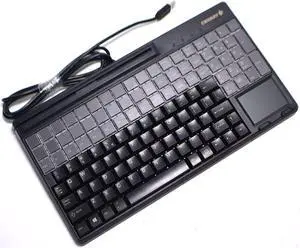
SIIG JK-US0911-S1 Industrial/Medical Grade Washable Backlit Keyboard with Pointing Device
Quick View
  •  
  • $126.01 –
Macally Space Gray Ultra Slim USB Wired keyboard for Mac and PC
Quick View
Macally Space Gray Ultra Slim USB Wired keyboard for Mac and PC
  • Keyboard Interface: USB Type A
  • Keyboard Color: Space Gray
  • Brand: macally
  • Name: Space Gray Ultra Slim USB Wired keyboard for Mac and PC
  • Model #: ACEKEYSG
  •  
  • $130.47 –
Microsoft Surface Go Type Cover (Canadian/French Layout)
Quick View
  •  
  • $161.26 –
DELL WIRED KEYBOARD - KB216 - BLACK - FR
Quick View
  •  
  • $40.83 –
SILVER SEAL Medical Grade Keyboard - SSWKSV207
Quick View
  •  
  • $114.09 –
SILVER SEAL Med Grade Kb Backlit Wht - SSWKSV207G
Quick View
  •  
  • $99.87 –
SEAL SHIELD STK503RED SILVER STORM MEDICAL GRADE KEYBOARD - DI
Quick View
  •  
  • $75.42 –
Bornd M610 Water Resistant 2.4GHz 104-Key Wireless Multimedia Keyboard & Mouse
Quick View
Bornd M610 Water Resistant 2.4GHz 104-Key Wireless Multimedia Keyboard & Mouse
  • Keyboard Interface: Wireless
  • Design Style: Standard
  • Keyboard Color: White
  • Brand: BORND
  • Model #: M610-WHT
Cherry Desktop JD-0410EU-2 Encrypted Wireless Keyboard Set
Quick View
  •  
  • $80.75 –
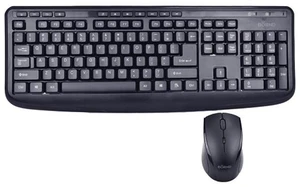
Microsoft Wireless Desktop 850
Quick View
Microsoft
Microsoft Wireless Desktop 850
  • Mouse Included: Yes
  • Mouse Interface: USB
  • Tracking Method: Optical
  • Buttons: 3
  • Model #: PN9-00003
  •  
  • $301.42 –
Microsoft Bluetooth Keyboard Black
Quick View
Microsoft Bluetooth Keyboard Black
  • Keyboard Interface: Bluetooth
  • Keyboard Color: Black
  • Brand: Microsoft
  • Type: Bluetooth Wireless
  • Model #: QSZ-00001
Microsoft QSZ-00002 French Bluetooth Keyboard, Black
Quick View
Microsoft
Microsoft QSZ-00002 French Bluetooth Keyboard, Black
  • Keyboard Interface: Bluetooth
  • Keyboard Color: Black
  • Brand: Microsoft
  • Type: Bluetooth Wireless
  • Model #: QSZ-00002
  •  
  • $122.19 –
Logitech Keyboard K120 with French CDN Layout
Quick View
  •  
  • $33.17 –
Cherry G86-71410EUADAA QWERTY Keyboard, Black, 3.31-Pounds
Quick View
  •  
  • $129.60 –
ARABIC 101 AND ENGLISH
Quick View
SILVER SEAL Washable Meditech Magic Medi - SSKSVMM107
Quick View
  •  
  • $102.76 –
Kensington K72274US Black USB Keypad Calculator Notebook Keypad/Calculator with USB Hub
Quick View
Kensington K72274US Black USB Keypad Calculator Notebook Keypad/Calculator with USB Hub
  • Keyboard Interface: USB
  • Keyboard Color: Black
  • Brand: Kensington
  • Type: Keypad Calculator
  • Model #: K72274US
  •  
  • $42.10 –
MICROSOFT ALL-IN-ONE MEDIA KBD USB PORT CANFRENCH
Quick View
  •  
  • $87.65 –
DELL KB216 580-ADMT Black USB Wired Standard Keyboard
Quick View
DELL KB216 580-ADMT Black USB Wired Standard Keyboard
  • Keyboard Interface: USB
  • Design Style: Standard
  • Keyboard Color: Black
  • Brand: DELL
  • Model #: 580-ADMT
  •  
  • $32.43 –
ADVNCD Combo Wireless Kybr Mus
Quick View
Logitech
ADVNCD Combo Wireless Kybr Mus
  • Brand: Logitech
  • Type: Wireless
  • Parts: 1 Year
  • Model #: 920-008701
Kensington Simple Solutions Wired Compact Keyboard with USB-C Connector K75506US Black
Quick View
Kensington Simple Solutions Wired Compact Keyboard with USB-C Connector K75506US Black
  • Operating System Supported: Compatible with Windows, macOS, iOS, and ChromeOS.
  • Model #: K75506US
  •  
  • $62.95 –
Cherry G80-3000 MX Technology USB Keyboard - Black - G80-3000LSCEU-2
Quick View
Cherry G80-3000 MX Technology USB Keyboard - Black - G80-3000LSCEU-2
  • Keyboard Interface: USB or PS/2
  • Keyboard Color: Black
  • Brand: CHERRY
  • Name: G80-3000
  • Model #: G80-3000LSCEU-2
Ducky One2 Mini BonVoyage - MX Brown Switch Mechanical Keyboard
Quick View
  •  
  • $139.48 –
Kensington Slim Type Wired Keyboard (K72357USA)
Quick View
  •  
  • $48.03 –
KENSINGTON COMPUTER K72274US NOTEBOOK KEYPAD/CALCULATOR WITH USB HUB
Quick View
  •  
  • $42.10 –
Lenovo Professional Wireless Rechargeable Combo Keyboard and Mouse
Quick View
Lenovo Professional Wireless Rechargeable Combo Keyboard and Mouse
  • Keyboard Interface: Bluetooth
  • Design Style: Standard
  • Keyboard Color: Gray
  • Brand: Lenovo
  • Model #: 4X31K03931
  •  
  • $139.76 –

Computer Keyboard Buying Tips

Introduction

Your staff may sometimes be at their workstations for hours on end, which means that they will need to have ergonomic computer keyboards that are adequate for the tasks that they will be performing. Purchasing keyboards with features that your staff will not utilize is not good use of your budget however, and you should try to find a balance between price and features. Below, NeweggBusiness will outline some considerations so that you can decide if they will be of value to your staff.

Connectivity

Keyboards can be connected to computers in one of two ways, wired or wireless. In terms of cost, wired keyboards can be found at much lower prices than wireless keyboards; however wireless keyboards can be used in situations where using wired keyboards would not be practical. Generally, most desktop workstations for completing general office tasks do not require wireless keyboards except in rare cases.

Wired computer keyboards have several advantages over wireless keyboards, including better responsiveness, not requiring additional software, and no need for batteries. Wireless keyboards on the other hand, decrease cable clutter and can be used with media center computers. If the computer will be used from a distance, a wireless keyboard is better than using a wired keyboard with long extension cables.

In addition to computers, keyboards can also be used with tablets to give them laptop-like functionality. For use with tablets, a keyboard will need Bluetooth® functionality, as tablets typically lack support for USB keyboards. Bluetooth keyboards can also be used with laptops and desktops, but they will need to have support for Bluetooth.

Layout

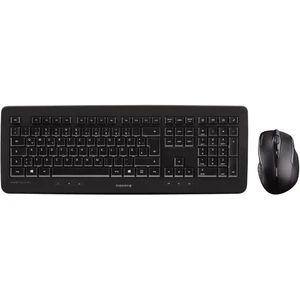
A standard Windows® compatible QWERTY computer keyboard has a 104-key layout, but there are specialized keyboards with additional keys or altered key placement. For example, a standard full-sized QWERTY keyboard will typically have a number pad to the right side of the keyboard but other layouts may drop the number pad in favor of slimmer dimensions.

Then there are multimedia keyboards and gaming keyboards that have programmable buttons, program-specific keys, and more. A standard Windows QWERTY keyboard is more than sufficient for most office tasks, and specialized keyboards are only needed for workstations that will be used for tasks that require those extra keys and functionality.

Ergonomics

Ergonomics are a very important consideration when selecting keyboards to use with your organization’s computers, as poor ergonomics can result in wrist injuries. To alleviate concerns about ergonomics, keyboard manufacturers have designed and market keyboards with comfortable ergonomics in mind. These keyboards typically have designs that split the QWERTY pattern in half and angle them so that the wrist is not bent when typing. Another approach that manufacturers may take to improve ergonomics is including wrist rests, which are often detachable. Ergonomic keyboards are usually more expensive but can reduce injury, so you may want to consider equipping workstations with them if their users will be typing for very long periods of time.

Conclusion

Selecting a keyboard for your organization’s workstations will require you to balance the needs of your staff and cost. Maximize your budget by selecting keyboards that will be more than adequate for the tasks that they will be used for and avoid keyboards that have features and functions that are not needed.


By NeweggBusiness Staff