• In Stock
  • Sold by NeweggBusiness
  • New
Brands
Show More
Price
Show More
Capacity
Interface
Show More
RPM
Form Factor
Height (maximum)
Sold by
All Top Brands
Availability
Condition
Useful Links
Customer Ratings
  • Featured Brands

    See Deals from Western DigitalSee Deals from SeagateSee Deals from SAMSUNG

SHOP BY Capacity

Sort By:
View:
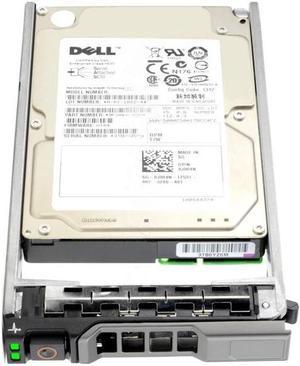
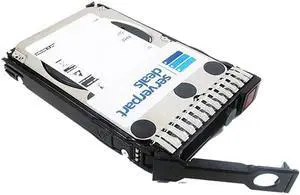
Dell 8JRN4 - 900GB 2.5" SAS 10K 6Gb/s HS Hard Drive
Quick View
DELL
Dell 8JRN4 - 900GB 2.5" SAS 10K 6Gb/s HS Hard Drive
  • Usage: Ideal for Servers
  • Model #: 8JRN4
  •  
  • $78.95 –
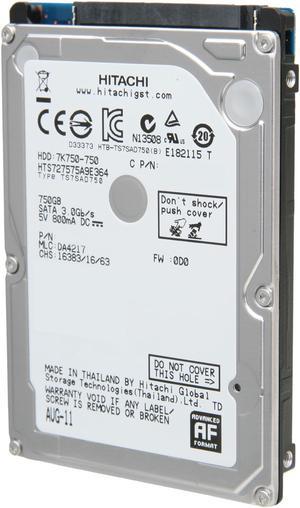
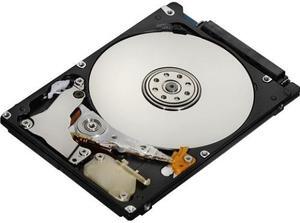
Hitachi GST Travelstar 7K750 HTS727575A9E364 (0J12283) 750GB 7200 RPM 16MB Cache SATA 3.0Gb/s 2.5" Internal Notebook Hard Drive Bare Drive
Quick View
  •  
  • $139.95 –
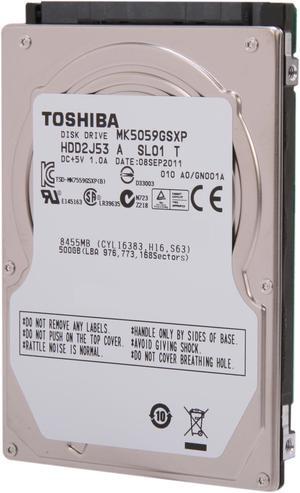
TOSHIBA HDD2H92 500GB SATA 2.5" MK5059GSX Internal Hard Drive Bare Drive
Quick View
TOSHIBA HDD2H92 500GB SATA 2.5" MK5059GSX Internal Hard Drive Bare Drive
  • Parts: 3 years limited
  • Labor: 3 years limited
  • Model #: MK5059GSX
IBM DADA-25400 (03L5630) 5.4GB, 4200RPM, 2.5" Internal Hard Drive - New Bare Drive
Quick View
IBM DADA-25400 (03L5630) 5.4GB, 4200RPM, 2.5" Internal Hard Drive - New Bare Drive
  • Brand: IBM
  • RPM: 4200 RPM
  • Form Factor: 2.5"
  • Model #: DADA-25400 (03L5630)
  •  
  • $169.95 –
IBM DPTA-372050 P/N: 31L9056 (07N3311) Hard Drive - New Bare Drive
Quick View
IBM DPTA-372050 P/N: 31L9056 (07N3311) Hard Drive - New Bare Drive
  • Brand: IBM
  • RPM: 7200 RPM
  • Form Factor: 3.5"
  • Model #: DPTA-372050
  •  
  • $175.00 –
HGST Travelstar Z5K500 HTE545050A7E380 500 GB 2.5" Internal Hard Drive
Quick View
  •  
  • $109.95 –
New  Dell OEM Latitude C400 Laptop Palmrest Touchpad Assembly 5X713
Quick View
  •  
  • $13.94 –
Dell 4GN49 - 300GB 2.5" SAS 15K 6Gb/s HS Hard Drive
Quick View
  •  
  • $59.00 –
IBM DJSA-232 (07N4138) 32GB, 5400 RPM, 2.5" IDE Internal Hard Drive - New Bare Drive
Quick View
IBM DJSA-232 (07N4138) 32GB, 5400 RPM, 2.5" IDE Internal Hard Drive - New Bare Drive
  • Brand: IBM
  • RPM: 5400 RPM
  • Form Factor: 2.5"
  • Model #: DJSA-232 (07N4138)
  •  
  • $125.00 –
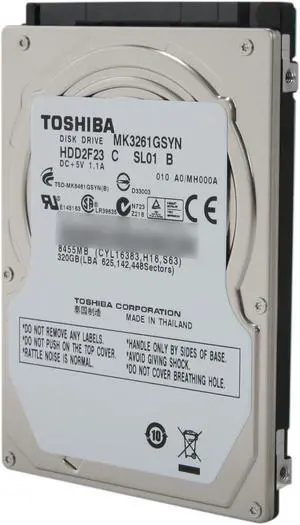
TOSHIBA MK3261GSYN 320GB 7200 RPM 16MB Cache SATA 3.0Gb/s 2.5" Internal Notebook Hard Drive
Quick View
TOSHIBA MK3261GSYN 320GB 7200 RPM 16MB Cache SATA 3.0Gb/s 2.5" Internal Notebook Hard Drive
  • Brand: TOSHIBA
  • Capacity: 320GB
  • RPM: 7200 RPM
  • Form Factor: 2.5"
  • Model #: MK3261GSYN
Samsung (VG33402A) 3.4GB, 3.5" IDE Internal Hard Drive
Quick View
  •  
  • $189.95 –
Hitachi HTS725050A9A360 (0J13655), 500GB, 2.5" Internal Hard Drive - New Bare Drive
Quick View
Hitachi HTS725050A9A360 (0J13655), 500GB, 2.5" Internal Hard Drive - New Bare Drive
  • Brand: HGST
  • Capacity: 500GB
  • Form Factor: 2.5"
  • NAND Flash Memory Type: 1
  • Model #: HTS725050A9A360
  •  
  • $189.95 –
Seagate ST1200MM0007 Savvio 10K.7 ST1200MM0007 1.20 TB Hard Drive - 2.5" Internal - SAS (6Gb/s SAS)
Quick View
Seagate
Refurbished Seagate ST1200MM0007 Savvio 10K.7 ST1200MM0007 1.20 TB Hard Drive - 2.5" Internal - SAS (6Gb/s SAS)
  • Brand: Seagate
  • Capacity: 1.2TB
  • RPM: 10000 RPM
  • Form Factor: 2.5"
  • Model #: ST1200MM0007
  •  
  • $61.00 –
Hitachi HTS727564A9E364 (0J18842), 640GB,7200RPM, 2.5" Internal Hard Drive - New Bare Drive
Quick View
Hitachi HTS727564A9E364 (0J18842), 640GB,7200RPM, 2.5" Internal Hard Drive - New Bare Drive
  • Brand: HGST
  • Capacity: 640GB
  • RPM: 7200 RPM
  • Form Factor: 2.5"
  • Model #: HTS727564A9E364
Dell Tc667 P4 System Board For Dimension 3000
Quick View
  •  
  • $61.75 –
Dell 1TB 7200 RPM 64MB Cache Serial Attached SCSI (SAS) 2.5" Internal Notebook Hard Drive
Quick View
DELL
Dell 1TB 7200 RPM 64MB Cache Serial Attached SCSI (SAS) 2.5" Internal Notebook Hard Drive
  • Parts: 3 yrs wty from seller
  • Labor: 3 yrs wty from seller
  • Model #: 9W5WV
  •  
  • $77.95 –
Dell 300 GB 2.5" Internal Hard Drive - SAS
Quick View
DELL
Dell 300 GB 2.5" Internal Hard Drive - SAS
  • NAND Flash Memory Type: MLC
  • Features: Hard Drive
  • Model #: 400-AUUO
  •  
  • $87.95 –
Seagate Momentus 7200.4 ST9250410ASG 250GB 7200 RPM 16MB Cache SATA 3.0Gb/s 2.5" Internal Notebook Hard Drive with G-Force Protection Bare Drive
Quick View
  •  
  • $30.00 –
HPE 652625-002 300GB 2.5" Hard Drives - Notebooks / Laptops
Quick View
  •  
  • $225.75 –
Western Digital Scorpio Black WD7500BPKT-50PK 750GB 7200 RPM 16MB Cache SATA 3.0Gb/s 2.5" Internal Notebook Hard Drive - 50 Pack Bare Drive
Quick View
Western Digital
Western Digital Scorpio Black WD7500BPKT-50PK 750GB 7200 RPM 16MB Cache SATA 3.0Gb/s 2.5" Internal Notebook Hard Drive - 50 Pack Bare Drive
  • Brand: Western Digital
  • Series: Scorpio Black
  • Capacity: 750GB
  • RPM: 7200 RPM
  • Model #: WD7500BPKT-50PK
  •  
  • $55.00 –
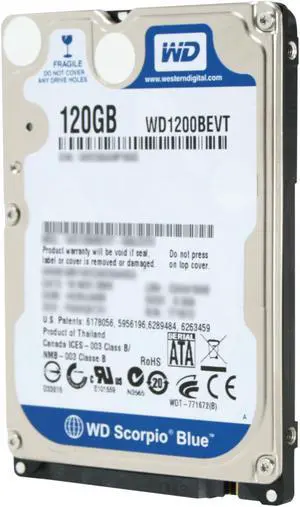
Western Digital Scorpio Blue WD1200BEVT 120GB 5400 RPM 8MB Cache SATA 3.0Gb/s 2.5" Notebook Hard Drive Bare Drive
Quick View
Western Digital Scorpio Blue WD1200BEVT 120GB 5400 RPM 8MB Cache SATA 3.0Gb/s 2.5" Notebook Hard Drive Bare Drive
  • Average Seek Time: 12ms
  • Average Latency: 5.5ms
  • Parts: 3 years limited
  • Labor: 3 years limited
  • Model #: WD1200BEVT
  •  
  • $50.00 –
IBM DCAS-32160 (73H7716) 2.16GB, 5400RPM, 3.5" Internal Hard Drive - New Bare Drive
Quick View
IBM DCAS-32160 (73H7716) 2.16GB, 5400RPM, 3.5" Internal Hard Drive - New Bare Drive
  • Brand: IBM
  • RPM: 5400 RPM
  • Form Factor: 3.5"
  • Model #: DCAS-32160 (73H7716)
  •  
  • $389.95 –
Dell-IMSourcing CWHNN 300 GB Hard Drive - 2.5" Internal - SAS (6Gb/s SAS)
Quick View
DELL
Dell-IMSourcing CWHNN 300 GB Hard Drive - 2.5" Internal - SAS (6Gb/s SAS)
  • Brand: Dell
  • RPM: 10000 RPM
  • Interface: SAS
  • Model #: CWHNN
  •  
  • $98.95 –
Dell 10,000 RPM SAS Hard Drive 12Gbps 512e 2.5in Hot-plug Drive, 1.8TB
Quick View
DELL
Dell 10,000 RPM SAS Hard Drive 12Gbps 512e 2.5in Hot-plug Drive, 1.8TB
  • NAND Flash Memory Type: Hard Drive
  • Model #: 400-ATJR
  •  
  • $141.74 –
IBM DDRS-34560 (00K4000), 4.5GB, 3.5" 68-Pin SCSI Internal Hard Drive - New Bare Drive
Quick View
  •  
  • $299.95 –

Common Laptop Hard Drive Questions

Introduction

The term laptop hard drive is often applied to 2.5 inch hard drives even though they are used in many types of devices and not just laptops. For instance, they can be found in entertainment devices, desktop computers, server workstations, and more. Below, NeweggBusiness answers several common questions about 2.5 inch and laptop hard drives.

Questions

What does 2.5 inch refer to?

The designation stems from the fact that the disk platters inside of the drive are traditionally 2.5 inches in diameter. The exterior of a 2.5 inch hard drive is actually 100 millimeters (length) by 69.85 millimeters (width).

Thickness can vary, though 9.5 millimeters is very common for most laptops. On the lower end of the scale, Ultrabooks™ can sometimes have hard drives as slim as 5 millimeters. Enterprise-grade hard drives can sometimes be as thick as 15 millimeters.

How do I use a 2.5 inch or laptop hard drive with a device doesn’t support that form factor?

In order to use a 2.5 inch hard drive with a device that is designed for 3.5 inch or desktop hard drives, you will need an adapter bracket. Even with the bracket however, you will still need to ensure that the connectors are compatible.

Can I use an enterprise-grade 2.5 inch hard drive with a laptop?

While some enterprise-grade hard drives and laptop hard drives have similar form factors, they typically utilize different connectors. A laptop for instance, will usually have a SATA connector—or PATA/IDE in the case of older laptops. A server-grade hard drive on the other hand, will typically have a SAS or SCSI connector.

So while a SAS hard drive may physically fit inside a laptop, it cannot be used due to connection differences.

How do I replace a laptop hard drive?

Not all laptops feature removable hard drives, so you will first need to consult the laptop’s user guide or manufacturer’s website for confirmation. If the manufacturer states that your laptop’s hard drive can be replaced, the information below can serve as a general outline.

The first step is to ensure that you have the appropriate tools. Recommended tools include a Phillips screwdriver with a relatively small head, a flat-head screwdriver, and possibly Torx® screwdrivers.

While each laptop model may have a unique design, there are some commonalities with how the hard drives can be accessed. Three of the more common laptop hard drive configurations are as follows.
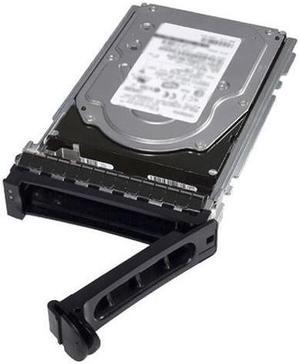
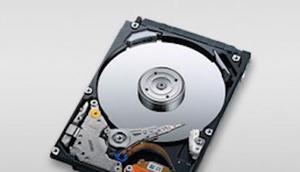
  • Tray-mounted
  • Access panel on the underside
  • Underneath the keyboard

Once you have determined how to access the laptop hard drive, you should remove the battery and unplug the laptop to avoid electrical damage or injury.