


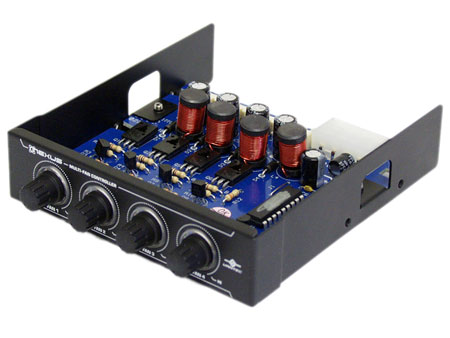
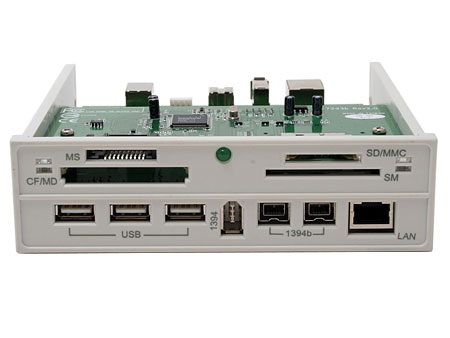
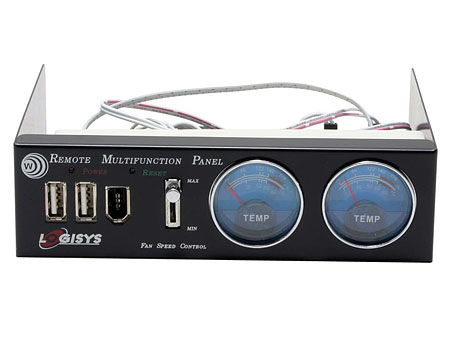
Introduction to Computer Case Accessories Table of contents For the advanced DIYer who wants more than just a nice computer case chockfull of powerful hardware parts there are lots of different accessories designed as add-ons for the computer case. These accessories provide increased aesthetics and/or functionality premiums to your case and help to make your setup all the more unique. 1. Front panel devices installed into the external drive bays. These are visible and allow very easy access. 2. Accessories that are installed inside the case, including those that provide extra expandability to the computer case. Controller/Multifunction Panels Fan Controllers Multifunction Panels Multifunction front panels often require free external 5.25" drive bays, although there are some products that utilize external 3.5" drive bays as well. Multifunction front panels (see above image, for example) often provide flash card readers, USB and IEEE1394 ports and even LAN ports. The focus here is on maximum convenience as front access to these ports is preferable to reaching for the back of the case. Some multifunction panels provide indicators showing system information such as internal temperature and fan speeds and may provide fan speed control as well. For instance, the above front panel provides two USB ports, one IEEE1394 port, two temperature indicators and one fan speed controller.
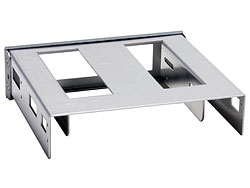
If you have more 3.5" devices (such as floppy drives, card readers or front panels) than your case can carry, and there are still spare 5.25" drive bays available in your case, the 5.25" to 3.5" converter will definitely satisfy you. As the name suggests, this device will convert an external 5.25" drive bay into an external 3.5" drive bay.
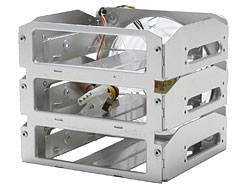
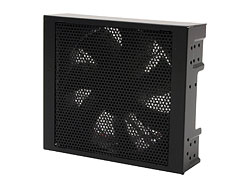
If there are simply no internal 3.5" drive bays left available in your case and you require more than 1 bay, the HDD (Hard Disk Drive) cage/module will convert a few (most use 3) 5.25" drive bays into a number of (3 to 4) internal 3.5" drive bays for HDD installation. These products often come with a big fan (generally 120mm) to provide good cooling to your HDDs.
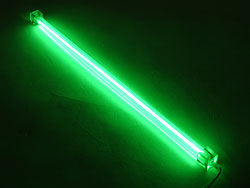
Light tubes can make amazing additions inside cases with side panel windows thanks to their high brightness levels and dazzling color. With different colors to choose from, you can customize to your heart's delight.
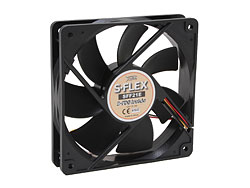
Powerful computers (i.e. those configured with high-end CPUs, plus high-heat output top-of-the-line video cards) produce much more heat inside their cases in comparison to more averagely-configured units. These computers stand to benefit greatly from the extra heat dissipation provided by case cooling fans. You can always add extra fans or change the existing case fans for better ventilation or lower noise. Just make sure that the case supports additional fans, and that the proper sized fans are purchased. Generally speaking, a larger fan (e.g. a 120mm fan vs. a 90mm fan) will work at lower speed (measured in RPM, revolutions per minute) while providing the same or higher level of airflow (for improved heat dissipation), and lower speeds often means lower noise as well. |
||||||||||||||||||||






Who We Are
Who We Serve
Customer Service
B2B Marketplace
Newegg Logistics

© 2000-2026 Newegg Business Inc. All rights reserved.
Policy & Agreement | Privacy Policy | CA Transparency in Supply Chains Act | Cookie Preferences