












Featured Products See All
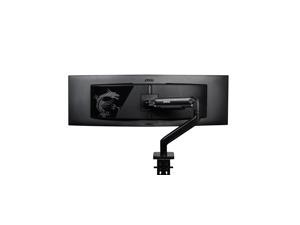

MSI MAG MT201 - Premium Heavy Duty Single Monitor Stand Arm, Supports 17-49" Screens ...
Save: $33.94 (34%)
$66 .05
Free Shipping
- Maximize Your Workspace with the MSI MAG MT201 Premium Heavy Duty Single Monitor Stand Arm.
- Unlock enhanced productivity and comfort with our premium single monitor stand arm.
- Designed to support screens from 17 to 49 inches, with a weight capacity of 44 lbs, it ensures sturdy and adaptable positioning for your display.
- VESA compatible and equipped with an adjustable spring mount, installation is a breeze with the included clamp and grommet options.
- Plus, enjoy the convenience of the quick-release plate for effortless adjustments.
- Elevate your setup today with the sleek black design and the added assurance of MSI's comprehensive 3-year coverage.
Save: $33.94 (34%)
$66 .05
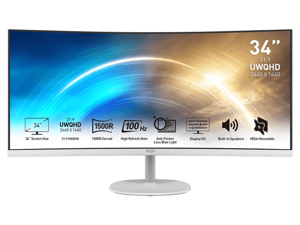
MSI 34" Ultrawide QHD 2K 1440P 100Hz 1ms Anti-Flicker & Low Blue Light 1500R Curved White ...
Save: $86.00 (30%)
$203 .99
Free Shipping
- 21:9 UWQHD 34" screen improve the way you multi-task and broaden your horizons
- 1500R curvature brings the most immersive viewing experience for your work & amusement.
- HDR Ready - Stunning visuals through contrast and shadow adjustment.
- TÜV certified display protects your eyesight and keeps your eyes healthy
- Anti-Flicker and Less Blue Light technologies prevent your eyes from strain & fatigue
- Ergonomic software, Display Kit, provides the most convenient tool, the proper color & display mode to you while working with it everyday
- 100Hz refresh rate provides a better viewing experience
- Keep the flexibility for your different devices with multiple input sources: 2x HDMI & 1x DP ports
- Standard VESA mountable design
- Always allow you to join an online conference call with built-in speakers
Save: $86.00 (30%)
$203 .99
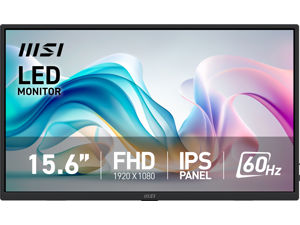
MSI 15.6" Full HD 60Hz IPS USB-C Mini-HDMI Built-in Speakers Portable Computer Monitor ...
Save: $25.00 (26%)
$69 .99
Free Shipping
- 15.6” FHD IPS Panel – Enhance your viewing experience.
- Portable Design helps bring it anywhere you want without strain or pressure with a protection bag.
- Tripod Socket design makes it more flexible to stand by you.
- 75mm VESA Mountable Design allows you to mount it on the wall or other devices.
- Extremely light weighting at only 0.78 kg (1.72 lbs).
- MSI EyesErgo technology with Anti-flicker, Less Blue Light, and Anti-glare panel to protect your eyes.
- Type-C/ HDMI™ Multi Input – allowing you to connect to any device effortlessly, such as a smartphone, camera, laptop, or PC.
- L-shaped Cables prevent cable bending, ensuring convenience and uninterrupted use.
- Ergonomic software, Display Kit, provides the most convenient tool, the proper color & display mode to you while working with it every day.
- Built-in Speakers - Allow you a great audio experience while on the move.
Save: $25.00 (26%)
$69 .99
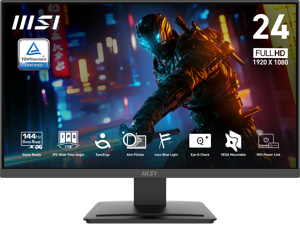
MSI 24" Full HD 144Hz IPS with AMD Adaptive Sync 1ms HDR Ready 102% sRGB LCD Gaming ...
Save: $30.00 (27%)
$79 .99
Free Shipping
- 24.5-inch Broadened Display - Enjoy the upgraded canvas in the limited space.
- 120 Hz refresh rate provides a better viewing experience with flicker-free image.
- IPS panel with 178° Wide Viewing Angle designed for a premium quality picture
- TÜV certified display ensures the protection and health of eyesight.
- MSI Eye-Q Check helps have self-check eyes & reminds to take a rest while using the monitor for a long time.
Save: $30.00 (27%)
$79 .99
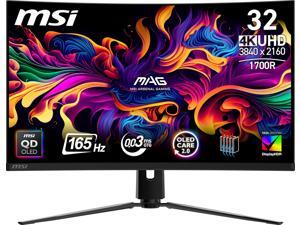
MSI 32 inch UHD 4K 165Hz Nvidia G-Sync Compatible 0.03ms HDR 400 USB-C 1700R Curved ...
Save: $120.00 (15%)
$679 .99
Free Shipping
+ $100 off w/ promo code BFPSF225, limited offer
- Immersive 32"(31.5" viewable) QD-OLED UHD Display - Experience next-gen visuals with a 3840x2160 UHD 1700R curved QD-OLED panel, delivering deep blacks, vibrant colors, and crystal-clear details.
- Ultra-Fast Gaming Performance - 0.03ms (GtG) response time and 165Hz refresh rate reduce motion blur for ultra-smooth gaming.
- VESA-Certified HDR - ClearMR 9000 and DisplayHDR True Black 400 provide exceptional image clarity and minimize motion artifacts.
- OLED Care 2.0 - Protects against OLED burn-in, extending the longevity of your display.
- Console Ready - HDMI 2.1 with 48Gbps bandwidth, VRR, ALLM, and 120Hz support ensures seamless console gaming.
- Ergonomic & Versatile - Tilt, swivel, and height-adjustable stand with VESA mounting support ensures customizable setups.
- Multiple Connectivity Options - Supports HDMI 2.1, DisplayPort 1.4a, Type-C (DP alt. with 15W PD), and audio out for all your devices.
- Reliable Warranty - 3-year coverage includes panel burn-in for peace of mind.
Save: $120.00 (15%)
$679 .99
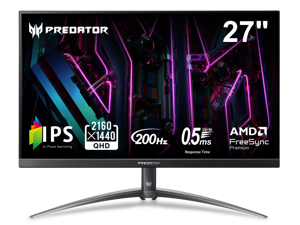

Acer Predator 27 inch WQHD 2K 1440P 200HZ IPS with AMD FreeSync Premium HDR400, ...
Save: $70.00 (20%)
$279 .99
Free Shipping
- 27" WQHD (2560 x 1440) Widescreen IPS Display
- AMD FreeSync Premium Technology
- Refresh Rate: 200Hz Using Display Port
- High Brightness and Contrast with Acer HDR400
- Brightness: Native 350nits, HDR400 Mode: Peak 400nits
- Color Gamut: DCI-P3 90%
- Response Time: 1ms (G to G) - Up to 0.5ms (G to G)
- Predator GameView with 8 modes
- 2 speakers, 2 watts per speaker
- Ergostand with Tilt, Swivel, Pivot and Height Adjustment
- Ports: 1 x Display Port 1.4, 2 x HDMI 2.0 & 1 x Audio Out
Save: $70.00 (20%)
$279 .99
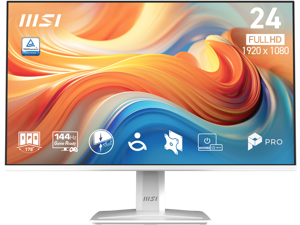
MSI 24 inch Full HD 144Hz IPS with Adaptive-Sync 1ms HDR Ready Built-in Speakers white ...
Save: $35.00 (29%)
$84 .99
Free Shipping
- 24.5-inch Broadened Display – Enjoy the upgraded canvas in the limited space
- 144 Hz refresh rate provides a better viewing experience with flicker-free image
- IPS panel with 178° Wide Viewing Angle designed for a premium quality picture
- TÜV certified display ensures the protection and health of eyesight
- MSI Eye-Q Check helps have self-check eyes & reminds to take a rest while using the monitor for a long time
Save: $35.00 (29%)
$84 .99
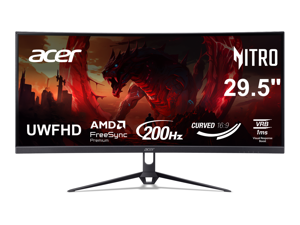
Acer Nitro 29 inch (29.5" viewable) Ultrawide Full HD 1080P 200hz with AMD FreeSync Premium ...
Save: $110.00 (44%)
$139 .99
Free Shipping
- 29.5" UWFHD (2560 x 1080) 1800R Curved Widescreen Gaming Monitor
- AMD FreeSync PremiumTechnology
- ZeroFrame Design
- Response Time: 1ms (VRB)
- Refresh Rate: 200Hz (Using Display Port) - 180Hz (Using HDMI Port)
- Color Saturation: sRGB 100%
- Panel Type: VA
- Acer VisionCare Technologies
- 2 Speakers, 2.5 Watts per Speaker
- Ports: 1 x Display Port 1.4, 2 x HDMI 2.0 Ports & 1 x Audio Out
Save: $110.00 (44%)
$139 .99
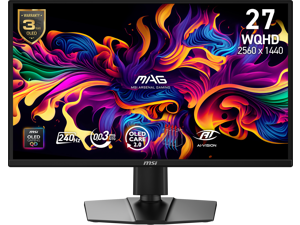
MSI 27 inch WQHD 2K 1440P 240Hz with Adaptive Sync 0.03ms OLED Gaming Computer ...
Save: $100.00 (20%)
$399 .99
Free Shipping
- Next-Gen QD-OLED Excellence: Experience the pinnacle of display technology with the MSI QD-OLED panel. Combining Quantum Dot technology with OLED pixels, this 26.5-inch WQHD (2560 x 1440) monitor delivers infinite contrast and professional-grade color accuracy (Delta E=2) with 99% DCI-P3 coverage.
- Ultimate Tear-Free Gaming: Stay ahead of the competition with G-SYNC Compatible and AMD FreeSync Premium support. This ensures your GPU and monitor refresh rates are perfectly synced, eliminating screen tearing and stuttering for ultra-smooth gameplay at any frame rate.
- World-Class Speed & Fluidity: Dominate fast-paced titles with a blazing 240Hz refresh rate and a near-instant 0.03ms (GtG) response time. Certified with VESA ClearMR 13000, it provides the highest standard for motion clarity and blur reduction.
- MSI OLED Care 2.0 & 3-Year Warranty: Play with confidence. Advanced OLED Care 2.0 technology uses AI-driven features to prevent image sticking and burn-in. Includes a premium 3-year warranty that specifically covers OLED burn-in for long-term peace of mind.
- Versatile Connectivity & Console Mode: Fully optimized for next-gen consoles like PS5 and Xbox Series X|S with VRR support. Equipped with dual HDMI 2.1, DisplayPort 1.4a, and USB Type-C (DP Alt) with Power Delivery to handle all your devices with a single-cable solution
Save: $100.00 (20%)
$399 .99
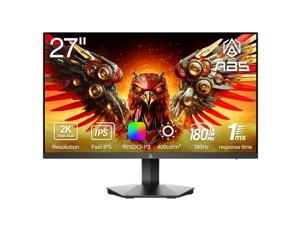

ABS 27 inch QHD 2K 1440P 180Hz Fast IPS with AMD FreeSync (AMD Adaptive Sync) 1ms ...
Save: $110.00 (44%)
$139 .99
Free Shipping
- 27" IPS Panel w/ 180Hz Refresh Rate
- 2560x1440 2K QHD Screen
- FreeSync (AMD Adaptive Sync)
- 1ms Response Time
- DCI-P3 95% High Color Gamut
- VESA Certified DisplayHDR 400
- Dynamic Image Clarity (DIC) Technology for Blur Reduction
- Low Blue Light & Flicker-Free
Save: $110.00 (44%)
$139 .99
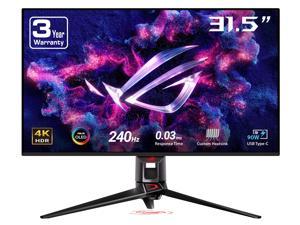

ASUS ROG Swift 32 inch UHD 4K 240Hz AMD FreeSync Premium Pro & G-SYNC Compatible ...
Save: $300.99 (23%)
$999 .00
Free Shipping
- 32-inch 4K (3840 x 2160) QD-OLED gaming monitor with 240 Hz refresh rate and 0.03 ms (GTG) response time for immersive gaming
- Highly efficient custom heatsink, advanced airflow design, and graphene film for better heat management to reduce the risk of burn-in
- VESA DisplayHDR 400 True Black compliance, 99% DCI-P3 gamut, true 10-bit, and Delta E < 2 color difference for astonishing HDR performance
- Extensive connectivity options include DisplayPort 1.4 (DSC), HDMI 2.1, and USB-C with 90 W Power Delivery
- What's in the box: DisplayPort cable, HDMI Ultra High Speed Cable, ROG pouch, ROG sticker, USB 3.2 cable, USB-C cable, VESA mount kit, Power cord & adapter, Quick start guide, Warranty Card, Color pre-calibration report
- ASUS Rapid Replacement (ARR) 3 years warranty with cross shipping service included
- Free 3-month Adobe Creative Cloud Subscription: Receive complimentary access with the purchase of this product (offer valid to 8/31/2026)
Save: $300.99 (23%)
$999 .00
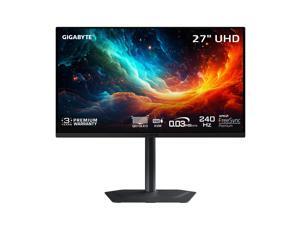

GIGABYTE 27 inch UHD 4K 240Hz with AMD FreeSync Premium Pro &, G-SYNC Compatible ...
Save: $350.00 (35%)
$649 .99
Free Shipping
- Resolution & Panel: 27" UHD 3840x2160 QD-OLED Gaming Monitor
- Refresh Rate & Response: 240Hz refresh rate, 0.03ms GTG response time
- Color Accuracy: 99% DCI-P3, 10 bit color
- Special Features: Type C KVM, VESA DisplayHDR True Black 400, TÜV Rheinland Certified, VESA Certified ClearMR 13000, HBR3, AMD FreeSync Premium Pro, G-SYNC Compatible
- Connectivity: 2x HDMI 2.1, 1x Displayport 1.4, 1x USB Type-C, 2x USB 3.2 Downstream ports, 1x USB 3.2 Upstream port, 1x Earphone Jack
- VESA Wall Mount Compatible 100*100mm
- Accessories: Power cable, HDMI 2.1 cable, DP cable, USB cable, QSG, Warranty card, Color calibration test report
- 3 Year Warranty
Save: $350.00 (35%)
$649 .99
Loading Dynamic Data...
Computer Monitor and Projector Buying Tips
Introduction
Professionals often view computer monitors and projectors for hours on end, as they are essential tools for displaying information and images. Because they are such integral parts of a modern organization, great care should be taken to purchase the ideal monitor or projector. Below are some key considerations that you should keep in mind while shopping.
Key Considerations
Computer monitor and projector product pages are often filled with ratings, features, and technical specifications, but what do they all mean? In this section, NeweggBusiness will give easy-to-understand definitions of the more important terms and how they impact your purchasing decision.
Resolution
Resolution is defined as the amount of pixels in a given display area, always given as a measure of width x height in pixels. There are a few standard resolutions commonly used by many industries, such as 720p or 1080p. You may already know those terms in relation to televisions, but they are very common for computer projectors and monitors as well.
Some other common maximum resolutions for computer displays include:
- SVGA (800 x 600) – Found almost exclusively with projectors and older monitors, some newer widescreen monitors no longer even support this resolution.
- XGA (1024 x 768) – Like SVGA, XGA is largely used by projectors and older monitors.
- High Definition (HD) (1280 x 720) – Commonly referred to as 720p, it is the minimum resolution for a product to be labeled as HD. Many LCD monitors and home theater projectors support this standard resolution.
- High Definition+ (HD+) (1600 x 900) – A widescreen resolution that is commonly supported by full HD monitors and projectors.
- Full HD (FHD) (1920 x 1080) – Commonly known as 1080p, it is a supported by many HDTVs, projectors, and pc monitors. If your organization creates or edits 1080p content, this resolution is the minimum you should aim for.
- WUXGA (1920 x 1200) – A less common resolution mostly for pc monitors. While it is widescreen like 1080p, it has a different aspect ratio.
- QHD (2560 x 1440) – A very large resolution, it is mostly found on 27” and larger computer monitors.
Contrast
Contrast ratio is defined asa ratio of the luminance of the brightest white to the darkest black capable of being produced by a display. For both computer monitors and projectors, a high contrast ratio is desirable for tasks depend on high levels of color accuracy. If you are shopping for a LCD monitor or projector to mostly use as text and spreadsheet display however, a low contrast solution is a more cost-effective solution.
Response Time
Measured in milliseconds, response time is the amount of time it takes for a pixel to go from one color to another and back again. Displays with low response times mean that they are faster and have less lag. For the user, this translates to less blurriness for moving images. If your organization works with static content such as photographs or text, fast response times are not necessary.
Connectivity
When shopping for monitors or projectors, it is important that they work properly with your organization’s computers. Ensure that the connections they accept are outputted by your computers or else you will need adapters to convert the signals. The standard connections are usually: VGA, DVI, HDMI®, and Display Port. Some monitors also accept USB connections, though USB monitors are relatively rare.
Touch screen
Touch screen monitors can be useful for organizations that want to integrate a monitor, mouse, and keyboard into one complete unit. They are frequently used with point-of-sale machines in the hospitality in addition to more specialized tasks in other industries. They are generally not needed for office tasks such as word processing, data entry, or internet browsing.
