









Featured Products See All
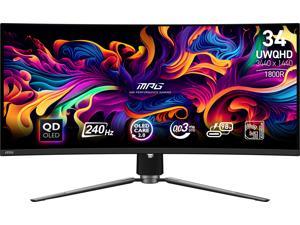

MSI 34" Ultrawide UWQHD 2K 1440P 240Hz G-Sync Compatible 0.03ms HDR400 USB-C KVM ...
Save: $50.00 (6%)
$749 .99
Free Shipping
- QD-OLED Panel with Ultrawide UWQHD Resolution - Experience breathtaking detail and color with a 3440x1440 QD-OLED display, offering deep blacks, vibrant highlights, and stunning image clarity across a 21:9 aspect ratio
- Ultra-Fast 240Hz Refresh Rate and 0.03ms Response Time - Gain a competitive advantage with smooth, responsive motion and virtually zero input lag - ideal for fast-paced FPS, racing, and action games
- Certified for ClearMR 13000 & DisplayHDR True Black 400 - Enjoy cinematic visuals with VESA DisplayHDR True Black 400 certification, delivering superior dynamic range, deeper contrast, and lifelike colors
- Next-Gen Console & PC Connectivity - Connect seamlessly with dual HDMI 2.1 ports (48Gbps bandwidth, 120Hz console support, VRR, ALLM), DisplayPort 1.4a, and USB-C (DP Alt Mode, 98W PD) for high-performance gaming setups
- OLED Care 2.0 and Ergonomic Design - Protect your panel with MSI OLED Care 2.0 to reduce burn-in risk, while the adjustable stand offers tilt, swivel, and height customization for ultimate comfort and flexibility
Save: $50.00 (6%)
$749 .99
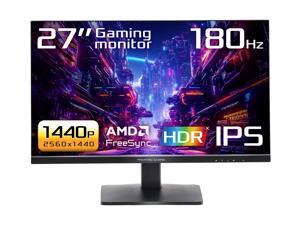

ASRock Phantom Gaming 27 inch QHD 2K 1440P 180Hz IPS with AMD FreeSync (AMD Adaptive ...
Save: $80.22 (38%)
$129 .77
Free Shipping
- 27" QHD (2560x1440) IPS Display
- 180Hz High Refresh Rate
- 1ms (MPRT) Response Time
- 90% DCI-P3 / 99% sRGB Color Space
- 178° Wide Viewing Angles
- VESA DisplayHDR 400
- AMD FreeSync
- Flicker Free Technology
- Low Blue Light Technology
- Tilt Adjustment
- 2 x HDMI 2.0, 1 x DisplayPort 1.4
Save: $80.22 (38%)
$129 .77
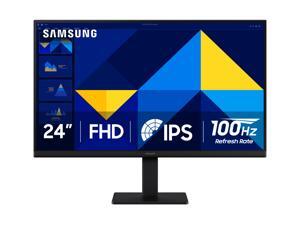

Samsung S3 24 inch Full HD 100Hz IPS Slim Design LCD Computer Monitor with reduced both ...
Save: $30.00 (25%)
$89 .99
Free Shipping
- 24"
- IPS FHD
- 100Hz
- 1,000:1
- 16.7 Million
- Tilt -2.0°(+/-2.0°)~21.0°(+/-2.0°)
- 1 x D-Sub / 1 x HDMI 1.4
- Power Cable Length 1.5 m HDMI Cable
Save: $30.00 (25%)
$89 .99
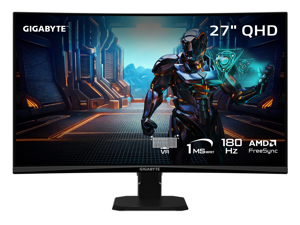

GIGABYTE 27 inch QHD 2K 1440P 180Hz Curved Gaming Computer Monitor 122% sRGB ...
Save: $50.00 (26%)
$139 .99
Free Shipping
- NATIVE 1500R VA PANEL - The GS27QCA features a stunning 27-inch curved display for a view closer to the human eye than a flat monitor, giving you a more immersive feel.
- COMPETITIVE EDGE WITH 180HZ REFRESH RATE AND 1MS RESPONSE TIME - Achieve a super-fast response time and smooth motion clarity with an 180Hz refresh rate and 1ms MPRT response time. Whether you're in high speed FPS battles or intense esports competitions, the GS27QCA ensures every frame is delivered with precision, giving you the edge when milliseconds matter.
- WIDE COLOR GAMUT - With 5000:1 contrast ratio, 122% sRGB color gamut, and 8-bit color depth, you can experience a fantastic color display and wide-gamut color coverage.
- SUPPORT AMD FREESYNC - With AMD FreeSync, the GS27QCA provides an enhanced gaming experience by reducing screen tearing and stuttering.
- TACTICAL FEATURES TO ENHANCED GAMEPLAY - The GS27QCA monitor elevates your gameplay with a suite of built-in, tactical assistance features designed to give you the edge in precision and control. Game Assist features, including OSD Sidekick, timer, and crosshairs, help you on tracking the elapsed game time and focus on your in-game enemy. Black Equalizer helps you to see the detail of deeper blacks without sacrificing clarity elsewhere on the screen.
Save: $50.00 (26%)
$139 .99
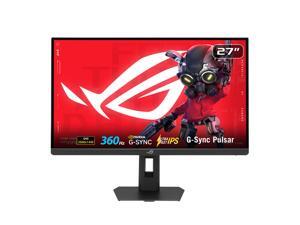

ASUS ROG STRIX 27 inch QHD 2K 1440P 360Hz DUAL MODE to 25" Full HD IPS AMD FreeSync ...
Save: $70.00 (11%)
$579 .99
Free Shipping
- Ultimate Esports Performance: 27-inch QHD (2560 x 1440) Ultrafast IPS display with an ultra-smooth 360Hz refresh rate, built for professional-level gaming.
- NVIDIA G-SYNC Pulsar: Revolutionary technology delivering 4X more motion clarity for a perceived 1000Hz experience, ensuring buttery-smooth visuals without GPU upgrades.
- Ultrafast 1ms Response: Eliminate ghosting with a 1ms (GTG) response time and ULMB 2 for maximum sharpness during high-speed action.
- Pro-Grade Color Accuracy: Features 90% DCI-P3 color gamut and Delta E < 2 factory pre-calibration for stunning, industry-leading visual precision.
- Adaptive HDR Visuals: HDR10 support with 500 cd/? peak brightness and Ambient Adaptive technology that auto-adjusts to your room's lighting.
- Modern Connectivity: Includes HDMI 2.1 (FRL), DisplayPort 1.4 DSC, and a USB 3.2 hub for high-bandwidth gaming and easy peripheral access.
- Full Ergonomic Design: Highly adjustable stand (tilt, swivel, pivot, height) with Aura Sync RGB lighting to customize your gaming setup.
Save: $70.00 (11%)
$579 .99
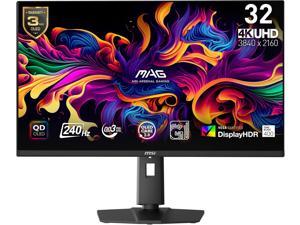
MSI 32 inch UHD 4K 240Hz AMD FreeSync Premium 0.03ms HDR400 OLED Gaming Computer ...
Save: $100.00 (11%)
$799 .99
Free Shipping
- Next-Gen QD-OLED Panel - With stunning image quality and fast response time.
- Fastest 0.03ms GtG response time and 240Hz refresh rate.
- QD Premium Color - Ensures the color meets the market standard - Delta E=2.
- Incredible HDR visual - VESA DisplayHDR True Black 400.
- MSI OLED Care 2.0 - Reduced the risk of OLED burn-in.
- Console Mode - Provide HDMI 2.1 with a full 48 Gbps bandwidth.
- Adjustable Stand - Easily change the position of the monitor for maximum ergonomics.
- 3-Year Burn-In Warranty - Including coverage for OLED burn in.
Save: $100.00 (11%)
$799 .99
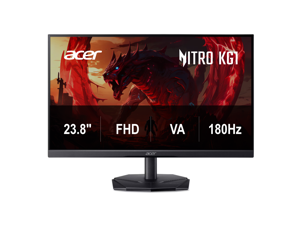

Acer Nitro 24 inch (23.8" viewable) Full HD 1080P 180hz with AMD FreeSync Technology 0.5ms, ...
Save: $40.00 (31%)
$89 .99
Free Shipping
- 24"(23.8" viewable) Full HD (1920 x 1080) Widescreen VA Monitor
- AMD FreeSync Technology
- Response Time: 2ms (G to G) - Up to 0.5ms (G to G)
- Panel Type: VA
- Refresh Rate: 180Hz
- Color Saturation: 72% NTSC
- HDR Ready
- VESA mounting compliant (100 x 100mm)
- Acer VisionCare Technologies
- Ports: 1 x Display Port 1.2 & 1 x HDMI 2.0 Port
Save: $40.00 (31%)
$89 .99
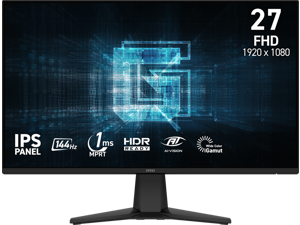
MSI 27" inch Full HD 144Hz IPS with AMD FreeSync (Adaptive Sync) 1ms HDR Ready Anti-Glare ...
Save: $10.00 (9%)
$99 .99
- Smooth and Responsive Gameplay - 27-inch Full HD 1920x1080 IPS panel delivers ultra-smooth visuals with a fast 144Hz refresh rate and 1ms MPRT response time for competitive gaming performance
- Adaptive-Sync Technology - AMD FreeSync matches the monitor's refresh rate with your GPU to eliminate screen tearing and stuttering for fluid seamless gameplay
- HDR Ready Visuals - Enhanced contrast and brightness deliver more vivid highlights and deeper blacks bringing your favorite games to life with realistic details
- Wide Viewing Angles and True Color - IPS technology provides 178° viewing angles and 10-bit color with 80% Adobe RGB 85% DCI-P3 and 110% sRGB coverage for accurate consistent colors
- Frameless and Immersive Design - Three-side frameless design creates an expansive viewing experience ideal for multi-monitor setups and immersive gaming environments
- Versatile Connectivity Options - Features HDMI 2.0 DisplayPort 1.2a and headphone-out ports supporting up to 144Hz refresh rate for PC and console gaming
- Ergonomic and Mountable Setup - Tilt adjustment from -5° to 20° with anti-glare surface internal power board and 100x100mm VESA mount compatibility for flexible installation
Save: $10.00 (9%)
$99 .99
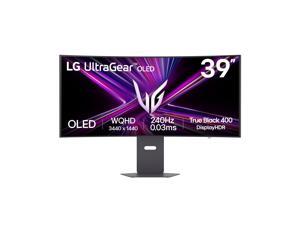

LG UltraGear 39 inch Ultrawide WQHD 2K 1440P 240Hz AMD FreeSync Premium Pro & G-Sync ...
Save: $500.00 (33%)
$999 .99
Free Shipping
- The 240Hz OLED Gaming Monitor That’s Ahead of the (800R) Curve — 39" WQHD OLED with a steep 800R curve and up to 1300-nit (APL 1.5%) peak brightness pulls you into the action; 240Hz and 0.03ms (GtG) keep gameplay fast and fluid.
- Up to 240Hz & 0.03ms – Outrageous OLED Gaming Speed — Respond faster and track targets with near-instant pixel transitions that cut lag and ghosting for competitive play.
- Ultimate Frame Sync: FreeSync Premium Pro & G-SYNC Compatible — Tear-free, stutter-free visuals across PC and next-gen consoles for consistently smooth frames.
- Bright Picture, Deep Blacks, Brilliant Detail — OLED delivers up to 98.5% DCI-P3, 1.5M:1 contrast, and DisplayHDR True Black 400 for cinematic color and shadow detail.
Save: $500.00 (33%)
$999 .99
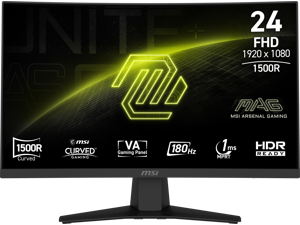
MSI 24 inch (23.6" viewable) Full HD 180Hz with Adaptive-Sync HDR Ready 1ms 1500R 105% ...
Save: $20.00 (17%)
$99 .99
Free Shipping
- Immersive Curved Display - Experience next-level immersion with a 24"(23.6" viewable)1500R curved VA panel delivering full HD 1920x1080 resolution for crystal-clear visuals and a more natural field of view during intense gaming sessions
- Ultra-Fast Gameplay Performance - Enjoy seamless and responsive action with a 180Hz refresh rate and 1ms MPRT response time eliminating motion blur and input lag to keep you competitive in fast-paced FPS and racing titles
- HDR Ready Visual Enhancement - HDR-ready technology enhances contrast and shadow depth delivering brighter highlights and richer colors so every in-game detail stands out with cinematic quality
- Adaptive-Sync for Tear-Free Gaming - Adaptive-Sync technology synchronizes your monitor's refresh rate with your GPU for ultra-smooth visuals reducing screen tearing and stutter for a consistently fluid gaming experience
- Sleek Frameless Design with Versatile Connectivity - Features an elegant 3-side frameless design with anti-glare coating for distraction-free focus equipped with HDMI 2.0b and DisplayPort 1.2a supporting up to 180Hz plus headphone-out for complete connectivity
- Built for Comfort and Compatibility - Tilt-adjustable stand and 100x100mm VESA mount support offer flexible setup options designed for long gaming sessions with wide 178 viewing angles ensuring comfort from any position
Save: $20.00 (17%)
$99 .99
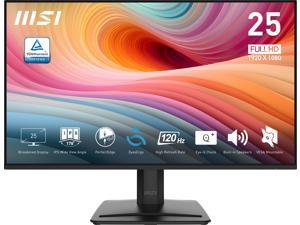
MSI 24" inch (24.5" viewable) Full HD 120Hz IPS 1ms Less Blue Light Anti-Flicker Anti-Glare ...
Save: $25.00 (23%)
$84 .99
Free Shipping
- 25"(24.5" viewable) Broadened Display - Enjoy the upgraded canvas in the limited space.
- 120 Hz refresh rate provides a better viewing experience with flicker-free image.
- IPS panel with 178° Wide Viewing Angle designed for a premium quality picture
- TÜV certified display ensures the protection and health of eyesight.
- MSI Eye-Q Check helps have self-check eyes & reminds to take a rest while using the monitor for a long time.
Save: $25.00 (23%)
$84 .99
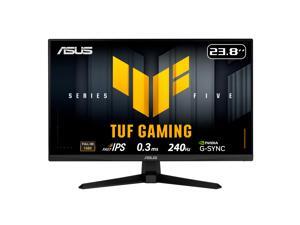
ASUS TUF Gaming 24" (23.8" viewable) Full HD 1080P 240hz Fast IPS with AMD FreeSync ...
Save: $60.00 (35%)
$109 .99
- 24"(23.8" viewable) Full HD(1920 x 1080) Fast IPS panel with 240Hz refresh rate for fast paced gameplay
- ASUS Fast IPS technology enables a 0.3ms (min) response time for sharp gaming visuals with high frame rates
- FreeSync Premium and G-Sync compatible delivers a seamless, tear-free gaming experience
- ASUS Extreme Low Motion Blur Sync (ELMB SYNC) technology enables ELMB together with variable refresh rate, eliminating ghosting and tearing for sharp gaming visuals with high frame rates
- DisplayWidget Center enables easy OSD access and monitor settings adjustments with a mouse
- TUF Gaming A.I technology with AI-powered features to enhance users' gaming experience
Save: $60.00 (35%)
$109 .99
Loading Dynamic Data...
Computer Monitor and Projector Buying Tips
Introduction
Professionals often view computer monitors and projectors for hours on end, as they are essential tools for displaying information and images. Because they are such integral parts of a modern organization, great care should be taken to purchase the ideal monitor or projector. Below are some key considerations that you should keep in mind while shopping.
Key Considerations
Computer monitor and projector product pages are often filled with ratings, features, and technical specifications, but what do they all mean? In this section, NeweggBusiness will give easy-to-understand definitions of the more important terms and how they impact your purchasing decision.
Resolution
Resolution is defined as the amount of pixels in a given display area, always given as a measure of width x height in pixels. There are a few standard resolutions commonly used by many industries, such as 720p or 1080p. You may already know those terms in relation to televisions, but they are very common for computer projectors and monitors as well.
Some other common maximum resolutions for computer displays include:
- SVGA (800 x 600) – Found almost exclusively with projectors and older monitors, some newer widescreen monitors no longer even support this resolution.
- XGA (1024 x 768) – Like SVGA, XGA is largely used by projectors and older monitors.
- High Definition (HD) (1280 x 720) – Commonly referred to as 720p, it is the minimum resolution for a product to be labeled as HD. Many LCD monitors and home theater projectors support this standard resolution.
- High Definition+ (HD+) (1600 x 900) – A widescreen resolution that is commonly supported by full HD monitors and projectors.
- Full HD (FHD) (1920 x 1080) – Commonly known as 1080p, it is a supported by many HDTVs, projectors, and pc monitors. If your organization creates or edits 1080p content, this resolution is the minimum you should aim for.
- WUXGA (1920 x 1200) – A less common resolution mostly for pc monitors. While it is widescreen like 1080p, it has a different aspect ratio.
- QHD (2560 x 1440) – A very large resolution, it is mostly found on 27” and larger computer monitors.
Contrast
Contrast ratio is defined asa ratio of the luminance of the brightest white to the darkest black capable of being produced by a display. For both computer monitors and projectors, a high contrast ratio is desirable for tasks depend on high levels of color accuracy. If you are shopping for a LCD monitor or projector to mostly use as text and spreadsheet display however, a low contrast solution is a more cost-effective solution.
Response Time
Measured in milliseconds, response time is the amount of time it takes for a pixel to go from one color to another and back again. Displays with low response times mean that they are faster and have less lag. For the user, this translates to less blurriness for moving images. If your organization works with static content such as photographs or text, fast response times are not necessary.
Connectivity
When shopping for monitors or projectors, it is important that they work properly with your organization’s computers. Ensure that the connections they accept are outputted by your computers or else you will need adapters to convert the signals. The standard connections are usually: VGA, DVI, HDMI®, and Display Port. Some monitors also accept USB connections, though USB monitors are relatively rare.
Touch screen
Touch screen monitors can be useful for organizations that want to integrate a monitor, mouse, and keyboard into one complete unit. They are frequently used with point-of-sale machines in the hospitality in addition to more specialized tasks in other industries. They are generally not needed for office tasks such as word processing, data entry, or internet browsing.
