









Featured Products See All
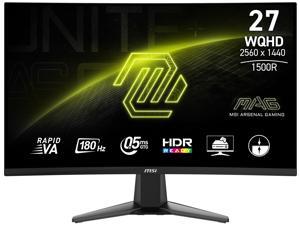

MSI 27 inch QHD 2K 1440P 180Hz with AMD FreeSync Sync 0.5ms HDR Ready support VRR Ai ...
Save: $50.00 (25%)
$149 .99
Free Shipping
- Rapid VA Panel - Provides 0.5ms (GtG, Min.) response time, optimizes screen colors and brightness.
- Curved Screen for surround view
- WQHD High Resolution - Games will look even better, displaying more details.
- 180Hz Refresh Rate - Respond faster with smoother frames.
- 0.5ms (GtG, Min.) Response Time - Eliminate screen tearing and choppy frame rates.
- Night Vision - Smart black tuner to brighten your day by bringing out the fine details in dark areas.
- Adaptive-Sync Technology - Tear free, stutter free, fluid gaming.
- Less Blue Light - Use a software solution to reduce the light emission in the blue-violet region of the blue light spectrum.
Save: $50.00 (25%)
$149 .99
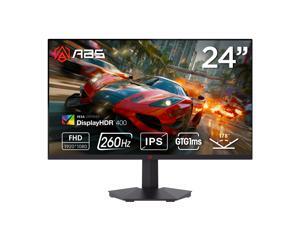

ABS 24" (23.8" viewable) Full HD 1080P 260Hz Fast IPS with AMD FreeSync 1ms HDR400 ...
$99 .99
Free Shipping
- Blazing Fast Performance - 24"(23.8" viewable) Full HD 1920x1080 Fast IPS panel delivers ultra-smooth motion with an exceptional 260Hz refresh rate and 1ms MPRT response time for competitive gaming
- True-to-Life Color Accuracy - Covers 90% of the DCI-P3 color gamut with ?E=2 color precision for vibrant and accurate visuals ideal for gaming and content creation
- HDR400 Certified Display - Experience deeper blacks and brighter highlights with HDR400 technology enhancing contrast and visual clarity in every frame
- Enhanced Eye Comfort - Hardware-level low blue light technology reduces eye strain during long gaming sessions without sacrificing color accuracy or brightness
- Wide Viewing Experience - 178° horizontal and vertical viewing angles ensure consistent colors and clarity from every perspective
- Versatile Connectivity Options - Equipped with 2x HDMI 2.0 ports DisplayPort 1.4 and audio-out for easy connection to PCs gaming consoles and multimedia devices
- Sleek and Functional Design - Frameless flat panel design with anti-glare coating and tilt adjustment from -5° to 15° for a comfortable viewing position
- VESA Mount Ready - Supports 100x100mm wall mounting for flexible desk setups and space-saving installations
- Energy Efficient Performance - External 12V power supply operates at =36W in normal use and =0.5W in standby for eco-friendly operation
$99 .99
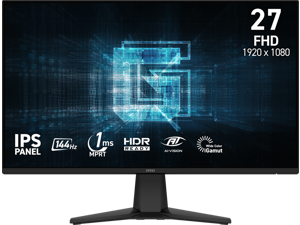
MSI 27" inch Full HD 144Hz IPS with AMD FreeSync (Adaptive Sync) 1ms HDR Ready Anti-Glare ...
Save: $10.00 (9%)
$99 .99
- Smooth and Responsive Gameplay - 27-inch Full HD 1920x1080 IPS panel delivers ultra-smooth visuals with a fast 144Hz refresh rate and 1ms MPRT response time for competitive gaming performance
- Adaptive-Sync Technology - AMD FreeSync matches the monitor's refresh rate with your GPU to eliminate screen tearing and stuttering for fluid seamless gameplay
- HDR Ready Visuals - Enhanced contrast and brightness deliver more vivid highlights and deeper blacks bringing your favorite games to life with realistic details
- Wide Viewing Angles and True Color - IPS technology provides 178° viewing angles and 10-bit color with 80% Adobe RGB 85% DCI-P3 and 110% sRGB coverage for accurate consistent colors
- Frameless and Immersive Design - Three-side frameless design creates an expansive viewing experience ideal for multi-monitor setups and immersive gaming environments
- Versatile Connectivity Options - Features HDMI 2.0 DisplayPort 1.2a and headphone-out ports supporting up to 144Hz refresh rate for PC and console gaming
- Ergonomic and Mountable Setup - Tilt adjustment from -5° to 20° with anti-glare surface internal power board and 100x100mm VESA mount compatibility for flexible installation
Save: $10.00 (9%)
$99 .99
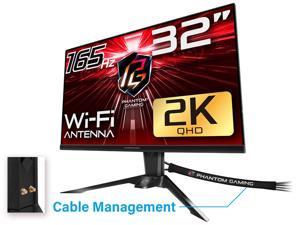

ASRock Phantom Gaming 32" (31.5" viewable) QHD 2K 1440P 165Hz with AMD FreeSync ...
Save: $90.00 (33%)
$179 .99
Free Shipping
- 31.5" QHD (2560x1440) Flat VA Display
- 165Hz High Refresh Rate
- Brightness: 550 nit
- 1ms (MPRT) Response Time
- 92% DCI-P3 / sRGB 116% Color Space
- Wide 178-Degree Viewing Angles
- VESA DisplayHDR 400
- AMD FreeSync Premium Technology
- Flicker Free Technology
- ASRock Low Blue Light Technology
- 2*HDMI 2.0, 1*DisplayPort 1.4
- Height, Swivel, Tilt Adjustment
- Integrated Wi-Fi Antenna (Compatible with Wi-Fi 4/5/6/6E/7)
- PS4/ Xbox One/ Xbox : 1080p, 60Hz, HDR
- PS5: 1440p, 120Hz, HDR
- Xbox Series X and S: 1440p, 120Hz, HDR, VRR
Save: $90.00 (33%)
$179 .99
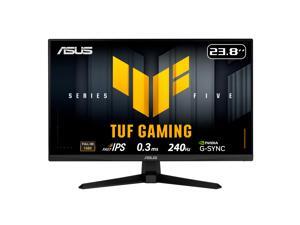

ASUS TUF Gaming 24" (23.8" viewable) Full HD 1080P 240hz Fast IPS with AMD FreeSync ...
Save: $60.00 (35%)
$109 .99
- 24"(23.8" viewable) Full HD(1920 x 1080) Fast IPS panel with 240Hz refresh rate for fast paced gameplay
- ASUS Fast IPS technology enables a 0.3ms (min) response time for sharp gaming visuals with high frame rates
- FreeSync Premium and G-Sync compatible delivers a seamless, tear-free gaming experience
- ASUS Extreme Low Motion Blur Sync (ELMB SYNC) technology enables ELMB together with variable refresh rate, eliminating ghosting and tearing for sharp gaming visuals with high frame rates
- DisplayWidget Center enables easy OSD access and monitor settings adjustments with a mouse
- TUF Gaming A.I technology with AI-powered features to enhance users' gaming experience
Save: $60.00 (35%)
$109 .99
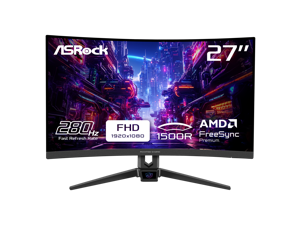
ASRock Phantom Gaming 27 inch Full HD 280Hz with FreeSync Premium (AMD Adaptive Sync) ...
Save: $71.00 (37%)
$118 .99
Free Shipping
- 27"
- VA FHD
- 280Hz
- FreeSync Premium (AMD Adaptive Sync)
- 4000:1 (Typ.)
- 1.07 Billion
- Tilt
- 1 x DisplayPort 1.2 / 2 x HDMI 2.0
- 1 x HDMI v2.0 (1.5m) 1 x DP v1.4 (1.5m) 1 x PowerCord (1.5m) 1 x Quick Start Guide
Save: $71.00 (37%)
$118 .99
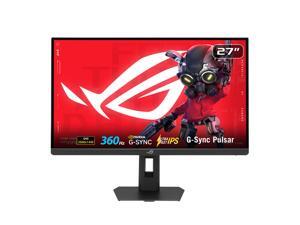
ASUS ROG STRIX 27 inch QHD 2K 1440P 360Hz DUAL MODE to 25" Full HD IPS AMD FreeSync ...
Save: $70.00 (11%)
$579 .99
Free Shipping
- Ultimate Esports Performance: 27-inch QHD (2560 x 1440) Ultrafast IPS display with an ultra-smooth 360Hz refresh rate, built for professional-level gaming.
- NVIDIA G-SYNC Pulsar: Revolutionary technology delivering 4X more motion clarity for a perceived 1000Hz experience, ensuring buttery-smooth visuals without GPU upgrades.
- Ultrafast 1ms Response: Eliminate ghosting with a 1ms (GTG) response time and ULMB 2 for maximum sharpness during high-speed action.
- Pro-Grade Color Accuracy: Features 90% DCI-P3 color gamut and Delta E < 2 factory pre-calibration for stunning, industry-leading visual precision.
- Adaptive HDR Visuals: HDR10 support with 500 cd/? peak brightness and Ambient Adaptive technology that auto-adjusts to your room's lighting.
- Modern Connectivity: Includes HDMI 2.1 (FRL), DisplayPort 1.4 DSC, and a USB 3.2 hub for high-bandwidth gaming and easy peripheral access.
- Full Ergonomic Design: Highly adjustable stand (tilt, swivel, pivot, height) with Aura Sync RGB lighting to customize your gaming setup.
Save: $70.00 (11%)
$579 .99
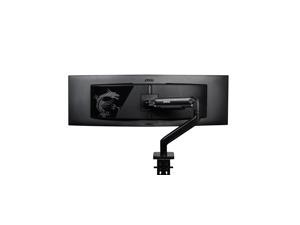
MSI MAG MT201 - Premium Heavy Duty Single Monitor Stand Arm, Supports 17-49" Screens ...
Save: $33.94 (34%)
$66 .05
Free Shipping
- Maximize Your Workspace with the MSI MAG MT201 Premium Heavy Duty Single Monitor Stand Arm.
- Unlock enhanced productivity and comfort with our premium single monitor stand arm.
- Designed to support screens from 17 to 49 inches, with a weight capacity of 44 lbs, it ensures sturdy and adaptable positioning for your display.
- VESA compatible and equipped with an adjustable spring mount, installation is a breeze with the included clamp and grommet options.
- Plus, enjoy the convenience of the quick-release plate for effortless adjustments.
- Elevate your setup today with the sleek black design and the added assurance of MSI's comprehensive 3-year coverage.
Save: $33.94 (34%)
$66 .05
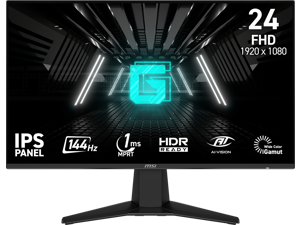
MSI 24 inch (23.8" viewable) Full HD 144Hz IPS with Adaptive-Sync 1ms HDR Ready Ai Vision ...
Save: $15.00 (15%)
$84 .99
Free Shipping
- 144Hz Ultra-Smooth Gameplay - Respond faster with a 144Hz refresh rate for fluid and competitive gaming performance.
- 1ms MPRT Response Time - Minimize motion blur and eliminate screen tearing for fast-paced titles.
- IPS Panel With Wide Color Gamut - Enjoy vivid colors, sharp visuals, and 178° viewing angles.
- Adaptive-Sync Technology - Prevents screen tearing and stuttering for ultra-smooth gameplay.
- Night Vision + Eye Care - Enhances dark scenes while Anti-Flicker and Less Blue Light features reduce eye strain.
- Frameless and Console-Friendly - Slim bezels for maximum immersion. Supports HDMI CEC, 120Hz console mode, and VRR for PS5 and Xbox.
Save: $15.00 (15%)
$84 .99
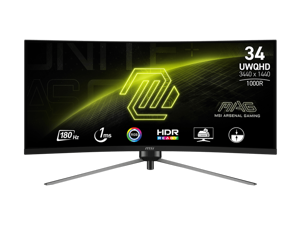
MSI 34 inch Ultrawide QHD 2K 1440P 180Hz AMD FreeSync Premium 1ms HDR Ready VRR ...
Save: $40.00 (12%)
$299 .99
Free Shipping
+ $20 off w/ promo code BMSFF92, limited offer
- Enjoy the most immersive gameplay with a 1000R curvature rate
- 180Hz High Refresh Rate
- Eliminate screen tearing and choppy frame rates with a 1ms(MPRT) response time
- The mesmerizing RGB lights on the back of the screen create a stunning visual display
- HDR Ready. Provide eye-catching detail through contrast and shadows adjustment
- Perfectly supports 120Hz at QHD/2K resolution with next-gen consoles like PS5 and Xbox series X/S
Save: $40.00 (12%)
$299 .99
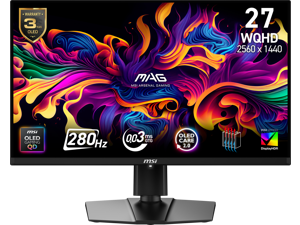
MSI 27" WQHD 2K 1440P 280Hz with AMD FreeSync (Adaptive Sync) 0.03ms HDR400 USB-C ...
Save: $100.00 (18%)
$449 .99
Free Shipping
- 27"
- 2560 x 1440 QD-OLED QHD
- 280 Hz
- 0.03ms(GTG)
- FreeSync (AMD Adaptive Sync)
- 1500000:1
- 1.07 Billion
- Tilt -5° ~ 20° Swivel -30° ~ 30° Height Adjustment 0 - 110 mm Pivot -90° ~ 90°
Save: $100.00 (18%)
$449 .99
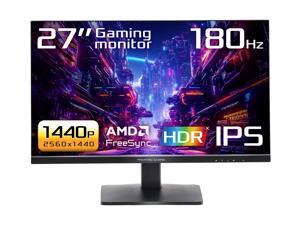
ASRock Phantom Gaming 27 inch QHD 2K 1440P 180Hz IPS with AMD FreeSync (AMD Adaptive ...
Save: $80.22 (38%)
$129 .77
Free Shipping
- 27" QHD (2560x1440) IPS Display
- 180Hz High Refresh Rate
- 1ms (MPRT) Response Time
- 90% DCI-P3 / 99% sRGB Color Space
- 178° Wide Viewing Angles
- VESA DisplayHDR 400
- AMD FreeSync
- Flicker Free Technology
- Low Blue Light Technology
- Tilt Adjustment
- 2 x HDMI 2.0, 1 x DisplayPort 1.4
Save: $80.22 (38%)
$129 .77
Loading Dynamic Data...
Computer Monitor and Projector Buying Tips
Introduction
Professionals often view computer monitors and projectors for hours on end, as they are essential tools for displaying information and images. Because they are such integral parts of a modern organization, great care should be taken to purchase the ideal monitor or projector. Below are some key considerations that you should keep in mind while shopping.
Key Considerations
Computer monitor and projector product pages are often filled with ratings, features, and technical specifications, but what do they all mean? In this section, NeweggBusiness will give easy-to-understand definitions of the more important terms and how they impact your purchasing decision.
Resolution
Resolution is defined as the amount of pixels in a given display area, always given as a measure of width x height in pixels. There are a few standard resolutions commonly used by many industries, such as 720p or 1080p. You may already know those terms in relation to televisions, but they are very common for computer projectors and monitors as well.
Some other common maximum resolutions for computer displays include:
- SVGA (800 x 600) – Found almost exclusively with projectors and older monitors, some newer widescreen monitors no longer even support this resolution.
- XGA (1024 x 768) – Like SVGA, XGA is largely used by projectors and older monitors.
- High Definition (HD) (1280 x 720) – Commonly referred to as 720p, it is the minimum resolution for a product to be labeled as HD. Many LCD monitors and home theater projectors support this standard resolution.
- High Definition+ (HD+) (1600 x 900) – A widescreen resolution that is commonly supported by full HD monitors and projectors.
- Full HD (FHD) (1920 x 1080) – Commonly known as 1080p, it is a supported by many HDTVs, projectors, and pc monitors. If your organization creates or edits 1080p content, this resolution is the minimum you should aim for.
- WUXGA (1920 x 1200) – A less common resolution mostly for pc monitors. While it is widescreen like 1080p, it has a different aspect ratio.
- QHD (2560 x 1440) – A very large resolution, it is mostly found on 27” and larger computer monitors.
Contrast
Contrast ratio is defined asa ratio of the luminance of the brightest white to the darkest black capable of being produced by a display. For both computer monitors and projectors, a high contrast ratio is desirable for tasks depend on high levels of color accuracy. If you are shopping for a LCD monitor or projector to mostly use as text and spreadsheet display however, a low contrast solution is a more cost-effective solution.
Response Time
Measured in milliseconds, response time is the amount of time it takes for a pixel to go from one color to another and back again. Displays with low response times mean that they are faster and have less lag. For the user, this translates to less blurriness for moving images. If your organization works with static content such as photographs or text, fast response times are not necessary.
Connectivity
When shopping for monitors or projectors, it is important that they work properly with your organization’s computers. Ensure that the connections they accept are outputted by your computers or else you will need adapters to convert the signals. The standard connections are usually: VGA, DVI, HDMI®, and Display Port. Some monitors also accept USB connections, though USB monitors are relatively rare.
Touch screen
Touch screen monitors can be useful for organizations that want to integrate a monitor, mouse, and keyboard into one complete unit. They are frequently used with point-of-sale machines in the hospitality in addition to more specialized tasks in other industries. They are generally not needed for office tasks such as word processing, data entry, or internet browsing.
