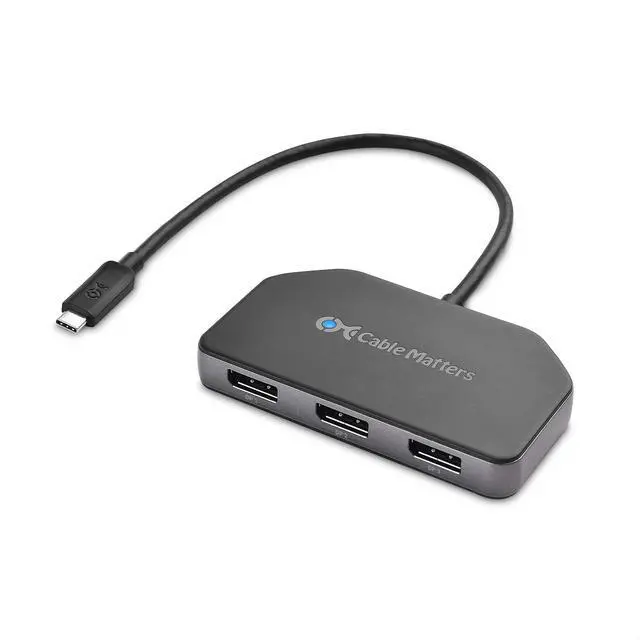
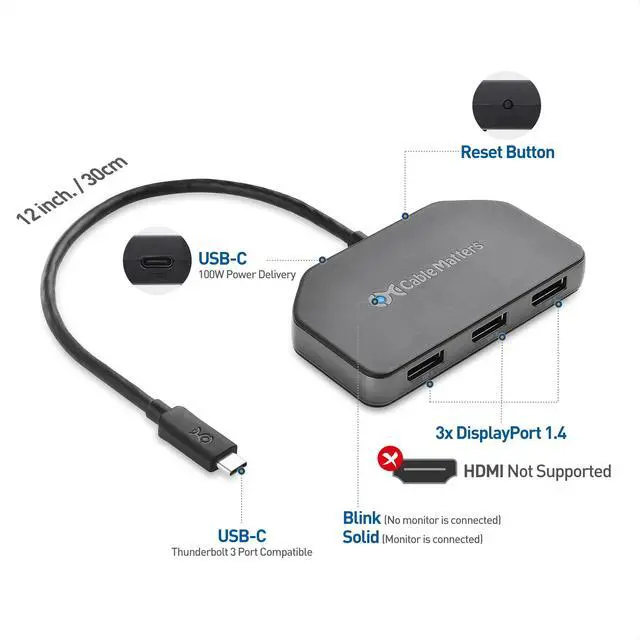
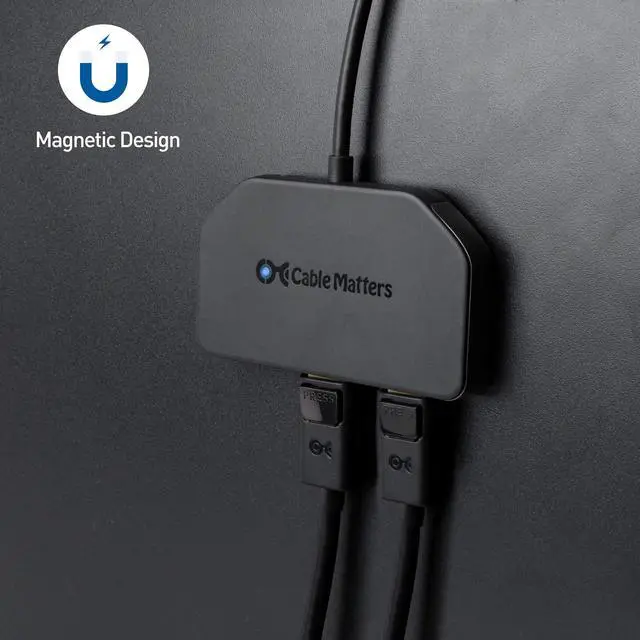
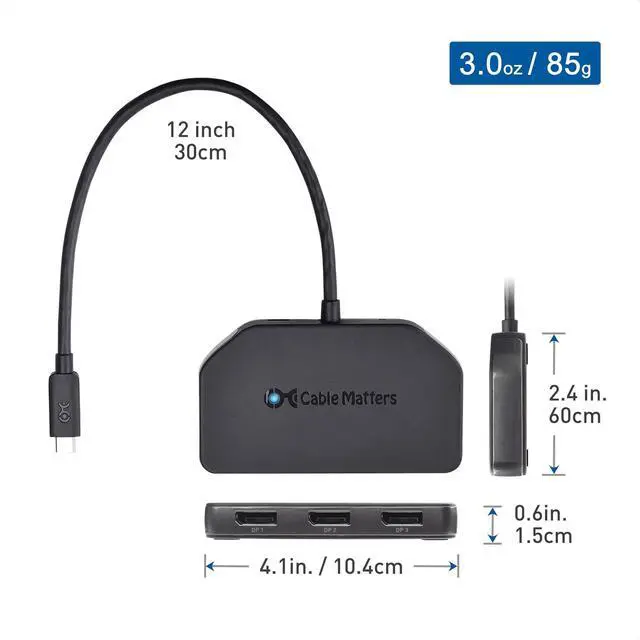
Create the ultimate triple-monitor workstation with the Cable Matters USB-C Display Port switch; Connect a laptop with a USB-C port to expand a laptop computer into a triple-monitor workstation; also supports desktops and tablets with DP Alt Mode support with the USBC DisplayPort adapter
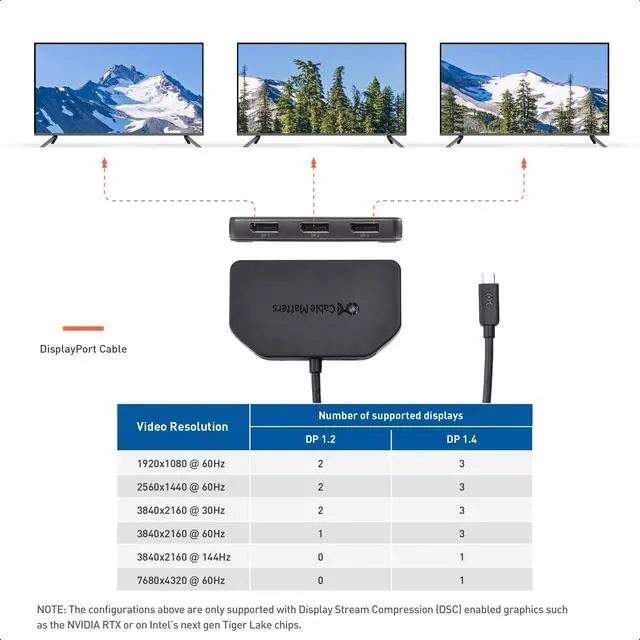
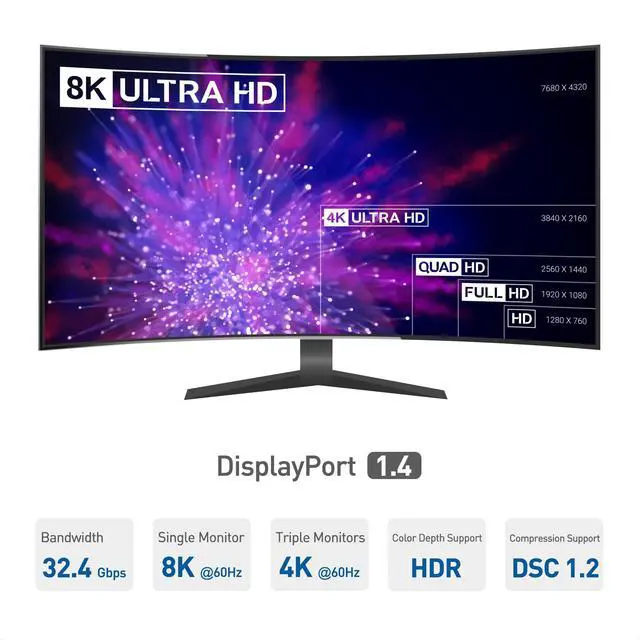
USB-C DisplayPort hub with triple monitor support features 3 DisplayPort 1.4 portsfor 32.4Gbps of video and audio bandwidth; Leverage the latest DisplayPort technology to connect up to three high-resolution monitors; Display Port splitter supports three 4K @60Hz monitors, two 8K@30Hz, or one 8K@60Hz monitor with a compatible DisplayPort 1.4 host with the latest Display Stream Compression (DSC) and Multi-Stream Transport (MST) support
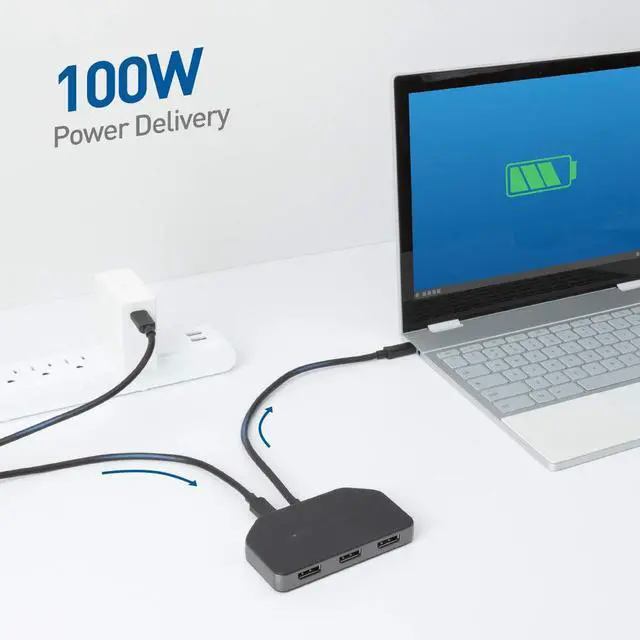
Low power consumption design of the USB Type C to DisplayPort hub is entirely bus-powered from the host USB-C port; optional USB-C power connector provides compatibility with low-powered devices that do not transfer enough power over the DP hub connection; Pass-through Power Delivery allows for 100W host charging through the USB-C multi-monitor splitter
Take advantage of the latest DisplayPort 1.4 features including High Dynamic Range (HDR) and increased audio support with this Display Port 1.4 splitter; Connect the newest 4K and 8K monitors on supported hardware; DisplayPort Splitter 144Hz supports 144Hz and 240Hz depending on host and monitor DisplayPort version and resolution
+
+
Overview
Specs
Reviews
Windows Only Triple Monitor USB C Hub, 3X DisplayPort
Learn more about the Generic Brand 201375-BLK
Model
Brand
Cable Matters
Series
201375-BLK Cable Matters
Model
201375-BLK
Part Number
201375-BLK
Details
Color
Black
Max Devices Supported
1, 3
Ports
1 x USB 3.0, 3 x USB 2.0
Network Connector
usb
Transfer Rate
5 gigabits_per_second
Weight
0.118 kilograms
Additional Information
First Listed on Newegg
August 13, 2026
Customer Reviews of the Generic Brand 201375-BLK
There are no reviews yet.
Do you own this product?
Warranty & Returns
Warranty, Returns, And Additional Information
Warranty
Please contact the Seller directly for warranty information. Warranty information may also be found on the Manufacturer's website.



 All Categories