All About The Ports
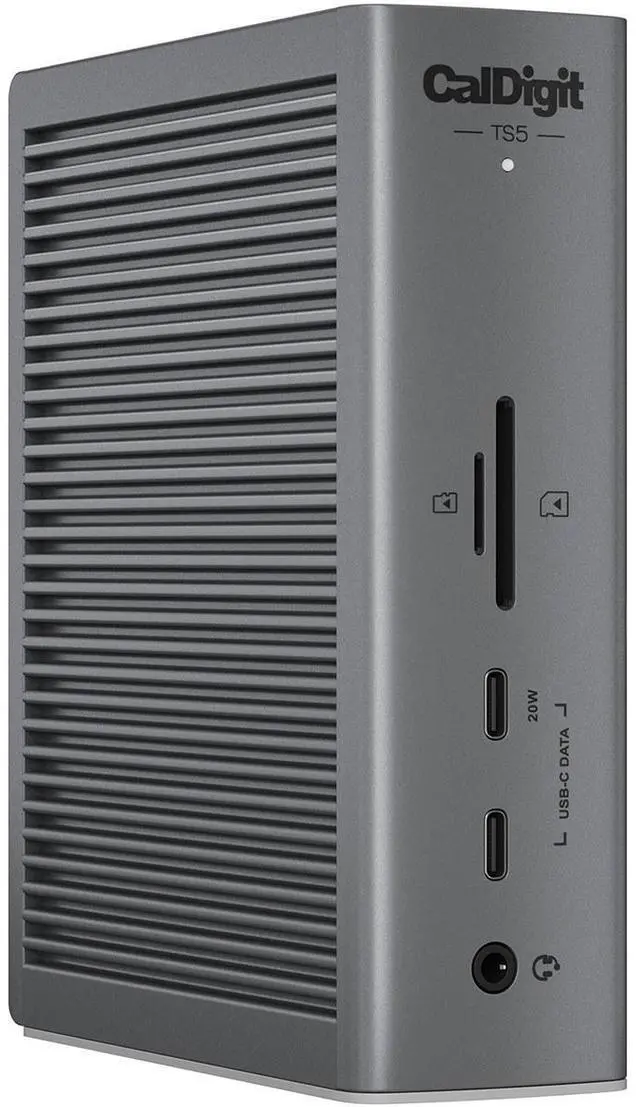
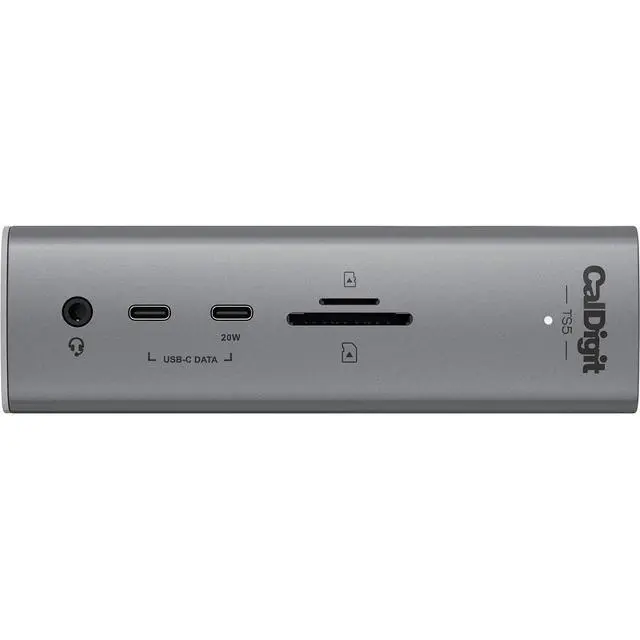
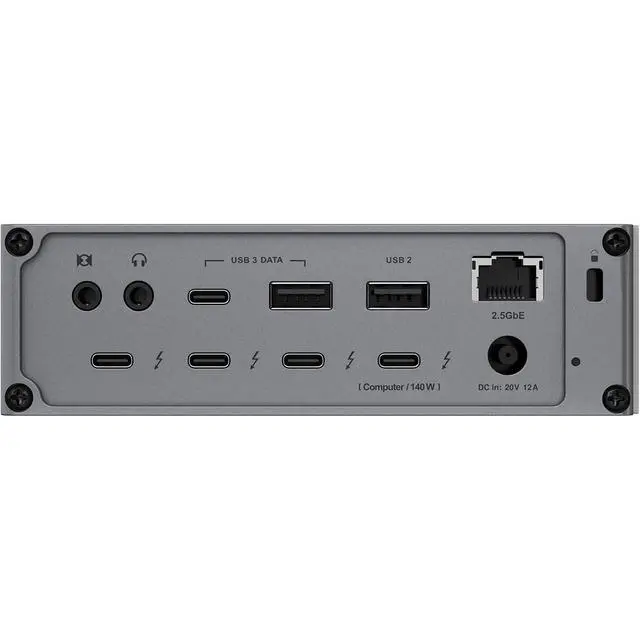
The TS5 is built from the ground up with connectivity in mind. It is packed full of essential ports ready to take your workflow to the next level. This dock features a combined total of 15 ports, including four Thunderbolt 5 80Gb/s ports. In addition to all of this connectivity, the TS5 will charge your laptop up to 140W.
Big on ports.
Delivering 15 ports, all of which can be used at the same time, this dock packs all the ports most of us would ever need.
Get Connected
The TS5 is compatible with Thunderbolt 5, Thunderbolt 4, Thunderbolt 3, USB4, USB4 v2, and USB-C host computers.
M1/M2/M3/M4/M5 Pro, M1/M2/M3/M4/M5 Max & M1/M2/M3 Ultra Mac (Requires macOS 15 or above.)
M1/M2/M3/M4/M5 Mac (Requires macOS 15 or above.)
Thunderbolt 5 PC
Thunderbolt 4 PC
Thunderbolt 3 Mac
USB4 & USB4 v2 PC
Intel Thunderbolt 3 Mac (Requires macOS 15 or above.)
USB-C Mac or PC
Thunderbolt iPad (Functionality is dependent on host computer or tablet -s capabilities.)
Thunderbolt Chromebook
140W Power Delivery
The TS5 provides up to 140W power delivery for even the most demanding laptops. This makes it ideal for laptops like the 16" MacBook Pro with M4 Pro or M4 Max chips which require 140W.
Whilst many other Thunderbolt 5 docks state that they can charge at up to a certain wattage, they actually include an insufficient power supply. These docks will allocate host power based on how many devices are connected to them. Some of the host power will move to newly attached devices, thereby reducing the power delivery.
Rest assured that the CalDigit TS5's power supply will always provide the full 140W power delivery, and will never drop that performance even when new devices are connected to the TS5. For laptops or tablets that require less than 140W, the TS5 will only supply the wattage required by your device.
Thunderbolt 5
The TS5 features four 80Gb/s bi-directional Thunderbolt 5 ports, which are double the performance of Thunderbolt 4. The PCIe performance of the Thunderbolt ports have been doubled from the previous generation to 64Gb/s PCIe 4.0. This is ideal if you are intending on connecting high performance SSDs or RAID devices to the TS5. This powerful dock will support transfer speeds up to 6,200MB/s.
5 Powerful USB Ports
The TS5 features 5 USB ports in order to attach multiple accessories to the dock. Four of the USB ports on the TS5 offer 10Gb/s performance, and one of the USB-A ports provides USB 2.0 performance for keyboards or mice.
Note: USB-C & USB-A ports are for data only. Monitors must be connected to the spare Thunderbolt 5/USB4 v2 ports.
Single, Dual, Triple or Quad Displays
Whether you need a high-resolution display, a high-refresh rate display, or up to 4 external displays, the TS5 has you covered.
Single Monitor
If you're looking to add a single monitor to the TS5 you can connect it to one of the spare Thunderbolt 5 ports. If you wish to connect an HDMI monitor you can use a USB-C to HDMI Adapter.
Dual Monitors
macOS users on base M5, M4, M1/M2/M3/M4 Pro, M1/M2/M3/M4 Max, M1/M2/M3 Ultra, or Intel based Macs can connect up to dual displays
M1/M2/M3 based Macs are limited to 1 external monitor by design via their Thunderbolt ports
Windows PC Thunderbolt 5 and Thunderbolt 4 users can connect up to dual displays
Triple Monitors
macOS users on base M5, M4, M1/M2/M3/M4 Pro, M1/M2/M3/M4 Max, M1/M2/M3 Ultra, or Intel based Macs do not support triple displays
macOS users on M5 Pro & M5 Max can connect three displays
Windows PC Thunderbolt 5 users can connect up to three displays on supported host computers
Windows PC Thunderbolt 4 users cannot connect three displays natively
Quad Monitors



 All Categories